
1. Introduction
Thank you for choosing the NEO CHAIR Video Gaming Chair. This manual provides essential information for the proper assembly, operation, and maintenance of your new chair. Please read these instructions carefully before assembly and retain them for future reference to ensure safe and optimal use of your product.
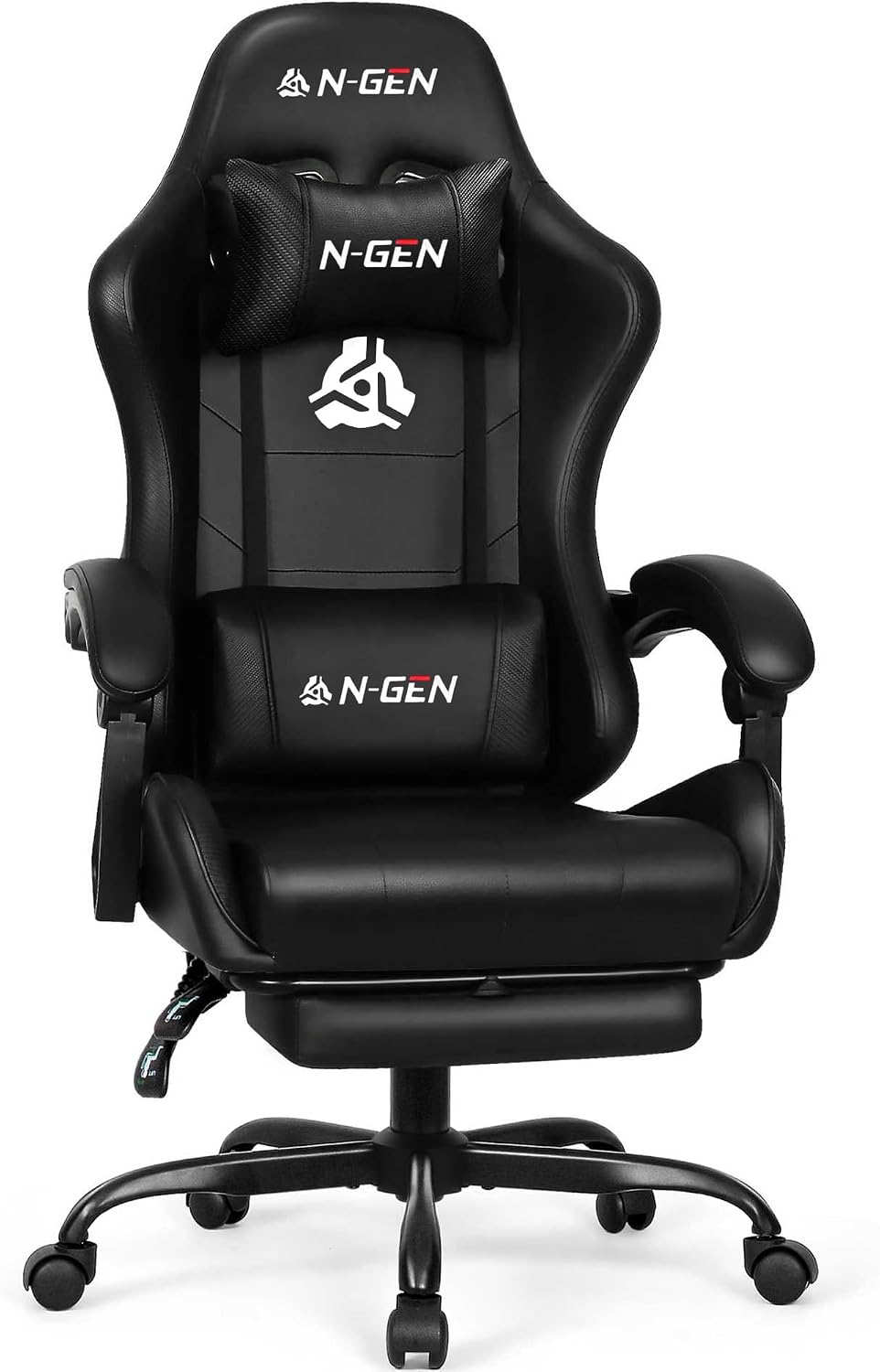
Image 1: NEO CHAIR Video Gaming Chair (All Black)
2. Safety Information
WARNING: Failure to follow these safety instructions may result in injury or damage to the product.
- Always assemble the chair according to the provided instructions.
- Do not exceed the maximum weight capacity of 300 lbs (136 kg).
- Be cautious when adjusting the chair's height or recline to prevent injury.
- Keep the area around the chair clear to avoid tripping hazards.
- Ensure all bolts and screws are securely tightened before use and periodically check for looseness.
- Do not stand on the chair or use it as a step stool.
3. Package Contents
Before beginning assembly, please verify that all components are present and undamaged. If any parts are missing or damaged, contact customer support immediately.
- Chair Backrest
- Seat Base with Armrests
- Footrest Assembly
- Gas Lift Cylinder
- Gas Lift Cover
- Star Base
- Casters (5 pieces)
- Lumbar Support Pillow
- Headrest Pillow
- Hardware Kit (bolts, washers, Allen wrench)
- User Manual (this document)
4. Assembly Instructions
Assembly typically takes 10-20 minutes. All necessary tools are included in the hardware kit.
- Attach Casters to Star Base: Insert each of the five casters into the holes at the end of the star base arms until they click securely into place.
- Install Gas Lift: Place the gas lift cylinder into the center hole of the star base. Cover the gas lift with the telescopic plastic cover.
- Connect Seat to Backrest: Align the metal brackets on the backrest with the corresponding holes on the seat base. Secure with the provided bolts and washers using the Allen wrench. Do not overtighten initially.
- Attach Seat Assembly to Gas Lift: Carefully place the assembled seat onto the gas lift cylinder, ensuring it is centered and stable.
- Install Footrest: Slide the footrest assembly into the designated slots under the seat. Ensure it locks into place.
- Attach Pillows: Secure the lumbar support pillow and headrest pillow to the backrest using their elastic straps. Adjust their positions for personal comfort.
- Final Tightening: Once the chair is fully assembled, go back and securely tighten all bolts.

Image 2: Chair Dimensions and Maximum Load
5. Operating Instructions
Your NEO CHAIR is designed for ergonomic comfort and adjustability.
5.1. Height Adjustment
To adjust the chair's height, locate the lever on the right side under the seat. While seated, pull the lever up to lower the chair. To raise the chair, stand up and pull the lever up. Release the lever at your desired height.
5.2. Reclining Function
The chair features a 135-degree recline. Pull the recline lever, typically on the left side, to adjust the backrest angle. Release the lever to lock the backrest in position. The chair also has a tilt lock mechanism for added stability.

Image 3: Recline and Footrest Operation
5.3. Footrest Operation
To extend the footrest, pull it out from under the seat. To retract, push it back in until it is fully stored.
5.4. Swivel Function
The chair offers a 360-degree swivel for easy movement and access to your surroundings.
5.5. Linkage Armrests
The ergonomic linkage armrests are designed to move with the recline of the chair, providing continuous support to your arms and shoulders in various positions.

Image 4: Linkage Armrests
6. Maintenance
Proper care will extend the life and appearance of your NEO CHAIR.
- Cleaning: Wipe clean with a damp cloth. For tougher stains on the PU leather, use a mild soap solution and wipe dry immediately. Avoid harsh chemicals or abrasive cleaners.
- Inspection: Periodically check all bolts and screws to ensure they are tight. Retighten as necessary.
- Lubrication: The gas lift mechanism is maintenance-free. Do not attempt to lubricate it.
- Avoid Direct Sunlight: Prolonged exposure to direct sunlight can cause the PU leather to fade or crack.
7. Troubleshooting
If you encounter any issues with your chair, refer to the following common solutions:
- Chair Sinks or Does Not Hold Height: Ensure the gas lift lever is fully disengaged. If the issue persists, the gas lift cylinder may need replacement. Contact customer support.
- Chair Wobbles or is Unstable: Check that all bolts connecting the seat, backrest, and base are securely tightened. Ensure casters are fully inserted into the star base.
- Squeaking Noises: Apply a small amount of silicone lubricant to moving parts or joints if squeaking occurs. Avoid applying lubricant to the gas lift.
- Footrest Does Not Extend/Retract Smoothly: Check for any obstructions in the footrest mechanism. Ensure it is properly aligned.
For issues not listed here or if troubleshooting steps do not resolve the problem, please contact NEO CHAIR customer support.
8. Specifications
| Feature | Detail |
|---|---|
| Brand | NEO CHAIR |
| Model Name | Video Gaming Chair |
| Color | All Black |
| Material | Polyurethane (Faux Leather), Sponge Fill |
| Product Dimensions (D x W x H) | 27.5"D x 24.5"W x 50"H |
| Maximum Weight Recommendation | 300 Pounds |
| Special Features | Adjustable Height, Linkage Arm Rests, Lumbar Cushion, Headrest Cushion, Rolling Casters, Swivel, Recliner, Footrest |
| Reclining Position Count | 3 Position (up to 135 degrees) |
| Gas Lift Certification | SGS Certified |
| Base Material | Steel |
| Item Weight | 40.7 pounds |
9. Warranty and Support
NEO CHAIR is committed to providing quality products and customer satisfaction. Your chair comes with a standard manufacturer's warranty against defects in materials and workmanship. For specific warranty details, please refer to the documentation included with your purchase or contact our customer support.
Our customer support team is available to assist with any questions, concerns, or issues you may have regarding your NEO CHAIR. Please have your purchase information and model number ready when contacting support.
Contact Information:
- Refer to your purchase documentation for the most current contact methods.
- Visit the official NEO CHAIR website for support resources.


