Introduction
The ACEBEAM UC25 is a versatile and compact multi-light tactical EDC (Everyday Carry) flat flashlight. It integrates four distinct light sources: a powerful 3100-lumen white LED, a 365nm UV light, a precise green beam, and a high CRI auxiliary light. Designed for durability and ease of use, the UC25 features a triple-switch design, USB-C rechargeable battery, and a magnetic tail cap, making it suitable for a wide range of applications from daily tasks to outdoor adventures and professional work environments.

Image: The ACEBEAM UC25 flashlight highlighting its four distinct light sources: main light, green beam, UV light, and auxiliary light, demonstrating its multi-functionality.
Package Contents
- ACEBEAM UC25 Multi-Light Tactical EDC Flat Flashlight (Battery Included) x 1
- Holster x 1
- USB-C Cable x 1
- User Manual x 1
Setup
Initial Charging
Before first use, fully charge the ACEBEAM UC25 flashlight. Connect the provided USB-C cable to the flashlight's USB-C port and to a compatible USB power source. The battery indicator will show charging status. A full charge typically takes approximately 3.5 hours.

Image: The ACEBEAM UC25 flashlight connected to a USB-C charging cable, illustrating the convenient charging process.
Operating Instructions
Triple-Switch Design Overview
The UC25 features three control switches for intuitive operation:
- Side Switch: Controls brightness levels for main, auxiliary, and UV lights.
- Rotary Magnetic Switch: Selects between the four light sources (Main, Green Beam, UV, Auxiliary).
- Tactical Tail Switch: Activates Turbo mode and Strobe for rapid reactions.
Selecting Light Sources (Rotary Magnetic Switch)
Rotate the magnetic switch located on the side of the flashlight to cycle through the available light sources:
- Main Light: For general illumination.
- Green Beam: For precise pointing or signaling.
- UV Light (365nm): For detecting hidden details, stains, or authenticating items.
- Auxiliary Light (High CRI): For true-to-life color rendition, close-up work, or as a fill light.

Image: Illustration of the rotary switch mechanism, demonstrating how to select different light sources on the UC25 flashlight.
Adjusting Brightness (Side Switch)
Once a light source (Main, UV, or Auxiliary) is selected via the rotary switch, press the side switch to cycle through its available brightness levels (e.g., Low, Medium, High, Ultra Low). The Green Beam has a fixed output.

Image: The 3100-lumen main light in action, providing powerful illumination in a dark environment.
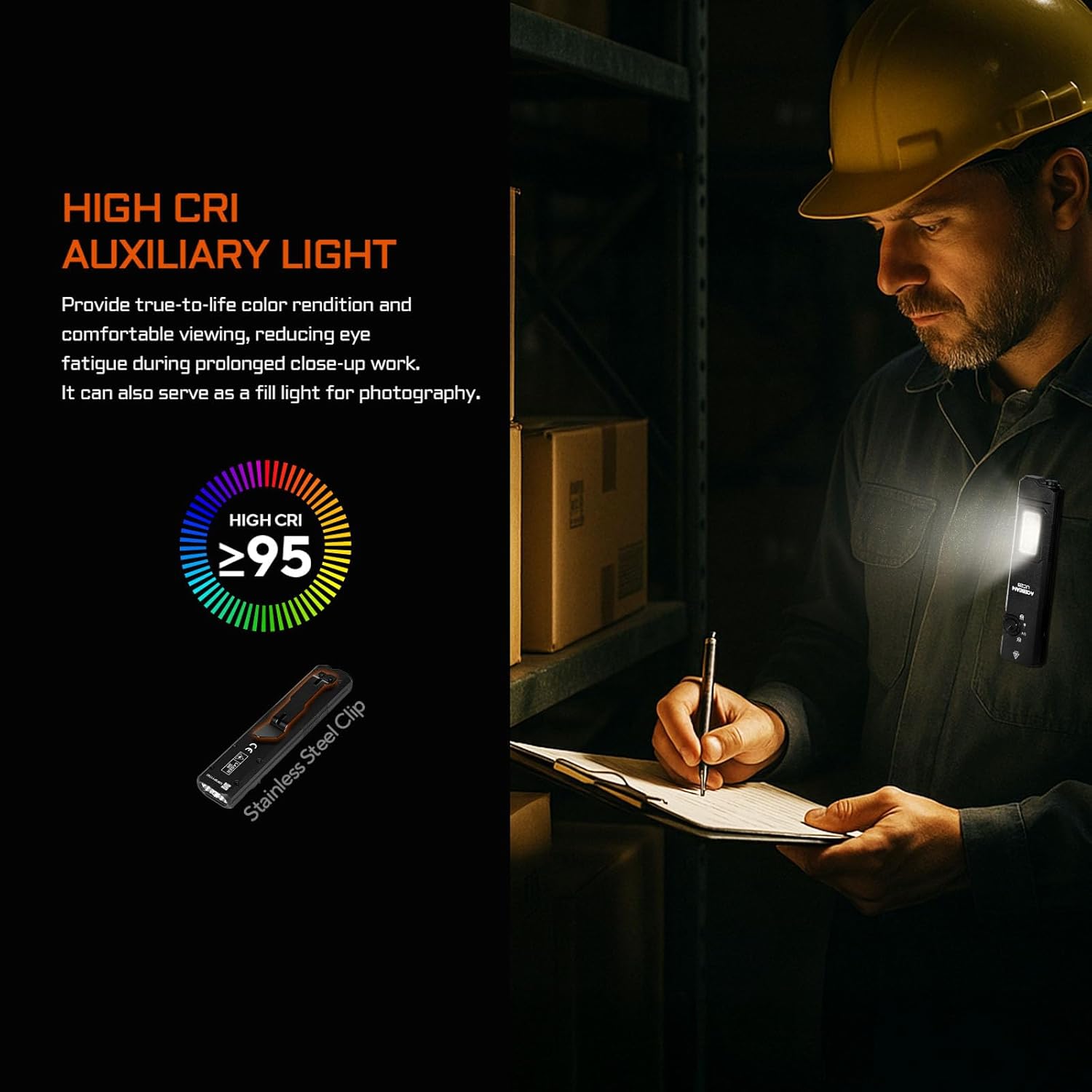
Image: A person using the high CRI auxiliary light for detailed work, showcasing its ability to provide accurate color rendition and reduce eye fatigue.

Image: Demonstrating the 365nm UV light's capability to reveal details invisible to the naked eye, such as fluorescence.

Image: The green beam being used for precise pointing in an industrial setting, highlighting its utility for tasks requiring accuracy.
Tactical Tail Switch Functions
The tactical tail switch provides quick access to high-output modes:
- Turbo Mode (Momentary On): Half-press the tail switch for temporary maximum brightness (3100 lumens). Release to turn off.
- Turbo Mode (Constant On): Full-press the tail switch to activate constant maximum brightness. Press again to turn off.
- Strobe Mode: Quickly full-press the tail switch twice to activate strobe. Press again to turn off.

Image: The tactical tail switch, illustrating its functions for quick activation of Turbo and Strobe modes.
Lockout Mode
To prevent accidental activation and potential overheating, especially when carrying the flashlight in a pocket or bag, activate the lockout mode. Press and hold the side switch for three seconds until the lights flash three times. To unlock, press and hold the side switch again for three seconds.
Maintenance
Charging and Battery Care
The UC25 features a built-in rechargeable Lithium Polymer battery. Use the provided USB-C cable for charging. The battery indicator on the side switch will display the current battery level:
- Green: Sufficient charge.
- Red: Low battery, recharge soon.
Avoid fully depleting the battery to prolong its lifespan. Store the flashlight with a partial charge if not used for extended periods.
Cleaning
Wipe the flashlight body with a soft, damp cloth as needed. Do not use harsh chemicals or abrasive materials. Keep the lens clean for optimal light output.
Magnetic Tail Cap
The magnetic tail cap allows for hands-free lighting by attaching the flashlight to metal surfaces. Ensure the magnetic surface is clean for a secure hold.

Image: The magnetic tail cap in use, demonstrating hands-free lighting for tasks requiring both hands.
Troubleshooting
- Flashlight not turning on:
- Check if the battery is charged. Connect to a USB-C charger.
- Ensure the flashlight is not in lockout mode. Press and hold the side switch for three seconds to unlock.
- Light output is dim or inconsistent:
- Recharge the battery.
- Clean the lens surface.
- Flashlight gets hot during use:
- High brightness modes, especially Turbo, generate significant heat. This is normal.
- If the flashlight becomes uncomfortably hot, reduce the brightness level or turn it off to cool down.
- Always use lockout mode when carrying to prevent accidental activation and overheating.
- Green beam not visible or weak:
- Ensure the rotary switch is correctly set to the Green Beam position.
- The green beam output is ≤5mW (Class 3R) and is designed for pointing, not illumination. Its visibility depends on ambient light conditions.
Specifications
| Feature | Detail |
|---|
| Model Number | UC25 |
| Brand | ACEBEAM |
| Main Light Brightness | 3100 Lumens (Dual 6500K White LED) |
| UV Light | 365nm Wavelength, 1000mW Output |
| Green Beam | ≤5mW Output, Class 3R |
| Auxiliary Light | High CRI (≥95) |
| Power Source | Battery Powered (Lithium Polymer) |
| Charging | USB-C Rechargeable |
| Material | Aerospace-grade AL6061-T6 Aluminum |
| Water Resistance | IP65 (Dust and Water Jet Resistant) |
| Impact Resistance | 1.5 meters |
| Dimensions (L x W x H) | 5.59" x 1.22" x 0.63" (142mm x 31mm x 16mm) |
| Weight | 4.86 oz (137.9g) |

Image: Detailed technical parameters table outlining performance metrics for each light source and mode.
Warranty
The ACEBEAM UC25 flashlight comes with a 10-year manufacturer's warranty. This warranty covers defects in materials and workmanship under normal use. Please retain your proof of purchase for warranty claims. For detailed warranty terms and conditions, please refer to the official ACEBEAM website or contact customer support.
Support
For further assistance, technical support, or warranty inquiries, please contact ACEBEAM customer service through their official website or the retailer where the product was purchased.
Official ACEBEAM Store: Visit the ACEBEAM Store on Amazon


