
ID-COOLING IS-47-XT V2
ID-COOLING IS-47-XT V2 Low Profile CPU Air Cooler User Manual
Model: IS-47-XT V2
1. Introduction
The ID-COOLING IS-47-XT V2 is a low-profile CPU air cooler designed for compact systems such as Small Form Factor (SFF), Mini-ITX, and HTPC cases. With an overall height of 47mm, it provides efficient cooling performance for compatible Intel and AMD processors while ensuring clearance for RAM and motherboard components.
2. Package Contents
Verify that all components are present before proceeding with installation.
- IS-47-XT V2 Heatsink
- 92mm PWM Cooling Fan
- Mounting Hardware for Intel LGA1700/1200/115X
- Mounting Hardware for AMD AM5/AM4
- Thermal Paste (pre-applied or in a tube)
3. Specifications
| Feature | Specification |
|---|---|
| Brand | ID-COOLING |
| Model | IS-47-XT V2 |
| Cooling Method | Air |
| Compatible Devices | Desktop CPUs |
| Noise Level (Max) | 33.2 Decibels |
| Maximum Rotational Speed | 3000 RPM (PWM controlled) |
| Air Flow Capacity (Max) | 47.5 Cubic Feet Per Minute (CFM) |
| Heatpipe Count | 4 Copper Heatpipes |
| Overall Height | 47mm |
| Fan Dimensions | 92x92x17mm |
| Bearing Type | Hydraulic Bearing |
| CPU Socket Compatibility | Intel LGA1700/1200/115X, AMD AM5/AM4 |

Image: Detailed specifications of the 92mm fan, including dimensions, airflow, noise level, and bearing type.
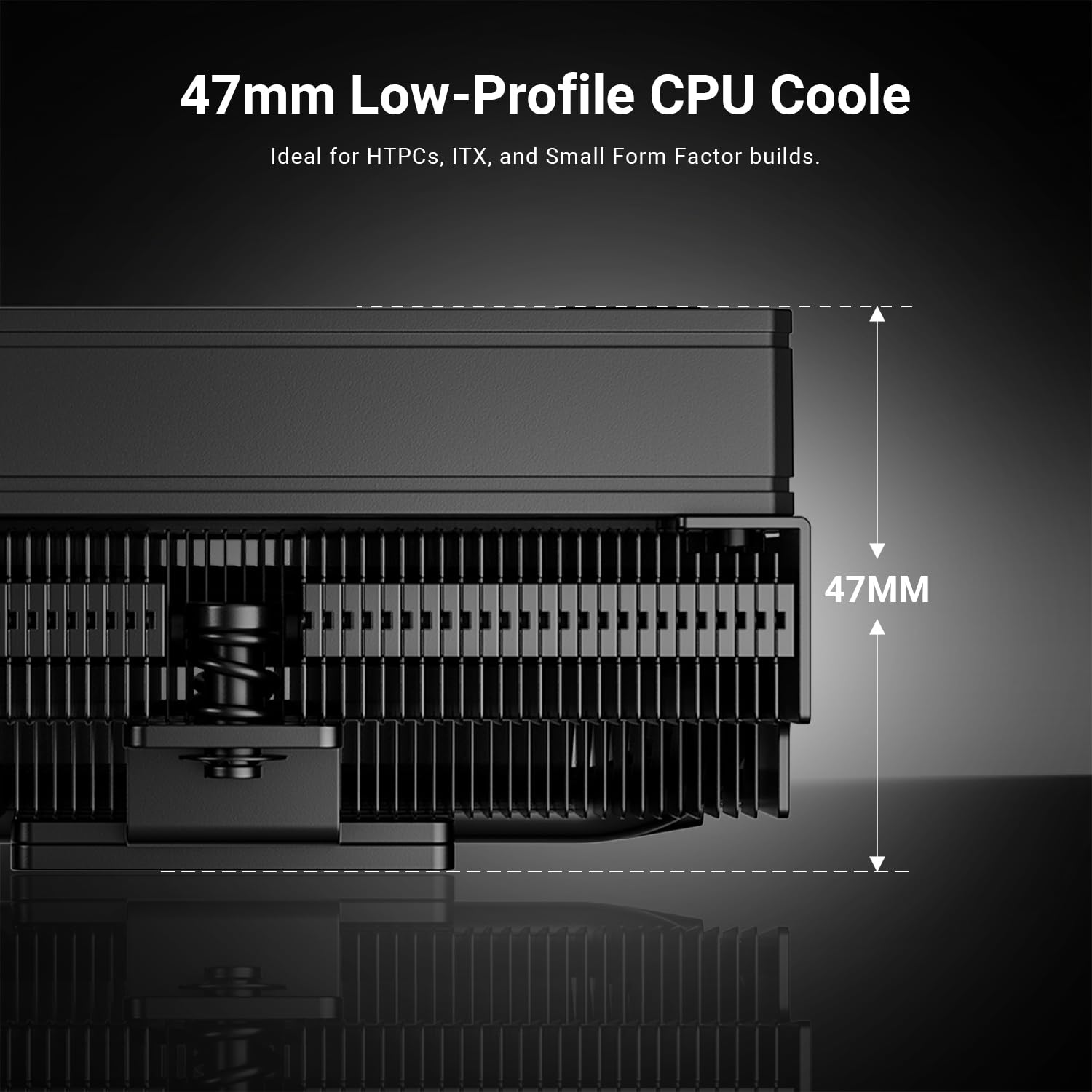
Image: Side view of the ID-COOLING IS-47-XT V2 CPU cooler, highlighting its ultra-low 47mm height, ideal for compact PC builds.
4. Setup and Installation
This section provides general installation guidelines. Refer to your motherboard manual for specific CPU socket preparation.
4.1 Pre-Installation Checks
- Ensure your motherboard is compatible with the IS-47-XT V2 (Intel LGA1700/1200/115X or AMD AM5/AM4).
- Verify that your PC case has adequate clearance for a 47mm tall CPU cooler.
- Gather necessary tools: Phillips head screwdriver, cleaning alcohol (for old thermal paste removal).
4.2 CPU Preparation
- Clean CPU Surface: If replacing an old cooler, carefully remove the old cooler and clean any residual thermal paste from the CPU's integrated heat spreader (IHS) and the cooler's base using isopropyl alcohol and a lint-free cloth.
- Install CPU: Ensure your CPU is correctly seated and locked into the motherboard socket.
4.3 Mounting Bracket Installation (Intel/AMD)
The IS-47-XT V2 uses specific mounting hardware for Intel and AMD platforms. Select the appropriate hardware from the package.
- Attach Backplate (if applicable): For some Intel sockets, a backplate may be required. Position it behind the motherboard, aligning the holes.
- Install Standoffs: Screw the correct standoffs into the motherboard's CPU cooler mounting holes.
- Apply Thermal Paste: Apply a small amount of thermal paste (pea-sized dot or thin line) to the center of the CPU's IHS. If the cooler has pre-applied thermal paste, skip this step.
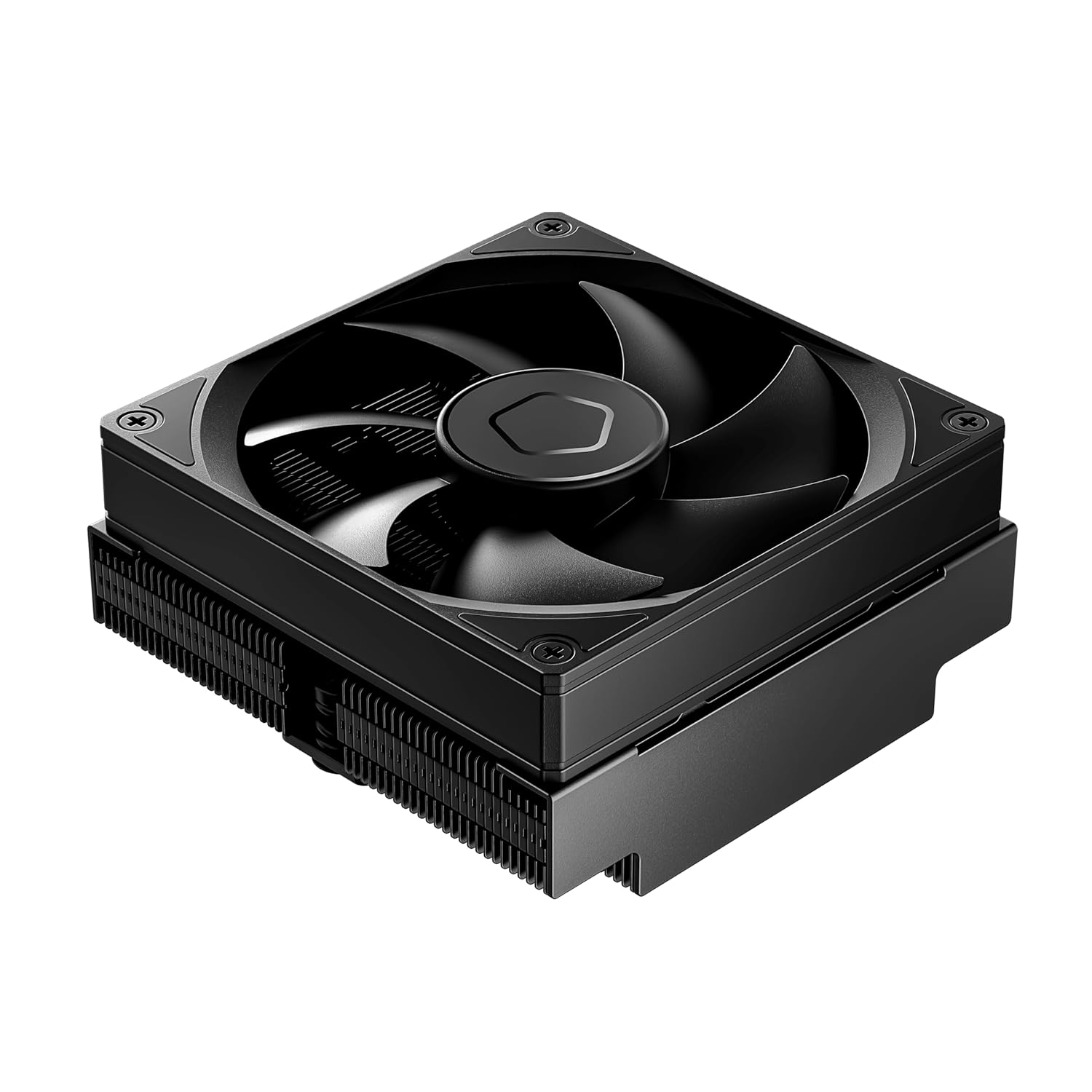
Image: Close-up view of the ID-COOLING IS-47-XT V2's premium copper base and heatpipes, designed for efficient heat transfer from the CPU.
4.4 Cooler Installation
- Position Cooler: Carefully place the IS-47-XT V2 heatsink onto the CPU, aligning the mounting holes on the cooler's retention frame with the standoffs.
- Secure Cooler: Using the provided screws, tighten the cooler evenly in a cross pattern (e.g., top-left, bottom-right, top-right, bottom-left) until snug. Do not overtighten.
- Connect Fan Cable: Locate the CPU_FAN header on your motherboard and connect the 4-pin PWM fan cable from the IS-47-XT V2 fan.

Image: The ID-COOLING IS-47-XT V2 CPU cooler installed on a motherboard, showing its compact size and placement relative to RAM slots.
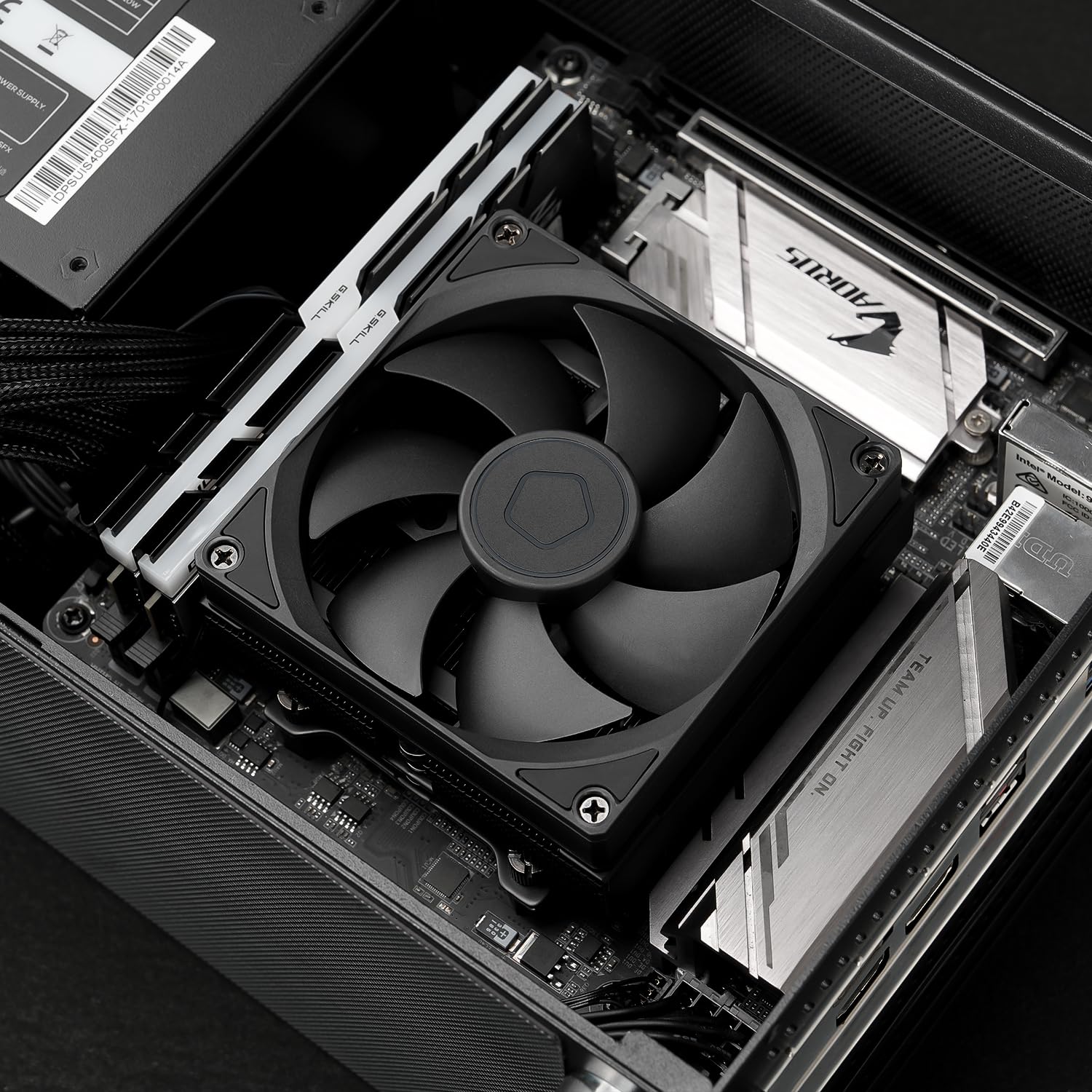
Image: The ID-COOLING IS-47-XT V2 CPU cooler installed within a small form factor (SFF) PC case, demonstrating its suitability for compact builds.

Image: Diagram illustrating the 100% clearance provided by the ID-COOLING IS-47-XT V2 for RAM modules and I/O components on a Mini-ITX motherboard.
4.5 Video Installation Guide
Video: An overview of the ID-COOLING IS-47-XT V2 CPU cooler, demonstrating its features and compact design. This video provides a visual guide to the product's components and how it fits into a system.
5. Operating Instructions
Once installed, the ID-COOLING IS-47-XT V2 operates automatically. The 92mm PWM fan adjusts its speed based on CPU temperature, as controlled by your motherboard's BIOS/UEFI settings.
- BIOS/UEFI Settings: Access your motherboard's BIOS/UEFI to configure fan curves if you desire specific performance or noise profiles. Ensure the CPU_FAN header is set to PWM mode for optimal control.
- Temperature Monitoring: Use system monitoring software (e.g., HWMonitor, CPU-Z) to observe CPU temperatures and fan speeds, especially during initial setup and under load, to confirm proper cooling performance.
6. Maintenance
Regular maintenance helps ensure optimal performance and longevity of your CPU cooler.
- Dust Removal: Periodically clean dust from the heatsink fins and fan blades using compressed air or a soft brush. Ensure the fan is not spinning during cleaning to prevent damage.
- Fan Inspection: Check the fan for any obstructions or unusual noises. If the fan becomes excessively noisy or stops spinning, it may need replacement.
- Thermal Paste Reapplication: While not frequently required, if you remove the cooler for any reason, it is recommended to clean off the old thermal paste and apply new thermal paste before reinstallation.
7. Troubleshooting
If you encounter issues with your CPU cooler, consider the following troubleshooting steps:
- High CPU Temperatures:
- Verify the cooler is securely mounted and making proper contact with the CPU.
- Check if the thermal paste application was sufficient and even. Reapply if necessary.
- Ensure the fan is spinning correctly and connected to the CPU_FAN header.
- Confirm adequate airflow within your PC case.
- Fan Not Spinning or Making Noise:
- Check the fan cable connection to the motherboard.
- Inspect for any physical obstructions preventing the fan from spinning.
- Access BIOS/UEFI to ensure fan control settings are appropriate and not set to a very low RPM or off.
- System Instability/Crashes:
- High CPU temperatures can cause system instability. Follow steps for "High CPU Temperatures" above.
- Ensure all other PC components are correctly installed and functioning.
8. Warranty and Support
The ID-COOLING IS-47-XT V2 CPU Air Cooler comes with a standard manufacturer's warranty. For specific warranty terms, duration, and conditions, please refer to the warranty card included with your product or visit the official ID-COOLING website.
For technical support, installation assistance, or troubleshooting beyond this manual, please contact ID-COOLING customer service through their official website or support channels. Keep your proof of purchase for warranty claims.
Official ID-COOLING Website: www.idcooling.com
Related documentsIS-47-XT V2


Ask a question about this manual
Ask about setup, troubleshooting, compatibility, parts, safety, or missing instructions. Manuals+ will review the question and use this page’s manual context to help answer it.