
1. Introduction
Thank you for purchasing the AOGLLATI Bedside Table. This manual provides essential information for the safe assembly, operation, and maintenance of your new furniture. Please read these instructions carefully before beginning assembly and retain them for future reference.
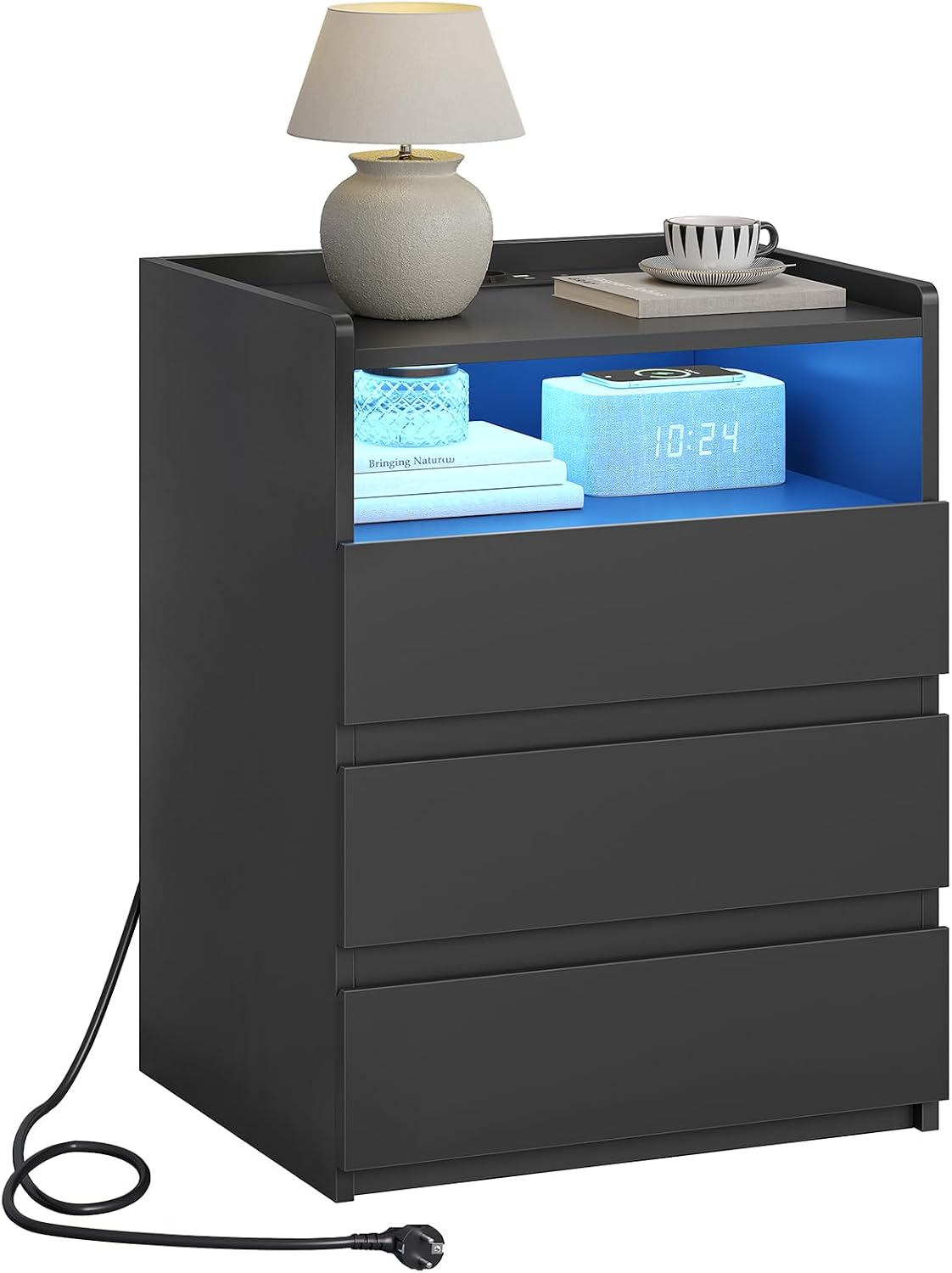
Image 1: AOGLLATI Bedside Table featuring LED lighting, a charging station, and three drawers.
2. Safety Information
- Always assemble the product on a soft, clean surface to prevent scratches.
- Ensure all screws and fasteners are securely tightened before use. Periodically check and re-tighten if necessary.
- Do not overload drawers or shelves. The maximum recommended weight for the item is 55 kg.
- Keep electrical components (charging station, LED lights) away from water and moisture.
- Do not attempt to modify the electrical components. Contact qualified personnel for any repairs.
- Keep small parts and packaging materials away from children to prevent choking hazards.
- The product features rounded corners for safety, but exercise caution during handling and use.
3. Package Contents
Before assembly, verify that all components listed below are present and undamaged:
- Assembly Kit (screws, dowels, etc.)
- Assembly Instructions
- 3 Drawers
- Main table frame components
- Integrated charging station with power cable
- LED light strips and remote control
4. Setup and Assembly Instructions
Assembly is required for this product. Please follow the included assembly instructions step-by-step. Recommended tools for assembly include a screwdriver and an Allen key (often included in the assembly kit).
- Unpack all components and lay them out on a protected surface.
- Identify each part using the labels and the assembly diagram.
- Begin by assembling the main frame of the bedside table.
- Install the drawer slides onto the frame.
- Assemble each of the three drawers and insert them into the slides.
- Integrate the charging station into the designated slot on the tabletop.
- Attach the LED light strips to the open shelf area as indicated in the separate LED installation guide.
- Ensure all connections are secure and the power cable is routed safely.

Image 2: Product dimensions and individual drawer measurements for assembly reference.
5. Operating Instructions
5.1. Integrated Charging Station
The bedside table is equipped with a power strip featuring 2 AC outlets (250V/16A), 1 USB-A port (5V/2.1A), and 1 Type-C port (5V/2.1A). This allows for simultaneous charging of up to four devices.
- Plug the bedside table's 1.5m power cable into a wall outlet.
- Connect your devices (phone, tablet, laptop, headphones) to the appropriate AC, USB-A, or Type-C ports.
- Ensure devices are compatible with the provided voltage and current.

Image 3: Detail of the integrated charging station, showing power outlets and USB ports.
5.2. Adjustable LED Lights
The bedside table features two adjustable LED light strips, controlled via a remote or a mobile application. You can choose from millions of static colors and 26 dynamic lighting modes.
- Ensure the LED lights are properly connected to the power source.
- Use the provided remote control to turn the lights on/off, change colors, adjust brightness, and select dynamic modes.
- Alternatively, download the specified mobile application (refer to the LED light manual for app details) to control the lights via your smartphone.
- The LED lights can function as a night light, providing ambient illumination.

Image 4: Features of the adjustable LED lighting system, including remote and app control, color options, and dynamic modes.
5.3. Storage Features
The bedside table offers ample storage with three drawers, one open shelf, and a spacious top surface.
- Use the top surface for items like mobile phones, glasses, or an alarm clock.
- The open shelf is suitable for books, headphones, or decorative items.
- The three drawers provide concealed storage for personal belongings.
- The drawers feature ergonomically designed beveled edges for easy opening and closing.
- The top surface has three raised edges to prevent items from falling off.

Image 5: Overview of the storage capacity, highlighting the top surface, open shelf, and three drawers.

Image 6: Detailed view of design elements such as protective raised edges, unique beveled drawer design, and rounded corners.
6. Maintenance
- Cleaning: Wipe the surface with a soft, damp cloth. Avoid harsh chemicals or abrasive cleaners that may damage the finish.
- Dusting: Regularly dust the table with a dry, soft cloth.
- Spills: Clean up spills immediately to prevent staining or damage to the wood material.
- Electrical Components: Ensure the charging station and LED lights are kept clean and free from dust. Do not immerse in water.
- Fasteners: Periodically check all screws and connections to ensure they remain tight. Re-tighten if necessary to maintain stability.
7. Troubleshooting
| Problem | Possible Cause | Solution |
|---|---|---|
| LED lights not working |
|
|
| Charging station not providing power |
|
|
| Drawers are stiff or difficult to open/close |
|
|
8. Specifications
| Brand | AOGLLATI |
| Model Number | 114796-XIUB |
| Product Dimensions (L x W x H) | 35 x 40 x 60 cm |
| Item Weight | 13 Kilograms |
| Maximum Recommended Weight | 55 Kilograms |
| Material | Wood |
| Color | Black |
| Number of Drawers | 3 |
| Special Features | Pull-out drawer, Easy to assemble, LED illuminated, LED light, Charging station |
| Assembly Required | Yes |
| Recommended Tools for Assembly | Screwdriver, Allen key |
| Charging Station Output | 2x AC (250V/16A), 1x USB-A (5V/2.1A), 1x Type-C (5V/2.1A) |
| Power Cable Length | 1.5 m |
9. Warranty and Support
For warranty information or technical support, please refer to the documentation included with your purchase or contact the seller directly. Keep your proof of purchase for any warranty claims.
Manufacturer: AOGLLATI