
1. Introduction
This manual provides instructions for the safe and effective use of your WELLFIT Folding Treadmill with Incline. Please read this manual thoroughly before operating the treadmill and retain it for future reference. This compact treadmill is designed for walking, jogging, and light running in home or office environments, featuring a foldable design, quiet motor, and smart app connectivity.
2. Safety Information
Before using the treadmill, ensure you understand all safety precautions. Improper use can lead to injury or equipment damage.
- Always place the treadmill on a flat, stable surface.
- Ensure adequate clearance around the treadmill (at least 2 feet on sides and rear).
- Do not operate the treadmill if it is damaged or malfunctioning.
- Keep children and pets away from the treadmill during operation.
- Wear appropriate athletic footwear.
- Use the safety key at all times. Attach the clip to your clothing. If you fall or move too far back on the belt, the safety key will detach, stopping the treadmill.
- Consult a physician before starting any new exercise program.
3. Package Contents
Verify that all components are present in the package:
- 1 x WELLFIT Folding Treadmill with Handlebar
- 1 x Power Cord
- 1 x Remote Control
- 1 x Lubricant
- 1 x Tool Kit
- 1 x User Manual
- 1 x Safety Key
4. Setup Instructions
- Unpacking: Carefully remove all components from the packaging.
- Unfolding the Treadmill: Place the treadmill on a flat surface. Gently lift the handlebar until it locks into the upright position. Secure any locking pins or screws as indicated in the quick start guide.
- Connecting Power: Plug the power cord into the treadmill's power input, then into a grounded electrical outlet. Ensure the power switch is in the OFF position before plugging in.
- Initial Inspection: Before first use, check that all parts are securely fastened and the running belt is centered.
5. Operating Instructions
5.1 Powering On/Off
- Locate the main power switch, typically at the front base of the treadmill. Flip it to the 'ON' position.
- The display will illuminate.
- To power off, ensure the treadmill is stopped, then flip the main power switch to 'OFF'.
5.2 Using the Control Panel and Remote Control
The treadmill can be controlled via the handlebar panel or the included remote control.

- Start/Stop: Press the 'Start' button to begin the workout. The belt will start at a low speed. Press 'Stop' to end the workout.
- Speed Adjustment: Use the 'Speed+' and 'Speed-' buttons to increase or decrease the belt speed. The treadmill supports speeds from 0.6 to 6.2 MPH.
- Preset Speeds: Dedicated buttons for 3 MPH and 6 MPH allow for quick speed changes.
- Mute Function: The remote control includes a mute button for audio feedback.
5.3 Display Information
The LED display cycles through the following metrics:
- Speed: Current speed in Miles Per Hour (MPH).
- Time: Duration of the current workout.
- Distance: Total distance covered during the workout.
- Calories: Estimated calories burned.
5.4 Smart App Connectivity
Enhance your workout experience by connecting the treadmill to the WELLFIT app via Bluetooth. The app allows for advanced control, workout tracking, and integration with other fitness platforms.

- Download the App: Search for "WELLFIT" in your device's app store (available on iOS and Android).
- Pairing: Follow the in-app instructions to pair your device with the treadmill via Bluetooth.
- Features: The app provides additional control options, tracks your progress (calories, steps, distance, time), and can sync with KINOMAP and Apple Health.
5.5 Manual Incline Adjustment
The treadmill features a manual incline adjustment to increase workout intensity.

- To adjust the incline, stop the treadmill and carefully lift the rear of the unit.
- Locate the incline adjustment mechanism (typically pins or risers) at the rear base.
- Adjust to the desired incline level (up to 10% maximum). Ensure both sides are set equally and securely before resuming your workout.
6. Maintenance
Regular maintenance ensures the longevity and optimal performance of your treadmill.
- Cleaning: Wipe down the treadmill surfaces with a damp cloth after each use. Avoid abrasive cleaners.
- Lubrication: The running belt requires periodic lubrication. Refer to the quick start guide for specific instructions on how and when to apply the included lubricant.
- Belt Alignment: The treadmill features an auto-alignment running belt. However, if you notice the belt drifting to one side, consult the troubleshooting section or the quick start guide for manual adjustment steps.
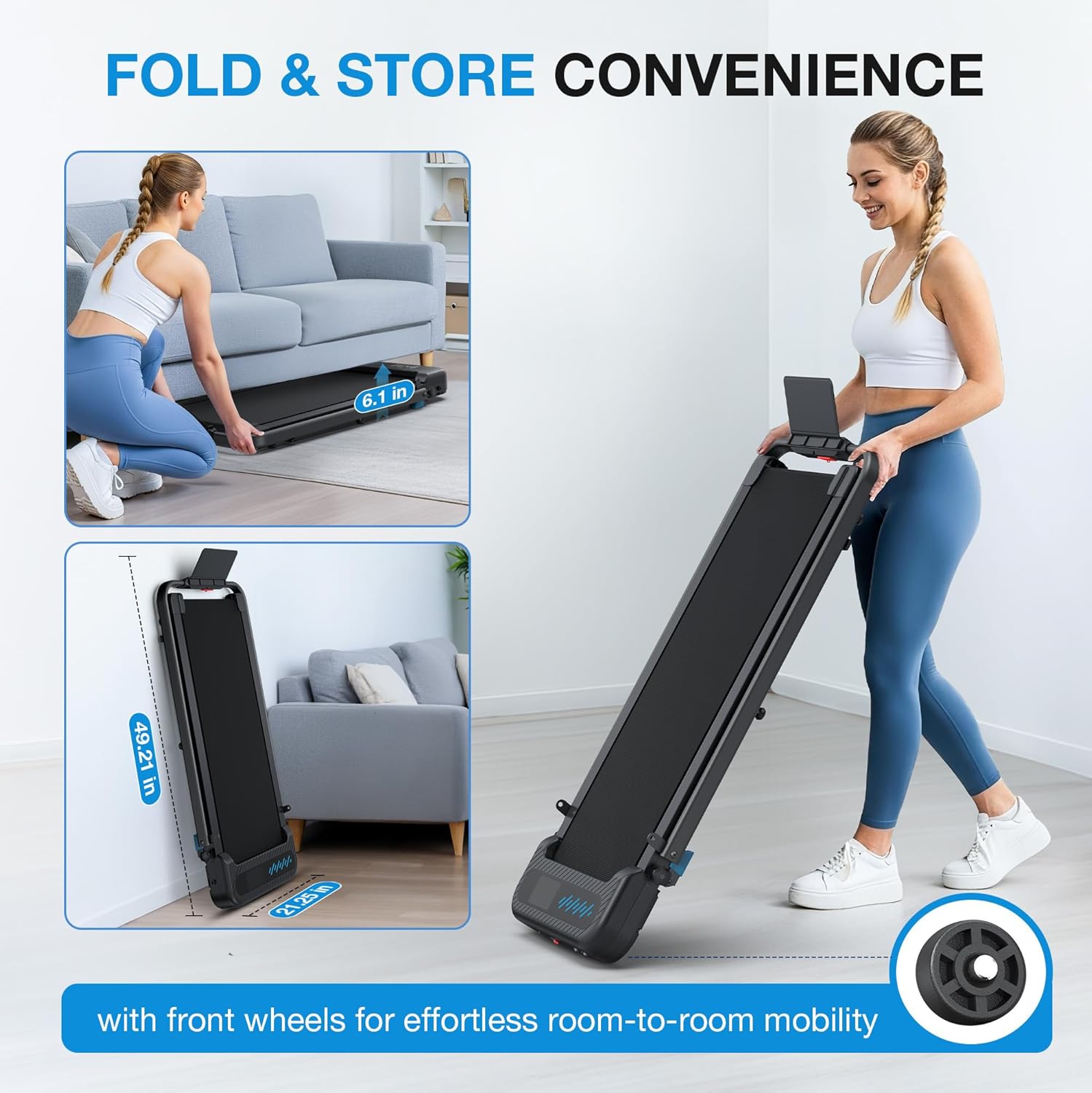
- Storage: When not in use, fold the treadmill for compact storage. Use the built-in wheels to move it easily.
7. Troubleshooting
If you encounter issues with your treadmill, refer to the following common problems and solutions:
| Problem | Possible Cause | Solution |
|---|---|---|
| Treadmill does not power on | Power cord not connected, power switch off, circuit breaker tripped. | Check power cord connection, ensure switch is ON, reset circuit breaker. |
| Running belt stops unexpectedly | Safety key detached. | Reattach the safety key. |
| Running belt slips or is off-center | Belt tension or alignment issue. | The treadmill has auto-alignment. If issues persist, refer to the quick start guide for manual belt adjustment instructions or contact support. |
| Unusual noise during operation | Lack of lubrication, loose components. | Lubricate the running belt. Check for and tighten any loose screws or bolts. |
8. Specifications
| Feature | Detail |
|---|---|
| Brand | WELLFIT |
| Model Name | TM037 |
| Product Dimensions (D x W x H) | 43.3" x 21.3" x 5" |
| Folded Size | 49.21" x 21.25" x 6.1" |
| Item Weight | 41.66 Pounds |
| Maximum Weight Recommendation | 350 Pounds |
| Maximum Horsepower | 3 Horsepower |
| Speed Range | 0.6 - 6.2 Miles per Hour |
| Maximum Incline Percentage | 10% (Manual) |
| Deck Length | 36 Inches |
| Deck Width | 16 Inches |
| Material | Acrylonitrile Butadiene Styrene (ABS), Alloy Steel |
| Display | LED |
| Connectivity Technology | Bluetooth |
| Metrics Measured | Calories Burned, Distance, Speed, Time |
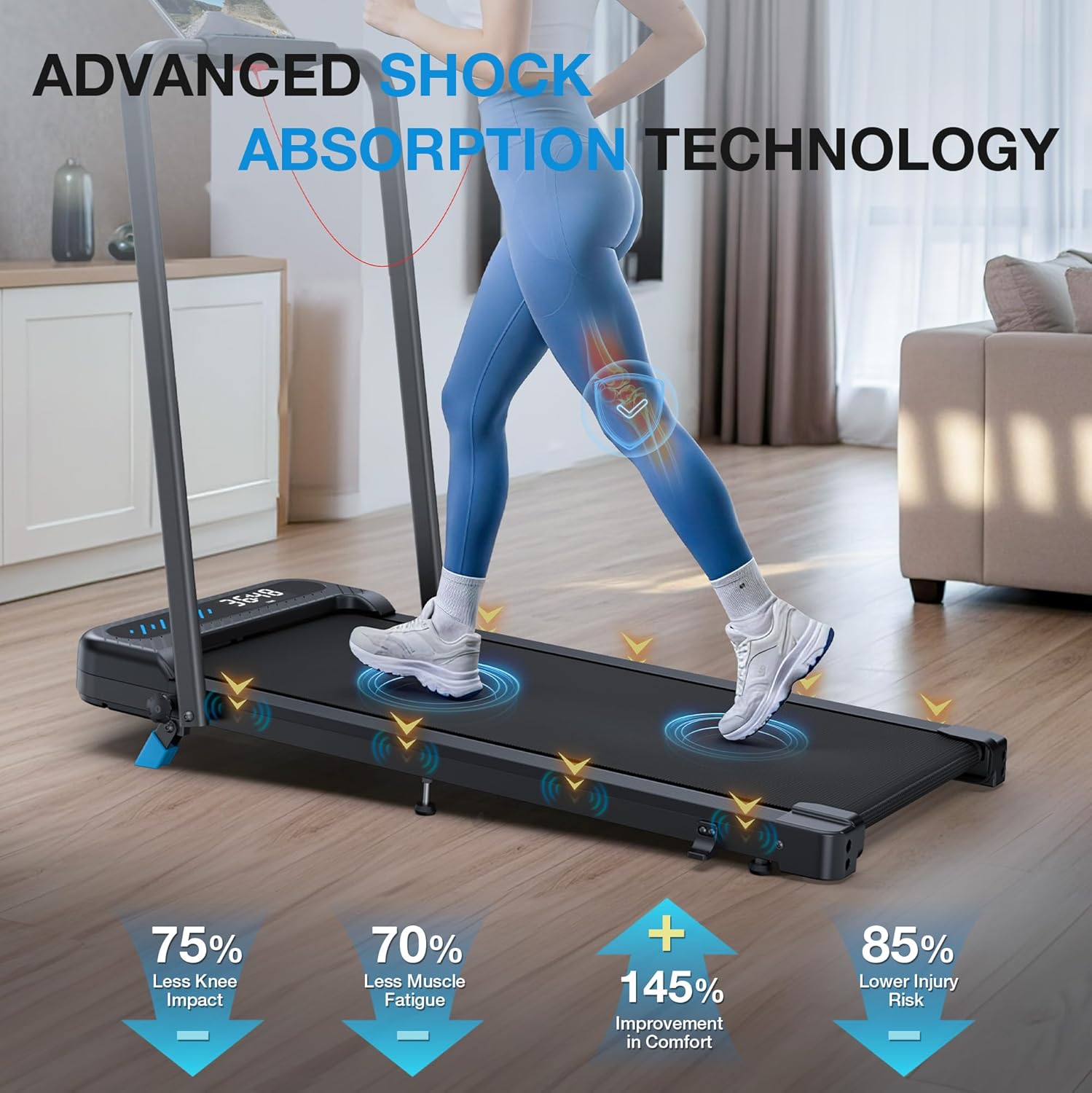
| Special Features | Adjustable Speed, Compact Design, Cushioned Running Belt, Foldable, Manual Incline, Portable, Quiet Operation, Shock Absorbent |
| Assembly Required | No |
9. Warranty and Support
WELLFIT provides comprehensive support for your treadmill:
- Frame Support: 3-year warranty.
- Motor/Parts Support: 1-year warranty.
- Technical Support: Lifetime technical support.
- Satisfaction Guarantee: 24-month satisfaction.
- Returns: 30-day no-hassle return policy.
Contact Information:
For customer support, technical assistance, or warranty claims, please use the following contact methods:
- Email: support@uswellfit.com
- Phone: (713) 589-0078
- Amazon Support: Log in to your Amazon account, go to 'Your orders', and select 'Ask Product Question' for the WELLFIT Folding Treadmill.


