
1. Introduction
This manual provides detailed instructions for the setup, operation, and maintenance of your Weyot Smartwatch for Seniors. Please read this manual carefully before using the device to ensure proper functionality and safety. This smartwatch is designed to provide peace of mind through features like fall detection, emergency SOS calls, and location tracking for elderly users.
2. Product Overview
The Weyot Smartwatch for Seniors is an advanced wearable device equipped with several features to enhance the safety and connectivity of elderly individuals. Key features include:
- Automatic Fall Detection: Intelligently identifies accidental falls and sends alerts.
- SOS Emergency Button: Allows users to quickly call pre-set emergency contacts.
- Multiple Safety Positioning: Utilizes GPS, Beidou, LBS, WiFi, TDOA, and Gyro for accurate location tracking.
- HD Voice Calls: Supports two-way communication with automatic answering options.
- IP67 Waterproof Rating: Resistant to water and dust for daily use.

Figure 2.1: Overview of the smartwatch features and its application in daily life, including reminders for medication and activities.
3. Setup Guide
3.1 Charging the Device
Before first use, fully charge the smartwatch. Connect the charging cable to the watch's charging port and plug the other end into a standard USB power adapter (not included). The watch display will indicate charging status. A full charge typically takes 2-3 hours.
3.2 SIM Card Installation
The smartwatch requires a Nano-SIM card for call and data functions. Carefully open the SIM card slot cover (refer to the diagram in the packaging for location). Insert the Nano-SIM card with the metal contacts facing up and the notched corner aligned correctly. Close the cover securely to ensure water resistance.
3.3 App Installation and Pairing
Download the companion mobile application (e.g., 'Weyot Care' or similar, check packaging for exact app name) from your smartphone's app store (iOS or Android). Create an account and follow the on-screen instructions to pair the smartwatch with your phone. This typically involves scanning a QR code displayed on the watch or entering a device ID.
3.4 Setting Up Emergency Contacts
Within the companion app, navigate to the 'Emergency Contacts' section. You can pre-set up to three emergency phone numbers. These numbers will be called sequentially when the SOS button is activated.
4. Operating Instructions
4.1 Fall Detection
The smartwatch is equipped with an intelligent fall detection system. If the watch detects a sudden, significant impact followed by a period of inactivity, it will automatically trigger an alarm. After a short delay, if the user does not cancel the alarm, it will send an alert to the pre-set emergency contacts via the app and may initiate an emergency call. Ensure the watch is worn snugly for accurate detection.
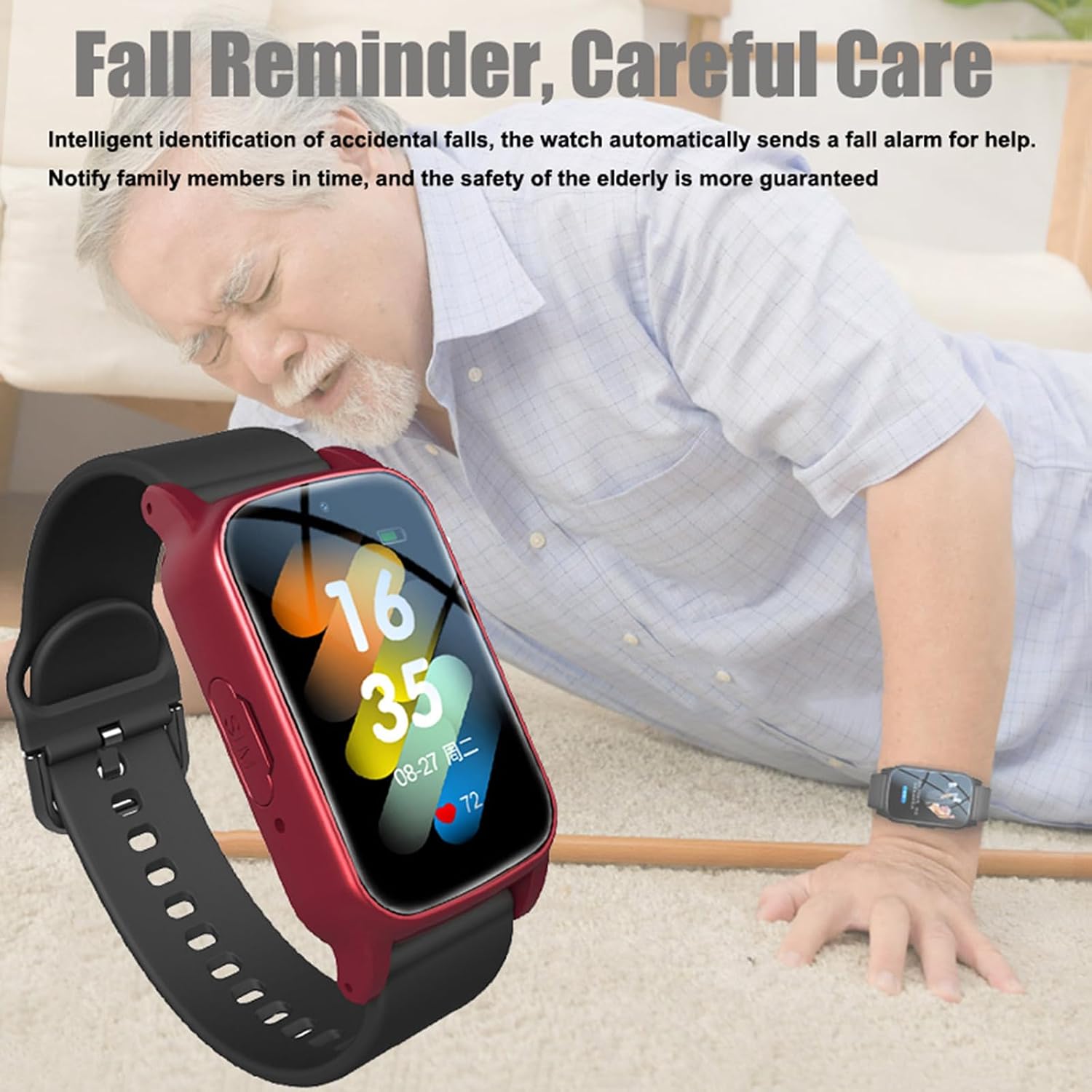
Figure 4.1: The smartwatch's fall detection feature, designed to alert family members in case of an accidental fall.
4.2 SOS Emergency Call
In an emergency, press and hold the dedicated SOS button on the side of the smartwatch for approximately 3 seconds. The watch will then automatically dial the pre-set emergency numbers in a loop until a call is answered. This provides a direct line of communication for immediate assistance.

Figure 4.2: Activating the SOS emergency call function by pressing and holding the SOS button.
4.3 Multiple Safety Positioning
The smartwatch uses a combination of GPS, Beidou, LBS (Location Based Service), WiFi, TDOA (Time Difference of Arrival), and Gyroscope for precise location tracking. Through the companion app, family members can view the wearer's real-time location and historical activity tracks. You can also set up 'safe zones' (geofencing) in the app; an alert will be sent to your phone if the wearer enters or exits these designated areas.

Figure 4.3: The smartwatch's multi-mode positioning system for tracking and setting safe zones.
4.4 HD Voice Calls
The smartwatch supports high-definition two-way voice calls. You can make and receive calls directly on the watch. The companion app allows you to configure automatic answering for incoming calls from pre-approved numbers, making it easier for elderly users to stay connected without needing to manually answer. The watch provides both vibration and ring reminders for incoming calls.

Figure 4.4: The HD voice call feature with dual reminders for incoming calls.
5. Maintenance
5.1 Water Resistance (IP67)
The Weyot Smartwatch has an IP67 water resistance rating, meaning it is protected against dust ingress and can withstand immersion in water up to 1 meter for up to 30 minutes. It is suitable for daily activities like hand washing or exposure to rain. Important: Do not use the watch for swimming or bathing in hot water, as this can compromise the seals and cause damage.

Figure 5.1: The smartwatch's IP67 water resistance, suitable for splashes but not prolonged immersion or hot water.
5.2 Cleaning
To clean the smartwatch, gently wipe the screen and strap with a soft, damp cloth. Avoid using harsh chemicals or abrasive materials, as these can damage the device's finish or functionality. Ensure the charging contacts are clean and dry before charging.
6. Troubleshooting
- Watch not turning on: Ensure the watch is fully charged. If it still doesn't turn on, try a different charging cable or power adapter.
- No signal/cannot make calls: Check if the SIM card is correctly inserted and activated. Ensure there is network coverage in your area.
- Inaccurate location tracking: Ensure the watch has a clear view of the sky for GPS signals. Indoor or dense urban environments may affect accuracy. Check that data services are active on the SIM card.
- Fall detection not working: Ensure the watch is worn securely on the wrist. False positives or negatives can occur in specific situations; it is not a medical device.
- App not connecting to watch: Verify Bluetooth is enabled on your phone and the watch is within range. Re-pair the device if necessary.
7. Specifications
| Feature | Specification |
|---|---|
| Model Name | Smartwatch for Seniors |
| Brand | Weyot |
| Color | Black |
| Water Resistance | IP67 (Dust and water resistant, not for swimming or hot baths) |
| Connectivity | 2G GSM (for calls and data), GPS, Beidou, LBS, WiFi, TDOA, Gyro |
| Dimensions (Watch Face) | 32 x 14.5 x 56.5 mm (1.25 x 0.57 x 2.22 inches) |
| Strap Length | 25.8 cm (10.15 inches) |
| Strap Width | 2 cm (0.78 inches) |

Figure 7.1: Physical dimensions of the Weyot Smartwatch for Seniors.
8. Safety Information
- Do not attempt to open, disassemble, or modify the device. This can cause damage and void the warranty.
- Keep the device away from extreme temperatures, direct sunlight, and open flames.
- Use only approved charging cables and adapters.
- The fall detection feature is an aid and not a substitute for direct supervision or medical attention. It may not detect all falls.
- Consult a medical professional before using the device if you have a pacemaker or other medical implants.
- Dispose of the device and its battery responsibly according to local regulations.
9. Warranty and Support
For warranty information, please refer to the documentation provided with your purchase or contact your retailer. If you encounter any issues or have questions regarding your Weyot Smartwatch for Seniors, please contact the customer support channel provided by your point of purchase. Keep your purchase receipt as proof of purchase for warranty claims.