
1. Introduction
The xDuoo MX-02 is a high-fidelity Bluetooth audio transmitter designed to convert audio signals from devices without Bluetooth transmission capabilities, or those with limited Bluetooth quality, into high-definition Bluetooth format. This allows for the transmission of high-quality audio to Bluetooth receiving devices such as headphones, speakers, and Bluetooth decoders, thereby enhancing the overall wireless audio experience.
Equipped with a Qualcomm Bluetooth chip (QCC3086) and supporting the Bluetooth 5.4 technical standard, the MX-02 offers improved transmission performance and functionality. It supports a wide range of audio input options including USB, Optical, Coaxial, and Line inputs, ensuring compatibility with various audio equipment. The device also supports advanced Bluetooth audio formats such as LE Audio (LC3, aptX Lite) for ultra-low latency and high sound quality, alongside traditional formats like aptX, aptX AD, and aptX HD.

Image 1.1: Overview of the xDuoo MX-02 HD Bluetooth Audio Transmitter highlighting key features like LE Audio, multiple inputs, Bluetooth 5.4, aptX Lossless, and HD display.
2. Product Features
- High-Definition Bluetooth Transmission: Converts non-Bluetooth or low-quality Bluetooth audio into high-quality Bluetooth signals.
- Advanced Bluetooth 5.4 Standard: Ensures stable and efficient wireless transmission.
- Versatile Audio Inputs: Includes USB, Optical, Coaxial, and Line inputs for broad compatibility with PCs, phones, tablets, TVs, CD/DVD players, and amplifiers.
- High-Resolution Audio Support: Supports up to 24bit/96kHz via USB input and up to 24bit/192kHz via Coaxial and Optical inputs.
- TFT Color Display: Provides clear visual feedback for Bluetooth receiver searching, information display, and settings.
- Selectable Bluetooth Formats: Allows users to choose between low latency (for gaming/video) and high-quality (for music) modes.
- Intuitive Button Operation: Simple and user-friendly controls.
- Snapdragon Sound Technology: Delivers high-fidelity audio transmission.
- Comprehensive Codec Support: Supports traditional HD Bluetooth formats (aptX AD, aptX HD, aptX) and new-generation LE Audio formats (LC3, aptX Lite) for efficient, ultra-low latency transmission.
- Durable Construction: Features a high-strength aluminum alloy casing for anti-interference and stable signal.
- Extended Transmission Range: Includes an external high-gain antenna for longer wireless reach.
3. Setup
3.1 Package Contents
Ensure all items are present in the package:
- xDuoo MX-02 HD Bluetooth Audio Transmitter
- USB-C Power Cable
- External Antenna
- User Manual (this document)
3.2 Connecting Power
Connect the provided USB-C cable to the 'USB-C' power interface on the MX-02. Plug the other end into a 5V/0.25A USB power adapter (not included) or a compatible USB port on a computer or power bank. The device will power on automatically or can be turned on using the power button.
3.3 Connecting Audio Sources
The MX-02 offers multiple input options to connect to your audio source devices:
- USB Input: Connect a USB cable from your PC, PS5, or Nintendo Switch to the 'USB IN' port on the MX-02. This mode supports plug-and-play functionality and audio up to 24bit/96kHz.
- Optical Input: Use an optical audio cable to connect your TV, CD player, or other devices with an optical output to the 'OPTICAL' port. This input supports audio up to 24bit/192kHz.
- Coaxial Input: Use a coaxial audio cable to connect devices with a coaxial output to the 'COAXIAL' port. This input also supports audio up to 24bit/192kHz.
- Line Input (RCA): Connect devices with analog audio output (e.g., CD players, amplifiers) using RCA cables to the 'LINE IN' (R/L) ports.
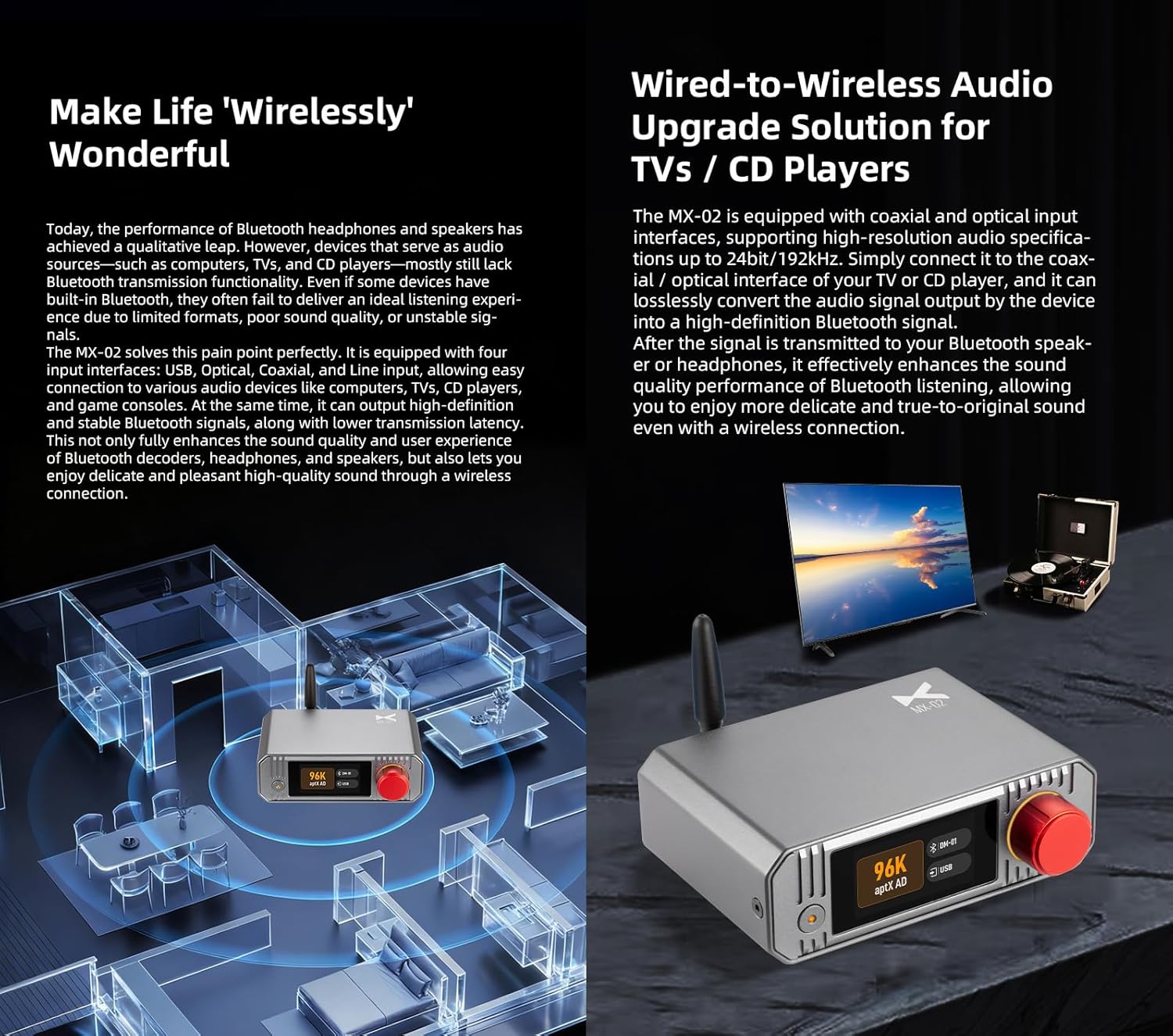
Image 3.1: Rear panel of the MX-02 illustrating the various audio input and power connection ports.
3.4 Attaching the Antenna
Screw the external high-gain antenna onto the designated connector on the rear panel of the MX-02. Ensure it is securely fastened for optimal Bluetooth signal transmission and range.
4. Operating Instructions
4.1 Power On/Off
Press and hold the power button (usually located on the front panel) for a few seconds to turn the device on or off. The TFT color display will illuminate upon power-on.
4.2 Display and Navigation
The MX-02 features a TFT color display for easy navigation and status monitoring. Use the mechanical knob or designated buttons to scroll through menus, select options, and adjust settings. The display shows current working status, connected devices, and selected Bluetooth format.

Image 4.1: The MX-02's display indicating active audio format and input source.
4.3 Bluetooth Pairing
- Ensure your Bluetooth receiving device (headphones, speaker) is in pairing mode.
- On the MX-02, navigate to the Bluetooth pairing menu using the controls.
- The MX-02 will scan for available Bluetooth devices and display them on the screen.
- Select your desired receiving device from the list to initiate pairing.
- Once paired, the display will confirm the connection and show the active Bluetooth codec.
4.4 Selecting Input Source
After connecting your audio source, use the device controls to select the corresponding input (USB, Optical, Coaxial, or Line) on the MX-02. The display will indicate the currently active input.
4.5 Switching Bluetooth Formats
The MX-02 allows you to switch between various Bluetooth audio codecs to optimize for different usage scenarios. Navigate to the 'Bluetooth Formats' or 'Audio Codec' setting in the menu. You can choose between formats like LE Audio (LC3, aptX Lite) for lower latency, or aptX Lossless, aptX AD, aptX HD for higher audio quality.

Image 4.2: Display menu for selecting preferred Bluetooth audio codecs.
4.6 General Settings
Access the settings menu to configure options such as:
- Screen Off: Adjust the display timeout.
- Auto Power On: Enable or disable automatic power-on.
- Language: Select the display language.
5. Maintenance
To ensure the longevity and optimal performance of your xDuoo MX-02, follow these maintenance guidelines:
- Cleaning: Use a soft, dry cloth to clean the exterior of the device. Avoid using liquid cleaners, solvents, or abrasive materials.
- Environment: Keep the device in a dry, well-ventilated area, away from direct sunlight, extreme temperatures, and high humidity.
- Handling: Handle the device with care to prevent physical damage. Avoid dropping or subjecting it to strong impacts.
- Antenna: Ensure the external antenna is not bent or damaged, as this can affect signal quality.
6. Troubleshooting
If you encounter issues with your xDuoo MX-02, refer to the following troubleshooting steps:
| Problem | Possible Cause | Solution |
|---|---|---|
| No power/Device does not turn on | Power cable not connected properly; Power adapter faulty; Device fault. | Check USB-C power cable connection. Try a different USB power adapter (5V/0.25A). Ensure the power button is pressed correctly. |
| No sound or faint/whiny sound | Incorrect input selected; Volume too low; Faulty audio cable; Incompatible audio output from source; Bluetooth device not connected or volume low. | Verify the correct input source is selected on the MX-02. Check volume levels on both the MX-02 and the receiving Bluetooth device. Ensure audio cables are securely connected and undamaged. Confirm the audio source is outputting a strong signal. Re-pair the Bluetooth device. |
| Unable to pair Bluetooth device | Receiving device not in pairing mode; MX-02 not in pairing mode; Devices too far apart; Interference. | Ensure your Bluetooth receiving device is in pairing mode. Put the MX-02 into pairing mode. Move devices closer together. Reduce potential interference from other wireless devices. |
| Poor Bluetooth connection/Frequent disconnections | Distance too great; Obstructions; Interference; Antenna not properly attached. | Reduce distance between MX-02 and receiving device. Minimize physical obstructions. Check for sources of interference (Wi-Fi routers, microwaves). Ensure the external antenna is securely attached. |
| High latency in audio | Bluetooth codec not optimized for low latency; Environmental factors. | Switch the Bluetooth format to LE Audio (LC3 or aptX Lite) or aptX Low Latency if supported by your receiving device. Ensure your receiving device also supports these low-latency codecs. |
If the problem persists after trying these steps, please contact customer support.
7. Specifications

Image 7.1: The MX-02 device alongside its detailed product specifications.
| Feature | Detail |
|---|---|
| Power Interface | USB-C |
| Power Consumption | 5V/0.25A |
| Inputs | USB, Coaxial, Optical, Line (RCA) |
| Bluetooth Version | 5.4 |
| Classic Bluetooth Formats | SBC, aptX, aptX HD, aptX Adaptive (aptX Low Latency, aptX High Quality, aptX Lossless) |
| LE Audio Formats | LC3, aptX Lite |
| Transmission Latency | <20ms (Even lower in Game Mode) |
| Transmission Range | Approx. 50m (Unobstructed Environment) |
| Dimensions | 12.0 x 10.2 x 4.2 cm |
| Weight | 0.36 kg |
| Casing Material | High-strength Aluminum Alloy |
8. Warranty and Support
8.1 Warranty Information
The xDuoo MX-02 HD Bluetooth 5.4 Audio Transmitter comes with a 1-year limited warranty from the date of purchase. This warranty covers manufacturing defects and malfunctions under normal use. It does not cover damage caused by misuse, accidents, unauthorized modifications, or improper installation.
Please retain your proof of purchase for warranty claims.
8.2 Customer Support
For technical assistance, troubleshooting beyond this manual, or warranty inquiries, please contact the retailer where you purchased the product or visit the official xDuoo website for support contact information.


