
1. Product Overview
The GRYVOZE A1211 is a 3-inch turbine flow meter designed for accurate measurement of various liquids, including water, diesel, gasoline, and E15. It features a 180° rotatable LCD display for easy reading and supports multiple measurement units. The robust aluminum alloy casing ensures durability, while EMI protection allows for installation near pumps or motors without interference.
Key Features:
- Flexible Viewing Angle: 180° rotatable LCD for optimal readability.
- Precise Measurement: Provides ±1% accuracy for reliable data.
- Wide Flow Range: Measures 21-264 GPM (80-1000 LPM).
- Multi-Unit Support: Displays in US Gallons (Gal), Quarts (QTS), Pints (PTS), Liters (L), and Cubic Meters (m³).
- EMI Protection: Designed to prevent interference from nearby electrical equipment.
- Durable Construction: Features a rugged aluminum alloy casing and PP turbine.
- Energy-Saving Display: Auto-wakes on flow and sleeps after 10 minutes of inactivity.
- IPX4 Rating: Splash-proof design for use in sheltered locations.
2. What's in the Box
- 1 PCS 3 Inch NPT Digital Turbine Flow Meter
3. Setup and Installation
Proper installation is crucial for accurate readings and the longevity of your flow meter. Follow these guidelines:
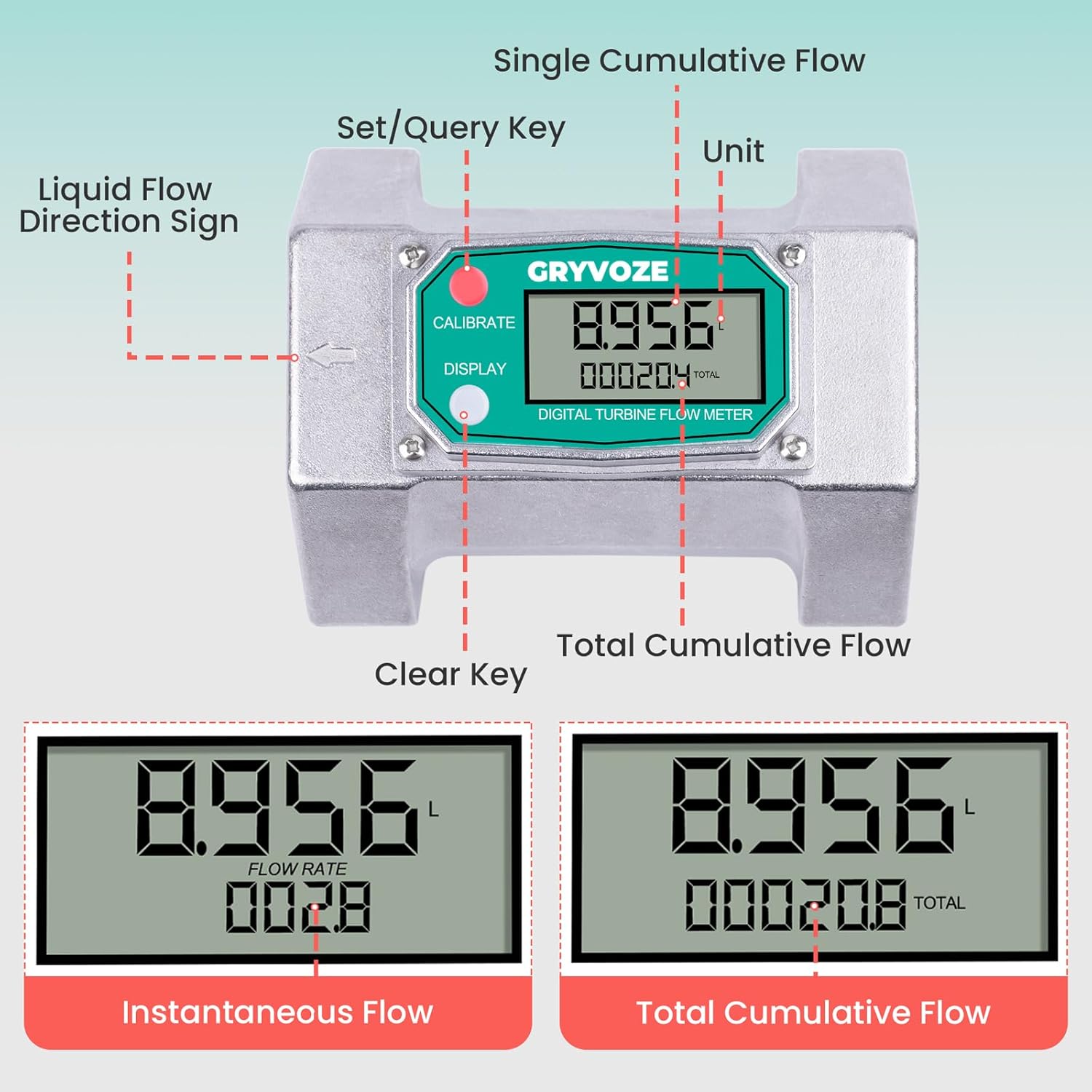
- Flow Direction: Ensure the meter is installed with the liquid flow direction matching the arrow indicated on the meter's body.
- Connection: The meter features NPT threading for secure connections.
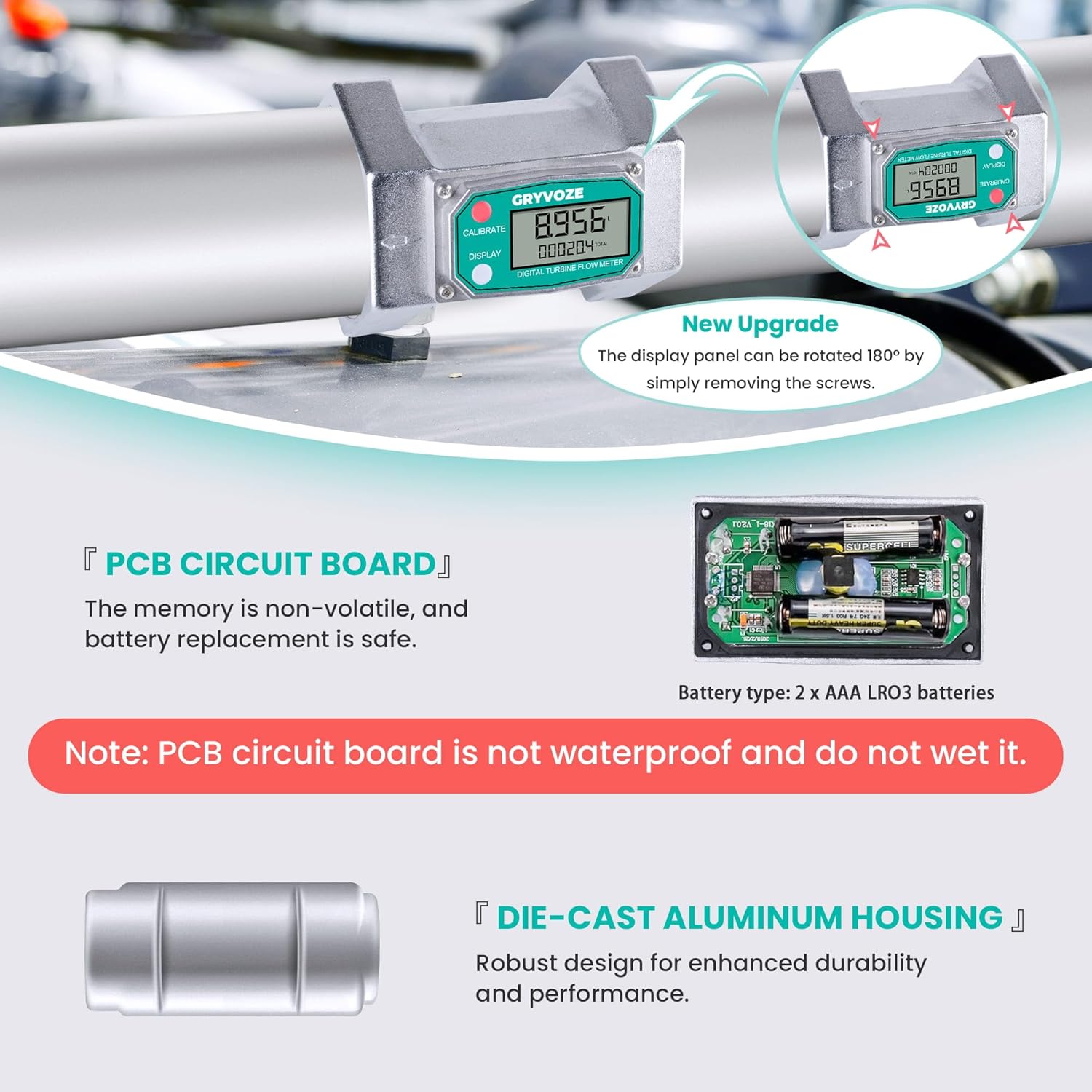
- Location: Thanks to its EMI protection, the meter can be installed near pumps or motors without significant interference. However, for maximum lifespan and to protect the internal PCB circuit board, use the meter in dry or sheltered locations and protect it from heavy rain or constant humidity. The PCB circuit board is not waterproof.
- Display Orientation: The display panel can be rotated 180° for optimal viewing. To adjust, simply remove the screws securing the display and re-position it.
- Power: The unit requires 2 AAA LR03 batteries (included). Battery replacement is a safe procedure.

4. Operating Instructions
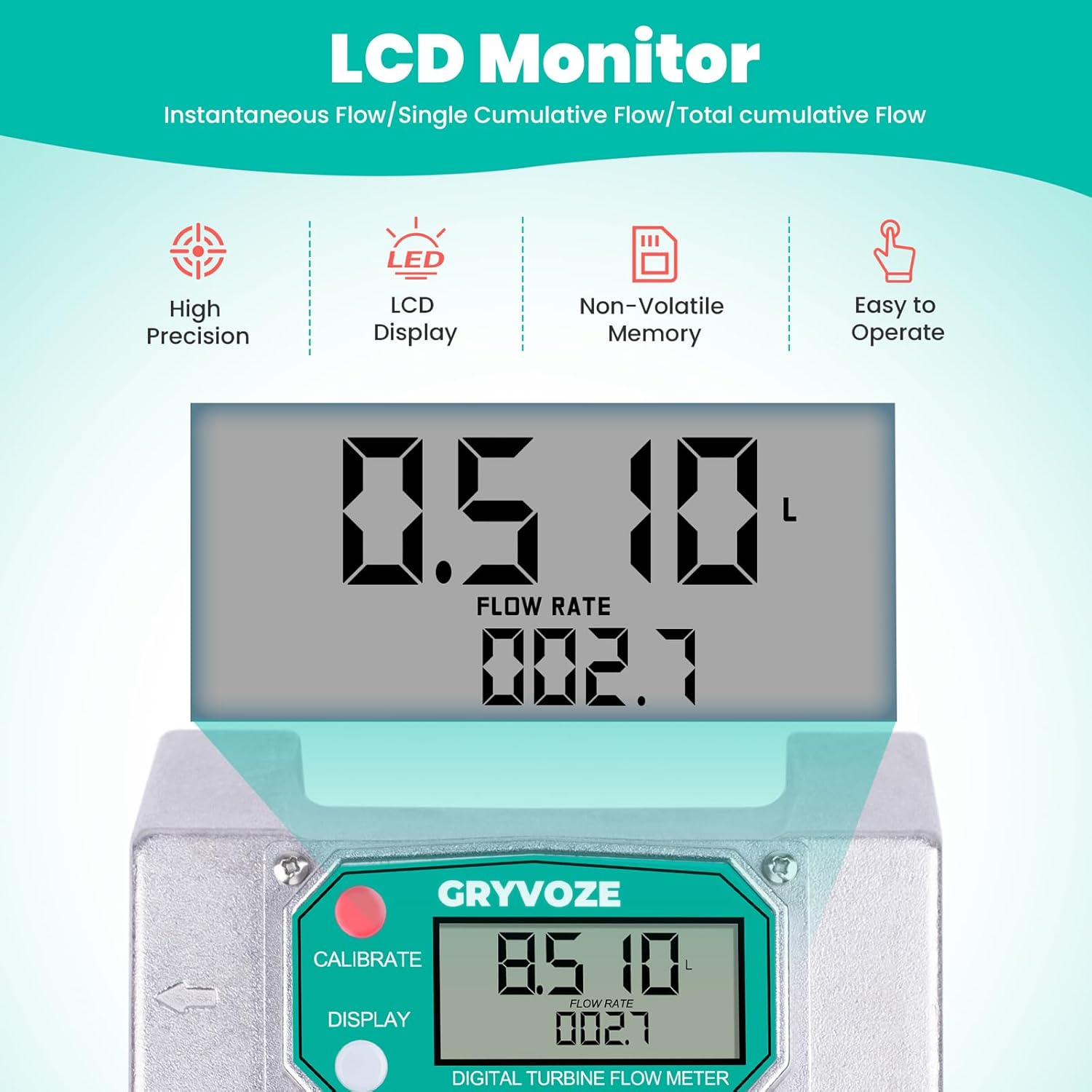
The GRYVOZE A1211 flow meter is designed for straightforward operation. The display automatically activates when liquid flows through the meter or can be manually activated by pressing any button.
Display Functions:
- Real-time Flow Rate: Shows the current flow speed.
- Batch Volume: Displays the volume for the current measurement batch (up to 9,999 units). This can be reset.
- Total Volume: Shows the cumulative total volume measured (up to 29,999,999 units). This is a non-resettable total.
Unit Setting and Calibration:
To change the measurement unit or calibrate the meter:
- Simultaneously press and hold the "CALIBRATE" (C) and "DISPLAY" (D) keys for more than 5 seconds to enter the metering unit setting mode.
- The default unit is Liters (L). Press the "DISPLAY" (D) key to cycle through the available units: Gallons (GAL), Quarts (QTS), Pints (PTS), and Liters (L).
- Once your desired unit is selected, press and hold the "CALIBRATE" (C) key for 3 seconds to save the setting and exit the unit setting mode.


5. Maintenance
To ensure the longevity and accurate performance of your GRYVOZE A1211 flow meter, adhere to the following maintenance practices:
- Environmental Protection: The meter has an IPX4 splash-proof rating, meaning it is resistant to water splashes but not designed for submersion. Always use the meter in dry or sheltered locations and protect it from heavy rain or constant humidity to prevent damage to internal components, especially the PCB circuit board.
- Battery Replacement: The meter is powered by 2 AAA LR03 batteries. A low battery icon will appear on the display when replacement is needed. Battery replacement is a safe procedure.
- Cleaning: Keep the exterior of the meter clean. Avoid using harsh chemicals that could damage the display or casing.
- Turbine Inspection: Periodically inspect the PP turbine for any debris or blockages that could affect accuracy.
6. Troubleshooting
This section provides guidance for common issues. For problems not listed here, please contact customer support.
| Problem | Possible Cause | Solution |
|---|---|---|
| Display is blank or dim. | Low or dead batteries; unit in sleep mode. | Replace batteries (2 x AAA LR03). Initiate flow or press any button to wake from sleep mode. |
| Inaccurate readings. | Incorrect unit setting; debris in turbine; flow direction incorrect. | Verify unit setting (refer to Operating Instructions). Inspect and clean turbine. Ensure flow direction matches arrow on meter. |
| No flow detected. | No liquid flow; turbine jammed. | Confirm liquid is flowing through the system. Check for blockages or a jammed turbine. |
7. Specifications
| Feature | Detail |
|---|---|
| Model Number | A1211 |
| Size | 3 inch NPT |
| Flow Rate Range | 21-264 GPM (80-1000 LPM) |
| Accuracy | ±1% |
| Display | 180° Rotatable LCD |
| Measurement Units | Gal, QTS, PTS, L, m³ |
| Applicable Medium | Water, Diesel, Gasoline, E15, Kerosene, Methanol |
| Operating Temperature | 14-176°F (-10-80°C) |
| Casing Material | Aluminum Alloy |
| Turbine Material | PP (Polypropylene) |
| Power Source | 2 x AAA LR03 batteries (included) |
| Standby Time | Over 1 year |
| IP Rating | IPX4 (Splash-proof) |
| Item Weight | 2.27 pounds |
| Package Dimensions | 6.5 x 4.72 x 3.94 inches |
8. Warranty and Support
Specific warranty information for the GRYVOZE A1211 Turbine Flow Meter is not provided in this manual. Please refer to the product packaging or contact GRYVOZE customer support for detailed warranty terms and conditions. For technical assistance or inquiries, please visit the official GRYVOZE website or contact their customer service department.