
1. Introduction and Product Overview
This manual provides instructions for the safe and efficient use of your Metasources AC/DC Adapter. This adapter is designed to provide power and charge the 25.9V Li-ion battery packs found in MBYULO Cordless Stick Vacuum Cleaner models EHBL-A001-V01-US-1 and EHBR-A001-V01-US-1.
The adapter features a robust design with multiple built-in safety protections to ensure reliable performance.
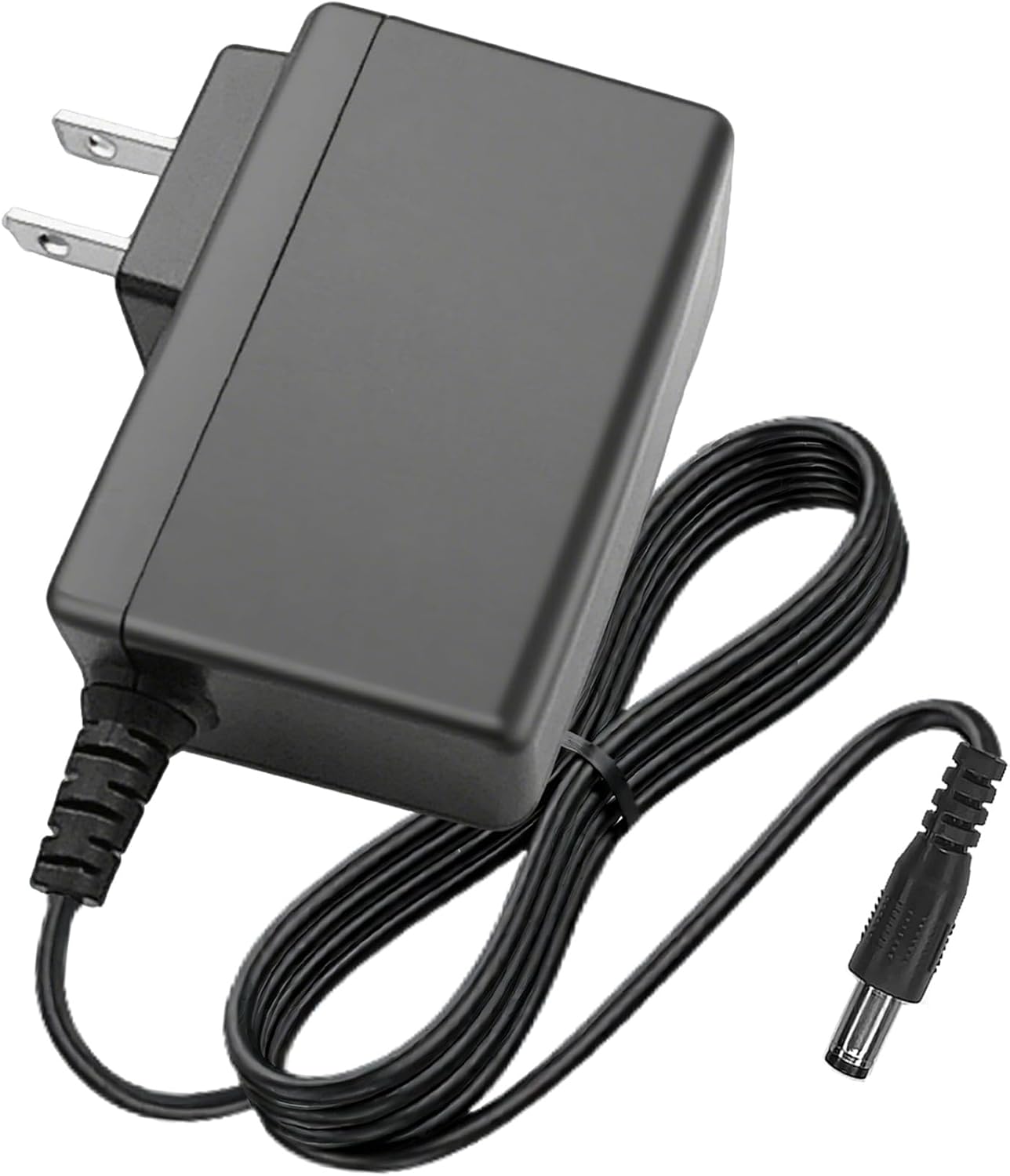
Image 1.1: The Metasources AC/DC Adapter, showing the main unit and the coiled output cable with a barrel round connector.
2. Safety Information
Please read and understand all safety instructions before using the adapter. Failure to follow these instructions may result in electric shock, fire, or serious injury.
- Indoor Use Only: This adapter is intended for indoor use in dry locations. Do not expose to rain, moisture, or extreme temperatures.
- Proper Voltage: Ensure the wall outlet voltage matches the adapter's input requirements (100-240V AC, 50/60Hz).
- Avoid Damage: Do not use the adapter if the cord or plug is damaged. Do not attempt to open or modify the adapter.
- Ventilation: Ensure adequate ventilation around the adapter during use. Do not cover it with cloth or other materials.
- Disconnect Power: Always unplug the adapter from the wall outlet before cleaning or when not in use for extended periods.
- Children and Pets: Keep the adapter out of reach of children and pets.
The Metasources AC/DC Adapter is equipped with multiple safety features:
- Overcurrent Protection (OCP): Prevents damage from excessive current flow.
- Short-Circuit Protection (SCP): Protects against short circuits.
- Overvoltage Protection (OVP): Safeguards against voltage surges.
- Over Charge Protection: Prevents battery overcharging.
- Over Temperature Protection: Manages internal temperature to prevent overheating.
- Over Load Protection: Protects against excessive power draw.
3. Package Contents
Verify that your package contains the following item:
- 1 x Metasources AC/DC Adapter
4. Setup
Follow these steps to set up your AC/DC adapter:
- Inspect the Adapter: Before first use, visually inspect the adapter and its cable for any signs of damage. Do not use if damaged.
- Connect to Vacuum: Locate the charging port on your MBYULO Cordless Stick Vacuum Cleaner. Insert the barrel round connector of the Metasources adapter firmly into the vacuum's charging port.
- Plug into Outlet: Plug the AC prongs of the adapter into a standard 100-240V AC wall outlet. The adapter is designed to be space-saving, allowing other outlets on a power strip to remain accessible.

Image 4.1: Rear view of the Metasources AC/DC Adapter, showing the AC prongs and product label.
5. Operating Instructions
Once the adapter is properly connected, it will begin charging your MBYULO Cordless Stick Vacuum Cleaner's battery. The charging process is automatic.
- Charging Indication: Refer to your MBYULO vacuum cleaner's user manual for specific battery charging indicators (e.g., LED lights).
- Charging Time: Charging time may vary depending on the battery's current charge level and capacity.
- Disconnecting: Once charging is complete, or if you need to use the vacuum, unplug the adapter from the wall outlet first, then disconnect the barrel connector from the vacuum.
6. Maintenance
Proper maintenance ensures the longevity and safe operation of your adapter.
- Cleaning: Disconnect the adapter from the power source and the vacuum cleaner before cleaning. Wipe the adapter with a dry, soft cloth. Do not use liquid cleaners or solvents.
- Cable Care: Avoid sharp bends, kinks, or excessive pulling on the cable. The cable is designed for durability with a PVC insulation jacket and high-quality copper wire, tested for over 10,000 bends. However, proper handling extends its lifespan.
- Storage: Store the adapter in a cool, dry place when not in use. Avoid extreme temperatures and direct sunlight.
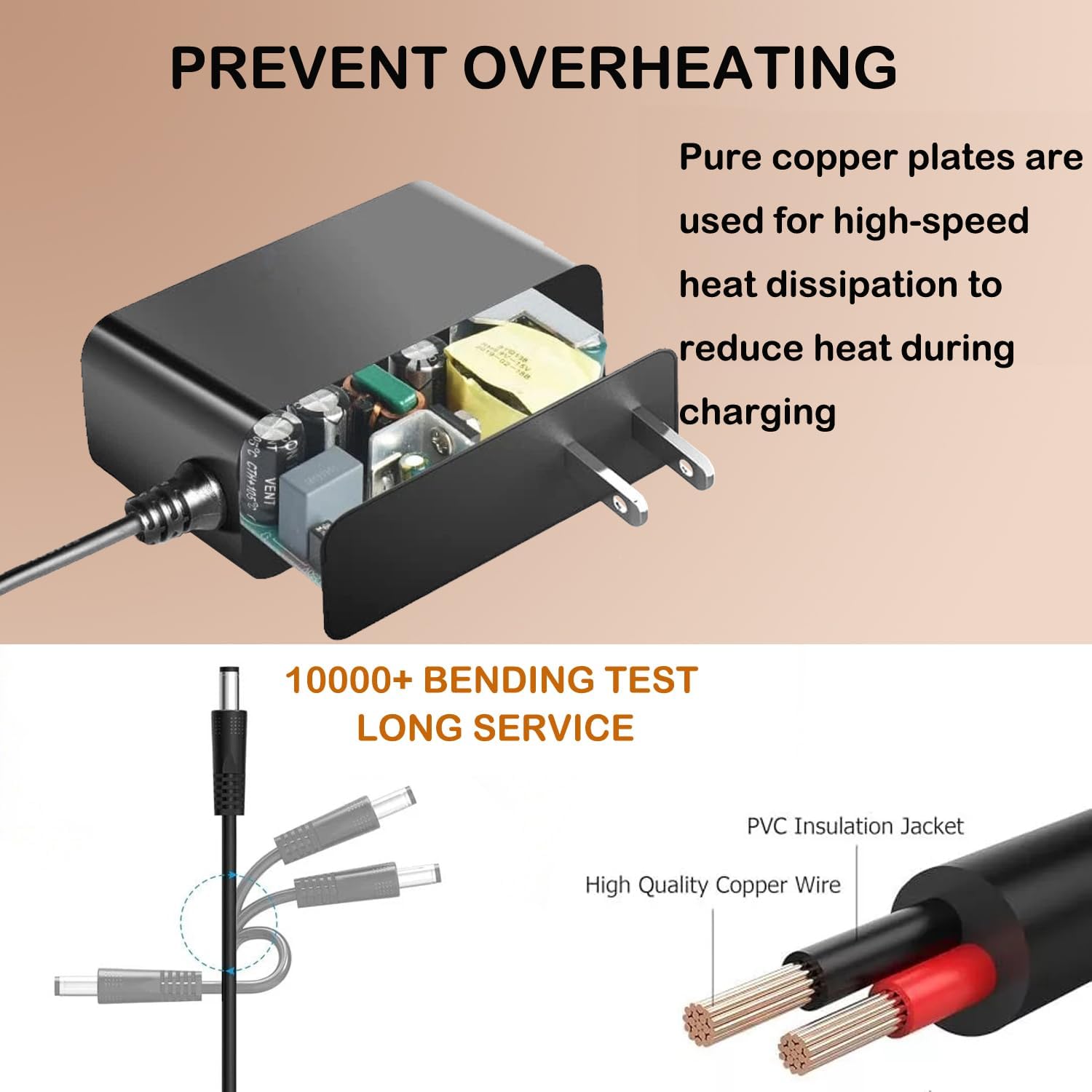
Image 6.1: Illustration showing the internal components for heat dissipation and the durable construction of the adapter's cable, featuring high-quality copper wire and a PVC insulation jacket.
7. Troubleshooting
If you encounter issues with your Metasources AC/DC Adapter, try the following steps:
- No Power/Not Charging:
- Ensure the adapter is securely plugged into both the wall outlet and the vacuum cleaner's charging port.
- Check if the wall outlet is functional by plugging in another device.
- Inspect the adapter cable and connector for any visible damage. If damaged, discontinue use.
- Slow Charging:
- Ensure the adapter is the correct one for your vacuum model and battery specifications.
- Verify that the vacuum cleaner's battery is not excessively hot or cold, as extreme temperatures can affect charging efficiency.
If the problem persists after performing these checks, please refer to the Warranty and Support section for further assistance.
8. Specifications
| Product Name | Metasources AC/DC Adapter |
| Compatible Models | MBYULO EHBL-A001-V01-US-1, EHBR-A001-V01-US-1 Cordless Stick Vacuum Cleaners |
| Input Voltage | 100-240V AC, 50/60Hz |
| Output Voltage | 25.9V DC |
| Output Current (EHBL) | 2.5Ah (2500mAh) |
| Output Current (EHBR) | 2.2Ah (2200mAh) |
| Connector Type | Barrel Round Connector |
| Product Dimensions | 4 x 3 x 2 inches |
| Item Weight | 4 ounces |
| Color | Black |
| Special Features | Short Circuit Protection, Overvoltage Protection, Overcurrent Protection, Overcharge Protection, Over Temperature Protection, Over Load Protection |
9. Official Product Video
Video 9.1: An overview of the Metasources AC/DC Adapter, highlighting its safety features, durable construction, and space-saving design. The video demonstrates the adapter's multi-protection systems, robust cable design, and how it can be plugged into a power strip without obstructing adjacent outlets.
10. Warranty and Support
Your Metasources AC/DC Adapter is backed by a 24-month exchange warranty from the date of purchase. This warranty covers manufacturing defects and ensures peace of mind regarding product quality.
For warranty claims, technical support, or any questions not addressed in this manual, please contact Metasources customer service through the retailer where the product was purchased or visit the official Metasources brand store online.
Please retain your proof of purchase for warranty purposes.