
Introduction
This manual provides detailed instructions for the Middle Rabbit Rampage 2 Neckband Gaming Earbuds. It covers product features, setup, operation, maintenance, troubleshooting, and technical specifications to ensure optimal use of your device.
Product Overview
The Middle Rabbit Rampage 2 earbuds are designed for gaming and daily use, featuring dual connectivity via 2.4G wireless dongle and Bluetooth. They offer low-latency audio for gaming and clear voice communication.
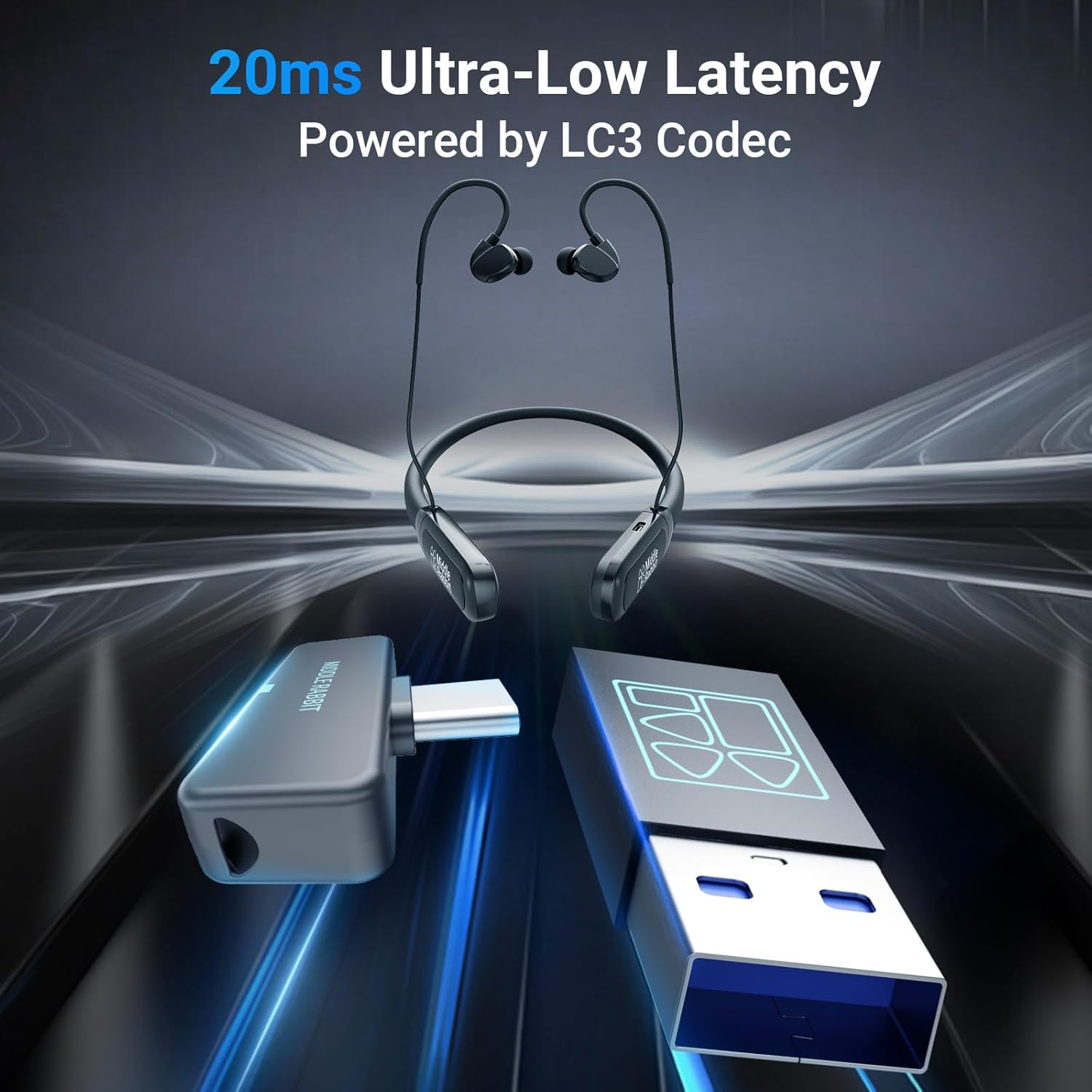
Image: Middle Rabbit Rampage 2 Neckband Gaming Earbuds and 2.4G USB dongle. The earbuds feature a neckband design for secure wear, and the dongle provides ultra-low latency wireless connection.
Key Features:
- Dual Mode Connectivity: Seamlessly switch between 2.4G wireless dongle and Bluetooth 5.4.
- Ultra-Low Latency: Approximately 20ms latency via 2.4G dongle for gaming.
- Wide Compatibility: 2.4G dongle supports PC, PS5, PS4, Steam Deck, Switch. Bluetooth connects to phones and tablets.
- 3 EQ Presets: Two game-focused EQ modes (positional audio, footsteps) and one music EQ mode (richer vocals, bass).
- Clear Microphone: Built-in microphone for clear voice pickup during gaming and calls.
- Extended Battery Life: Up to 32+ hours of total playtime.
Setup
1. Charging the Earbuds
Before first use, fully charge the earbuds. Connect the charging cable to the earbuds' charging port and a USB power source. A full charge takes approximately 1.5 hours and provides over 32 hours of playtime.

Image: Visual representation of 32 hours battery life and 1.5 hours charge time, indicating the long-lasting power and quick charging capability of the earbuds.
2. Connecting via 2.4G Wireless Dongle (for PC, Consoles)
- Insert the 2.4G USB dongle into an available USB port on your PC, laptop, PS5, PS4, Steam Deck, or Nintendo Switch.
- Power on the Middle Rabbit Rampage 2 earbuds.
- The earbuds will automatically attempt to connect to the dongle. A successful connection is indicated by a specific LED pattern or audio prompt (refer to product-specific indicators if available).
- Ensure the audio output on your device is set to the "Middle Rabbit Rampage 2" or similar.
3. Connecting via Bluetooth (for Mobile Devices)
- Power on the Middle Rabbit Rampage 2 earbuds.
- Activate Bluetooth on your smartphone, tablet, or other Bluetooth-enabled device.
- Put the earbuds into Bluetooth pairing mode (usually by pressing and holding a specific button, refer to product-specific instructions for exact button).
- On your device, search for "Middle Rabbit Rampage 2" in the list of available Bluetooth devices and select it to pair.
- A successful connection is indicated by an LED pattern or audio prompt.

Image: Illustration showing the Middle Rabbit Rampage 2 earbuds connected simultaneously to a laptop via 2.4G dongle and to a smartphone via Bluetooth, demonstrating dual connection capability.
Operating Instructions
Power On/Off
- Power On: Press and hold the Power button for approximately 3 seconds until the indicator light illuminates and an audio prompt is heard.
- Power Off: Press and hold the Power button for approximately 5 seconds until the indicator light turns off and an audio prompt is heard.
Switching EQ Modes
The earbuds feature three distinct audio equalization (EQ) modes. Press the EQ button (or designated control) to cycle through the modes:
- Game Mode 1 (Positional Audio): Optimized for enhanced spatial awareness in games.
- Game Mode 2 (Footsteps): Emphasizes subtle in-game sounds like footsteps.
- Music Mode: Tuned for richer vocals and deeper bass, ideal for music listening.

Image: Graphic illustrating the three available audio modes: Game, Footsteps, and Music, which can be switched with a single button.
Dual Device Switching
When connected to two devices (one via 2.4G dongle, one via Bluetooth), the earbuds allow for seamless switching. Audio will automatically prioritize incoming calls on the Bluetooth-connected device. To manually switch between audio sources, pause playback on the current device and start playback on the other.
Microphone Usage
The built-in microphone provides clear voice pickup for in-game communication, phone calls, and online meetings. Ensure the microphone is not obstructed for optimal performance.

Image: A person wearing the Middle Rabbit Rampage 2 earbuds while gaming at a computer, highlighting the product's use for an immersive gaming experience with its game-tuned sound profile.
Maintenance
- Cleaning: Regularly clean the earbuds and ear tips with a soft, dry cloth. For ear tips, you may use a slightly damp cloth with mild soap, then dry thoroughly.
- Storage: Store the earbuds in a cool, dry place away from direct sunlight and extreme temperatures.
- Battery Care: To prolong battery life, avoid fully discharging the earbuds frequently. Charge them regularly, even if not in use for extended periods.
- Water Resistance: The earbuds are rated as waterproof. However, avoid prolonged submersion or exposure to high-pressure water jets. Ensure charging port is dry before charging.
Troubleshooting
If you encounter issues with your Middle Rabbit Rampage 2 earbuds, refer to the following common solutions:
- No Sound/Poor Sound Quality:
- Ensure earbuds are powered on and fully charged.
- Check volume levels on both the earbuds and the connected device.
- Verify the correct audio output device is selected on your PC or console.
- If using 2.4G dongle, ensure it is securely plugged in.
- If using Bluetooth, ensure the earbuds are paired and connected. Try re-pairing.
- Test with a different audio source or device.
- Connectivity Issues (2.4G Dongle):
- Try plugging the dongle into a different USB port.
- Ensure no other strong wireless signals are interfering.
- Restart the connected device (PC, console).
- Connectivity Issues (Bluetooth):
- Ensure Bluetooth is enabled on your device.
- Move the earbuds closer to the Bluetooth device.
- Forget the device in your Bluetooth settings and re-pair.
- Ensure the earbuds are not already connected to another Bluetooth device.
- Microphone Not Working:
- Check microphone settings on your connected device (PC, console, phone) to ensure "Middle Rabbit Rampage 2" is selected as the input device.
- Ensure the microphone is not muted.
- Test the microphone in a different application or with another device.
- Battery Drains Quickly / Inaccurate Battery Display:
- Ensure the earbuds are fully charged (1.5 hours).
- If issues persist, try a full discharge and recharge cycle.
- Note that battery performance can degrade over time with usage.
Specifications
| Model Name: | Rampage 2 |
| Brand: | Middle Rabbit |
| Ear Placement: | In Ear |
| Form Factor: | In Ear (Neckband) |
| Impedance: | 32 Ohms |
| Connectivity Technology: | Wireless (Bluetooth, 2.4G) |
| Bluetooth Version: | 5.4 |
| Frequency Range: | 20Hz - 20,000Hz |
| Battery Average Life: | 32+ Hours |
| Charge Time: | Approx. 1.5 Hours |
| Water Resistance Level: | Waterproof |
| Compatible Devices: | Desktops, Gaming Consoles (PS5, PS4, Switch), Laptops, Tablets, Telephones |
| Material: | Silicone (Enclosure) |
| Additional Features: | Low Latency, 3 EQ Presets, Built-in Microphone |
Warranty and Support
The Middle Rabbit Rampage 2 Neckband Gaming Earbuds come with a 1-Year Warranty from the date of purchase, covering manufacturing defects. Please retain your proof of purchase for warranty claims.
For technical support, warranty claims, or further assistance, please contact Middle Rabbit customer service through their official website or the retailer where the product was purchased. Provide your product model number (Rampage 2) and a detailed description of the issue.