
1. Introduction
Welcome to the NAVIC T2 Electric Scooter user manual. This document provides essential information for the safe assembly, operation, and maintenance of your new electric scooter. Please read this manual thoroughly before your first ride to ensure optimal performance and safety.

Image 1.1: The NAVIC T2 Electric Scooter, featuring a comfortable seat and a rear basket.
2. Safety Information
Your safety is paramount. Always wear a helmet and appropriate protective gear when riding. Adhere to all local traffic laws and regulations. This scooter is designed for adult use and has a maximum weight limit of 265 lbs (120 kg).
2.1 General Safety Guidelines
- Inspect the scooter before each ride for any loose parts, tire damage, or brake issues.
- Do not ride in heavy rain, snow, or icy conditions.
- Avoid riding on uneven terrain, potholes, or over large obstacles.
- Maintain a safe distance from other vehicles and pedestrians.
- Do not perform stunts or sudden maneuvers.
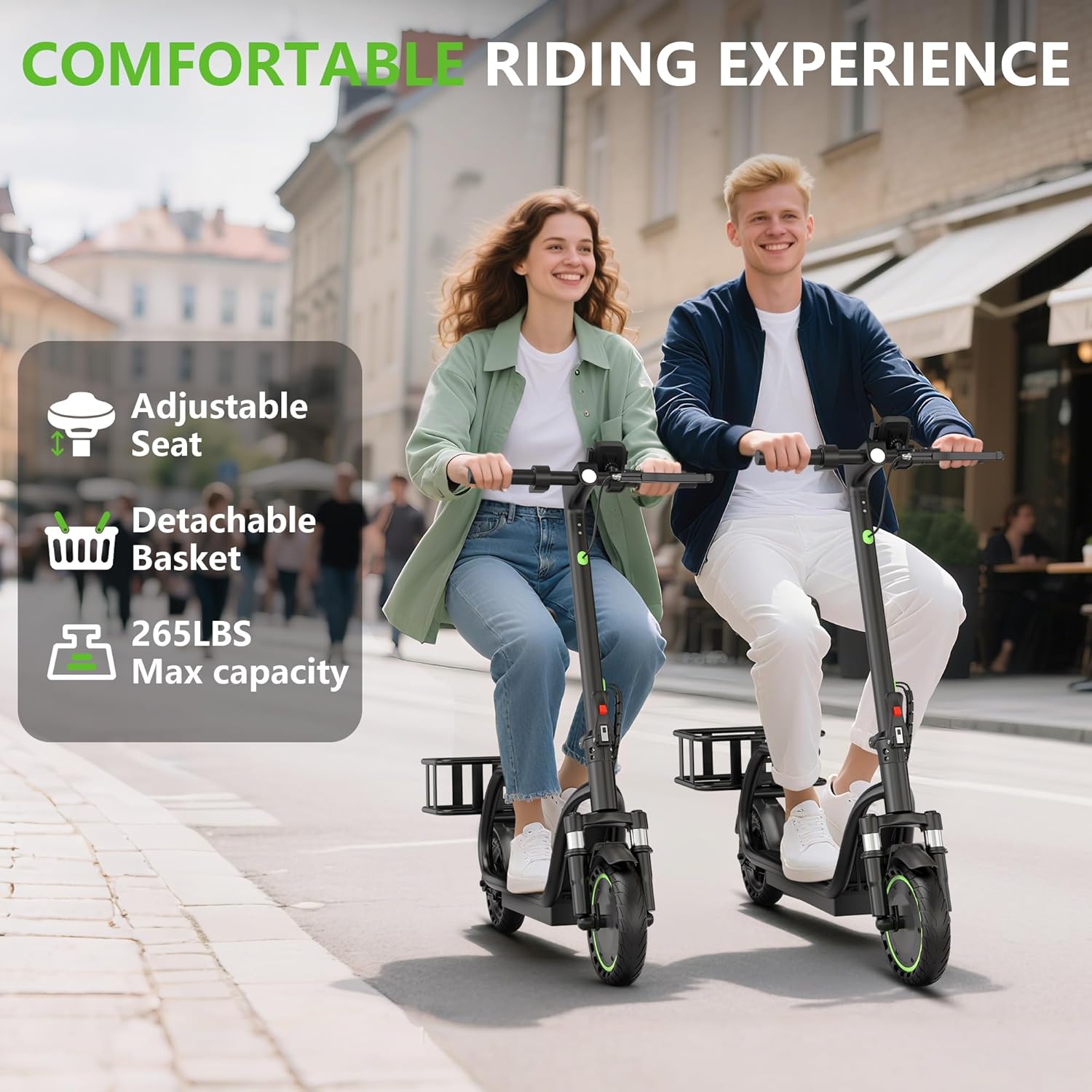
Image 2.1: The scooter features a bright LED headlight and sensitive taillight for enhanced visibility and safety during night rides.
3. Package Contents
Upon opening the package, ensure all components are present and undamaged. The standard package for the NAVIC T2 Electric Scooter includes:
- NAVIC T2 Electric Scooter (main unit)
- Adjustable Padded Seat
- Rear Detachable Basket
- Charging Adapter
- Assembly Tools (screws, screwdriver)
- User Manual (this document)
- Optional: Phone Mount, Bike Lock (may vary by package)
Video 3.1: This video demonstrates the unboxing and initial assembly steps for the NAVIC T2 Electric Scooter, including attaching the handlebars, seat, and basket.
4. Assembly and Setup
The NAVIC T2 Electric Scooter comes partially assembled. Follow these steps to complete the setup:
4.1 Handlebar Installation
- Carefully remove the scooter from its packaging.
- Unfold the main stem until it locks securely into place.
- Attach the handlebars to the top of the stem, ensuring all cables are properly connected and not pinched.
- Secure the handlebars using the provided screws and tools.
4.2 Seat and Basket Attachment
- Insert the seat post into the designated slot on the scooter frame. Adjust the height for comfort and secure it with the quick-release lever.
- Attach the rear basket to the frame using the provided hardware. Ensure it is firmly secured.

Image 4.1: The scooter features an adjustable seat and a detachable rear basket for convenience and comfort.
4.3 Initial Charging
Before your first ride, fully charge the scooter's battery. Connect the charging adapter to the charging port on the scooter and then to a power outlet. The indicator light on the charger will change when charging is complete (typically 4-5 hours).

Image 4.2: The scooter is equipped with a 187.2Wh capacity battery, offering 4-5 hours fast charging.
5. Operating Instructions
5.1 Power On/Off
Press and hold the power button on the handlebar display to turn the scooter on or off.
5.2 Speed Modes
The scooter features multiple speed modes to suit different riding conditions:
- ECO Mode: For maximum range and energy efficiency (approx. 7 MPH).
- Comfort Mode: A balanced mode for everyday riding (approx. 11 MPH).
- Sport Mode: For maximum speed and performance (up to 19 MPH).
Toggle between modes by double-pressing the power button.

Image 5.1: The scooter offers three distinct riding modes: ECO, Comfort, and Sport, each with a different maximum speed.
5.3 Acceleration and Braking
- Acceleration: The scooter supports both kick-to-start for safety and instant throttle response. Push off with your foot and then press the accelerator lever to engage the motor.
- Braking: The scooter is equipped with a dual braking system, including an electronic brake and a rear drum brake, for responsive and reliable stopping power. Use the brake levers on the handlebars to slow down or stop.
- Cruise Control: Activate cruise control to maintain a constant speed without continuous throttle input, making longer rides more comfortable.

Image 5.2: The scooter features a dual protection braking system, combining an electronic brake and a rear drum brake for effective stopping.
5.4 Folding Mechanism
The scooter features a double folding lock design for quick and secure folding. To fold, release the locking mechanism on the stem and fold the handlebar down towards the deck. This makes it easy to carry and store.

Image 5.3: The scooter can be folded in 3 seconds for easy portability and storage.
6. Smart App Integration
Enhance your riding experience by connecting your NAVIC T2 Electric Scooter to the dedicated smartphone app via Bluetooth. The app provides access to advanced features and real-time data.
6.1 App Features
- Speed Adjustment: Customize your speed limits.
- Battery Monitoring: View real-time battery level and health.
- Ride Statistics: Track mileage, average speed, and other ride data.
- Remote Locking: Secure your scooter remotely.
- Fault Detection: Built-in system to detect and help resolve issues.
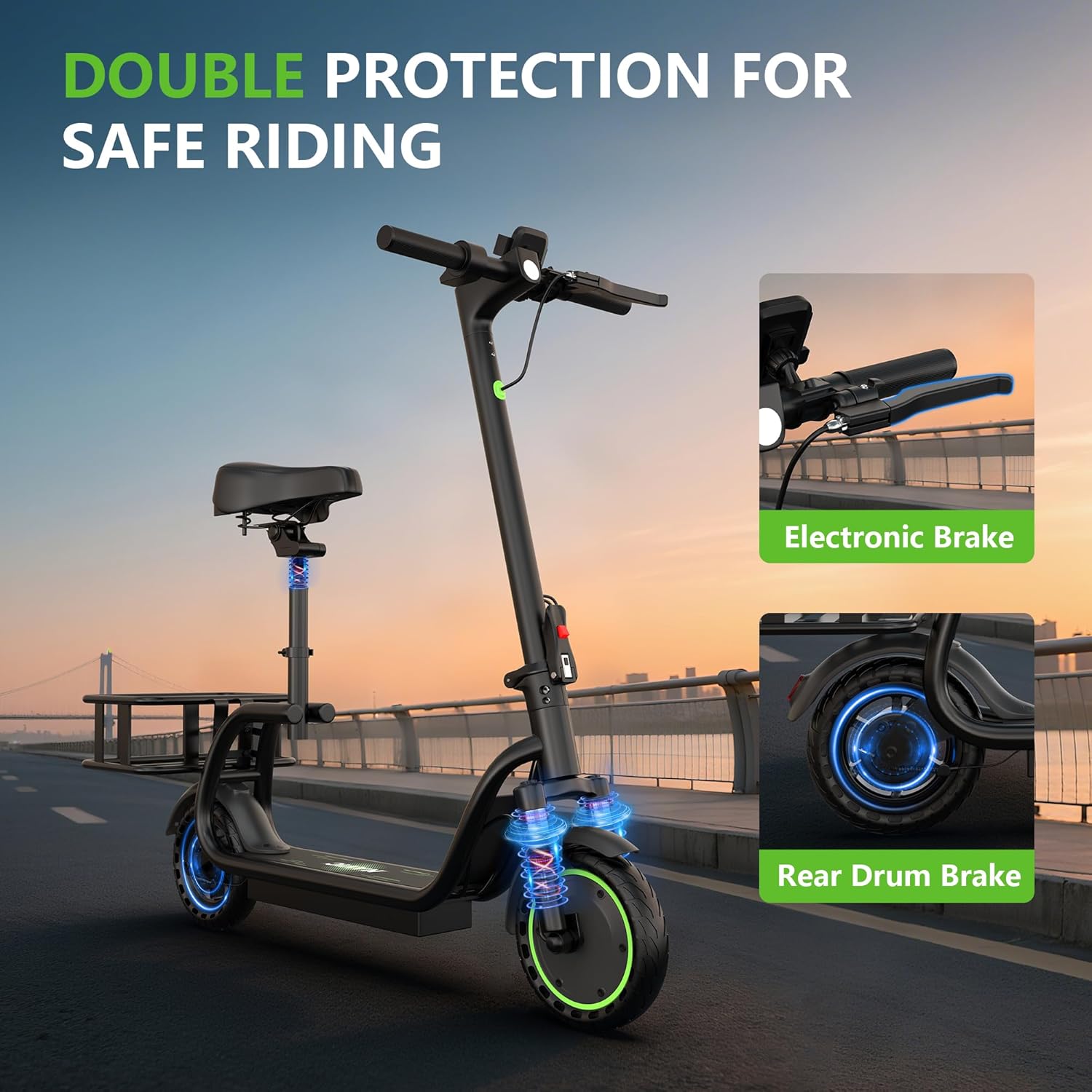
Image 6.1: The smart app allows for advanced control and monitoring of your scooter, including speed adjustment, battery status, and remote locking.
7. Maintenance
Regular maintenance ensures the longevity and safe operation of your scooter.
7.1 Cleaning
Wipe the scooter with a damp cloth after each use. Avoid using high-pressure water or harsh chemicals, as this can damage electronic components.
7.2 Battery Care
- Charge the battery fully before long periods of storage.
- Store the scooter in a cool, dry place.
- Avoid completely draining the battery regularly to prolong its lifespan.
7.3 Tire Inspection
The NAVIC T2 features 8.5-inch solid rubber tires, which are puncture-resistant and require minimal maintenance. Regularly check for any signs of wear or damage.
8. Troubleshooting
If you encounter any issues with your scooter, refer to the following common problems and solutions:
| Problem | Possible Cause | Solution |
|---|---|---|
| Scooter does not power on | Low battery; loose connection | Charge battery; check power button and connections |
| Reduced range/speed | Low battery; riding in Sport mode excessively; heavy load | Fully charge battery; switch to ECO mode; reduce load |
| Brakes feel loose | Brake cable adjustment needed | Adjust brake cable tension (consult a professional if unsure) |
| App connectivity issues | Bluetooth off; app outdated | Ensure Bluetooth is on; update app; restart scooter and phone |
For issues not listed here or if problems persist, please contact NAVIC customer support.
9. Specifications
| Feature | Specification |
|---|---|
| Brand | NAVIC |
| Model Name | T2 |
| Motor Power | 350W |
| Max Speed | 19 MPH |
| Max Distance Range | 17 Miles (up to 25 miles depending on model variant) |
| Battery Capacity | 187.2 Wh |
| Charging Time | 4-5 Hours |
| Weight Limit | 265 Pounds |
| Wheel Size | 8.5 Inches |
| Wheel Material | Rubber (Solid) |
| Frame Material | Aluminum |
| Brake Style | Dual Braking (Electronic & Rear Drum) |
| Special Features | Basket, Dual Braking, Foldable, Seat, Smart App |
| Product Dimensions | 42"L x 16"W x 44"H |
| Item Weight | 14 Kilograms |
10. Warranty and Support
The NAVIC T2 Electric Scooter comes with a 12-month warranty (180 days for specific parts). For any questions, technical assistance, or warranty claims, please contact our professional support team. We aim to respond within 24 hours to provide quick solutions.
The product has passed UL 2272 testing, ensuring compliance with safety standards.
