
Introduction
This manual provides essential information for the safe and efficient operation of your Dometic CFX2 -28L electric cooler and portable freezer. Please read these instructions carefully before use and retain them for future reference.
Safety Information
Warning: This product contains chemicals known to the State of California to cause cancer and birth defects or other reproductive harm. For more information, visit www.P65Warnings.ca.gov.
Always ensure proper ventilation around the cooler. Do not block air vents. Avoid exposing the cooler to direct sunlight for extended periods, especially when operating in high ambient temperatures. Disconnect power before cleaning or maintenance.
What's in the Box
- 1 Dometic CFX2 -28L Electric Cooler
- 1 User Manual
- 1 Connection cable for 12/24V DC connection
- 1 Connection cable for 100-240V AC connection
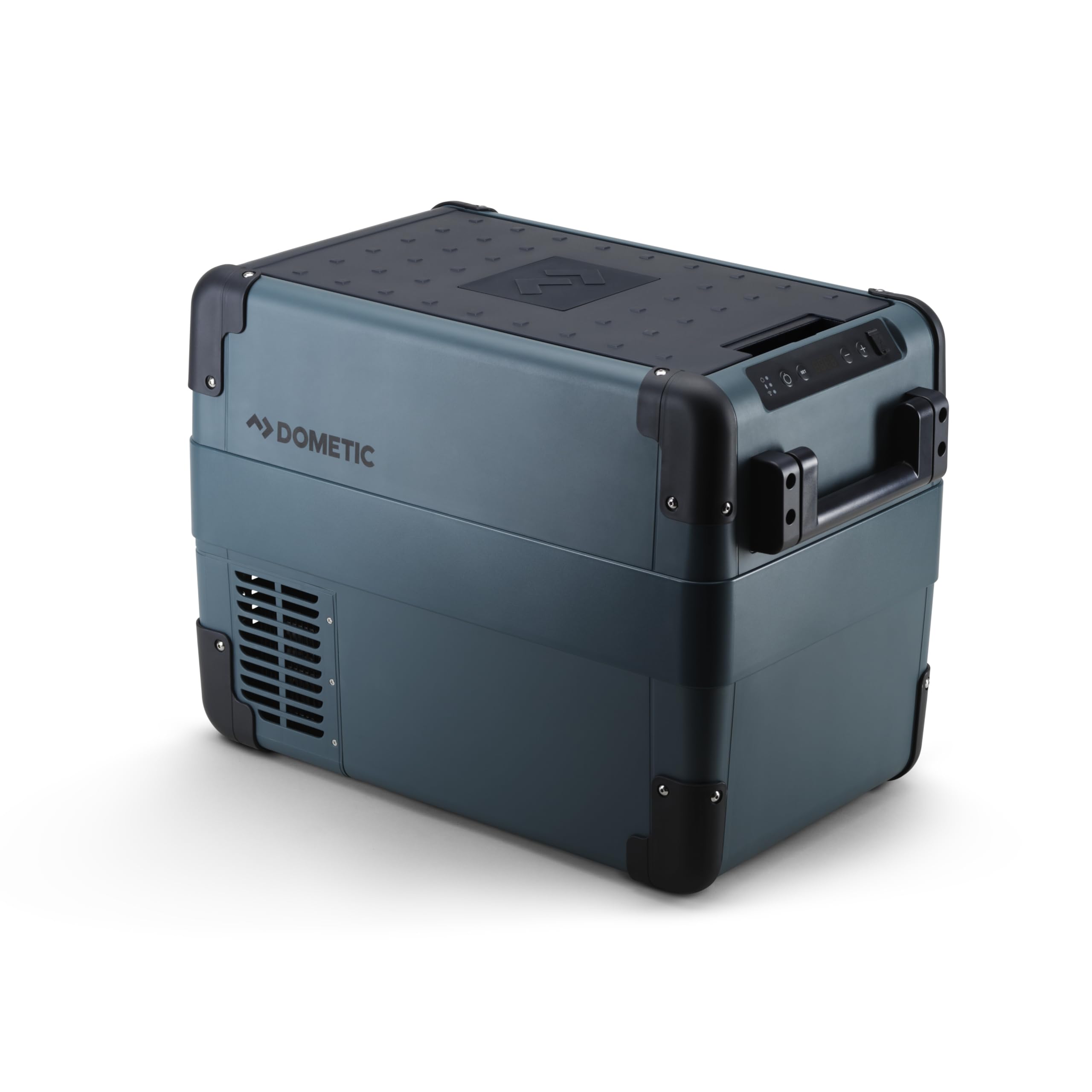
Image: The Dometic CFX2 -28L electric cooler, showing its compact design and handles.
Setup
1. Placement
Place the cooler on a flat, stable surface. Ensure adequate ventilation around the unit, especially near the air intake and exhaust vents. Avoid placing it in direct sunlight or near heat sources.
2. Power Connection
The Dometic CFX2 -28L can be powered by 12/24V DC (car/vehicle battery) or 100-240V AC (standard household outlet). Connect the appropriate power cable to the cooler and then to the power source. This unit does not have an internal battery.

Image: Close-up of the Dometic CFX2 showing the power input ports for AC and DC connections.
3. Initial Use
Before first use, clean the interior with a damp cloth. Allow the cooler to run for at least 30 minutes empty to reach the desired temperature before loading with contents.
Operating Instructions
1. Control Panel
The control panel allows you to power on/off the unit, set the desired temperature, and access settings. The digital display shows the current internal temperature.

Image: Detailed view of the Dometic CFX2 control panel, showing power button, set button, temperature adjustment buttons, and digital display.
2. Temperature Setting
Press the "SET" button to enter temperature adjustment mode. Use the "+" and "-" buttons to select your desired temperature between -7°F (-22°C) and 68°F (20°C). The unit will automatically adjust to maintain this temperature.
3. Mobile Cooling App (Bluetooth)
Monitor and manage your cooler's temperature remotely using the Dometic Mobile Cooling app. Download the app from your device's app store and follow the in-app instructions to connect via Bluetooth. This allows for convenient temperature adjustments and status checks.

Image: Overview of Dometic CFX2 features, highlighting app control, durable design, and wide temperature range.
4. Battery Protection System
The integrated 3-stage battery protection system monitors your vehicle's battery draw and prevents excessive discharge, safeguarding your vehicle's starting power. Refer to the full manual for details on adjusting battery protection levels.
5. Storage Capacity
The 28L capacity can hold up to 36 cans or 3 x 1.5L bottles, providing ample space for weekend trips or daily use without the need for ice.

Image: The interior of the Dometic CFX2 -28L, demonstrating its storage capacity and removable wire basket.
Maintenance
1. Cleaning
Regularly clean the interior and exterior of the cooler with a damp cloth and mild detergent. Do not use abrasive cleaners or solvents. Ensure the unit is unplugged before cleaning. Clean the ventilation grilles periodically to ensure proper airflow.
2. Storage
When not in use for extended periods, ensure the cooler is clean and dry. Store it in a cool, dry place with the lid slightly ajar to prevent odors and mildew.
Troubleshooting
If the cooler is not operating as expected, check the following:
- No Power: Ensure the power cable is securely connected to both the cooler and the power source. Check the power source for functionality.
- Not Cooling: Verify the temperature setting is appropriate. Ensure ventilation grilles are not blocked. Allow sufficient time for the unit to reach the set temperature.
- Error Codes: Consult the full Dometic CFX2 user manual for a list of error codes and their corresponding solutions.
For further assistance, contact Dometic customer support.
Specifications
| Feature | Detail |
|---|---|
| Brand | Dometic |
| Model Name | CFX2 28 |
| Capacity | 28 Liters |
| Product Dimensions (D x W x H) | 13.58"D x 23.62"W x 16.81"H |
| Item Weight | 29.33 Pounds |
| Material | Plastic |
| Insulation Material | Polyurethane Foam |
| Temperature Range | -7°F (-22°C) to 68°F (20°C) |
| Power Input | 12/24V DC, 100-240V AC |
| Special Feature | Insulated, Bluetooth App Control, 3-stage Battery Protection |

Image: Dometic CFX2 series electric coolers banner.
Warranty Information
The Dometic CFX2 -28L electric cooler comes with a 2-year warranty. Please retain your proof of purchase for warranty claims. For detailed warranty terms and conditions, refer to the official Dometic website or the warranty card included with your product.
Official Product Video
Video: "Dometic CFX2 - Mobile Living Made Easy." This video provides a visual overview of the Dometic CFX2 electric cooler's features and benefits in various outdoor settings.


