1. Introduction
This manual provides essential instructions for setting up, operating, and maintaining your OUKITEL C68 smartphone. Please read this manual thoroughly before using your device to ensure proper functionality and safety.
2. What's in the Box
Upon opening the OUKITEL C68 package, you should find the following items:
- 1x OUKITEL C68 Cell Phone
- 1x 18W Charger
- 1x Data Cable (Type-C)
- 1x Phone Case
- 1x Manual
- 1x SIM Pin
Video: OUKITEL C68 Unboxing. This video demonstrates the contents of the OUKITEL C68 smartphone package and the initial unboxing process.
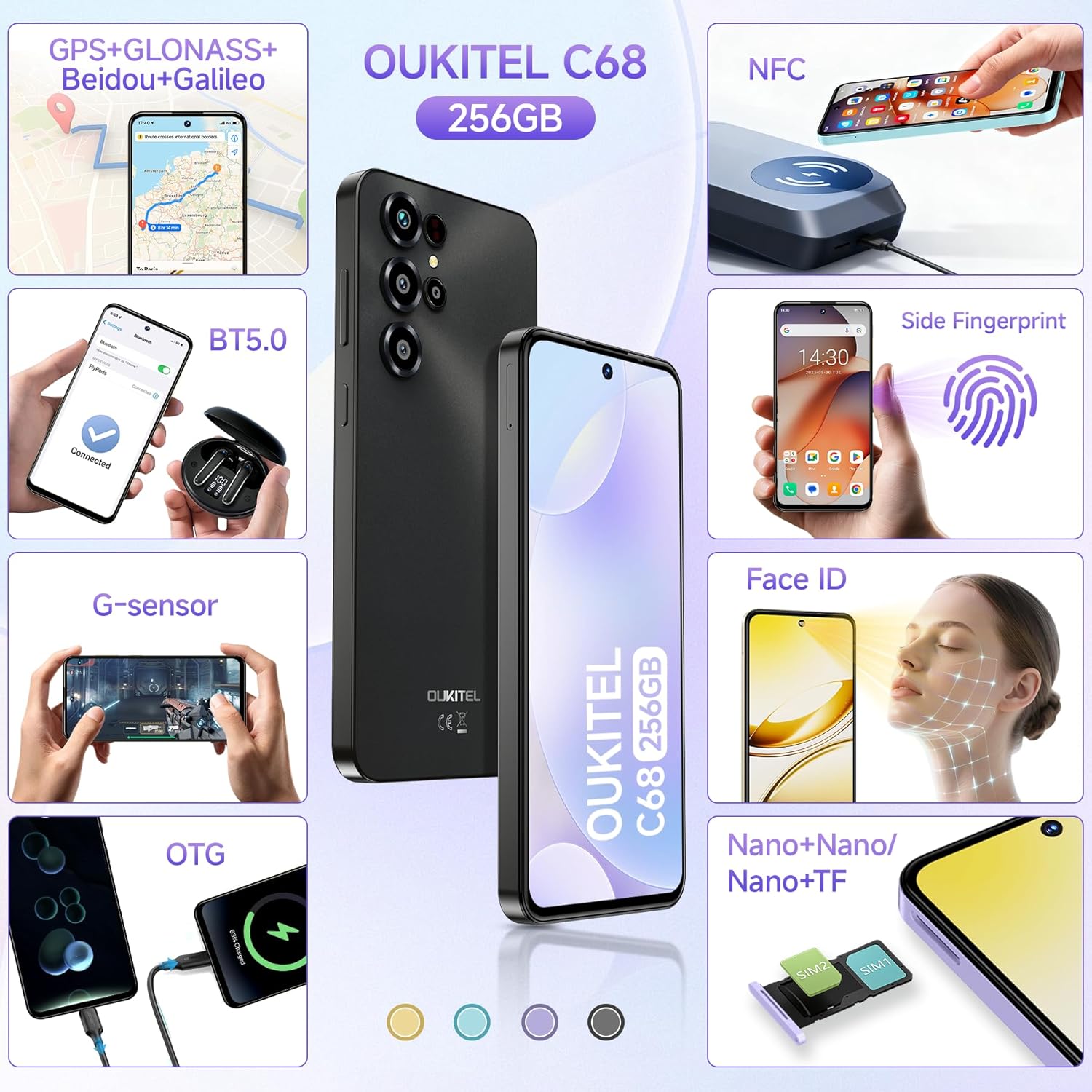
Image: The OUKITEL C68 smartphone, along with its included accessories: charger, data cable, phone case, manual, and SIM ejector tool.
3. Setup Guide
3.1. SIM Card Installation
The OUKITEL C68 supports dual Nano-SIM cards or one Nano-SIM and one TF (microSD) card for expandable storage. Ensure the phone is powered off before inserting or removing SIM/TF cards.
- Locate the SIM card tray on the side of the phone.
- Insert the provided SIM ejector tool into the small hole next to the tray and press gently until the tray pops out.
- Place your Nano-SIM card(s) and/or TF card into the designated slots on the tray, ensuring the gold contacts face downwards.
- Carefully reinsert the tray into the phone until it clicks into place.
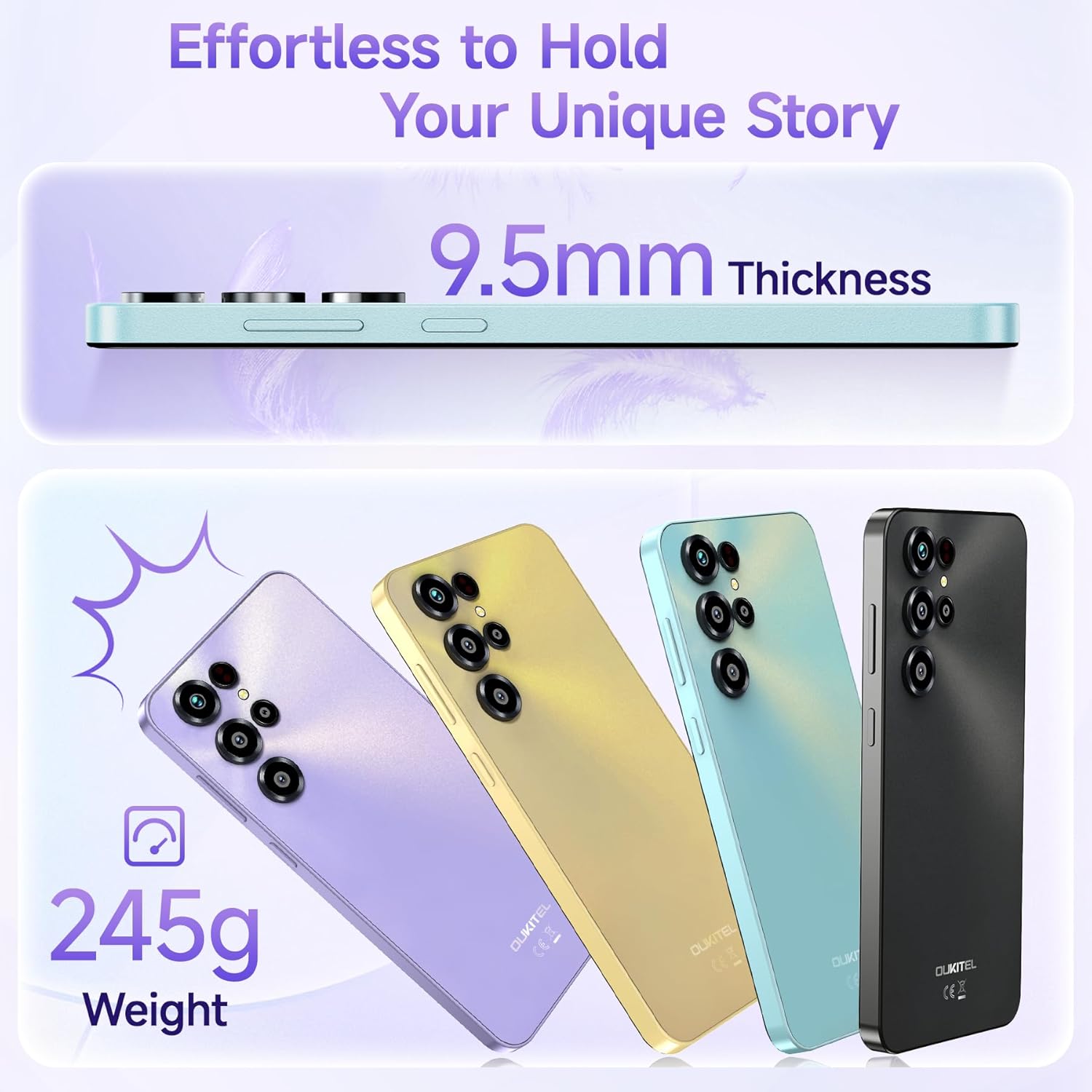
Image: Illustration of the SIM card tray, showing slots for two Nano-SIM cards or one Nano-SIM and one TF card.
3.2. Initial Power On and Basic Setup
- Press and hold the power button (located on the right side) until the OUKITEL logo appears.
- Follow the on-screen prompts to select your language, connect to a Wi-Fi network, and set up your Google account.
- Review and accept the terms and conditions.
3.3. Charging the Device
Connect the provided Type-C data cable to the phone's charging port and the 18W charger to a power outlet. The phone supports 18W fast charging. It is recommended to fully charge the device before first use.
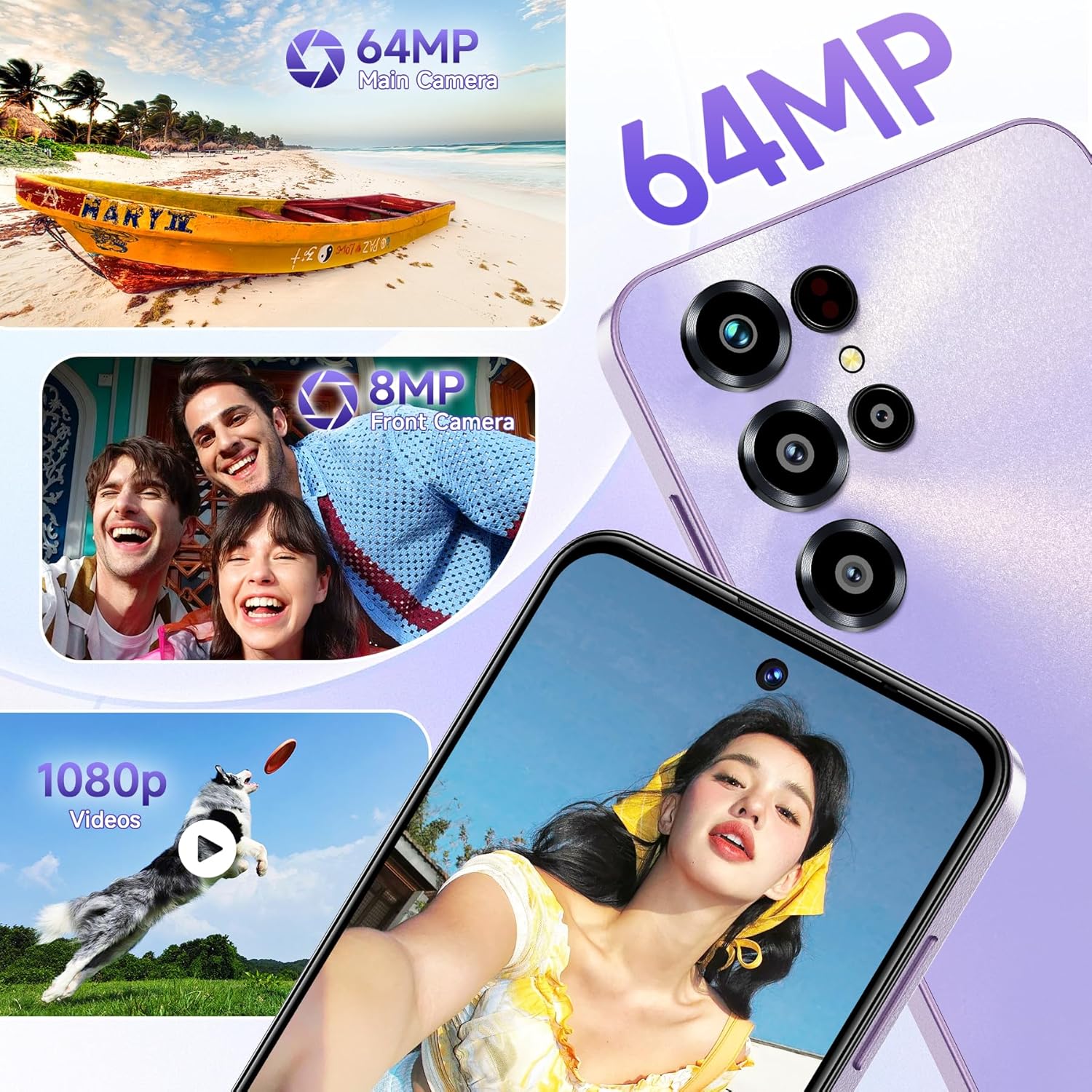
Image: The OUKITEL C68 connected to its Type-C charger, illustrating the 18W fast charging capability and OTG reverse charging function.
4. Operating Your OUKITEL C68
4.1. Display and User Interface
The OUKITEL C68 features a 7.2-inch HD+ display with a 120Hz refresh rate, providing smooth visuals. The device runs on Android 15, offering a user-friendly interface and access to a wide range of applications.

Image: The OUKITEL C68's 7.2-inch 120Hz display showcasing a dynamic scene, highlighting its large screen and high refresh rate for an immersive viewing experience.
4.2. Performance and Storage
Equipped with 24GB RAM (8GB physical + 16GB virtual) and 256GB internal storage (expandable up to 1TB via TF card), the C68 is designed for efficient multitasking and ample storage for applications, photos, and videos.
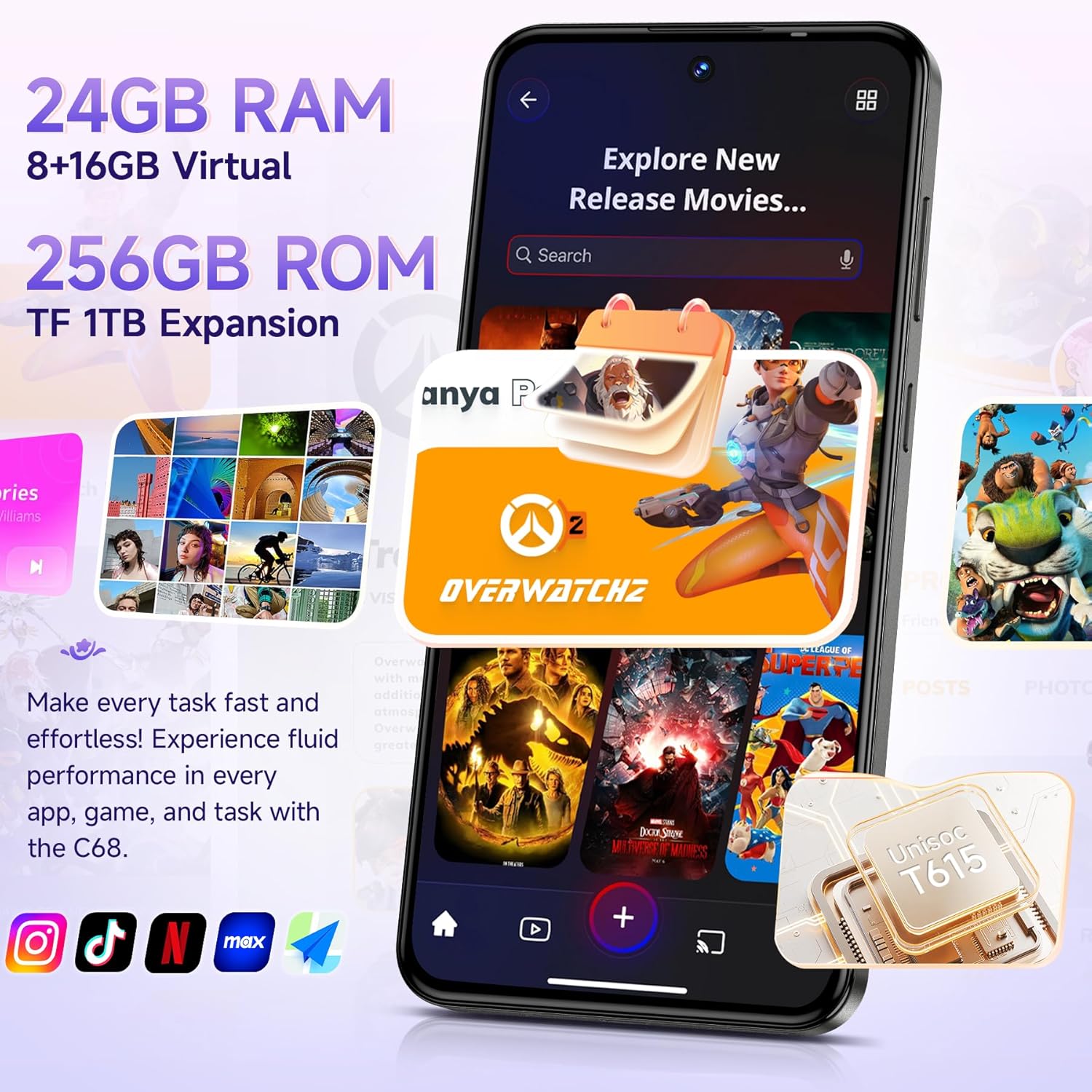
Image: The OUKITEL C68's screen showing various applications and icons, emphasizing its 24GB RAM and 256GB ROM with TF card expansion capability.
4.3. Camera Functions
The phone features a 64MP main camera and an 8MP front camera. Various modes such as HDR, Beauty Mode, AI, Portrait Mode, Panorama, and Pro Mode are available to enhance your photography experience.

Image: A visual representation of the OUKITEL C68's 64MP main camera and 8MP front camera, along with examples of photos and video recording capabilities.
4.4. Security Features
The OUKITEL C68 offers multiple security options for unlocking your device:
- Side Fingerprint Recognition: Register your fingerprint(s) for quick and secure access.
- Facial Unlocking: Set up face recognition for convenient unlocking.

Image: An overview of the OUKITEL C68's practical features, including GPS navigation, Bluetooth 5.0, G-sensor, NFC for payments, dual SIM support, Face ID, and side fingerprint recognition.
4.5. Connectivity and Navigation
The device supports 4G networks (T-Mobile compatible), Bluetooth 5.0, Wi-Fi 2.4/5G, and NFC for contactless payments. For navigation, it integrates GPS, GLONASS, Galileo, and BeiDou systems.
Note: This phone exclusively supports T-Mobile carriers. Please verify your SIM card's compatibility with the phone's frequency bands before use. Supported bands include: GSM: B2/B3/B5/B8, WCDMA: B1/2/4/5/8, TDD: B34/38/39/40/41, FDD: B1/2/3/4/5/7/8/12/17/18/19/20/25/26/28AB/66.
5. Maintenance
5.1. Cleaning Your Device
Use a soft, lint-free cloth to clean the screen and body of your phone. Avoid using harsh chemicals or abrasive materials, which can damage the device's finish.
5.2. Software Updates
Regularly check for and install software updates to ensure optimal performance, security, and access to new features. You can usually find this option in the phone's settings menu under "System" or "About phone."
5.3. Battery Care
To prolong battery life, avoid exposing the phone to extreme temperatures. Use only the provided charger and cable. It is not necessary to fully discharge the battery before recharging.
6. Troubleshooting
| Issue | Possible Solution |
|---|---|
| Phone not turning on | Ensure the battery is charged. Press and hold the power button for at least 10-15 seconds. If unresponsive, connect to charger and try again. |
| Network connectivity issues | Check SIM card insertion. Verify that your carrier (T-Mobile) is supported. Restart the phone. Check network settings. |
| Apps crashing or freezing | Clear the app's cache and data in settings. Update the app to the latest version. If the issue persists, uninstall and reinstall the app. |
| Battery draining quickly | Reduce screen brightness. Close unused apps running in the background. Disable unnecessary features like GPS or Bluetooth when not in use. Check for rogue apps consuming excessive power. |
| Fingerprint/Face ID not working | Ensure your finger/face is clean and properly positioned. Re-register your fingerprint/face ID in the security settings. |
7. Specifications
| Feature | Detail |
|---|---|
| Model Name | OUKITEL C68 |
| Operating System | Android 15 |
| Display Size | 7.2 Inches |
| Resolution | 720*1560 |
| Refresh Rate | 120Hz |
| RAM | 24 GB (8GB physical + 16GB virtual) |
| Storage | 256 GB (Expandable up to 1TB via TF card) |
| Battery Capacity | 6000 mAh |
| Charging | 18W Fast Charging, Type-C Port, OTG Support |
| Main Camera | 64 MP |
| Front Camera | 8 MP |
| Connectivity | 4G (T-Mobile compatible), Bluetooth 5.0, Wi-Fi 2.4/5G, NFC |
| Navigation | GPS, GLONASS, Galileo, BeiDou |
| Security | Side Fingerprint Recognition, Face ID |
| Dimensions | 7.51 x 4.05 x 1.96 inches (Package) |
| Item Weight | 1.05 pounds |
8. Warranty and Support
Your OUKITEL C68 smartphone comes with a standard manufacturer's warranty. Please refer to the warranty card included in your package for specific terms and conditions. For technical support or service inquiries, please contact OUKITEL customer service through their official website or the contact information provided in your warranty documentation.
For more information, visit the official OUKITEL Store on Amazon.


