
1. Introduction
Thank you for choosing the HIBREW H4C Classic Portable Electric Espresso Machine. This device is designed to provide a convenient and high-quality espresso experience wherever you are. Featuring USB-C recharging, a removable battery, and compatibility with both ground coffee and NS capsules, it is ideal for camping, travel, and daily use. Please read this manual thoroughly before operating the machine to ensure safe and optimal performance.
2. Important Safety Information
- Read all instructions before use.
- Keep the appliance out of reach of children.
- Do not immerse the machine, power cord, or plug in water or other liquids.
- Use only the provided USB-C charging cable and a compatible power adapter (DC 5V).
- Exercise caution when handling hot water and steam. The machine heats water up to 95°C.
- Ensure the adapter is securely tightened before brewing to prevent leaks and hot water spills.
- Do not operate the machine if it is damaged or malfunctioning. Contact customer support for assistance.
- Only use clean drinking water.
- Do not overfill the water tank beyond the MAX line.
3. Product Overview and Components
The HIBREW H4C Classic is a compact and versatile espresso machine. Familiarize yourself with its components:

Figure 1: What's in the Box
Package Contents:
- H4C Machine
- Basket for Ground Coffee
- Basket for NS Original Pod
- Adapter for Ground Coffee & NS Original Pod
- Spoon and Tamper
- Type-C Charging Cable
- User Manual
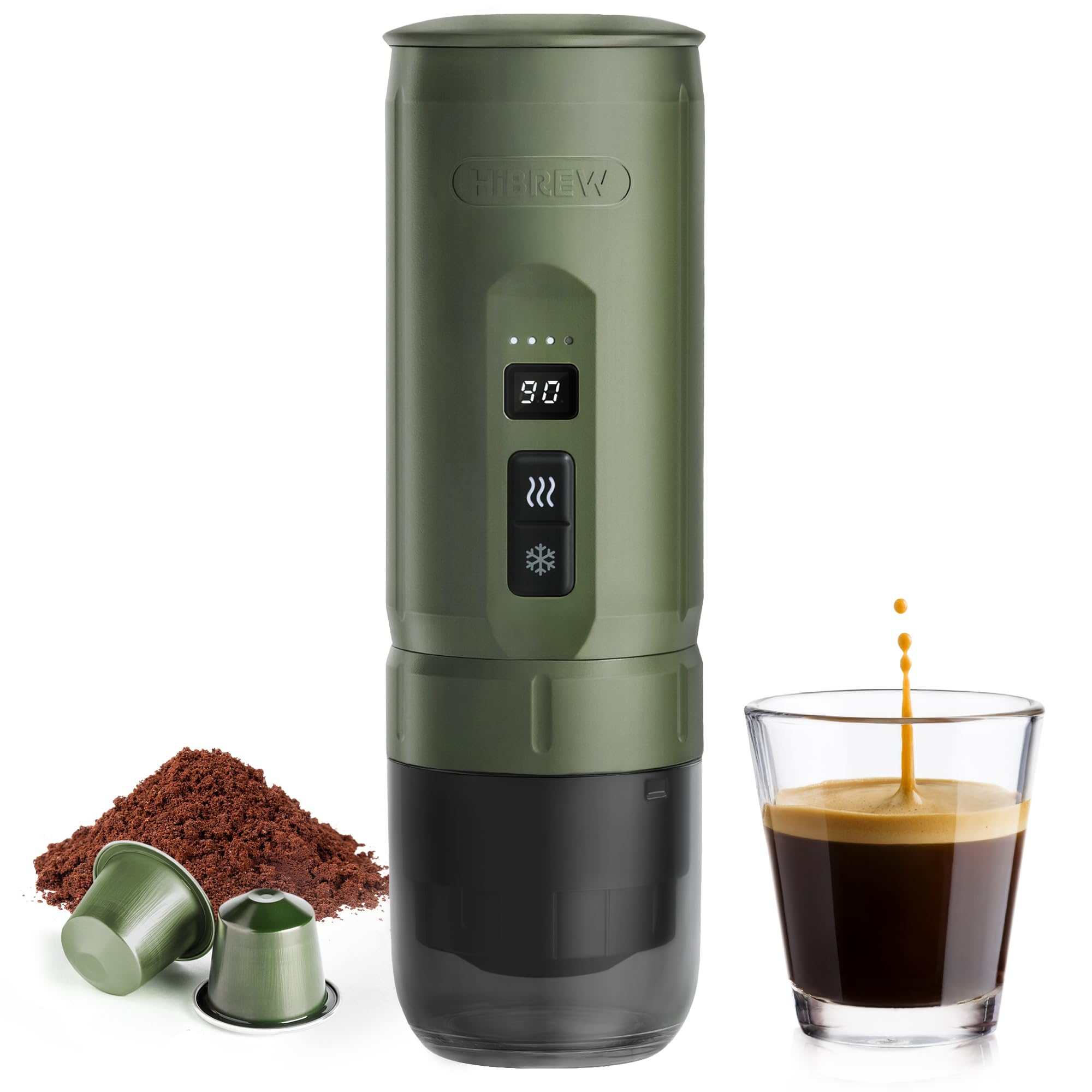
Figure 2: HIBREW H4C Classic Machine
4. Setup and First Use
4.1 Initial Charging
Before first use, fully charge the machine. Connect the provided USB-C charging cable to the machine's charging port and a compatible DC 5V power source. The battery indicator on the LCD screen will show charging progress. A full charge typically takes several hours.
4.2 First Use Cleaning
To clean the internal components before first use:
- Ensure the machine is fully charged and empty of any coffee.
- Fill the water tank with clean drinking water up to the MAX line.
- Place an empty cup under the machine's outlet.
- Double-click the 'Hot Brew' button (wavy lines icon) to run a cycle with just water.
- Discard the water. Repeat this process 2-3 times.
5. Operating Instructions
The HIBREW H4C Classic supports both ground coffee and NS capsules.

Figure 3: 2-in-1 Coffee Compatibility
5.1 Step-by-Step Brewing Process

Figure 4: Brewing Steps
- Prepare Coffee: Choose your preferred coffee type. If using ground coffee, fill the ground coffee basket with 8-12g of fine espresso grind and tamp lightly. If using an NS capsule, place it into the NS pod basket.
- Insert Basket: Place the filled coffee basket (either ground coffee or NS capsule) into the adapter.
- Attach Adapter: Screw the adapter assembly securely onto the bottom of the main machine body. Ensure it is tightly sealed to prevent leaks.
- Add Water: Open the water tank lid and fill with clean drinking water. Do not exceed the MAX fill line. For Hot Brew, use room temperature water. For Direct Brew, use pre-heated hot water.
- Select Brew Mode: Place your cup under the machine's outlet. Double-click the appropriate button on the control panel:
- Hot Brew (wavy lines icon): For heating room temperature water (85-95°C). Takes approximately 3-5 minutes.
- Direct Brew (snowflake icon): For brewing with pre-heated hot water. Brews instantly.
- Enjoy: The machine will automatically brew your coffee. Once complete, carefully remove your cup and enjoy your espresso.
5.2 Hot Brew vs. Direct Brew
The H4C Classic offers two brewing methods:

Figure 5: Hot Brew vs. Direct Brew
- Hot Brew (85-95°C): Add room temperature water. The machine will heat the water to the desired temperature before brewing. This process takes approximately 3-5 minutes per cup and consumes more battery power.
- Direct Brew: Add pre-heated hot water. The machine will brew instantly without heating the water, conserving battery life significantly.
5.3 Adjusting Temperature and Extraction Time
The H4C Classic allows for customization of your espresso:
- Temperature: Adjustable between 85-95°C. Refer to the detailed user manual (included in the box) for specific instructions on how to adjust this setting.
- Extraction Time: Adjustable between 25-75 seconds. This affects the strength and flavor profile of your espresso. Consult the detailed user manual for adjustment procedures.

Figure 6: LCD Screen and Battery Indicator
The LCD screen displays the real-time extraction temperature, and the indicator lights show the current battery status.
6. Maintenance and Cleaning
Regular cleaning ensures optimal performance and longevity of your espresso machine.

Figure 7: Cleaning Steps
6.1 Daily Cleaning
- Disassemble: After each use, rotate the adapter to open and detach it from the main body.
- Rinse Brewing Chamber: Rinse the brewing chamber of the main machine body with clean water.
- Clean Adapter: Thoroughly rinse the adapter under running water.
- Clean Basket: Remove any used coffee grounds or capsules from the basket and rinse it clean. Use the provided cleaning brush if necessary.
- Dry: Allow all components to air dry completely before reassembling or storing.
6.2 Deep Cleaning (Descaling)
Periodically, depending on water hardness and usage, descaling may be required. Refer to the detailed user manual for specific descaling instructions and recommended descaling solutions.
6.3 Storage
When not in use for an extended period, ensure the machine is clean, dry, and fully charged. Store it in a cool, dry place away from direct sunlight.
7. Troubleshooting
| Problem | Possible Cause | Solution |
|---|---|---|
| Machine does not turn on or brew. | Low battery; Machine not properly assembled. | Charge the machine fully. Ensure all parts, especially the adapter, are securely tightened. |
| Water leaks during brewing. | Adapter not tightened correctly; Seal ring damaged. | Ensure the adapter is screwed on tightly. Check the seal ring for damage and replace if necessary. |
| Coffee is weak or watery. | Coffee grind too coarse; Insufficient coffee quantity; Extraction time too short. | Use a finer espresso grind. Increase coffee quantity (8-12g recommended). Adjust extraction time (refer to user manual). |
| No coffee dispenses. | Coffee basket clogged; Water tank empty. | Clean the coffee basket and filter thoroughly. Ensure there is sufficient water in the tank. |
| Hot Brew takes too long or doesn't heat. | Low battery; Water temperature too low. | Ensure the machine is fully charged. For faster heating, use pre-heated hot water with Direct Brew mode. |
8. Specifications
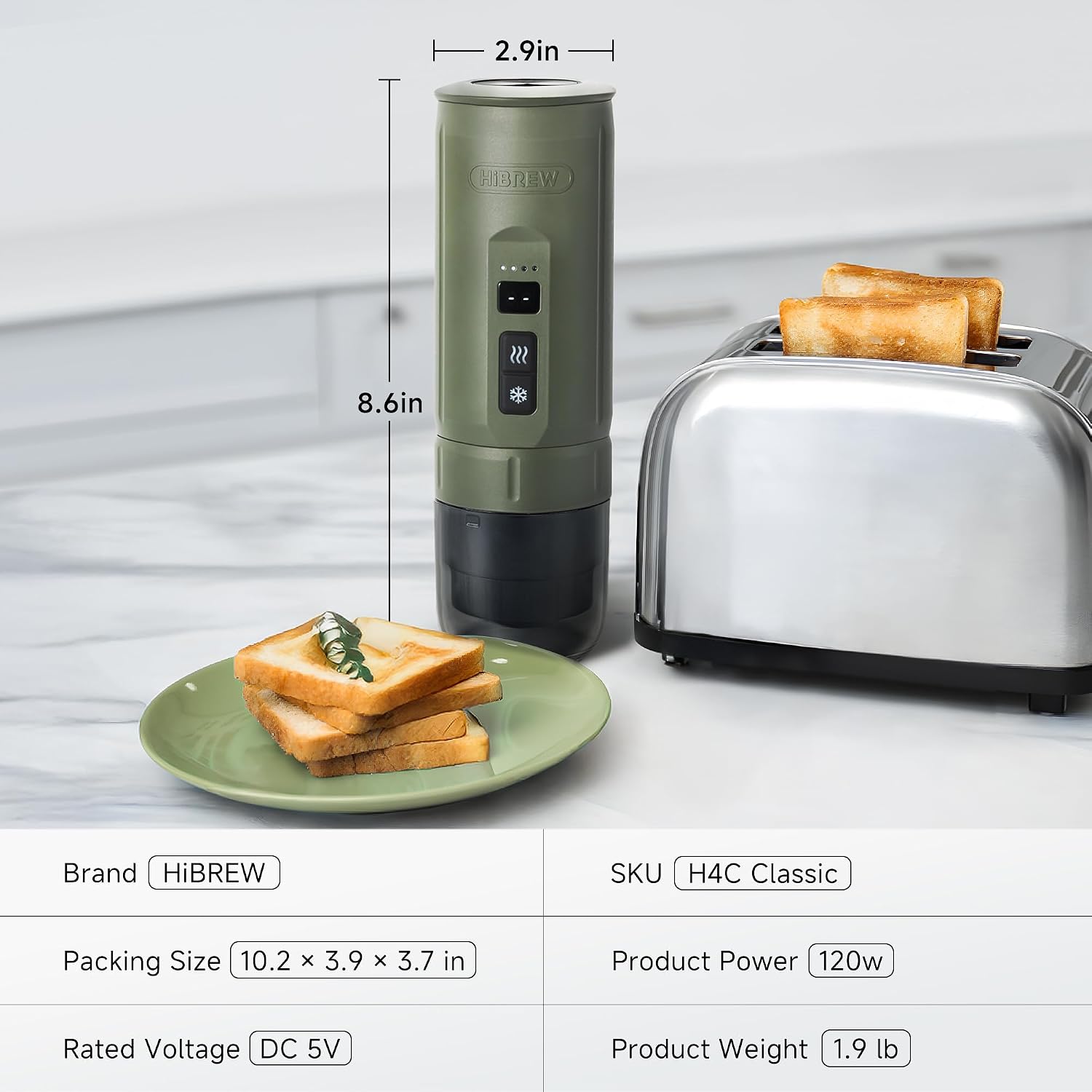
Figure 8: Product Dimensions
| Feature | Detail |
|---|---|
| Brand | HIBREW |
| Model Name | H4C Classic |
| Model Number | H4C |
| Capacity | 100 ml |
| Product Dimensions (D x H) | 2.9 inches (7.37 cm) x 8.6 inches (21.84 cm) |
| Item Weight | 1.9 lbs (0.86 kg) |
| Power | 120 Watts |
| Voltage | 5 Volts (DC) |
| Coffee Type Compatibility | Ground coffee, NS pods |
| Material | Plastic |
| Special Features | Permanent filter, Adjustable brew strength, Lightweight, Portable |
9. Warranty and Support
9.1 Warranty Information
The HIBREW H4C Classic Portable Electric Espresso Machine is backed by a reliable 1-year warranty. This warranty covers manufacturing defects and malfunctions under normal use. Please retain your proof of purchase for warranty claims.
9.2 Customer Support
For any questions, technical assistance, or warranty claims, please contact HIBREW customer support. Refer to the contact information provided in the original packaging or visit the official HIBREW website for support details.

