
Introduction
Thank you for purchasing the Polaring S10 Handheld Game Console. This manual provides essential information for setting up, operating, maintaining, and troubleshooting your device. Please read it thoroughly to ensure proper use and to maximize your gaming experience.

Figure 1: Polaring S10 Handheld Game Console
Setup
1. Unboxing and Component Check
Upon opening the package, verify that all components are present:
- Polaring S10 Handheld Game Console
- Rechargeable Lithium Battery (1020mAh)
- TF Card (pre-installed or included separately)
- Charging Cable
- AV Output Cable (for TV connection)
- User Manual
2. Battery Installation
The 1020mAh lithium battery may be packaged separately. Locate the battery compartment on the back of the console, open it, and insert the battery according to the polarity indicators. Close the compartment securely.
3. Initial Charging
Before first use, fully charge the console. Connect the provided charging cable to the console's charging port and plug the other end into a compatible USB power source (e.g., computer USB port, USB wall adapter). The charging indicator light will illuminate. Charging typically takes 3-4 hours for a full charge.
4. Powering On/Off
To power on the console, press and hold the power button located on the device until the screen illuminates. To power off, press and hold the power button again until the screen shuts down.
Operating Instructions
1. Basic Controls
The Polaring S10 features a standard gamepad layout:
- Directional Pad (D-Pad): Located on the left, used for navigation and movement in games.
- Action Buttons (A, B, X, Y): Located on the right, used for in-game actions.
- Start/Select Buttons: For game functions like pausing or menu selection.
- Volume Controls: Adjust audio output.
- Speakers: Integrated for audio output.
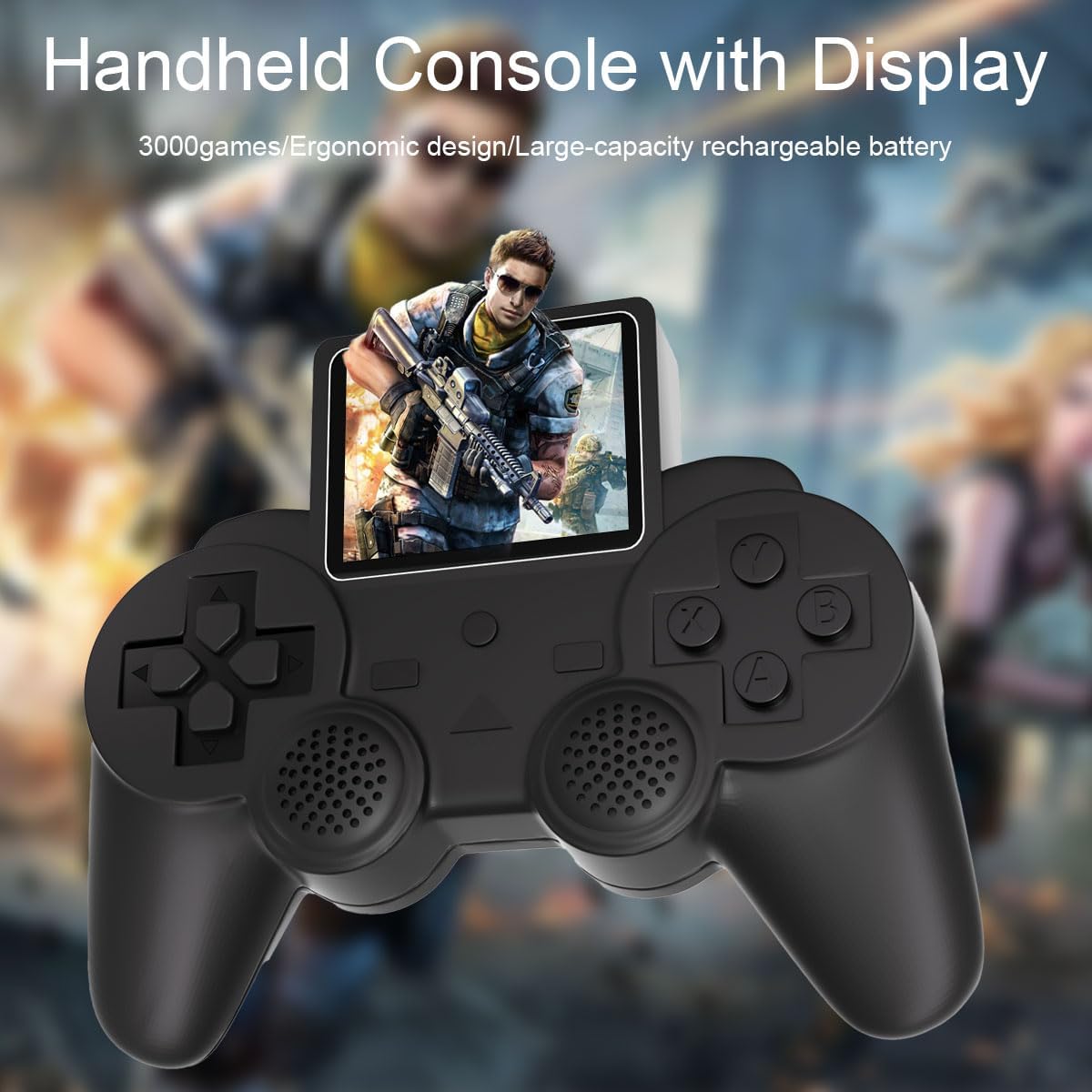
Figure 2: Console Controls and Screen
2. Navigating the Game Menu
Upon powering on, the console will display a game selection menu. Use the D-Pad to scroll through the list of 520 classic games. Press the 'A' button (or equivalent action button) to select a game and begin playing.
Video 1: Demonstration of game menu navigation and gameplay on the Polaring S10 Handheld Game Console.
3. Adjusting Volume
Use the dedicated volume buttons or controls on the console to increase or decrease the sound output during gameplay or menu navigation.
4. TV Connectivity
The Polaring S10 supports TV output via a composite AV cable (not HDMI). Connect one end of the AV cable to the console's AV output port and the other end to the corresponding AV input ports (typically yellow for video, white/red for audio) on your television. Switch your TV's input source to AV to display the console's screen on your television.
5. Two-Player Support
The S10 Gamepad supports two-player action for compatible games. Refer to individual game instructions for details on activating and controlling a second player.
Maintenance
1. Cleaning
To clean the console, use a soft, dry cloth. For stubborn dirt, slightly dampen the cloth with water. Avoid using harsh chemicals, solvents, or abrasive cleaners, as these can damage the device's finish and internal components.
2. Storage
Store the console in a cool, dry place away from direct sunlight, extreme temperatures, and high humidity. When not in use for extended periods, it is advisable to fully charge the battery before storage and periodically recharge it to maintain battery health.
3. Battery Care
To prolong the life of the lithium battery:
- Avoid completely draining the battery before recharging.
- Do not leave the console connected to a charger indefinitely after it is fully charged.
- If the console will not be used for several months, charge it to about 50% before storing.
Troubleshooting
- Console does not power on: Ensure the battery is correctly installed and fully charged. Connect the console to a charger and attempt to power it on.
- Screen is blank or distorted: Try restarting the console. If connected to a TV, ensure the AV cable is securely connected and the TV input is set correctly.
- No sound: Check the volume settings on the console. Ensure the speakers are not obstructed. If using TV output, check TV volume and connections.
- Games not loading or freezing: Restart the console. Ensure the TF card is properly inserted. Some games may have compatibility issues; try a different game.
- Battery life is shorter than expected: Battery performance can degrade over time. Ensure the console is fully charged before use. Avoid playing while charging for optimal battery health.
Specifications
| Brand | Polaring |
| Model Name | S10 game console |
| Model Number | S10 |
| Input Device | Gamepad |
| Connectivity Technology | Composite AV (for TV output) |
| Screen Size | 2.4-inch HD Color Screen |
| Pre-loaded Games | 520 Classic Games |
| Battery | 1020mAh Lithium Battery |
| Manufacturer | Polaring |
| UPC | 717686552975 |

Figure 3: Console Dimensions
Warranty and Support
For warranty information or technical support, please refer to the contact details provided with your purchase documentation or visit the official Polaring website. Keep your proof of purchase for any warranty claims.