Introduction
This manual provides comprehensive instructions for the setup, operation, maintenance, and troubleshooting of your Re-Flix Superior Light remote control. This remote is specifically designed for immediate use with your IOPLEE IOP32HSG7 television, requiring no complex programming.
Setup
1. Inserting Batteries
To begin using your remote control, you must first insert two AAA batteries (not included). Follow these steps:
- Locate the battery compartment cover on the back of the remote control.
- Press down on the tab and slide the cover downwards to open the compartment.
- Insert two AAA batteries, ensuring the positive (+) and negative (-) terminals align correctly with the markings inside the compartment.
- Slide the battery compartment cover back into place until it clicks securely.

Image: Back view of the remote control, showing the battery compartment cover. Ensure correct battery polarity when inserting.
2. Initial Connection (Plug & Play)
The Re-Flix Superior Light remote control is pre-programmed for the IOPLEE IOP32HSG7 TV. Once batteries are inserted, it is ready for immediate use. No additional programming or code entry is required.
- Point the remote control towards your IOPLEE IOP32HSG7 TV.
- Press the Power button to turn on your television.
- Verify that all functions operate as expected.
Operating Instructions
This section outlines the primary functions of your remote control.
Basic Functions
- Power Button: Turns the TV on or off.
- Volume Up/Down: Adjusts the sound level.
- Channel Up/Down: Changes the TV channel.
- Mute Button: Silences or restores the TV audio.
- Input/Source Button: Cycles through available input sources (HDMI, AV, etc.).
- Number Buttons (0-9): Directly select channels.
- Navigation Buttons (Up, Down, Left, Right, OK): Used for menu navigation and selection.
Smart TV Features
Depending on the specific model of your Re-Flix Superior Light remote, it may include dedicated buttons for popular streaming services such as Netflix and YouTube. If present, these buttons provide direct access to the respective applications on your Smart TV.
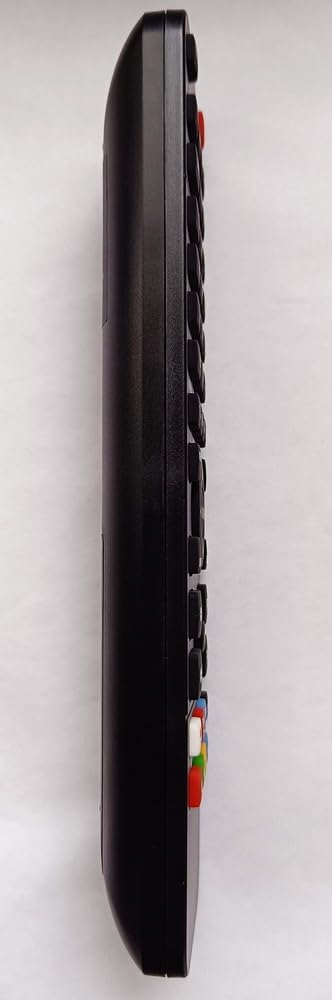
Image: Side profile of the remote control, illustrating its ergonomic design and button layout.
Maintenance
Proper care and maintenance will extend the life of your remote control.
- Cleaning: Use a soft, dry cloth to clean the remote control. Do not use liquid cleaners or abrasive materials.
- Battery Replacement: Replace batteries when the remote's response becomes sluggish or stops working. Always replace both batteries at the same time with new ones of the same type.
- Storage: Store the remote control in a dry place, away from direct sunlight and extreme temperatures. If not used for an extended period, remove the batteries to prevent leakage.
- Avoid Drops: Protect the remote from physical impact, as drops can damage internal components.
Troubleshooting
If you encounter issues with your remote control, refer to the following table for common problems and solutions.
| Problem | Possible Cause | Solution |
|---|---|---|
| Remote not responding | Dead or incorrectly inserted batteries. Obstruction between remote and TV. Remote out of range. | Replace batteries, ensuring correct polarity. Remove any obstructions. Move closer to the TV. |
| TV not turning on/off | TV is unplugged or power issue. Remote not pointed at TV's IR sensor. | Check TV power connection. Ensure remote is pointed directly at the TV's infrared sensor. |
| Specific buttons not working | Button stuck or damaged. | Gently press the button multiple times. If still unresponsive, consider replacing the remote. |
Specifications
Key technical details for the Re-Flix Superior Light Remote Control:
- Brand: Re-Flix
- Model Number: 747516
- Compatible Devices: IOPLEE IOP32HSG7 Television
- Connectivity Technology: Infrared
- Color: Black
- Number of Buttons: 25
- Maximum Supported Devices: 1
Warranty and Support
For information regarding warranty coverage and customer support, please refer to the documentation provided at the time of purchase or contact your retailer. Keep your proof of purchase for any warranty claims.


