
1. Introduction and Safety Guidelines
This manual contains important information regarding the safe assembly, operation, and maintenance of your ESKUTE T300 Pro Electric Trike. Please read it thoroughly before first use and retain it for future reference. Failure to follow these instructions may result in serious injury or damage to the product.
General Safety Warnings:
- Always wear a helmet when riding.
- Ensure all pedals are tight and brakes are functioning correctly before each ride.
- Do not ride at night without proper lighting.
- Always yield to pedestrians and obey all traffic laws.
- Riding on sidewalks may be illegal in your area; check local regulations.
- Team lifting is required for heavy objects (over 50 lbs) during unboxing and assembly.
- The battery is charged with high voltage. Do not disassemble or expose to heat.
- Do not short-circuit the battery.
- Use only the provided charger.
2. Product Overview
The ESKUTE T300 Pro is an electric trike designed for adults, offering enhanced stability and utility. Key features include:
- Motor: 500W (1200W Peak) brushless motor for smooth assistance.
- Battery: High-capacity 48V 20.8Ah (998.4Wh) removable lithium-ion battery, offering up to 80 miles range.
- Tires: Massive 20" x 4.0" fat tires for stability and traction.
- Handlebar: Unique Butterfly Handlebar for relaxed, upright posture and multiple hand positions.
- Storage: Sturdy front basket and generously sized rear rack with removable storage bags.
- Comfort: Height-adjustable seat with supportive backrest.
- Gears: 7-speed shifter.
- Brakes: Disc brakes on all three wheels.
- Load Capacity: Up to 450 lbs.
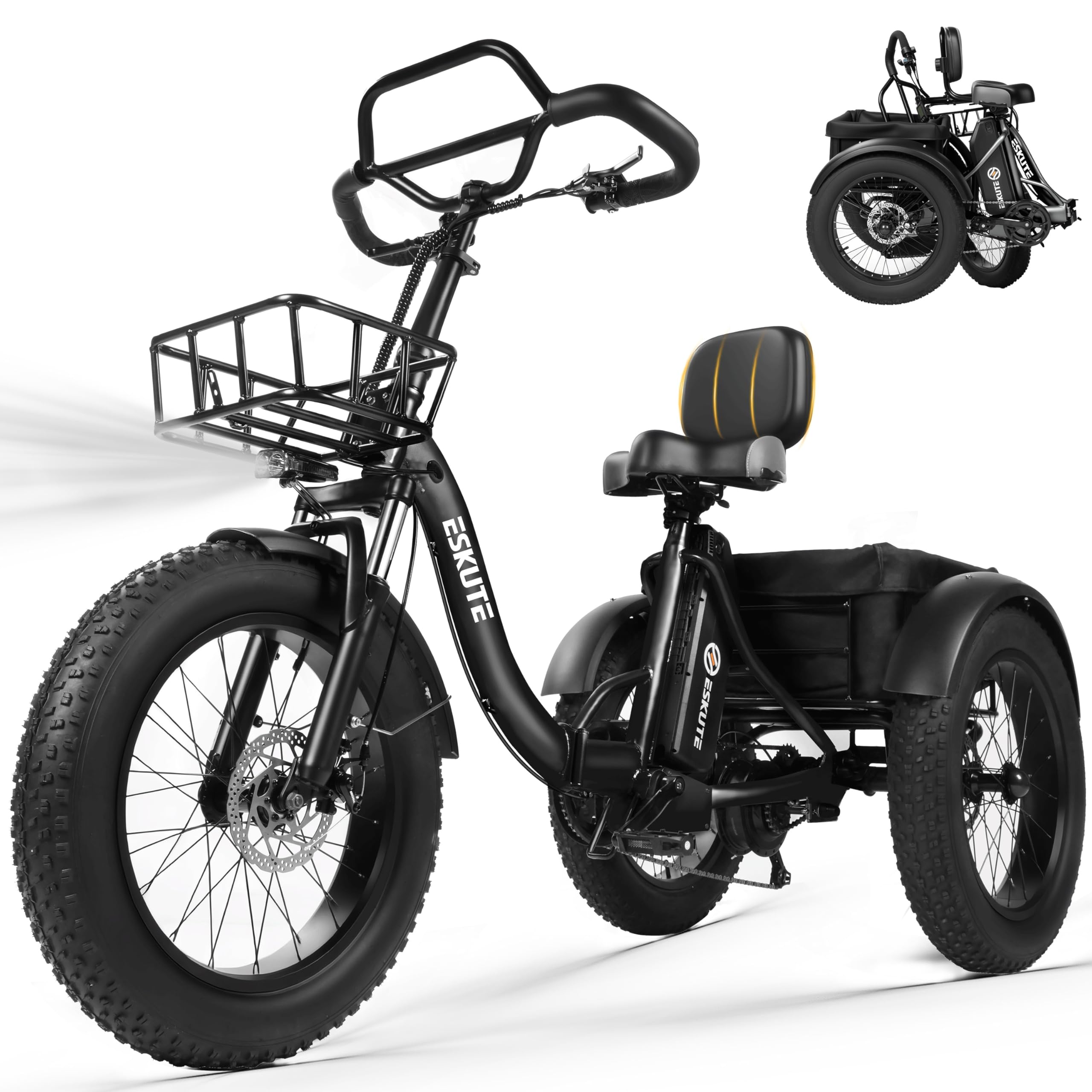
Figure 1: ESKUTE T300 Pro Electric Trike, showcasing its design and storage capabilities.
3. Setup and Assembly
Follow these steps to assemble your ESKUTE T300 Pro Electric Trike. It is recommended to have assistance due to the weight of the trike.
3.1 Unboxing
Carefully open the packaging and remove all components. Ensure all parts are accounted for before discarding the carton. Remove all protective packing material.
Video 1: Unboxing and initial component overview of the ESKUTE T300 Pro.
3.2 Front Wheel Installation
Install the front wheel onto the fork. Pay close attention to the correct sequence of gaskets and nuts. Securely tighten the nuts. (Refer to Video 1, 0:23 - 1:15)
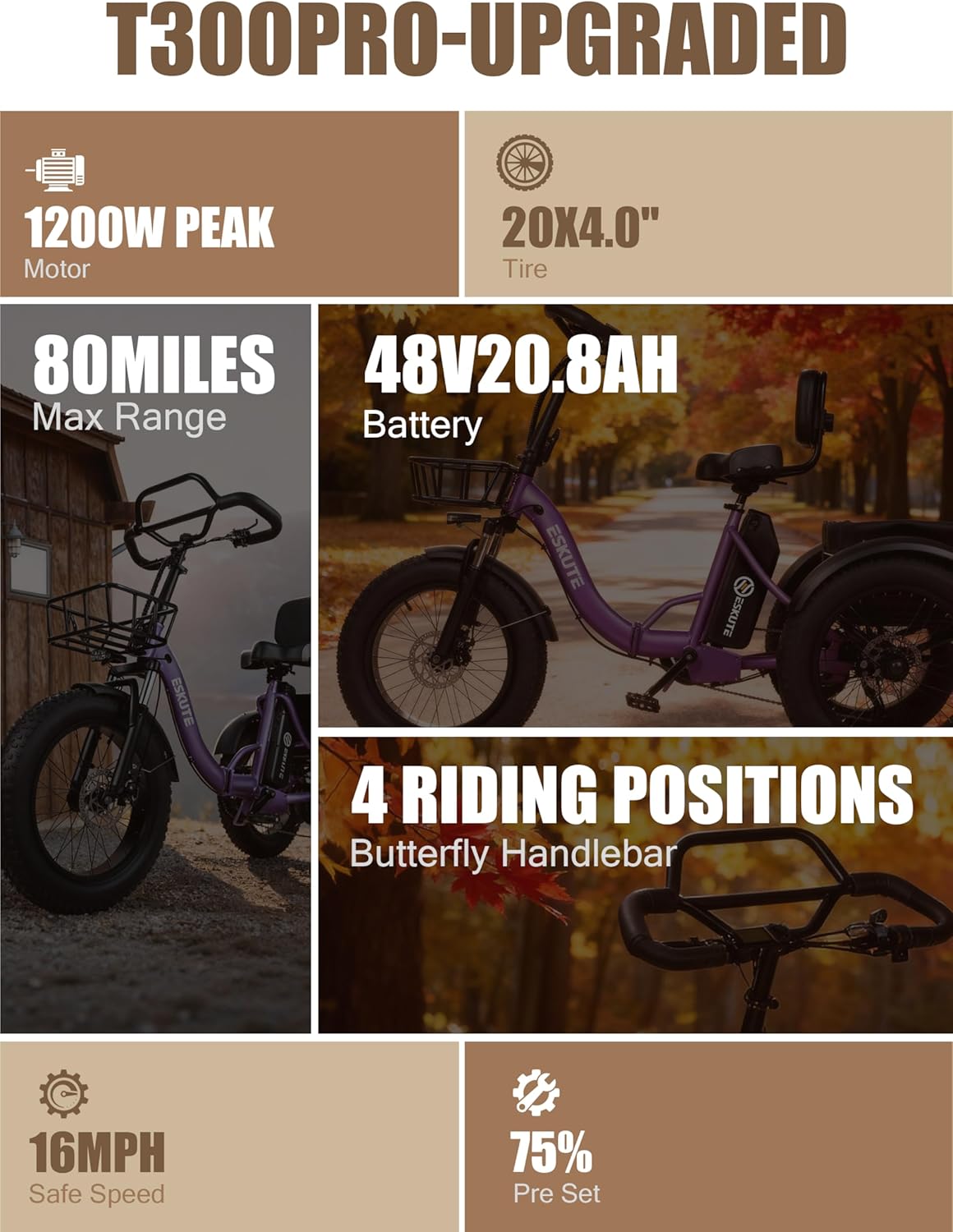
Figure 2: Installing the front wheel, ensuring proper alignment of components.
3.3 Front Mudguard and Headlight Installation
Attach the front mudguard to the fork. Then, install the headlight onto the mudguard, ensuring it is securely fastened. (Refer to Video 1, 1:42 - 2:54 for mudguard, 3:09 - 3:14 for light wiring)
3.4 Handlebar Installation
Insert the handlebar stem into the head tube of the main frame. Adjust the handlebar to a comfortable position and tighten the bolts securely. (Refer to Video 1, 3:14 - 3:54)

Figure 3: The unique butterfly handlebar design.
3.5 Rear Mudguards Installation
Install the rear mudguards over the rear wheels. Ensure they are properly aligned and do not rub against the tires. (Refer to Video 1, 3:54 - 5:05)
3.6 Basket Installation
Assemble and attach the front and rear baskets to their designated mounting points. Ensure they are firmly secured for carrying items. (Refer to Video 1, 5:05 - 6:48)

Figure 4: The spacious front and rear baskets for cargo.
3.7 Pedal Installation
Screw the pedals into the crank arms. Note that pedals are typically marked 'L' for left and 'R' for right. Tighten them securely. (Refer to Video 1, 6:59 - 7:21)
3.8 Saddle Installation
Insert the saddle post into the seat tube. Adjust the seat height and angle for comfortable riding and tighten the quick-release lever. (Refer to Video 1, 7:21 - 7:30)

Figure 5: The ergonomic saddle with backrest for enhanced comfort.
4. Operating Instructions
Your ESKUTE T300 Pro offers multiple riding modes and features for a versatile experience.
4.1 Powering On and Display
To power on the trike, ensure the battery is inserted and locked. Turn the key to the 'ON' position. The digital display on the handlebar will illuminate, showing speed, battery level, and pedal-assist level.
Video 2: Demonstration of the trike's electrical functions, including the display and lights.
4.2 Riding Modes
- Full-Electric (Throttle): Use the twist throttle for propulsion without pedaling.
- Pedal-Assist (PAS): The motor provides assistance as you pedal. Adjust the assist level (1-5) via the handlebar controls.
- Traditional Pedaling: Ride the trike like a regular bicycle without motor assistance.
4.3 Gear Shifting
The trike is equipped with a 7-speed shifter. Use the shifter on the handlebar to change gears according to terrain and desired speed. Shift smoothly to avoid strain on the chain and derailleur.
4.4 Braking
The trike features disc brakes on all three wheels for reliable stopping power. Apply both brake levers gently and evenly to slow down or stop. Be mindful of the trike's three-wheel design; avoid sharp turns or sudden braking at high speeds to maintain stability.
5. Maintenance
Regular maintenance ensures the longevity and safe operation of your ESKUTE T300 Pro.
5.1 Battery Care
- Charge the battery fully before first use and after each ride.
- Use only the charger provided by ESKUTE.
- Do not expose the battery to extreme temperatures or direct sunlight.
- Store the battery in a cool, dry place if not used for extended periods, and charge it every 1-2 months.
- To remove the battery, turn the key to the 'OFF' position and unlock it.

Figure 6: The 998.4Wh UL2849-certified battery with overcharge protection.
5.2 General Maintenance
- Regularly check tire pressure (20" x 4.0" fat tires). Adjust as needed for optimal performance and comfort.
- Inspect brakes for wear and proper function. Adjust brake cables if necessary.
- Keep the chain clean and lubricated.
- Check all bolts and fasteners periodically and tighten if loose.
- Clean the trike with a damp cloth. Avoid high-pressure washing directly on electrical components.
6. Troubleshooting
This section addresses common issues you might encounter with your electric trike.
| Problem | Possible Cause | Solution |
|---|---|---|
| Trike does not power on. | Battery not inserted correctly, battery low, power switch off. | Ensure battery is fully inserted and locked. Check battery charge level. Turn power switch to 'ON'. |
| Motor not providing assistance. | PAS level set to 0, loose motor connection, brake levers engaged. | Increase PAS level. Check motor wire connections. Ensure brake levers are fully released. |
| Brakes feel weak or spongy. | Brake pads worn, cable loose, air in hydraulic system (if applicable). | Inspect and replace brake pads if worn. Adjust brake cable tension. Consult a professional for hydraulic brake issues. |
| Unusual noises during riding. | Loose components, dry chain, rubbing mudguards. | Check all bolts and nuts for tightness. Lubricate the chain. Adjust mudguards to prevent rubbing. |
7. Specifications
- Bike Type: Electric Bike, Fat Tire
- Age Range: Adult
- Brand: ESKUTE
- Number of Speeds: 7
- Color: Black (as per current product variant)
- Wheel Size: 20 Inches
- Frame Material: Carbon Steel
- Suspension Type: Dual
- Special Features: Adjustable Handlebars, Adjustable Seat, Basket, Digital Display, Foldable
- Item Weight: 102 Pounds
- Model Name: T300 pro
- Power Source: Electric
- Wattage: 1200 watts (Peak)
- Lithium Battery Energy Content: 998.4 Watt Hours (48V 20.8Ah)
- Assembly Required: Yes
- Electric Assist Type: Throttle assist, Pedal assist
8. Warranty and Support
Your ESKUTE T300 Pro Electric Trike comes with a 1 Year Manufacturer Limited Warranty.
For warranty claims, technical support, or any inquiries, please contact ESKUTE customer service:
- Pre-sales phone: 1 (888) 886-2818
- After-sales phone: 1 (240) 332-0549 (Mon-Fri 9:00am-6:00pm EST)
- E-mail: support.us@eskute.com
- Website: www.eskute.com
Please retain your proof of purchase for warranty validation.


