
Introduction
Thank you for choosing the JGUG T24 Wireless Earbuds. These earbuds feature advanced Active Noise Cancellation, a multifunctional touchscreen charging case, Bluetooth 6.0 connectivity, and high-definition stereo sound. This manual provides detailed instructions for setup, operation, and maintenance to ensure optimal performance and longevity of your device.
What's in the Box
Please verify that all items are present in your package:
- T24 Wireless Earbuds x 1 pair
- Touchscreen Charging Case x 1
- USB-C Charging Cable x 1
- Silicone Eartips (Multiple Sizes: S/M/L)
- User Manual x 1
Setup
1. Charging the Earbuds and Case
Before first use, fully charge the earbuds and the charging case. The charging case features a touchscreen display that shows battery levels.
- Place the earbuds into the charging case. Ensure they are correctly seated.
- Connect the USB-C charging cable to the charging port on the case and to a power source.
- The case display will indicate charging status. A full charge for the case takes approximately 1.5 hours.
- The earbuds provide up to 8 hours of playtime on a single charge, and the charging case provides an additional 40 hours, totaling 48 hours of use. A 15-minute quick charge can provide 2 hours of listening time.

Image: The charging case display shows battery levels and charging status for both earbuds and the case. The image also highlights 6 hours of single charge playtime, 48 hours total playtime with the case, and 1.5 hours for fast charging.
2. Pairing with Your Device
The earbuds use Bluetooth 6.0 for a stable and efficient connection.
- Open the charging case. The earbuds will automatically enter pairing mode.
- On your device (smartphone, tablet, etc.), go to Bluetooth settings and enable Bluetooth.
- Search for available devices and select "JGUG T24" from the list.
- Once connected, you will hear a confirmation tone, and the earbuds will be ready for use.
- The connection range is up to 15 meters (33 feet) in open areas.
3. Achieving a Comfortable Fit
Selecting the correct ear tip size is crucial for sound quality and comfort.
- Experiment with the included S, M, and L silicone ear tips.
- Choose the size that forms a snug seal in your ear canal for optimal audio performance and noise isolation.
- The earbuds are lightweight (approx. 4g each) and ergonomically designed for all-day comfort.

Image: A person jumping while wearing the earbuds, illustrating their secure and comfortable fit during active use. Insets show a single earbud weighing 4g and a diagram of the in-ear fit.
Operating Instructions
1. Touch Controls
The earbuds and charging case feature touch controls for various functions.
- Music Playback: Tap once to play/pause. Double-tap left earbud for previous track, right for next track.
- Call Management: Tap once to answer/end a call. Press and hold to reject a call.
- Voice Assistant: Triple-tap to activate your device's voice assistant.
- Volume Control: Adjust directly from your connected device or via specific touch gestures if supported (refer to the touchscreen case for advanced settings).
2. Touchscreen Charging Case Functions
The innovative touchscreen on the charging case provides additional control without needing your phone.

Image: The touchscreen charging case displaying multiple functions such as Language Switch, Find My Earphone, Flash Light, Lone Ranger mode, Camera control, Light Level, Screen Lock, and Noise Reduction settings. It also shows options for 5 different wallpapers.
- Music Control: Play, pause, skip tracks directly from the case.
- Earbud Locator: Use the "Find My Earphone" function to emit a sound from misplaced earbuds.
- ANC/Transparency Mode Control: Switch between noise cancellation and transparency modes.
- Camera Control: Remotely trigger your phone's camera shutter.
- Settings: Adjust language, screen brightness, and other preferences.
- Wallpapers: Customize the case display with 5 different wallpapers.

Image: A man on the floor searching for a lost earbud, while the charging case screen shows the "Find My Earphone" option, indicating the earbud is emitting a "Beep!" sound to help locate it.
3. Active Noise Cancellation (ANC) and Transparency Mode
The T24 earbuds offer Hybrid ANC to block up to 45dB of ambient noise and a Transparency Mode to stay aware of your surroundings.
- Switching Modes: Use the touchscreen on the charging case or specific touch gestures on the earbuds (refer to the case display for current settings) to cycle between ANC On, Transparency Mode, and Normal Mode.
- ANC On: Reduces external noise for an immersive listening experience.
- Transparency Mode: Allows ambient sounds to pass through, enabling you to hear your surroundings without removing the earbuds.
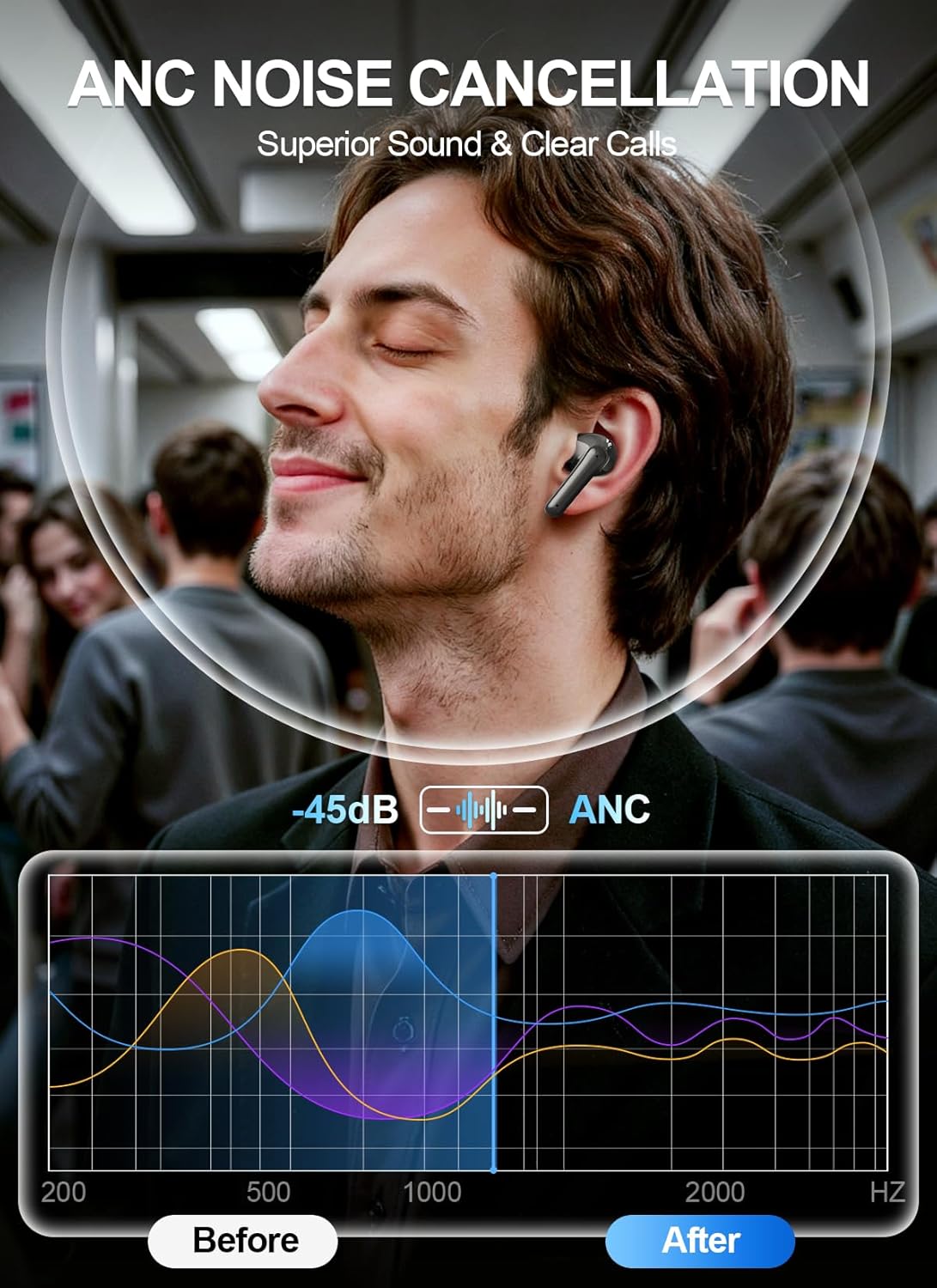
Image: A person wearing earbuds in a crowded environment, with a graph demonstrating the reduction of ambient noise by -45dB when ANC is active, comparing sound levels before and after ANC engagement.
4. Audio Quality and Calls
Experience high-definition stereo sound and clear call quality.
- Dynamic Drivers: Equipped with 14.2mm dynamic drivers for rich, balanced audio and robust bass.
- EQ Presets: Customize your sound with 5 EQ presets: Standard, Rock, Jazz, Pop, and Classic, accessible via the touchscreen case.
- Clear Calls: Dual-ENC microphones with noise reduction technology ensure your voice is transmitted clearly, even in noisy environments.

Image: A detailed cutaway diagram of an earbud, highlighting the 14.2mm speaker driver and internal components, emphasizing the immersive stereo sound and Bluetooth 6.0 technology.
Maintenance
1. Cleaning
Regular cleaning helps maintain sound quality and hygiene.
- Gently wipe the earbuds and charging case with a soft, dry, lint-free cloth.
- Remove ear tips and clean them with mild soap and water, then dry thoroughly before reattaching.
- Use a cotton swab or small brush to carefully clean any debris from the earbud grilles and charging contacts.
- Avoid using abrasive materials or harsh chemicals.
2. Water Resistance (IPX7)
The earbuds are rated IPX7 waterproof, meaning they can withstand sweat, rain, and accidental splashes.
- Do not submerge the earbuds in water for extended periods.
- The charging case is not waterproof. Keep it dry.
- If earbuds get wet, dry them completely before placing them back in the charging case to prevent damage.

Image: A woman running on a treadmill, demonstrating the earbuds' suitability for workouts. Icons below indicate resistance to light rain, sweat, and accidental splashes, confirming the IPX7 waterproof rating.
Troubleshooting
If you encounter issues, try the following solutions:
- No Sound:
- Ensure earbuds are charged.
- Check if earbuds are properly paired with your device.
- Adjust volume on both your device and the earbuds.
- Try resetting the earbuds (refer to manufacturer website for specific reset instructions).
- Earbuds Not Pairing:
- Ensure Bluetooth is enabled on your device.
- Place earbuds back in the case, close it, then open it again to re-enter pairing mode.
- Forget "JGUG T24" from your device's Bluetooth list and try pairing again.
- Ensure earbuds are within 15 meters of your device.
- Charging Issues:
- Verify the USB-C cable is securely connected to both the case and power source.
- Try a different charging cable or power adapter.
- Ensure charging contacts on earbuds and case are clean and free of debris.
- ANC Not Working Effectively:
- Ensure ear tips provide a snug seal in your ear canal.
- Check if ANC is activated via the touchscreen case or earbud controls.
Specifications
| Feature | Detail |
|---|---|
| Brand | JGUG |
| Model Number | T24 |
| Ear Placement | In Ear |
| Connectivity Technology | Wireless (Bluetooth 6.0) |
| Bluetooth Range | 15 Meters (33 Feet) |
| Noise Control | Adaptive Noise Cancellation (Hybrid ANC up to 45dB) |
| Driver Size | 14.2mm Dynamic Driver |
| Frequency Range | 20Hz - 20,000Hz |
| Battery Life (Earbuds) | Up to 8 hours |
| Total Playtime (with Case) | Up to 48 hours |
| Charging Time (Case) | Approx. 1.5 hours |
| Water Resistance Rating | IPX7 (Earbuds only) |
| Control Type | Touch Control (Earbuds & Touchscreen Case) |
| Microphones | Dual-ENC with Noise Reduction |
| Material | Acrylonitrile Butadiene Styrene (ABS) |
| Weight (Single Earbud) | Approx. 4g |
Warranty
The JGUG T24 Wireless Earbuds come with a 3-month warranty from the date of purchase. This warranty covers manufacturing defects. It does not cover damage caused by misuse, accidents, unauthorized modifications, or normal wear and tear. Please retain your proof of purchase for warranty claims.
Support
For further assistance, technical support, or warranty inquiries, please contact JGUG customer service. You can typically find contact information on the official JGUG website or through your retailer's support channels.
Online Resources: For the most up-to-date information, FAQs, and support, please visit the official JGUG website.