
Introduction
The Rii Mini Bluetooth Keyboard X1 Plus is a versatile, compact wireless keyboard designed for seamless control across various devices. Featuring dual-mode connectivity (2.4G wireless and Bluetooth), a sensitive touchpad, and white LED backlighting, it offers convenience for smart TVs, Android TV boxes, PCs, smartphones, and more. Its ultra-portable design makes it ideal for on-the-go use.
Package Contents
- Rii Mini Bluetooth Keyboard X1 Plus
- USB Receiver (stored in the keyboard)
- USB-C Charging Cable
- User Manual
Product Overview
Familiarize yourself with the key components of your Rii Mini Bluetooth Keyboard X1 Plus.

Image: The Rii Mini Bluetooth Keyboard X1 Plus, showing the hidden USB receiver being removed from its storage slot on the side of the keyboard. This receiver enables 2.4G wireless connectivity.
Key Features:
- QWERTY Keyboard: Full QWERTY layout for efficient typing.
- Touchpad: Sensitive multi-touch touchpad for mouse control.
- Function Keys (Fn): Access secondary functions printed in blue on keys.
- Backlight: White LED backlight for use in low-light conditions.
- USB-C Port: For charging the internal battery.
- Power Switch: On/Off slider switch.
- USB Receiver Storage: Dedicated slot for the 2.4G USB receiver.
Setup
1. Charging the Keyboard
Before first use, fully charge the keyboard using the provided USB-C cable. Connect the USB-C end to the keyboard's charging port and the USB-A end to a compatible USB power source (e.g., computer USB port, USB wall adapter). The charging indicator light will show charging status.
2. Connecting to Your Device
The Rii Mini Bluetooth Keyboard X1 Plus supports two connection methods: 2.4G Wireless and Bluetooth.
2.1. 2.4G Wireless Connection (Recommended for devices without Bluetooth)
- Locate the USB receiver stored in the side compartment of the keyboard.
- Plug the USB receiver into an available USB port on your device (e.g., Smart TV, Android TV Box, PC).
- Turn on the keyboard using the power switch. The keyboard should automatically connect. The green indicator light will illuminate.

Image: A user holding the Rii Mini Bluetooth Keyboard, with an on-screen graphic indicating "FN+Caps" to switch to 2.4G mode. This mode uses the included USB receiver for connection.
2.2. Bluetooth Connection (Recommended for modern devices with Bluetooth)
- Ensure the keyboard is turned on.
- Press and hold the Fn key and the Tab (BT) key simultaneously until the blue indicator light starts flashing, indicating pairing mode.
- On your device (e.g., smartphone, tablet, Bluetooth-enabled PC), go to Bluetooth settings and search for new devices.
- Select "X1 Plus Keyboard" from the list of available devices.
- If prompted, enter the pairing code displayed on your device using the Rii keyboard and press Enter. The blue indicator light will become solid once paired.
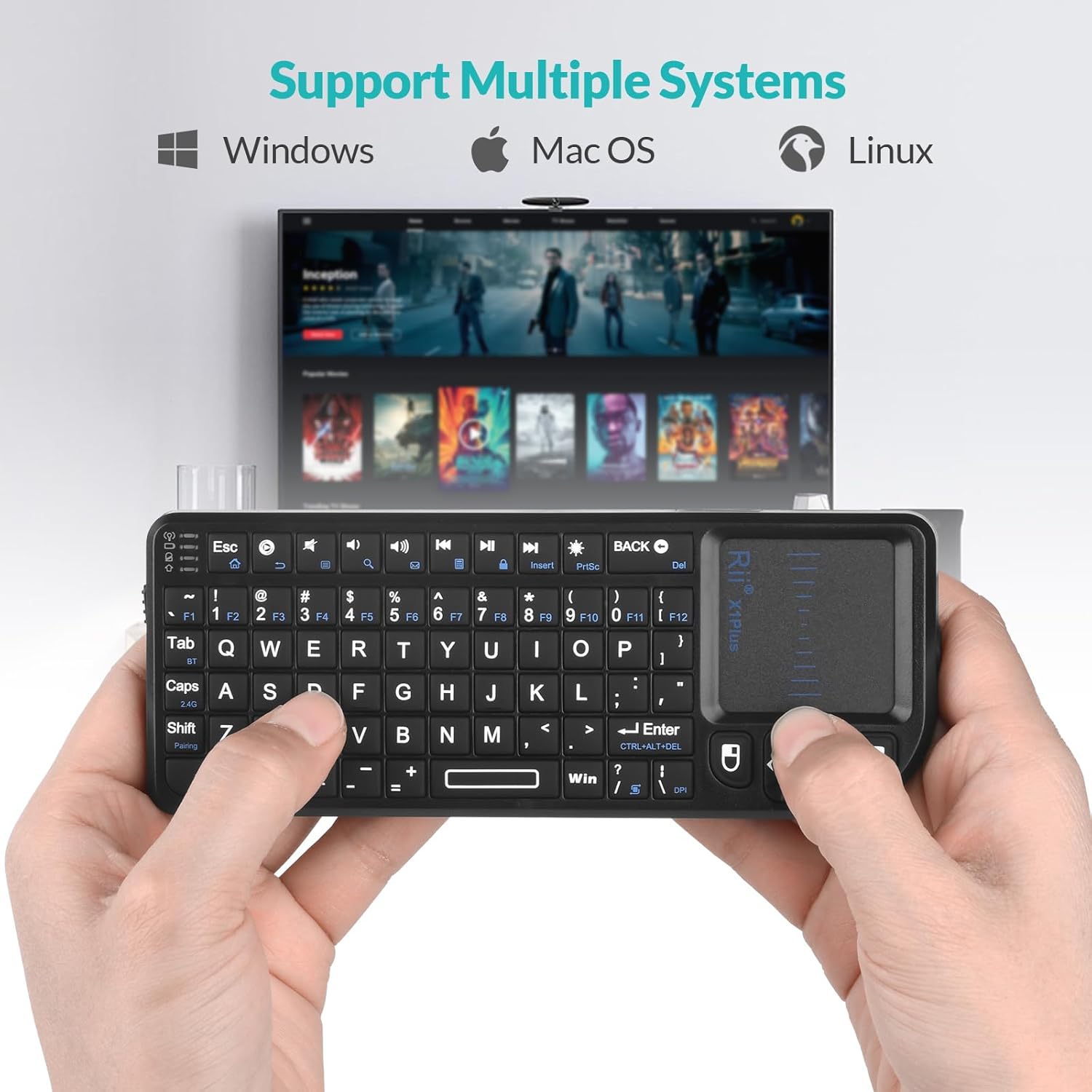
Image: A user holding the Rii Mini Bluetooth Keyboard, with an on-screen graphic indicating "FN+Tab" to switch to Bluetooth mode. This mode allows direct connection to Bluetooth-enabled devices.
Supported Systems:
The keyboard is compatible with Windows, Mac OS, and Linux operating systems. It is suitable for use with Smart TV, Android TV Box, Mini PC, HTPC, IPTV, Projector, PC, and Smartphones.

Image: The Rii Mini Bluetooth Keyboard shown in front of a television screen, with icons indicating compatibility with Windows, Mac OS, and Linux operating systems.
Operating Instructions
Keyboard Usage:
- Type characters using the QWERTY keys.
- Use the Fn key in combination with blue-marked keys to access special characters or multimedia functions (e.g., volume control, media playback).
- Press the PrntSc key to toggle the white LED backlight On/Off.

Image: The Rii Mini Bluetooth Keyboard with its white LED backlight illuminated, demonstrating its visibility in a dark environment. The image highlights the 'PrntSc' key used to control the backlight.
Touchpad Usage:
- Single Finger Tap: Left-click.
- Two Finger Tap: Right-click.
- Two Finger Drag: Scroll up/down.
- Single Finger Drag: Move cursor.
- DPI Adjustment: Press Fn + DPI to cycle through touchpad sensitivity levels.
Video: A short demonstration of the Rii Mini Bluetooth Keyboard's functionality, including the touchpad and key presses. This video is provided by the seller, Boomtek US.
Video: A detailed overview of the Rii Mini Bluetooth Keyboard, showcasing its portability, rechargeable battery, and full trackpad and mouse features. This video is provided by the seller, Ridin Bicycles.
Maintenance
- Cleaning: Use a soft, dry cloth to clean the keyboard and touchpad. Avoid abrasive cleaners or excessive moisture.
- Storage: Store the keyboard in a cool, dry place when not in use. Ensure the USB receiver is securely stored in its compartment to prevent loss.
- Battery Life: The built-in 500mAh battery provides over 30 days of use on a single charge. Recharge promptly when the low battery indicator appears.
- Power Saving: The keyboard features a sleep mode to conserve battery when inactive.
Troubleshooting
| Problem | Possible Solution |
|---|---|
| Keyboard not responding (2.4G mode) | Ensure the USB receiver is securely plugged into the device. Check if the keyboard is turned on and fully charged. Re-pair by pressing Fn + Caps until the green light flashes. |
| Keyboard not responding (Bluetooth mode) | Ensure Bluetooth is enabled on your device. Press Fn + Tab until the blue light flashes to enter pairing mode. Forget the device in your Bluetooth settings and re-pair. Ensure the keyboard is charged. |
| Touchpad not working or erratic | Ensure your fingers are dry and clean. Adjust DPI sensitivity using Fn + DPI. Restart the keyboard and device. |
| Backlight not turning on | Press the PrntSc key. Ensure the keyboard is charged. |
| Limited functionality with certain devices (e.g., Roku TV) | Some devices may have limited external keyboard support. Verify device compatibility with external keyboards before purchase. For Roku, consider using the Roku mobile app for keyboard input. |
Specifications
- Brand: Rii
- Model Number: CA-X1 PLUS
- Connectivity Technology: 2.4G, Bluetooth
- Compatible Devices: PC, Smart TV, Android TV Box, Mini PC, HTPC, IPTV, Projector, Smartphone
- Keyboard Layout: QWERTY
- Special Features: Backlit (Single Color - White LED), Touchpad
- Power Source: Battery Powered (Built-in 500mAh rechargeable battery)
- Color: Black
- Hand Orientation: Ambidextrous
Warranty and Support
The Rii Mini Bluetooth Keyboard X1 Plus comes with a 1-year warranty from the manufacturer, Riitek. For technical support, troubleshooting assistance, or warranty claims, please contact the seller or refer to the official Rii website for contact information.
For returns or replacements, please adhere to the retailer's return policy, typically within 30 days of purchase.


