Introduction
This manual provides instructions for the Altec Lansing Clip 2.0 Open Wearable Wireless Bluetooth Earbuds, Model MZX1050. These earbuds feature an open-ear design for comfortable, extended wear, wireless Bluetooth connectivity, and a portable charging case. Please read this manual thoroughly before using your device to ensure proper operation and to maximize its lifespan.
What's in the Box
- Altec Lansing Clip 2.0 Open Wearable Wireless Bluetooth Earbuds
- Portable Charging Case
- USB Charging Cable
- User Manual
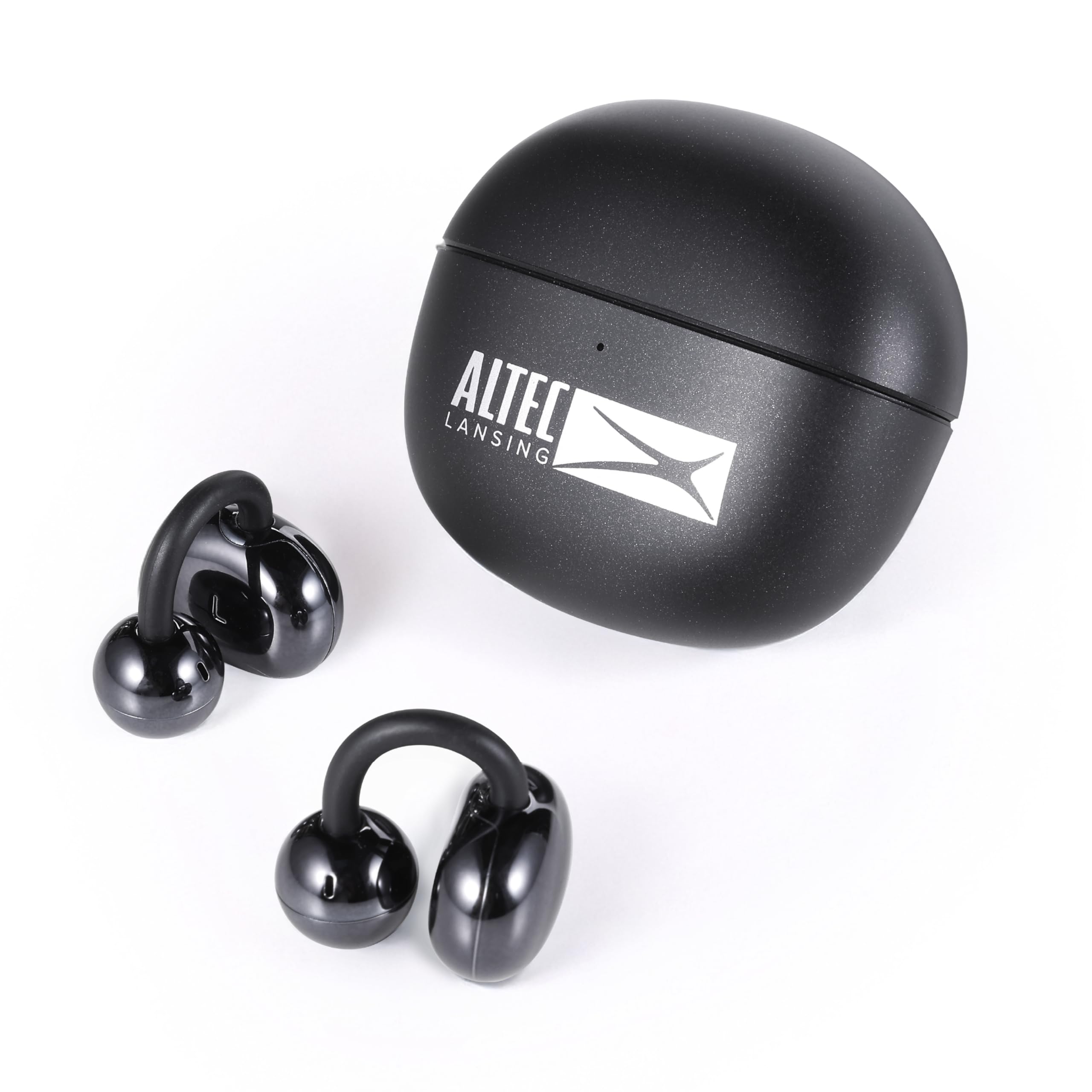
Image: Altec Lansing Clip 2.0 earbuds and their charging case, illustrating the complete product package.
Product Overview
Earbuds
The Clip 2.0 earbuds are designed for an open-ear fit, resting outside the ear canal for comfort during extended use. Each earbud features a secure clip-on design to ensure stability during activities.

Image: A pair of Altec Lansing Clip 2.0 earbuds, showcasing their open-ear, clip-on design.
Charging Case
The compact charging case provides protection and additional battery life for your earbuds. It is designed for portability, allowing you to recharge your earbuds multiple times on the go.

Image: The Altec Lansing Clip 2.0 charging case shown open, with both earbuds securely placed inside for charging.
Setup
1. Charging the Earbuds and Case
- Before first use, fully charge the earbuds and the charging case.
- Place the earbuds into the charging case. Ensure they are seated correctly.
- Connect the USB charging cable to the charging port on the case and to a power source.
- The charging case indicators will show charging status. A full charge for the earbuds takes approximately 1.5 hours. The case provides up to three full recharges for a total of 24 hours playtime.
2. Pairing with a Bluetooth Device
- Open the charging case and remove both earbuds. They will automatically power on and enter pairing mode.
- On your smartphone, tablet, or other Bluetooth-enabled device, go to the Bluetooth settings.
- Search for "Altec Lansing Clip 2.0" in the list of available devices.
- Select "Altec Lansing Clip 2.0" to connect. Once connected, you will hear an audible confirmation.
- The earbuds will automatically reconnect to the last paired device when removed from the case, if Bluetooth is enabled on the device.
The earbuds maintain a stable connection up to 30 feet (approximately 9 meters) from your device.
Operating Instructions
Wearing the Earbuds
Gently place the earbuds over your ears, ensuring the clip-on design secures them comfortably. The open-ear design allows for ambient sound awareness while providing clear audio.

Image: A person wearing the Altec Lansing Clip 2.0 earbuds, demonstrating the secure and comfortable open-ear fit.
Basic Functions
- Power On/Off: Earbuds power on automatically when removed from the case and power off when placed back in the case.
- Play/Pause: Tap either earbud once to play or pause audio.
- Next Track: Double-tap the right earbud.
- Previous Track: Double-tap the left earbud.
Call Management
- Answer/End Call: Tap either earbud once.
- Reject Call: Press and hold either earbud for 2 seconds.
Maintenance
- Cleaning: Use a soft, dry cloth to clean the earbuds and charging case. Do not use abrasive cleaners or solvents.
- Storage: When not in use, store the earbuds in their charging case to protect them and keep them charged. Store in a cool, dry place away from extreme temperatures.
- Water Resistance: The earbuds are waterproof. However, ensure they are completely dry before placing them back into the charging case to prevent damage to the charging contacts.
Troubleshooting
| Problem | Solution |
|---|---|
| Earbuds not powering on. | Ensure the earbuds are charged. Place them in the charging case and connect the case to a power source. |
| Earbuds not pairing with device. |
|
| Only one earbud is working. |
|
| Poor audio quality or disconnections. |
|
Specifications
| Model Name | Clip 2.0 Open Wearable Wireless Bluetooth Earbuds |
| Model Number | MZX1050 |
| Connectivity Technology | Wireless (Bluetooth) |
| Bluetooth Range | Up to 30 feet (9 meters) |
| Battery Life (Earbuds) | Up to 6 hours per charge |
| Total Playtime (with Case) | Up to 24 hours |
| Charging Time | Approximately 1.5 hours |
| Water Resistance Level | Waterproof |
| Material | Plastic, Silicone, Fabric |
| Compatible Devices | Smartphones, Tablets, Laptops, Desktops, Bluetooth-enabled Devices |
| UPC | 021331146830 |
Safety Information
- Do not expose the earbuds or charging case to extreme temperatures, direct sunlight, or fire.
- Do not attempt to disassemble or modify the device.
- Keep away from children and pets.
- Use only the provided or a certified charging cable.
- Avoid listening at high volume levels for extended periods to prevent hearing damage.
- While the earbuds are waterproof, the charging case is not. Avoid exposing the charging case to water.
Warranty and Support
For warranty information and technical support, please refer to the official Altec Lansing website or contact their customer service. Keep your proof of purchase for warranty claims.
You can visit the Altec Lansing store online for more information: Altec Lansing Store


