
1. Introduction
The ACMER S1 2500mW Laser Engraver is a compact and versatile desktop engraving and cutting machine designed for DIY enthusiasts, small businesses, and educational purposes. It features an ultra-fine 0.04mm laser spot, enabling precise and detailed work on a variety of materials. This manual provides essential information for safe setup, operation, maintenance, and troubleshooting to ensure optimal performance and longevity of your device.

Image: The ACMER S1 Laser Engraver is an ideal tool for STEM education, allowing students to engage in hands-on projects.
2. Safety Information
Your ACMER S1 Laser Engraver is a Class 4 laser product. Adherence to safety guidelines is paramount to prevent injury and damage. Always operate the device in a well-ventilated area and wear appropriate laser safety goggles.
2.1 General Safety Precautions
- Eye Protection: Always wear certified laser safety goggles when the laser is active. Direct exposure to the laser beam can cause severe eye damage.
- Ventilation: Ensure adequate ventilation to dissipate fumes and smoke produced during engraving or cutting, especially when working with materials like wood, plastic, or leather.
- Fire Hazard: Never leave the machine unattended during operation. Some materials can ignite. Keep a fire extinguisher nearby.
- Material Safety: Only engrave or cut materials specified as safe. Avoid highly reflective, flammable, or unknown materials.
- Children and Pets: Keep children and pets away from the operating area.
- Power Supply: Use only the provided power adapter. Ensure the power supply is stable and correctly grounded.
- Emergency Stop: Familiarize yourself with the emergency stop procedure.
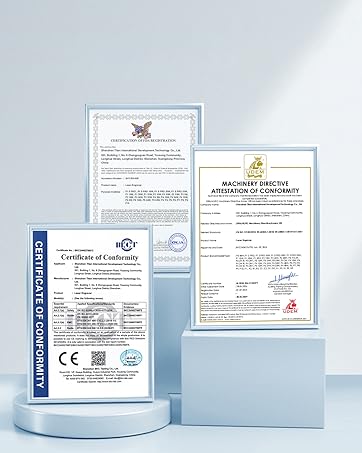
Image: Always observe safety warnings and wear protective gear when operating the laser engraver.
3. Package Contents
Upon unpacking, verify that all components are present and undamaged. If any items are missing or damaged, contact customer support immediately.
- ACMER S1 Laser Engraver Unit
- Laser Module (2500mW)
- Power Adapter
- USB Cable
- Safety Goggles
- Sample Materials
- User Manual (this document)
4. Product Overview
The ACMER S1 is designed for ease of use and precision. Its robust industrial-grade aluminum alloy frame ensures stability during operation.
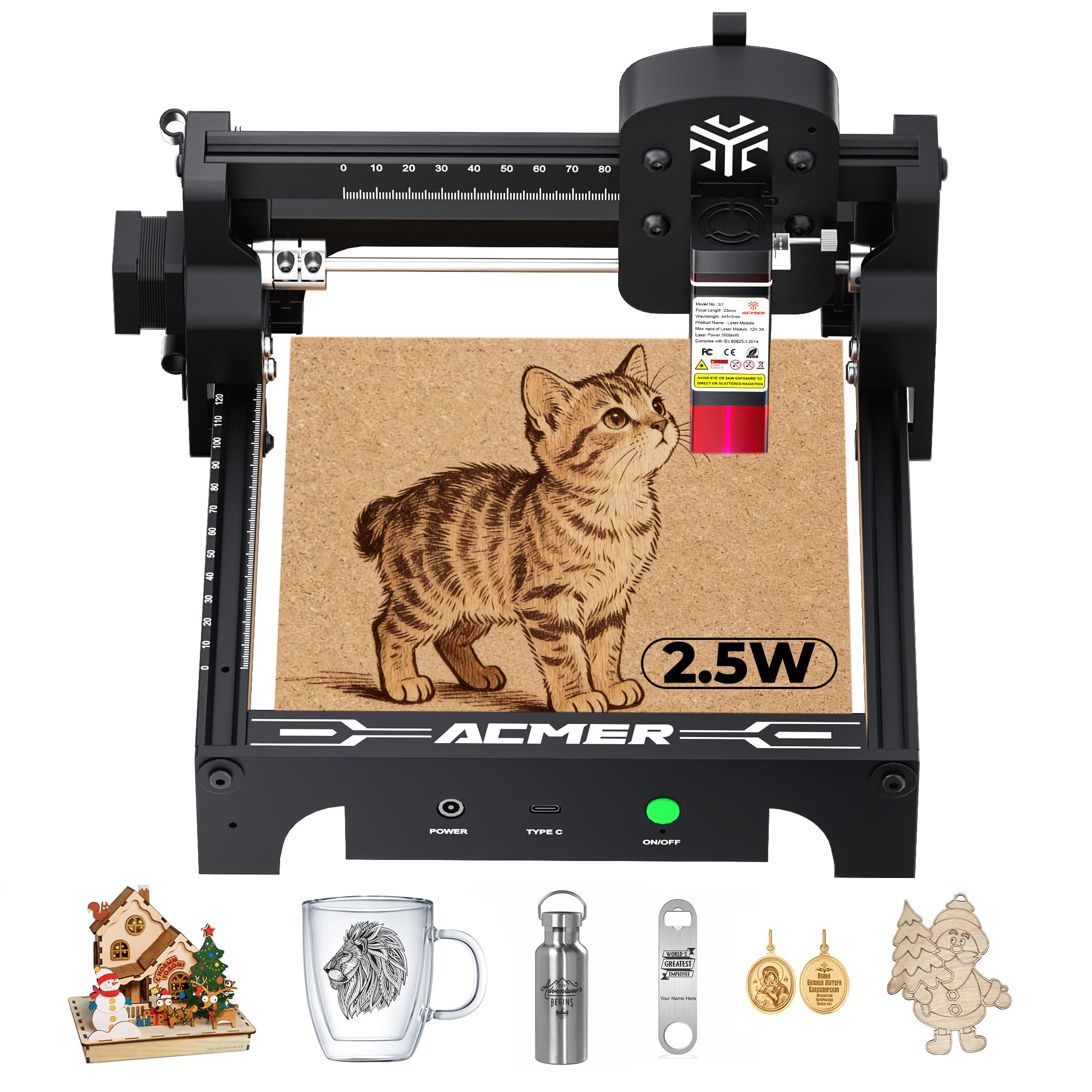
Image: The main unit of the ACMER S1 Laser Engraver.
4.1 Key Components
- Laser Module: The core component responsible for engraving and cutting.
- Work Area: 130x130mm area for placing materials.
- Control Panel: Includes power button and status indicators.
- Axis Rails: Provide smooth and precise movement for the laser module.
- USB Port: For connecting to a computer.
5. Setup
The ACMER S1 comes 99% preassembled, allowing for quick setup and immediate use.
5.1 Initial Assembly
- Carefully remove the engraver from its packaging.
- Place the unit on a stable, level surface in a well-ventilated area.
- Connect the power adapter to the engraver and then to a power outlet.
- Connect the USB cable from the engraver to your computer.
5.2 Software Installation
The ACMER S1 is compatible with LightBurn and LaserGRBL software. Download the latest version of your preferred software from the official websites.
- LightBurn: lightburnsoftware.com
- LaserGRBL: lasergrbl.com
Follow the software's installation instructions. Ensure your computer's operating system (macOS, Windows, Linux) meets the software requirements.

Image: The ACMER S1 connected to a computer, demonstrating software compatibility across various operating systems.
6. Operating Instructions
This section outlines the general steps for operating your ACMER S1 Laser Engraver.
6.1 Preparing for Engraving/Cutting
- Material Placement: Place your chosen material (e.g., wood, acrylic, leather) flat within the 130x130mm work area. Ensure it is secure and will not shift during operation.
- Focus Adjustment: Adjust the laser focus according to the material thickness for optimal results. The S1 has a 2mm focal length.
- Design Preparation: Open your design file (NC, DXF, BMP, JPG, PNG, etc.) in LightBurn or LaserGRBL.
- Parameter Settings: Set the appropriate laser power, speed, and passes based on your material and desired effect. The S1 offers up to 10,000mm/min engraving speed.
6.2 Starting Operation
- Wear Safety Goggles: Always put on your laser safety goggles before starting.
- Power On: Turn on the engraver using the ON/OFF switch.
- Frame the Design: Use the software's framing function to preview the laser path and ensure the design fits correctly on your material.
- Start Engraving/Cutting: Initiate the process from the software. Monitor the operation closely.

Image: The ACMER S1 in action, demonstrating its precision engraving capabilities.

Image: Examples of materials that can be engraved and cut with the ACMER S1, including wood, leather, and acrylic.
Video: Demonstration of the ACMER S1 laser cutting leather to create a mask, showcasing its cutting capabilities and precision.
Video: Step-by-step process of making a magic card box using the ACMER S1 laser engraver, highlighting its ability to create intricate designs and functional items.
Video: Tutorial on creating skull earrings with the ACMER S1 laser engraver, demonstrating fine detail engraving and cutting for jewelry making.
7. Maintenance
Regular maintenance ensures the longevity and optimal performance of your ACMER S1.
- Cleaning the Lens: Periodically clean the laser lens with a soft, lint-free cloth and lens cleaning solution to maintain laser power and precision.
- Cleaning the Work Area: Remove debris and dust from the work area after each use to prevent interference with laser operation.
- Lubrication: Lightly lubricate the axis rails as needed to ensure smooth movement of the laser module.
- Firmware Updates: Check the ACMER website or software for any available firmware updates to improve performance and add new features.
8. Troubleshooting
If you encounter issues with your ACMER S1, refer to the following common problems and solutions:
| Problem | Possible Cause | Solution |
|---|---|---|
| Laser not firing | Power cable loose, software not connected, emergency stop engaged, laser module fault. | Check all connections, ensure software is connected, disengage emergency stop, contact support if module is faulty. |
| Poor engraving quality | Incorrect focus, wrong power/speed settings, dirty lens, material not flat. | Adjust focus, optimize settings for material, clean laser lens, ensure material is flat and secure. |
| Machine not moving | USB connection issue, software error, motor obstruction. | Reconnect USB, restart software, check for obstructions on rails. |
| Fumes/Smoke excessive | Inadequate ventilation, incorrect material settings. | Improve ventilation, reduce laser power or increase speed, ensure material is suitable. |
For persistent issues, refer to the online resources or contact ACMER customer support.
9. Specifications
Detailed technical specifications for the ACMER S1 Laser Engraver.
| Feature | Specification |
|---|---|
| Manufacturer | ACMER |
| Model Number | S1 |
| Laser Power | 2500mW Diode Laser |
| Machine Output Power | 24W |
| Wavelength | 455±5nm |
| Focal Length | 2mm |
| Laser Spot Size | 0.04mm |
| Engraving Speed | Up to 10,000mm/min |
| Repeatable Accuracy | 0.01mm |
| Work Area | 130×130mm |
| Item Weight | 4.07 pounds |
| Package Dimensions | 12.09 x 12.05 x 7.24 inches |
| Color | Metal Black |
| Software Compatibility | LightBurn, LaserGRBL |
| Supported File Formats | NC, DXF, BMP, JPG, PNG, etc. |
| Operating Systems | macOS, Windows, Linux |
| Safety Certifications | Class 4 Laser Safety, NRTL, IEC 60825-1 |

Image: The ACMER S1 complies with various safety and certification standards.
10. Warranty and Support
ACMER is committed to providing high-quality products and excellent customer service.
10.1 Warranty Information
The ACMER S1 Laser Engraver comes with a 12-month warranty from the date of purchase. This warranty covers manufacturing defects and malfunctions under normal use. It does not cover damage caused by misuse, accidents, unauthorized modifications, or improper maintenance.
10.2 Customer Support
For any questions, technical assistance, or warranty claims, please contact ACMER customer support. We offer 24/7 customer support to assist you.
- Online Support: Visit the official ACMER website for FAQs, troubleshooting guides, and contact forms.
- Email Support: Refer to your product packaging or the official website for the dedicated support email address.

Image: ACMER provides 24/7 online customer support for all inquiries.


