
Important Safety Information
Please read all instructions carefully before assembling and operating this recliner chair. Keep this manual for future reference.
- Ensure all components are securely connected before use.
- Keep children and pets away from the chair's moving parts.
- Do not allow anyone to sit on the footrest when it is extended.
- Unplug the chair from the power outlet before cleaning or performing any maintenance.
- Do not expose the power cord or adapter to water or excessive heat.
- Maximum weight capacity: 330 lbs (150 kg). Do not exceed this limit.
Package Contents
Verify that all parts are present before beginning assembly. If any parts are missing or damaged, contact customer support.
- Chair Body (Base with seat and armrests)
- Backrest
- Power Adapter
- Remote Control

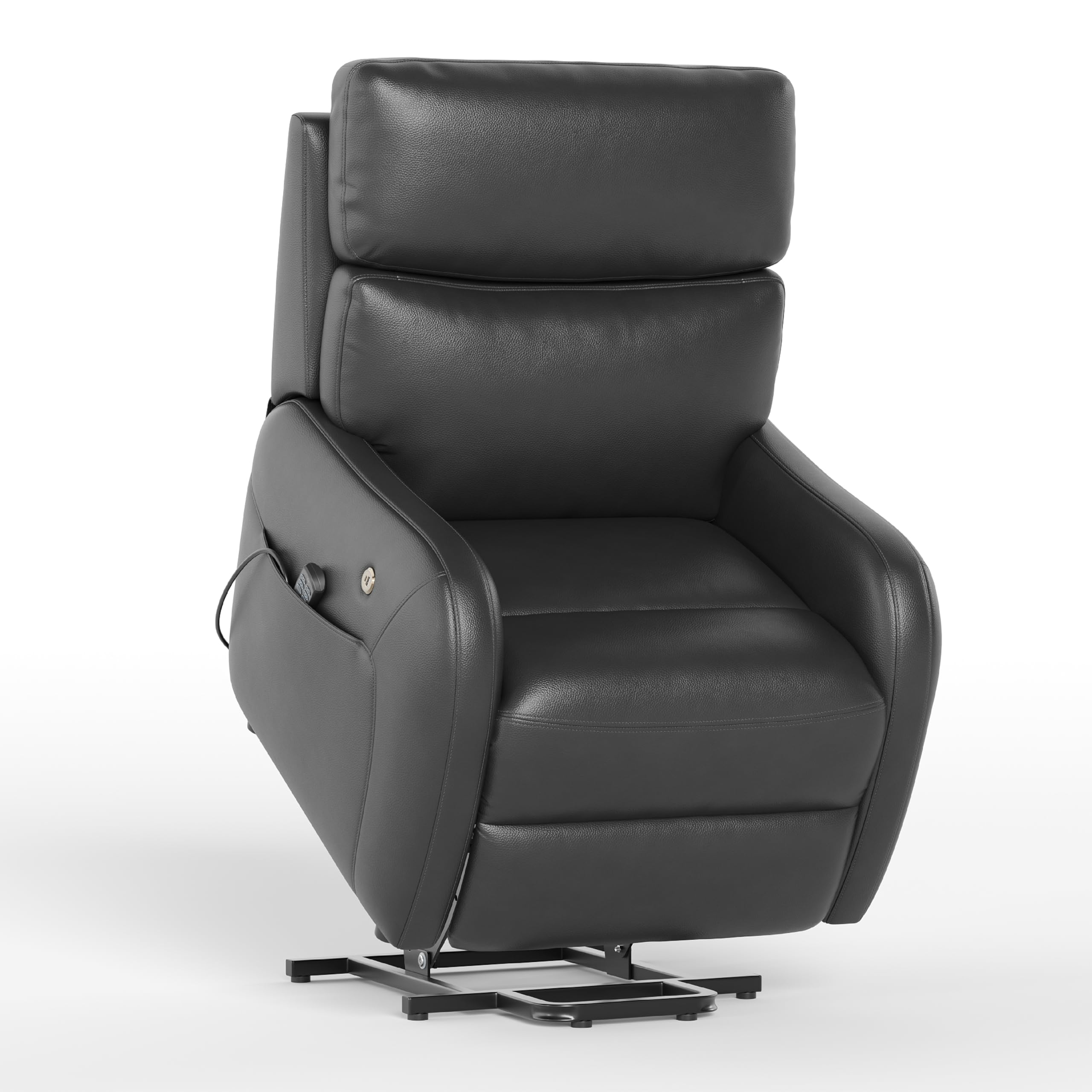
A full view of the COLAMY Ascend recliner in its standard upright position, showcasing its design and black faux leather upholstery. This image represents the main chair body and backrest components.
Setup and Assembly
Follow these steps to assemble your COLAMY Ascend recliner chair:
- Unpack Components: Carefully remove all parts from the packaging. Place them on a soft, clean surface to prevent scratches.
- Attach Backrest: Align the metal brackets on the backrest with the receivers on the chair body. Slide the backrest down firmly until it locks into place. You should hear a click.
- Connect Power Cables: Locate the power cables extending from the backrest and the chair body. Connect them securely. Ensure all connections are snug.
- Connect Power Adapter: Plug the power adapter into the chair's power input port, usually located at the rear or underside of the chair. Then, plug the adapter into a standard wall outlet.
- Initial Test: Use the remote control to test the lift and recline functions to ensure proper operation.
Operating Instructions
The COLAMY Ascend recliner features dual motors for independent control of the backrest and footrest, along with massage, heat, and USB charging functions.

This image highlights the remote control for operating the chair's functions, the convenient side pocket for storage, and the integrated USB-A and Type-C charging ports.
Remote Control Functions:
- Lift Assist: Press and hold the UP arrow button to gently lift the chair, assisting you to a standing position.
- Recline: Press and hold the DOWN arrow button to recline the backrest and extend the footrest. The dual motors allow independent adjustment of the backrest and footrest for your preferred position.
- Massage: Press the MASSAGE button to activate the 8-point massage function. Cycle through different massage modes and intensities using the remote.
- Heat: Press the HEAT button to activate the 2-stage heating function in the lumbar and seat areas. Press again to turn off.
- HOME: Press the HOME button to return the chair to its upright, default position.
This image demonstrates the chair's lift assist feature, showing an individual safely transitioning from a seated to a standing position.
USB Charging Ports:
The chair is equipped with fast 20W USB-A and Type-C charging ports located on the side of the chair. These ports can be used to charge your mobile devices while you relax.
Maintenance
Cleaning the Faux Leather:
- For general cleaning, wipe the surface with a soft, damp cloth.
- For stubborn stains, use a mild soap solution and a soft cloth. Wipe gently and then dry with a clean, dry cloth.
- Avoid using harsh chemicals, abrasive cleaners, or solvents, as these can damage the faux leather.
- Do not saturate the fabric with water.
General Care:
- Regularly check all connections and fasteners to ensure they are tight.
- Keep the chair away from direct sunlight and heat sources to prevent fading and material degradation.
- Avoid sharp objects that could puncture or tear the upholstery.
Troubleshooting
| Problem | Possible Cause | Solution |
|---|---|---|
| Chair does not move/no power. | Power cord not plugged in; loose connection; power outlet issue. | Ensure power cord is securely plugged into the chair and a working wall outlet. Check all cable connections. |
| Massage/Heat function not working. | Function not activated; loose internal connection. | Press the respective button on the remote. Check if the main power is connected. If issue persists, contact support. |
| Chair makes unusual noises. | Loose fasteners; obstruction in mechanism. | Check and tighten any visible fasteners. Ensure no objects are obstructing the chair's moving parts. |
If you encounter issues not listed here or if solutions do not resolve the problem, please contact COLAMY customer support.
Specifications

This diagram provides detailed measurements of the recliner, including height, width, depth, and reclined length, along with the maximum weight capacity of 330 lbs.
- Model Name: TX-ACF07
- Color: Black
- Material: Faux Leather
- Product Dimensions (Upright): 33"D x 37.4"W x 41"H
- Seat Depth: 22.85 inches
- Item Weight: 108 pounds
- Maximum Weight Capacity: 330 lbs
- Motors: Dual Motor System
- Massage Points: 8
- Heating Zones: 2 (Lumbar and Seat)
- Charging Ports: 20W USB-A, Type-C
Warranty and Support
COLAMY products are designed for quality and durability. For warranty information, technical support, or to order replacement parts, please contact COLAMY customer service through the retailer where the product was purchased or visit the official COLAMY website.
Please have your model number (TX-ACF07) and purchase date available when contacting support.