
Introduction
This manual provides detailed instructions for the setup, operation, maintenance, and troubleshooting of your NEWYES Ailog Smart Digital Audio Recorder, Model AR0101. Please read this guide thoroughly to ensure proper use and to maximize the device's capabilities.
Package Contents
Verify that all items are present in the package:
- AI Audio Recorder x 1
- User Manual x 1
- Data Cable x 1
- Iron Ring x 1
- Magnetic Leather Case x 1

Figure 1: Included items in the NEWYES Ailog Smart Digital Audio Recorder package.
Setup
1. Charging the Device
Before first use, fully charge the recorder. Connect the provided data cable to the recorder and a USB power source. A full charge typically takes approximately 1.5 hours and provides up to 35 hours of continuous recording time.

Figure 2: Key specifications including charging time, battery life, and storage capacity.
2. Powering On/Off
Locate the power button on the device. Press and hold to power on or off. The LED display will indicate the device status.
3. App Installation and Connection
To utilize the AI features, download the companion application to your smartphone or tablet. Follow the in-app instructions to pair your NEWYES Ailog recorder via Bluetooth 5.0. The app allows for secure management of recordings and access to cloud storage.

Figure 3: The DOWAY app enables multi-device access to your recordings and summaries.
Operating Instructions
1. Basic Recording
The device features intuitive one-tap recording. Simply press the designated record button to start and stop recording. The LED display provides real-time information such as battery level and recording status. The recorder supports dual-mode recording, utilizing air line sensors for ambient noise and a VCS voice control system for clear call recording.
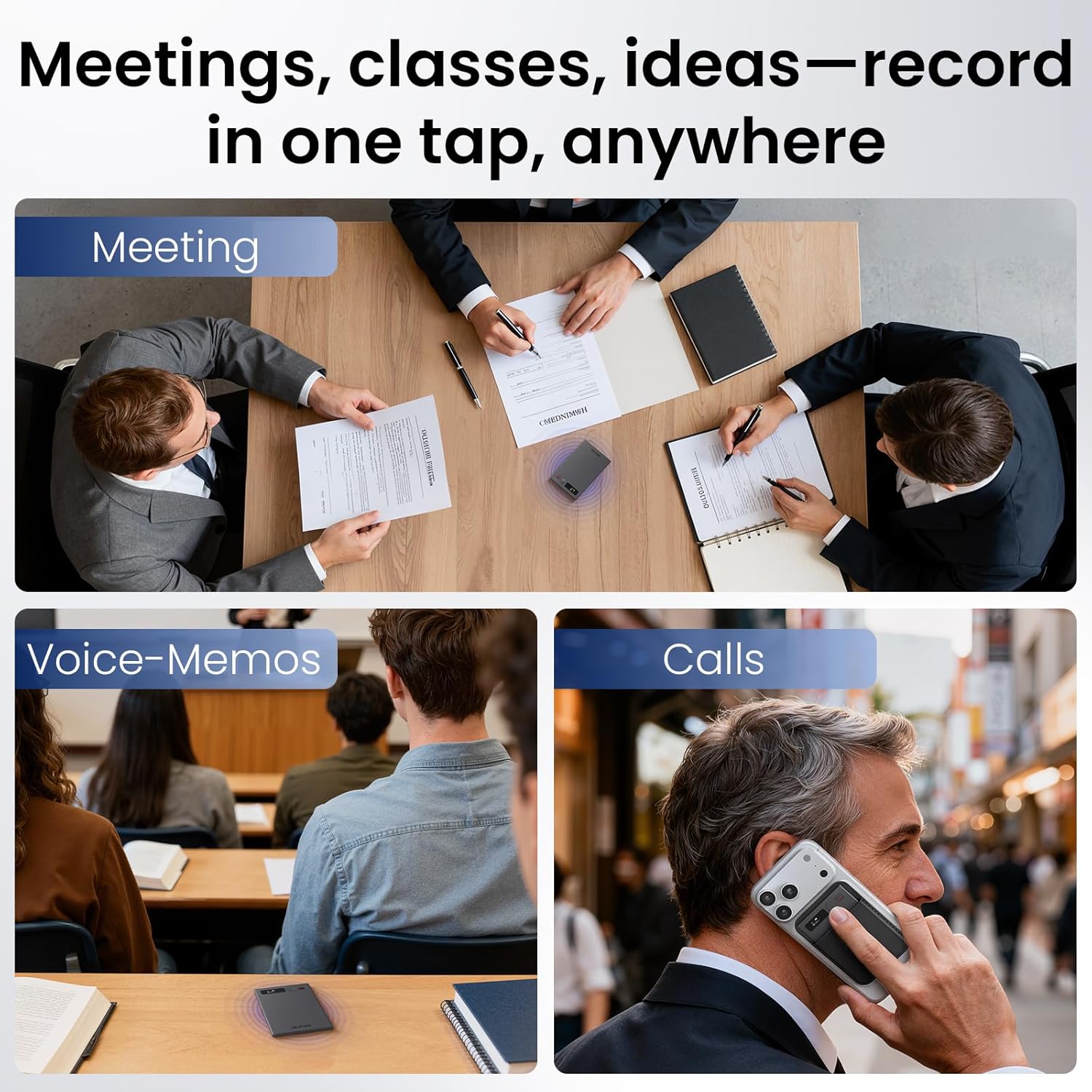
Figure 4: The recorder can be used for meetings, voice memos, and calls with a single tap.

Figure 5: Switching between Call mode and Note mode for optimized recording.

Figure 6: Designed for all-day use with extended battery life.
2. AI Features: Transcription, Summarization, and Mind Mapping
After recording, transfer your audio files to the companion app. The app leverages AI technologies (such as GPT and Deepseek) to process the content:
- Transcription: Converts spoken words into text with high accuracy.
- Summarization: Automatically generates concise summaries, such as meeting minutes, from transcribed content.
- Mind Mapping: Creates visual mind maps to help organize and understand complex information from your recordings.
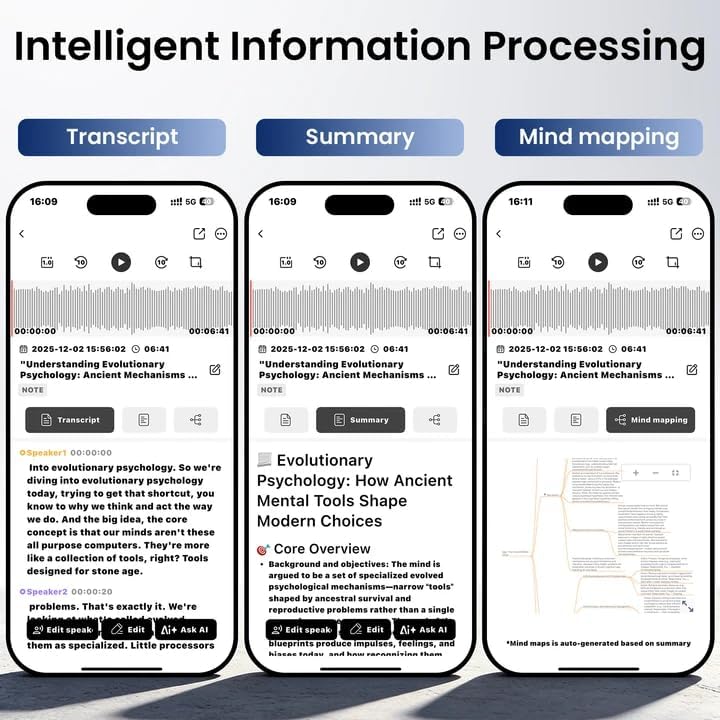
Figure 7: The app interface displaying transcription, summarization, and mind mapping functionalities.

Figure 8: Recordings are distilled into actionable notes within the app.

Figure 9: Generate mind maps to clarify and organize your thoughts.
3. Multilingual Translation
The device supports real-time recording translation for over 80 languages. This feature facilitates accurate language conversion for international meetings or foreign-related communications, breaking down language barriers.

Figure 10: Real-time translation in over 80 languages.
4. Ask AI Feature
The "Ask AI" function allows you to interact with your transcribed content. You can ask the AI to summarize, analyze, or strategize based on your recordings, providing smart solutions at your fingertips.

Figure 11: Utilize the "Ask AI" feature for deeper analysis and summarization.
5. Storage Management
The device has a built-in 64GB storage capacity, capable of holding up to 512 hours of high-definition recordings. Recordings can be managed and backed up to unlimited cloud storage via the companion app, ensuring privacy and security with encrypted local data and private cloud files.
Maintenance
- Cleaning: Use a soft, dry cloth to clean the device. Avoid liquid cleaners or abrasive materials.
- Software Updates: Regularly check the companion app for software and firmware updates to ensure optimal performance and access to new features.
- Data Backup: While the device offers cloud storage, it is recommended to periodically back up important recordings to a personal computer or external storage device.
Troubleshooting
| Problem | Possible Cause | Solution |
|---|---|---|
| Device does not power on. | Low battery or device malfunction. | Charge the device for at least 30 minutes. If it still doesn't power on, contact support. |
| Poor recording quality. | Microphone obstruction, excessive background noise, or incorrect recording mode. | Ensure the microphone is clear. Reduce background noise. Verify the correct recording mode (e.g., Note mode for general recording, Call mode for phone calls). |
| App connection issues. | Bluetooth not enabled, device not paired, or app software issue. | Ensure Bluetooth is active on your phone. Re-pair the device in the app settings. Update the app to the latest version. Restart both the recorder and your phone. |
| AI features (transcription, summary) not working or inaccurate. | Poor audio quality, language mismatch, or temporary server issue. | Ensure clear audio input. Verify the correct language setting in the app. Check your internet connection. Try processing a shorter recording. |
| Recordings not saving. | Storage full or device malfunction. | Check available storage on the device and in the cloud. Delete unnecessary files or transfer them to another storage. |
Specifications
| Brand | NEWYES |
| Model Number | AR0101 |
| Memory Storage Capacity | 64 GB (up to 512 hours of high-definition recordings) |
| Total Record Time | Up to 2000 hours |
| Hardware Interface | Bluetooth 5 |
| Battery Type | 1 x 9V battery (included) |
| Continuous Recording Time | Up to 35 hours |
| Charging Time | Approx. 1.5 hours |
| Recording Range | Up to 7 meters |
| Dimensions | Approx. 0.32 cm thickness |
| Weight | Approx. 28 grams |
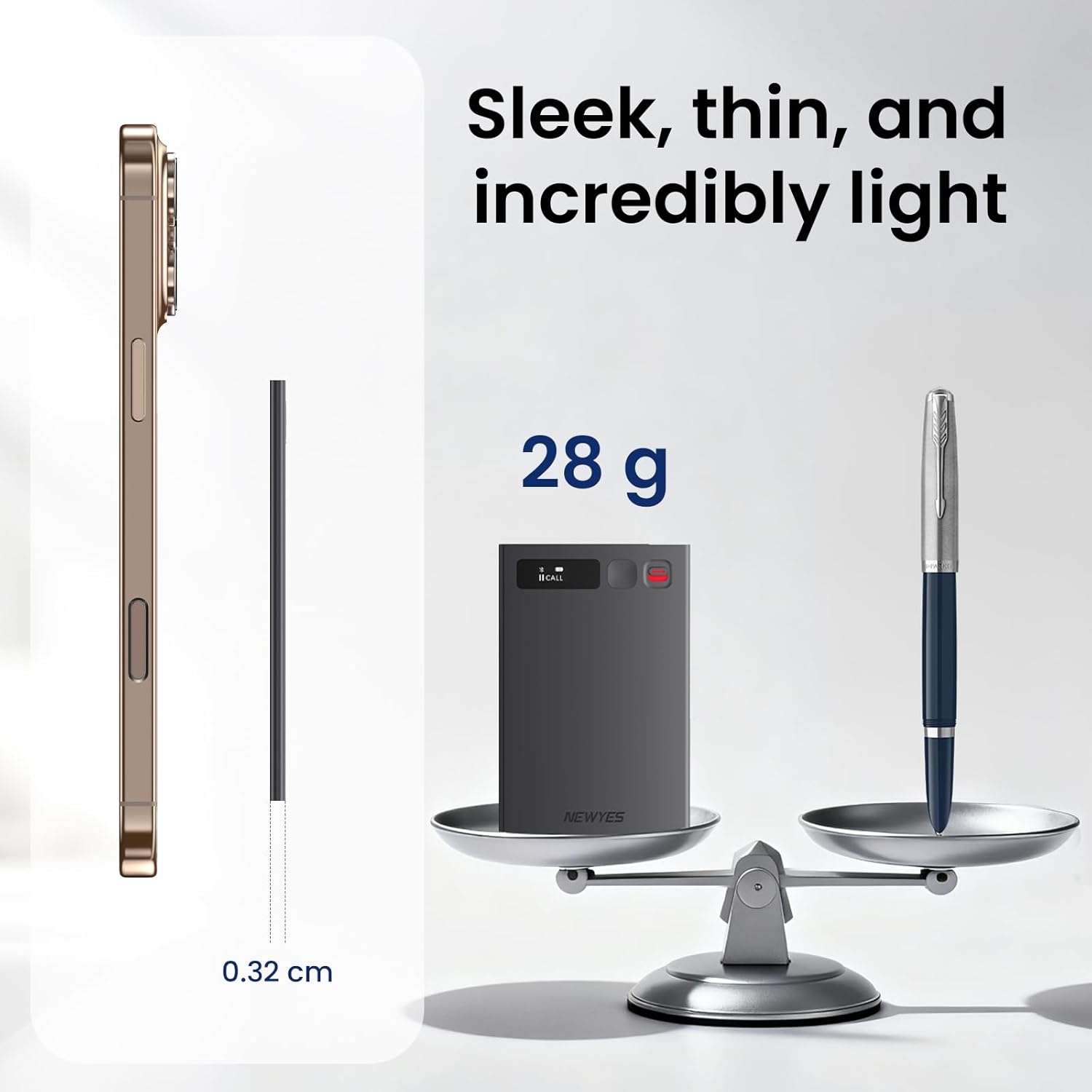
Figure 12: The NEWYES Ailog recorder is sleek, thin, and lightweight.
Warranty and Support
Your NEWYES Ailog Smart Digital Audio Recorder includes a free 1-year premium membership, which provides access to full AI features and unlimited transcription services. For specific warranty details or technical support, please refer to the official NEWYES website or contact their customer service directly.

Figure 13: Enjoy a free 1-year premium membership with your purchase.

