
1. Product Overview
The CrossBeats Fury Max Gaming TWS in-Ear Buds are designed for an immersive audio experience, particularly for gaming. They feature advanced Bluetooth connectivity, low latency, spatial audio, and extended battery life.
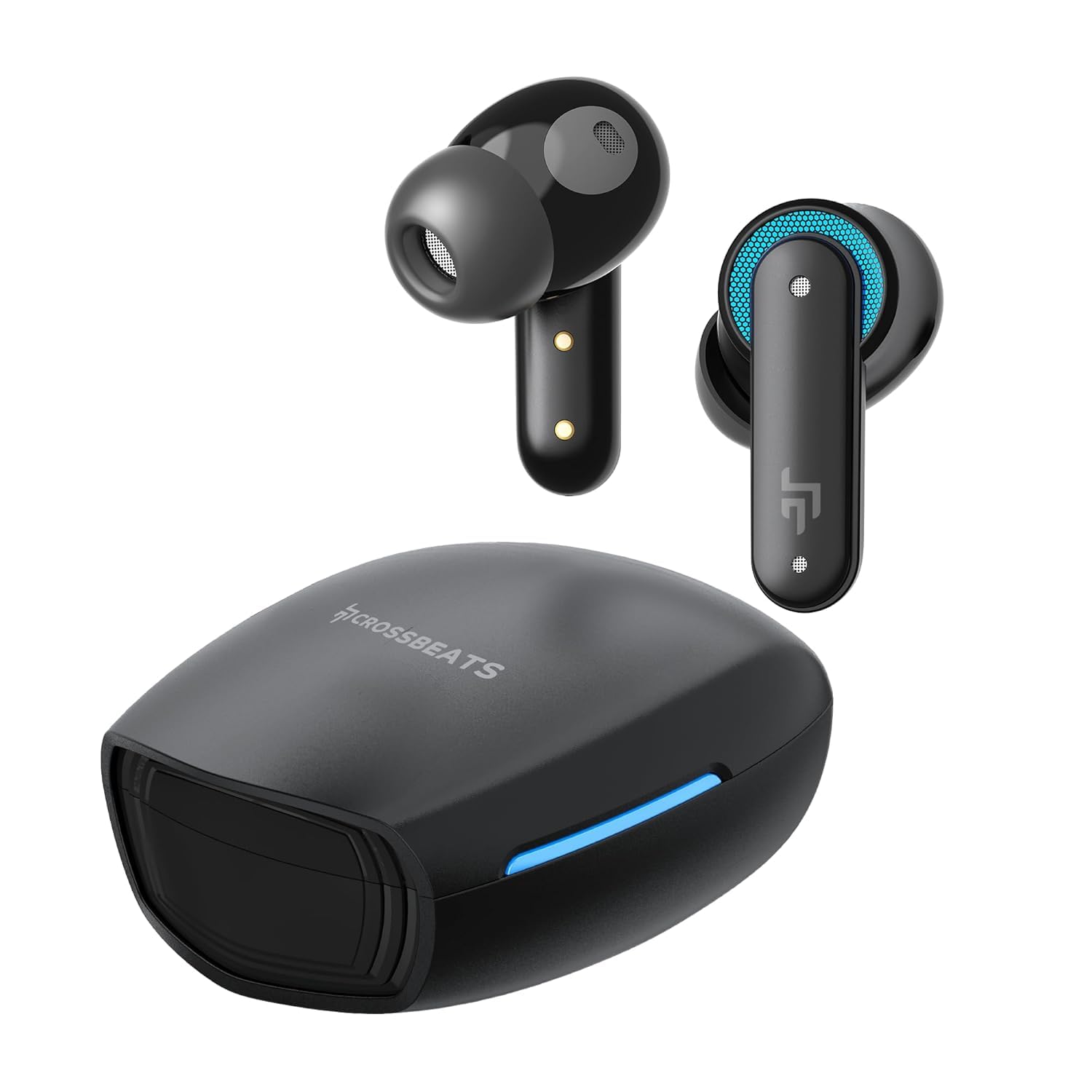
Image: CrossBeats Fury Max Gaming TWS Earbuds and their charging case.
What's in the Box:
- Charging Station
- Cable
- User Manual
- Ear Cushions
- Warranty Card
Video: An overview of the CrossBeats Fury Max Gaming TWS Earbuds, highlighting key features and design. This video is a short preview from the seller.
2. Setup Guide
2.1 Charging the Earbuds and Case
Before first use, fully charge the earbuds and the charging case. Place the earbuds into the charging case. Connect the charging cable to the case and a power source. The RGB lights on the case and earbuds will indicate charging status.

Image: CrossBeats Fury Max Earbuds inside their charging case, illustrating the RGB lighting.
2.2 Pairing with a Device
- Ensure both earbuds are charged and inside the charging case.
- Open the charging case lid. The earbuds will automatically enter pairing mode.
- On your device (smartphone, laptop, tablet), go to Bluetooth settings.
- Search for "CrossBeats Fury Max" in the list of available devices.
- Select "CrossBeats Fury Max" to connect. A voice prompt will confirm successful pairing.

Image: Illustration of the Bluetooth 5.4 technology for stable and wide-range connectivity.
3. Operating Instructions
3.1 Touch Controls
The CrossBeats Fury Max earbuds feature intuitive touch controls on each earbud. Refer to the diagram below for touch sensor locations.

Image: CrossBeats Fury Max Earbuds showing the touch control area.
| Action | Function |
|---|---|
| Single Tap (Left/Right) | Play/Pause Music, Answer/End Call |
| Double Tap (Left) | Previous Track |
| Double Tap (Right) | Next Track |
| Triple Tap (Left/Right) | Switch between Music Mode and Game Mode |
| Long Press (Left/Right, 2s) | Activate Voice Assistant, Reject Call |
| Long Press (Left, 3s) | Volume Down |
| Long Press (Right, 3s) | Volume Up |
3.2 Dual EQ Modes (Music Mode / Game Mode)
The earbuds offer two distinct sound modes: Music Mode for rich, balanced audio and Game Mode for ultra-low latency (30ms) and enhanced spatial awareness. Triple-press either earbud's touch button to switch between these modes.

Image: Visual representation of the dual modes (Music and Gaming) and how to switch them via touch.
4. Key Features
- Ultra-Low 30ms Latency: Dedicated Game Mode ensures synchronized audio and video for seamless gameplay.
- Bluetooth v5.4: Provides a stable connection, longer transmission distance, and wide compatibility.
- 100 Hours Playtime: A single earbud offers 10 hours of listening, extended to 100 hours with the charging case.
- RGB Colorful Light: Specially designed RGB breathing lights enhance the gaming atmosphere and activate when the case is opened.
- 13.4mm Graphene Drivers: Deliver enhanced bass stereo sound and an immersive 3D sound stage for a competitive advantage.
- 6 Microphones with AI ENC: Built-in 2 microphones per earbud (4 mics with Environmental Noise Cancelling) provide high-definition calls and improved voice clarity during team communication.
- 360° Spatial Audio & 3D Sound Stage: Experience precise positional audio, allowing you to hear subtle and explosive parts of your game.
- Dedicated DSP: Tuned for gaming, ensuring optimal audio processing.

Image: A person experiencing 3D Stage Sound with the earbuds, indicating immersive audio.

Image: A person wearing the earbuds, illustrating the Advanced AI ENC feature for clear audio.

Image: Close-up of the earbuds highlighting the 6-mic setup for untethered vocals.
5. Maintenance
5.1 Cleaning
- Gently wipe the earbuds and charging case with a soft, dry, lint-free cloth.
- Do not use harsh chemicals, cleaning solvents, or strong detergents.
- Clean the ear tips regularly with a damp cloth and allow them to dry completely before reattaching.
- Ensure charging contacts on both earbuds and case are clean and free of debris.
5.2 Storage
- Store the earbuds in their charging case when not in use to protect them and keep them charged.
- Avoid storing in extreme temperatures or high humidity.
6. Troubleshooting
6.1 Earbuds Not Pairing
- Ensure both earbuds are charged.
- Place earbuds back in the case, close the lid, wait a few seconds, then open the lid again to re-enter pairing mode.
- On your device, forget "CrossBeats Fury Max" from your Bluetooth settings and try pairing again.
- Ensure your device's Bluetooth is enabled and within range (10 meters).
6.2 No Sound or Low Volume
- Check the volume level on both your device and the earbuds.
- Ensure earbuds are properly seated in your ears.
- Clean any debris from the earbud speakers and ear tips.
- Reconnect the earbuds to your device.
6.3 Charging Issues
- Verify the charging cable is securely connected to both the case and the power source.
- Ensure the charging contacts on the earbuds and inside the case are clean.
- Try a different charging cable or power adapter.
7. Specifications
| Feature | Detail |
|---|---|
| Brand | CrossBeats |
| Model Name | Fury |
| Model Number | CB-Fury Max-Black - 2025 |
| Colour | Black |
| Ear Placement | In Ear |
| Form Factor | In Ear |
| Impedance | 32 Ohms |
| Battery Average Life | 10 Hours (earbuds), up to 100 Hours with charging case |
| Battery Charge Time | 2 Hours |
| Noise Control | Sound Isolation, Environmental Noise Cancelling (ENC) |
| Audio Driver Type | Dynamic Driver (13.4mm Graphene) |
| Control Type | Touch Control |
| Wireless Technology | Bluetooth v5.4 |
| Bluetooth Range | 10 Metres |
| Water Resistance Level | Water Resistant (IPX5) |
| Item Weight | 48 Grams |
| Compatible Devices | Cellphones, Laptops, Tablets |
| Special Features | Fast Charging, Microphone Included, Touch Control, Volume Control, RGB Lights, 30ms Low Latency, 360° Spatial Audio, 3D Sound Stage, Dual EQ Modes |
8. Warranty & Support
8.1 Warranty Information
CrossBeats offers a 1-year warranty from the purchase date. To activate uninterrupted warranty benefits, register your product on the official CrossBeats website. For complete warranty details, please visit the official CrossBeats website.
8.2 Customer Support
For any product-related queries, technical assistance, or warranty claims, please contact CrossBeats customer support. Contact information can typically be found on the official CrossBeats website or the warranty card included in your product packaging.