
1. Introduction
The YOTON 4G LTE Cellular Solar Security Camera (Model YC02) is designed for robust outdoor surveillance in locations without traditional Wi-Fi or power infrastructure. This wire-free camera operates on 4G LTE cellular networks and is powered by an integrated solar panel and a 7800mAh rechargeable battery, ensuring continuous operation. Key features include 2K color night vision, 360° PTZ (Pan-Tilt-Zoom) capabilities, two-way audio, and IP66 weather resistance, making it suitable for monitoring farms, RVs, construction sites, and other off-grid areas.
2. What's in the Box
- Security Camera with Built-in SIM Card
- Solar Panel
- 32GB TF Card
- 10 ft USB Cable
- Mounting Kit & Instruction Manual

Image: All components included in the product packaging, laid out on a white surface. This includes the camera unit, solar panel, USB cable, 32GB TF card, mounting brackets, screws, and the user manual.
3. Setup
3.1 Initial Charging & SIM/SD Card Insertion
- Charge the Camera: Before first use, fully charge the camera using the provided USB cable.
- Insert SD Card: Locate the top SD card slot on the camera and insert the included 32GB TF card. This card is essential for local video storage.
- Power On: Press and hold the power button for 2 seconds until the red light illuminates to indicate startup.
- Reset Camera: Press and hold the RST button until you hear "system reset" and the blue indicator light is steady. This prepares the camera for pairing.
Video: A demonstration of inserting the SD card, powering on the camera, and performing a system reset by pressing the RST button until the blue indicator light becomes steady, signifying readiness for setup.

Image: A visual guide illustrating the initial setup steps: 1. Charging the camera, 2. Inserting the SIM and TF card, 3. Opening the Ubox app, 4. Tapping 'Add Device' and following prompts, 5. Naming your camera for complete setup.
3.2 App Download & Pairing
- Download Ubox App: Search for and download the "Ubox" app from your smartphone's app store.
- Add Device: Open the Ubox app, register or log in, and select the option to add a new 4G device.
- Scan QR Code: Use the app to scan the QR code located on the camera body. Follow the on-screen prompts to complete the pairing process.
Video: A detailed walkthrough of the camera setup process, including unboxing, identifying components, powering on, and connecting the camera to a smartphone via the Ubox app by scanning a QR code.
3.3 Solar Panel & Camera Mounting
- Choose Location: Select an outdoor location with ample direct sunlight for the solar panel and a clear view for the camera. Ensure good 4G cellular signal strength.
- Mount Solar Panel: Use the provided mounting kit to securely attach the solar panel in a position that maximizes sun exposure throughout the day.
- Connect Solar Panel: Plug the solar panel's USB-C cable into the camera's charging port.
- Mount Camera: Attach the camera to its mounting bracket and secure it to your chosen surface (wall, pole, etc.) using the included hardware. Adjust the camera's angle for optimal surveillance coverage.

Image: The YOTON 4G LTE Cellular Solar Security Camera is shown mounted on the exterior of a building, connected to its solar panel. The image emphasizes the camera's independence from Wi-Fi, operating solely on 4G LTE with a pre-installed SIM card.

Image: The YOTON 4G LTE Cellular Solar Security Camera is mounted on a building, with its solar panel positioned to receive sunlight. The image highlights the camera's self-sustaining power solution, featuring a 3W solar panel and a 7800mAh rechargeable battery for continuous operation without external power.
4. Operating
4.1 PTZ Control
Utilize the Ubox app to remotely control the camera's Pan-Tilt-Zoom (PTZ) functions. The camera offers 336° horizontal pan and 90° vertical tilt, allowing you to cover a wide area without blind spots. Simply drag your finger across the live view in the app to adjust the camera's perspective.
Image: The YOTON 4G LTE Cellular Solar Security Camera is depicted with arrows indicating its 335° pan and 90° tilt capabilities. A smartphone screen shows the remote control interface for adjusting the camera's view, demonstrating its 360° full view coverage.
4.2 Video Quality & Night Vision
The camera records in crisp 2K HD resolution, providing clear and detailed footage. It supports both color night vision and infrared night vision. Color night vision activates in low-light conditions to capture more detail, while infrared provides clear black-and-white images in complete darkness.

Image: A split image demonstrating the camera's night vision capabilities. The top half shows 'Spotlight Night Vision' with a child playing in a backyard in full color. The bottom half shows 'Infrared Night Vision' of the same scene in clear black and white, highlighting the camera's ability to capture details in varying low-light conditions.
4.3 Smart Detection & Two-Way Audio
The camera features PIR (Passive Infrared) and humanoid detection, allowing you to set custom detection zones and times to minimize false alerts. When motion is detected, you receive instant alerts. The built-in 70dB loud alarm can deter intruders, and the two-way audio function enables real-time communication through the camera, allowing you to speak to visitors or deter unwanted guests.
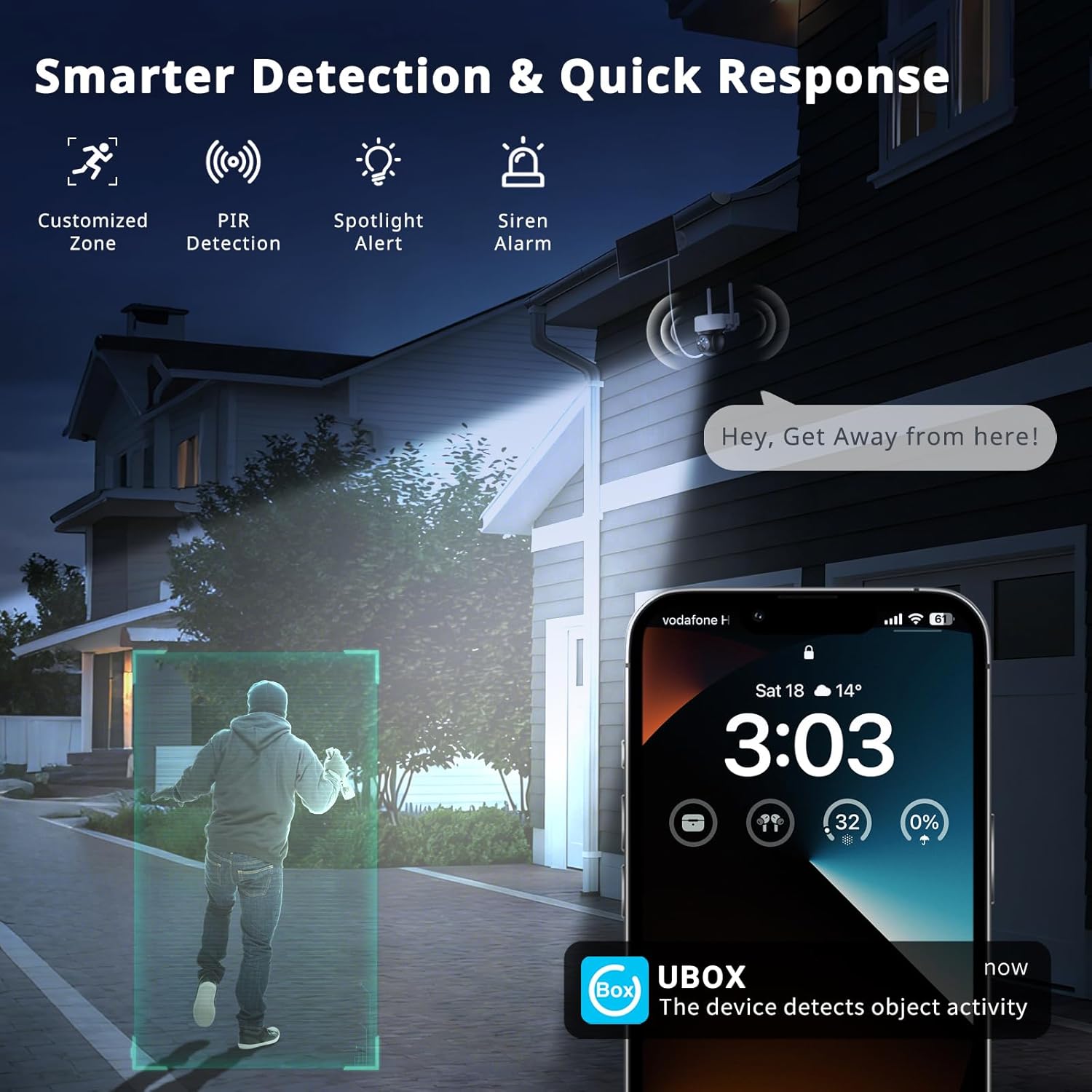
Image: The YOTON 4G LTE Cellular Solar Security Camera is shown mounted on a house, detecting a person in the driveway. A smartphone displays a Ubox app notification for object activity, illustrating the camera's smart detection and quick response features, including a siren alarm and two-way audio.
4.4 Storage Options
The camera supports two storage methods: local storage and cloud storage. The included 32GB TF card allows for local recording (expandable up to 128GB), ensuring footage is saved even during power outages. A 30-day trial of cloud storage is also available for convenient remote access and backup.

Image: The YOTON 4G LTE Cellular Solar Security Camera highlights its optional storage ways: TF Card Storage (32GB included, up to 128GB) and Cloud Storage (30-Day Trial). The image shows the camera's SD card slot and various remote monitoring scenarios like farms, RVs, and construction sites.
5. Maintenance
- Solar Panel Care: Regularly clean the solar panel surface to ensure maximum sunlight absorption and efficient battery charging. Remove any dust, dirt, or debris.
- Battery Management: The built-in 7800mAh battery is designed for long-term operation. Ensure the solar panel receives adequate sunlight to keep the battery charged. If prolonged cloudy weather occurs, manual charging via the USB-C port may be necessary.
- Weather Resistance: The camera has an IP66 waterproof rating, making it resistant to rain, snow, and dust. However, avoid submerging the camera in water or exposing it to extreme weather conditions beyond its rating.
- Firmware Updates: Periodically check the Ubox app for available firmware updates to ensure optimal performance and security.

Image: The YOTON 4G LTE Cellular Solar Security Camera is shown enduring various weather conditions, including rain, snow, and high temperatures. The image emphasizes its IP66 weatherproof rating, indicating its durability for outdoor use in diverse environments.
6. Troubleshooting
| Issue | Possible Cause | Solution |
|---|---|---|
| Camera not connecting to 4G network | Poor cellular signal; SIM card not properly inserted or activated. | Check cellular signal strength at installation location. Ensure SIM card is correctly inserted and activated. Contact customer service if using your own SIM. |
| Battery not holding charge / Draining quickly | Insufficient sunlight for solar panel; excessive motion detection events; cold weather. | Ensure solar panel is in direct sunlight for several hours daily. Reduce motion detection sensitivity or frequency. Manually charge the camera if needed. |
| App is slow or unresponsive | Weak cellular data connection on phone or camera; app requires update. | Check your phone's data connection and the camera's 4G signal strength. Update the Ubox app to the latest version. Restart the app or your phone. |
| No video recording to SD card | SD card full, corrupted, or not properly inserted; recording settings incorrect. | Check SD card insertion. Format the SD card via the app or replace it. Verify recording settings in the Ubox app. |
| Night vision unclear | Lens obstruction; insufficient ambient light for color night vision. | Clean the camera lens. Ensure there are no obstructions. Switch between color and infrared night vision modes in the app to see which provides better clarity for the environment. |
7. Specifications
| Feature | Detail |
|---|---|
| Model Name | YC02 |
| Connectivity Technology | Wireless (4G LTE Cellular) |
| Power Source | Battery Powered (7800mAh), Solar Panel |
| Video Capture Resolution | 2K |
| PTZ (Pan/Tilt/Zoom) | 336° Pan, 90° Tilt, 1x Optical Zoom (Fixed) |
| Night Vision | Yes (Color Night Vision, Infrared Night Vision) |
| Two-Way Audio | Yes |
| Waterproof Rating | IP66 |
| Local Storage | 32GB TF Card included (supports up to 128GB) |
| Cloud Storage | Optional (30-day trial available) |
| Detection | PIR + Humanoid Detection |
| Alert Type | Audio and Motion (70dB alarm) |
| Dimensions | 5.3 x 3.3 x 4.7 inches |
| Material | ABS PC UV-resistant |
8. Warranty & Support
- Manufacturer Warranty: The YOTON 4G LTE Cellular Solar Security Camera is backed by a 2-year manufacturer warranty.
- Technical Support: 24/7 technical support is available for continued operation and assistance with any product-related inquiries.

Image: A graphic detailing YOTON's customer support commitments: Two Years Reliable Service, Prompt Response within 24 Hours, 30 Days Money-back Replacement, and Lifetime Official Support.

Image: A customer service representative wearing a headset and smiling, seated at a desk with multiple computer monitors, symbolizing YOTON's 24/7 professional support.

