
Introduction
This manual provides detailed instructions for the operation and maintenance of your NetumScan Industrial Barcode Scanner, model RD-1962(NS). This device is designed for robust performance in demanding environments, offering reliable 1D and 2D barcode scanning with advanced wireless connectivity and durability features.
Product Features
- Industrial IP67 Rating: Designed to be waterproof, dustproof, and shockproof, capable of withstanding drops up to 3 meters (approximately 10 feet).
- Dual-Mode Wireless Connectivity: Supports both 2.4GHz wireless via a charging base receiver and Bluetooth (HID/SPP/BLE) for versatile connection to computers, POS terminals, smartphones, and tablets.
- High-Precision 2D QR Scanning: Equipped with a 1MP CMOS sensor, scanning at up to 60 FPS. Accurately reads 1D barcodes (≥3 mil) and 2D barcodes (≥5 mil), including QR, Data Matrix, PDF417, and standard 1D EAN/UPC codes.
- Offline Storage: Features built-in memory to store up to 100,000 barcodes when offline, ensuring no data loss during inventory management. Data automatically uploads upon reconnection.
- Long-Lasting Battery & Charging Dock: A 2600mAh high-capacity battery provides extended operation (over 30 working days based on 2000 scans/day). The dedicated charging dock ensures the device is always ready and supports hands-free auto-scan.
Setup
1. Charging the Scanner
Before first use, fully charge the scanner. Place the scanner into its dedicated charging dock.

Figure 1: Scanner in charging dock, illustrating the 2600mAh battery capacity and charging status.
2. Connecting the Scanner
The RD-1962(NS) offers two primary connection methods: 2.4GHz Wireless and Bluetooth.

Figure 2: Illustration of Bluetooth and 2.4GHz wireless connection methods.
2.1. 2.4GHz Wireless Connection (via Charging Base)
- Connect the charging base to your computer or POS terminal using the provided USB cable. The base acts as the 2.4GHz receiver.
- Ensure the scanner is powered on.
- The scanner will automatically pair with the base. No drivers are typically required for this mode.
2.2. Bluetooth Connection
- Power on the scanner.
- Activate Bluetooth on your smartphone, tablet, or computer.
- Search for available Bluetooth devices and select "NetumScan RD-1962(NS)" (or similar name) to pair.
- The scanner will indicate a successful connection (e.g., a specific LED light or beep).
Note: This scanner is not compatible with Square POS systems.
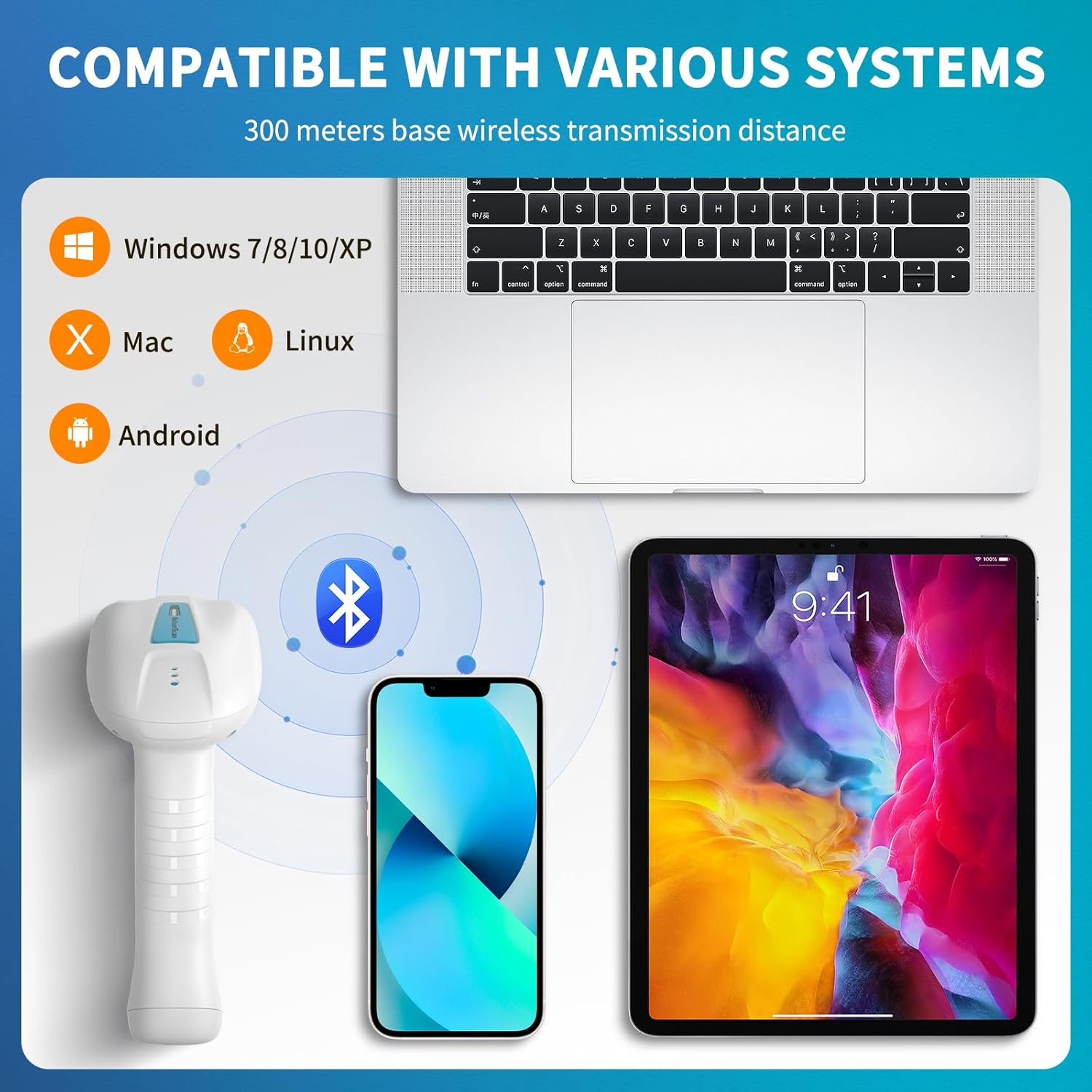
Figure 3: System compatibility with various operating systems and devices.
Operating Instructions
1. Scanning Modes
The scanner supports flexible operation modes to suit different workflows.

Figure 4: Available scanning modes for flexible operation.
- Trigger Mode: Press the trigger button to initiate a scan. This is the standard manual scanning method.
- Continuous Mode: The scanner continuously emits a scanning beam, reading barcodes as they pass through the field of view without needing to press the trigger.
- Automatic Scanning (Hands-Free): When placed in the charging dock, the scanner can be configured to automatically scan items presented in front of it, ideal for high-volume, stationary scanning tasks.
Refer to the included quick start guide or the full user manual (if provided separately) for instructions on how to switch between these modes using configuration barcodes.
2. Barcode Decoding
The scanner is capable of decoding a wide range of 1D and 2D barcodes, even those that are dense, damaged, or long.
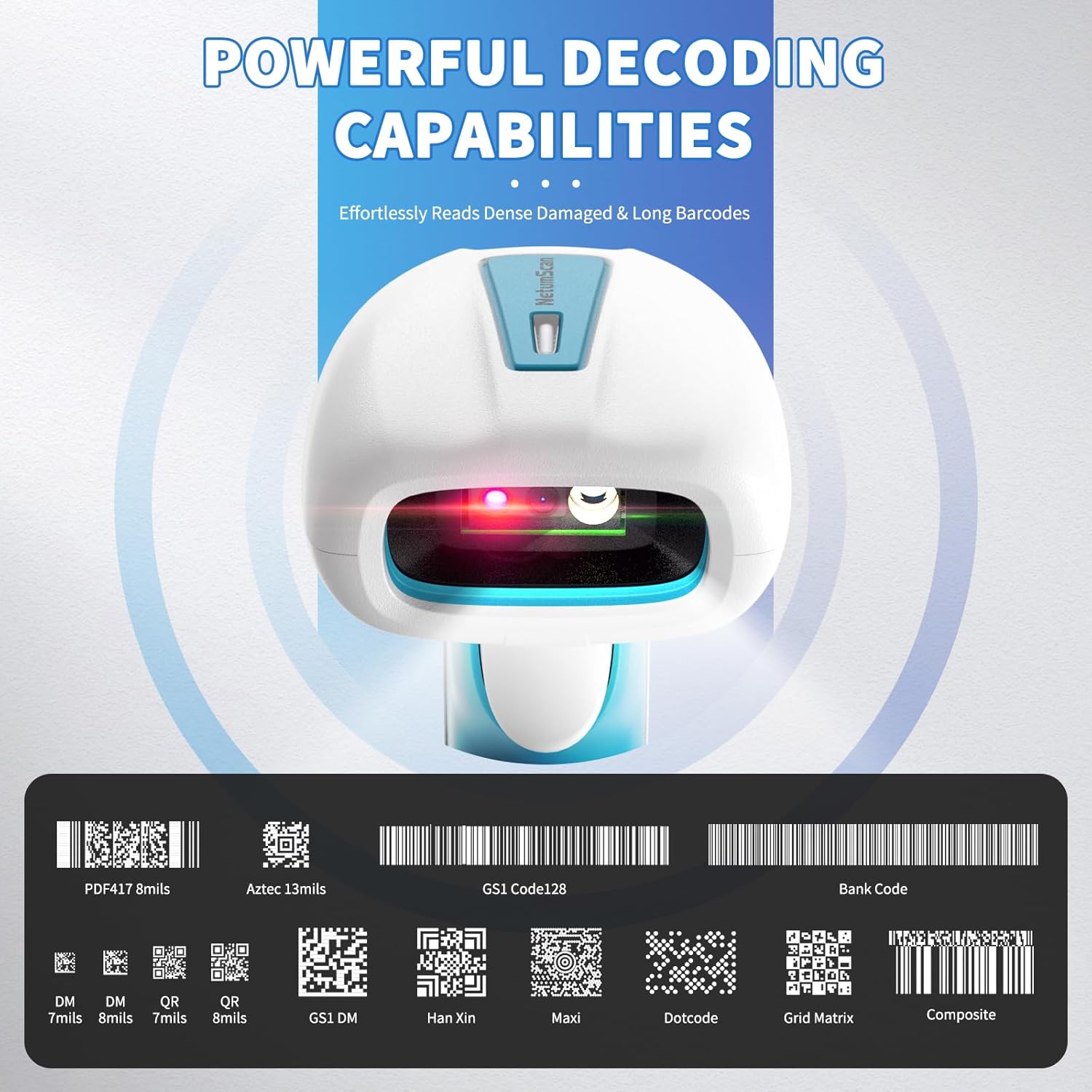
Figure 5: Examples of supported barcode symbologies.
- 1D Barcodes: EAN, UPC, Code 128, Code 39, etc. (≥3 mil resolution)
- 2D Barcodes: QR Code, Data Matrix, PDF417, Aztec, Han Xin, MaxiCode, Dotcode, Grid Matrix, Composite (≥5 mil resolution)
For optimal scanning, ensure the barcode is within the scanner's aiming light and held steady. The high-visibility laser aiming assists in precise targeting.

Figure 6: High-visibility laser aiming for precise barcode recognition.
3. Offline Storage
When the scanner is out of wireless range or disconnected, it can store up to 100,000 barcodes in its internal memory. Once reconnected, the stored data will automatically upload to the connected device, preventing data loss.

Figure 7: Instant Upload Mode vs. Storage Mode.
Maintenance
1. Cleaning
To clean the scanner, use a soft, damp cloth. Avoid abrasive cleaners or solvents that could damage the device. Ensure the scanning window is clean for optimal performance.
2. Durability
The RD-1962(NS) is designed with an IP67 rating, making it highly resistant to water, dust, and shock. It can withstand drops from up to 3 meters (10 feet). While robust, avoid intentional misuse or extreme conditions to prolong the product's lifespan.
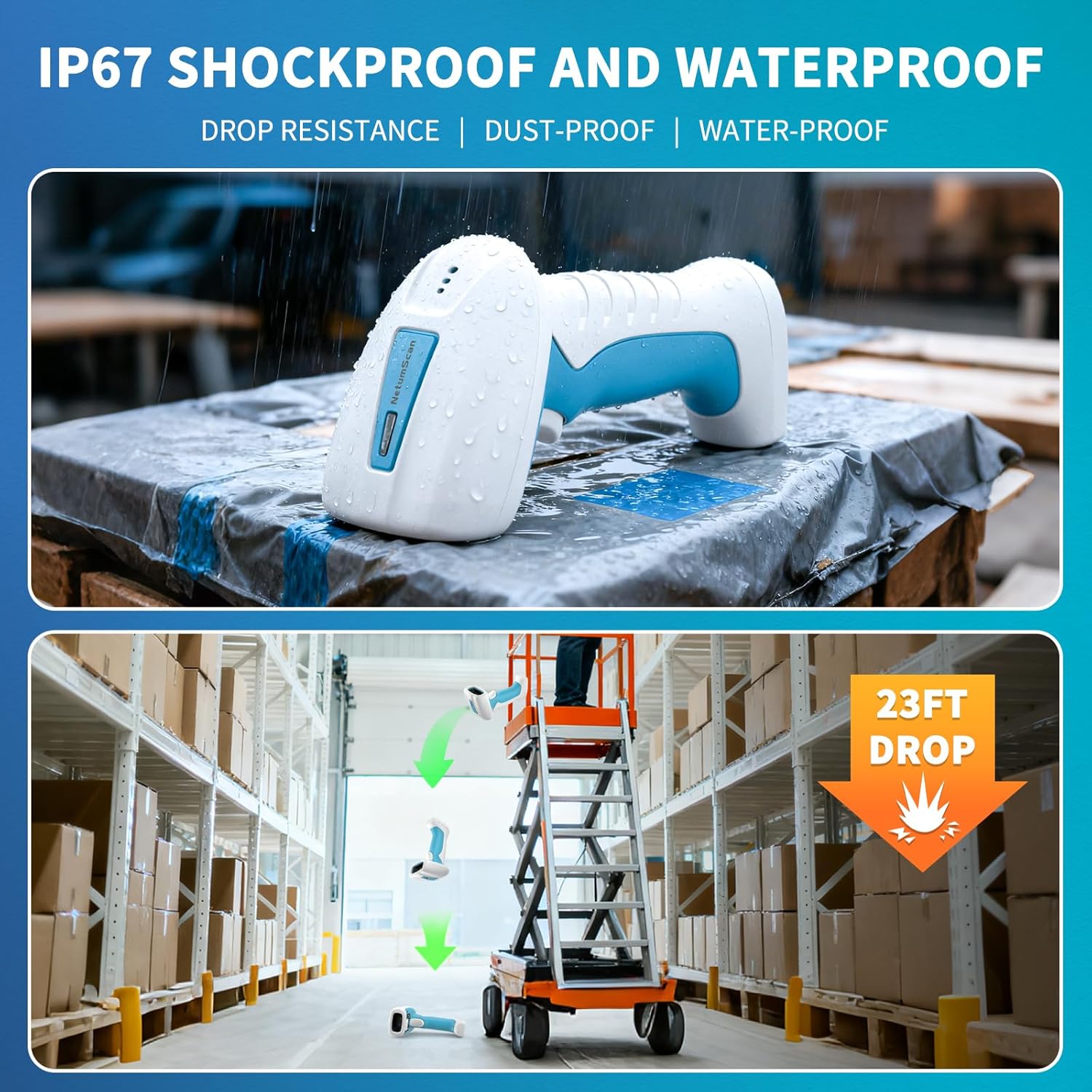
Figure 8: IP67 waterproof and shockproof design.
Troubleshooting
- Scanner not connecting: Ensure the scanner is charged and powered on. For 2.4GHz, check the USB connection of the charging base to the computer. For Bluetooth, ensure Bluetooth is enabled on your device and the scanner is paired.
- Scanning issues: Verify the barcode is clean and undamaged. Ensure the scanner's window is clean. Adjust the distance and angle to the barcode. Check if the correct scanning mode is selected.
- No data transmission: If using offline storage, ensure the scanner is reconnected to upload data. Check the connection status (2.4GHz or Bluetooth).
- Short battery life: Ensure the scanner is fully charged before use. If battery life significantly degrades, contact support.
For more complex issues, refer to the comprehensive troubleshooting guide available on the NetumScan support website or contact customer service.
Specifications
| Feature | Detail |
|---|---|
| Model Number | RD-1962(NS) |
| Brand | NetumScan |
| Connectivity Technology | Bluetooth, 2.4GHz Wireless |
| Compatible Devices | Tablet, Smartphone, Desktop, Laptop, POS |
| Power Source | Battery Powered (1 Lithium Polymer battery included) |
| Battery Capacity | 2600mAh |
| Scanning Sensor | 1MP CMOS |
| Scanning Speed | Up to 60 FPS |
| 1D Barcode Resolution | ≥3 mil |
| 2D Barcode Resolution | ≥5 mil |
| Offline Storage Capacity | Up to 100,000 barcodes |
| Durability Rating | IP67 (Waterproof, Dustproof, Shockproof - 3m drop resistance) |
Warranty and Support
The product comes with a 1-year warranty. For warranty claims, technical support, or further assistance, please contact NetumScan customer service.
You can find more information and support resources on the official NetumScan website.
