
1. Introduction
This manual provides detailed instructions for the installation, operation, and maintenance of your TMEZON Y70 Smart 2-Wire Video Intercom System. This system is designed for two-family residences, offering enhanced security and convenience with its advanced features.
2. Safety Information
- Read all instructions carefully before installation and use.
- Ensure all power is disconnected before performing any wiring or maintenance.
- Installation should be performed by qualified personnel to prevent electric shock or damage.
- Do not expose the outdoor unit to extreme temperatures or direct water immersion.
- Use only the specified power adapters and components provided with the system.
3. Package Contents
Verify that all items are present in your package:
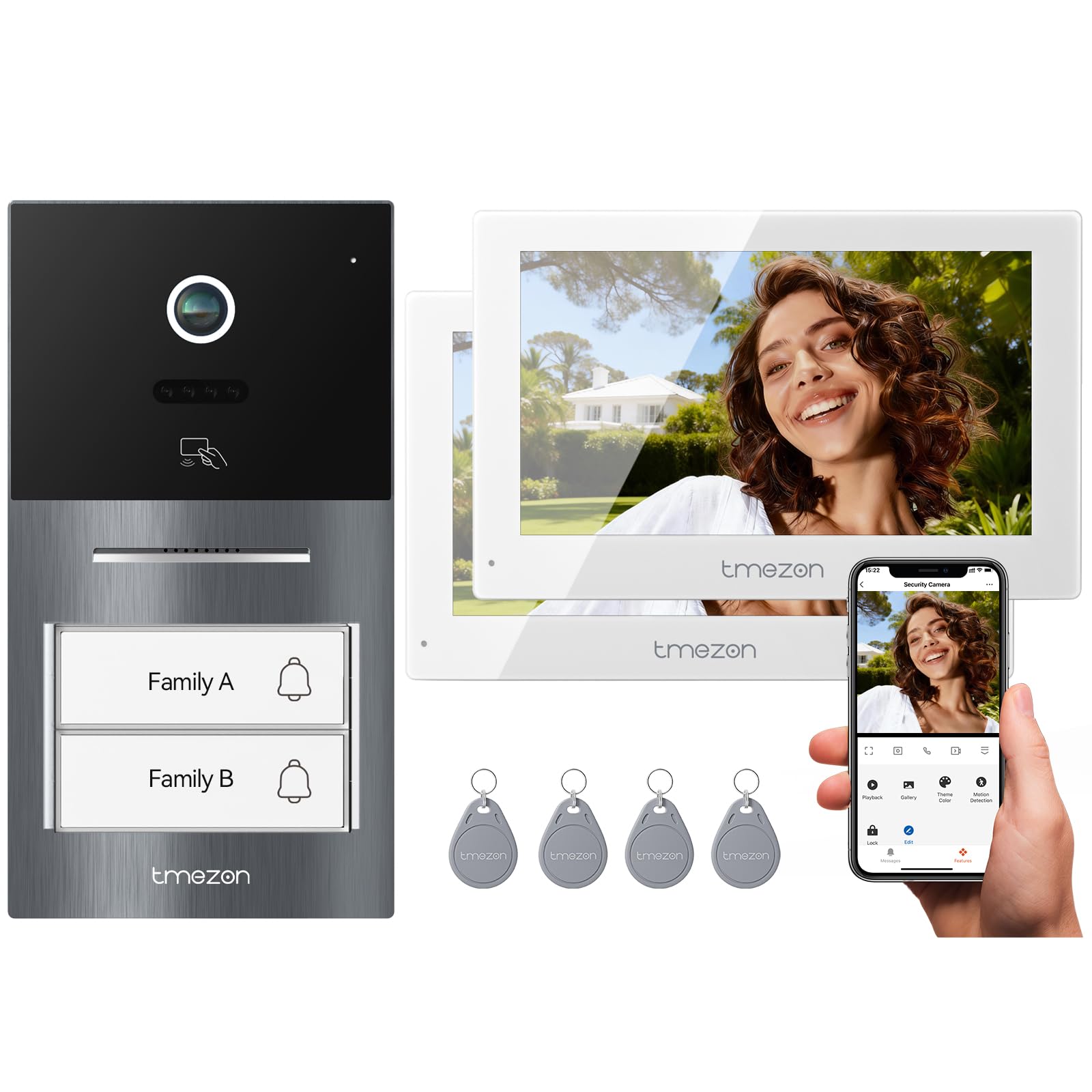
- 2 x 7-inch Indoor Monitors
- 1 x Outdoor Doorbell Panel with Camera
- 2 x 24V 1.2A Power Adapters
- 2 x Mounting Brackets for Monitors
- 1 x Mounting Bracket for Outdoor Panel
- 2 x Bags of Screws and Wall Plugs
- 2 x RFID Cards
- 4 x User Manuals (Italian language not guaranteed)
- Wiring Cables (2-wire cable, extension cables)


4. Product Overview
The TMEZON Y70 system provides a comprehensive solution for home security and communication. Key features include:
- HD Display and Superior Night Monitoring: The outdoor doorbell features a 1080P CMOS camera with a 140° horizontal viewing angle. Integrated IR LEDs ensure clear visibility at night.
- Intuitive Touchscreen and Full Functionality: The 7-inch LCD TFT (1024*600 resolution) indoor monitor offers a smooth user experience with two-way intercom, remote unlock, real-time surveillance, TF card recording (up to 128GB), voice messages, and weather synchronization via TuyaSmart.
- Smart Connectivity & Remote Control: Compatible with Tuya Smart and Smart Life apps (2.4 GHz WiFi only), allowing push notifications, call answering, and remote door unlocking from your smartphone. Supports up to 10 mobile devices for family access sharing.
- Adaptable Usage Modes & Reliable Durability: Three operating modes (At Home, Away, Standby) for continuous recording when absent and a do-not-disturb mode at night. Designed for various environmental conditions (monitor operating temperature 0 to +50°C).
- Video Intercom for 2 Families: This kit includes two indoor monitors and one outdoor panel, suitable for two families. Compatible with NO/NC electronic locks and 125 KHz RFID cards, ensuring enhanced security and flexible 2-wire wiring installation.

5. Setup and Installation
5.1 Wiring Diagram
The system uses a 2-wire connection for communication between the outdoor panel and indoor monitors. Ensure correct polarity and secure connections.

5.2 Outdoor Panel Installation
- Choose a suitable location near your entrance, ensuring it is protected from direct heavy rain and sunlight.
- Mount the rain cover/mounting bracket to the wall using the provided screws and wall plugs.
- Connect the 2-wire cable from the indoor monitor(s) to the outdoor panel's terminals.
- If connecting to an electronic lock, wire the lock to the outdoor panel's lock terminals.
- Secure the outdoor panel onto the mounting bracket.


5.3 Indoor Monitor Installation
- Select a convenient indoor location for each monitor.
- Mount the monitor bracket to the wall using screws.
- Connect the 2-wire cable from the outdoor panel to the indoor monitor's terminals.
- Connect the 24V power adapter to the monitor and plug it into a power outlet.
- Secure the monitor onto its bracket.
5.4 Initial Configuration (for 2 Families)
For a two-family setup, each indoor monitor needs to be assigned a unique House ID.
- Access the settings menu on the first indoor monitor.
- Navigate to 'Device Settings' or similar.
- Set the 'House ID' for this monitor to '1'.
- Repeat the process for the second indoor monitor, setting its 'House ID' to '2'.
- Ensure the outdoor panel is configured to recognize both House IDs. Refer to the specific outdoor panel settings for this.
6. Operating Instructions
6.1 Answering Calls
When a visitor presses the doorbell button, the indoor monitor(s) will ring. You can answer the call by pressing the 'Answer' button on the monitor or via the Tuya Smart/Smart Life app on your smartphone.
6.2 Unlocking Doors/Gates
- Via Monitor: Press the 'Unlock' button on the indoor monitor during a call or monitoring session.
- Via App: Use the 'Unlock' function within the Tuya Smart/Smart Life app.
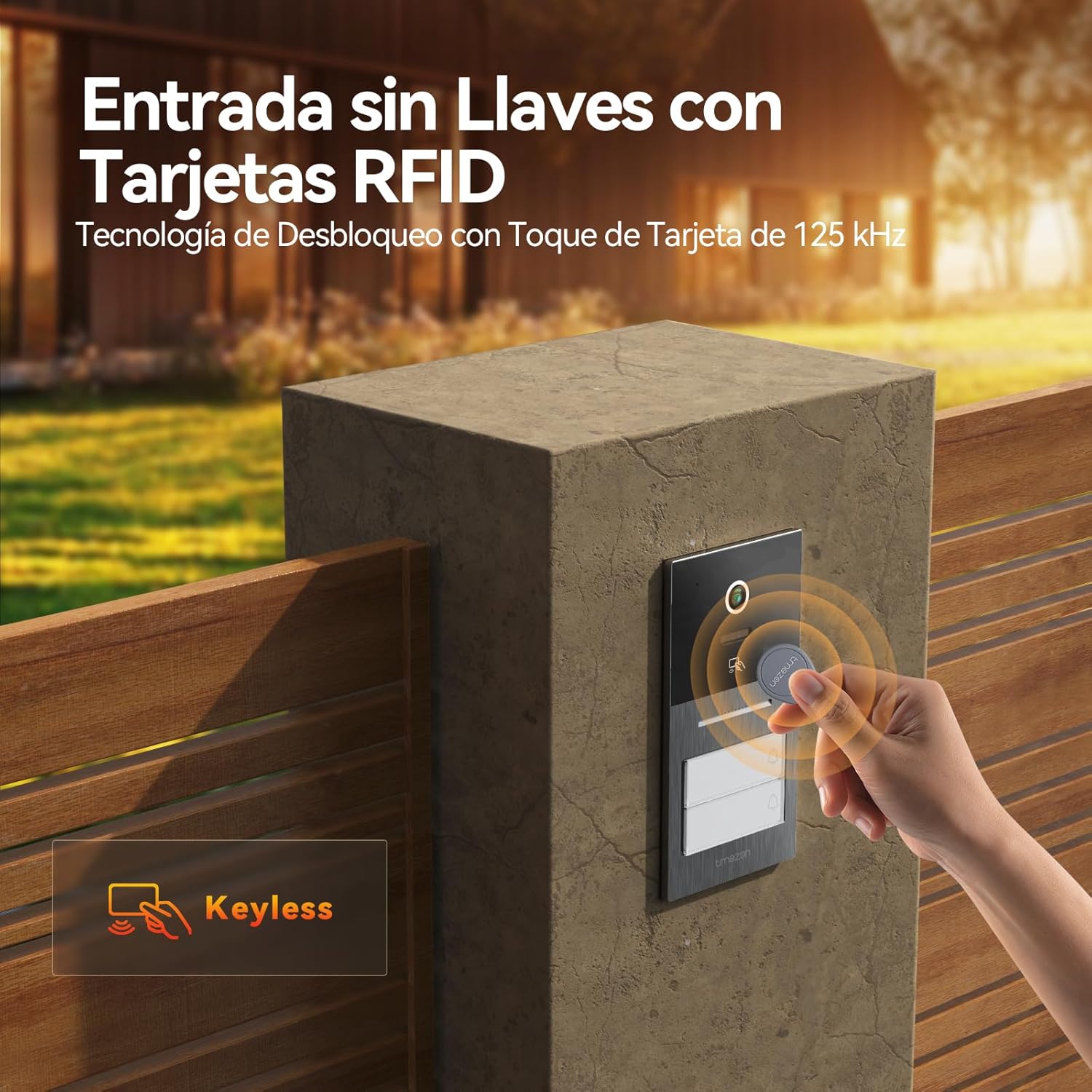
- Via RFID Card: Present a pre-programmed RFID card to the outdoor panel's RFID reader.
6.3 Two-Way Intercom
Engage in real-time two-way audio communication with visitors at your door or between indoor monitors.

6.4 Real-time Monitoring
View live video feed from the outdoor camera on your indoor monitor or smartphone app at any time.


6.5 Recording and Storage
The system supports recording to a TF card (up to 128GB) for event playback and continuous recording.


6.6 Intelligent Human Motion Detection
The system can intelligently detect human motion and send alerts to your smartphone, reducing false alarms.


6.7 Remote Control via App
Manage your intercom system from anywhere using the Tuya Smart or Smart Life app on your mobile device.


7. Maintenance
- Clean the monitor screen and outdoor camera lens with a soft, dry cloth. Avoid abrasive cleaners.
- Regularly check wiring connections for any signs of wear or damage.
- Ensure the outdoor unit's rain cover is securely in place.
- Keep the outdoor panel free from obstructions that might block the camera or microphone.

8. Troubleshooting
| Problem | Possible Cause | Solution |
|---|---|---|
| No image on monitor | Incorrect wiring; Power issue; Camera fault | Check all wiring connections; Ensure power supply is active; Contact support if camera is faulty. |
| No audio during call | Microphone/speaker issue; Wiring problem | Check audio wiring; Test microphone/speaker functionality. |
| Door/Gate not unlocking | Lock wiring issue; Lock power supply; Incorrect RFID card | Verify lock wiring and power; Ensure RFID card is correctly programmed. |
| App not connecting | WiFi connectivity issue; Incorrect app settings | Ensure 2.4 GHz WiFi is active; Reconfigure app connection; Check router settings. |
| House ID conflict | Multiple monitors with same ID | Assign unique House IDs to each indoor monitor. |
9. Specifications
| Feature | Detail |
|---|---|
| Model Number | MZ-Y70*2+MZ-W32 |
| Indoor Monitor | 7-inch LCD TFT Touchscreen (1024*600) |
| Outdoor Doorbell Camera | 1080P CMOS, 140° horizontal view, IR LEDs |
| Connectivity | 2-wire system, 2.4 GHz WiFi (for app) |
| App Compatibility | Tuya Smart, Smart Life |
| Storage | TF card up to 128GB |
| Unlock Methods | Monitor, App, 125 KHz RFID cards |
| Operating Temperature (Monitor) | 0 to +50°C |
| Dimensions (Product) | 5 x 5 x 5 cm |
| Weight (Item) | 2.32 Kilograms |
10. Warranty and Support
For warranty information, technical support, or service inquiries, please refer to the contact details provided in your product packaging or visit the official TMEZON website. Keep your purchase receipt as proof of purchase for warranty claims.


