
1. Introduction
The Baetaey WiFi Range Extender (Model B0FY17NK6T) is designed to expand the coverage of your existing wireless network. This device helps eliminate Wi-Fi dead zones and provides a stable internet connection throughout your home or office. It features a 2.4GHz processor and four adjustable external antennas for enhanced signal strength and reliability.
2. Package Contents
Please verify that all items are present in your package:
- Baetaey WiFi Range Extender (Model B0FY17NK6T)
- Ethernet Cable
- Quick Installation Guide
3. Product Overview
Familiarize yourself with the components of your Baetaey WiFi Range Extender.
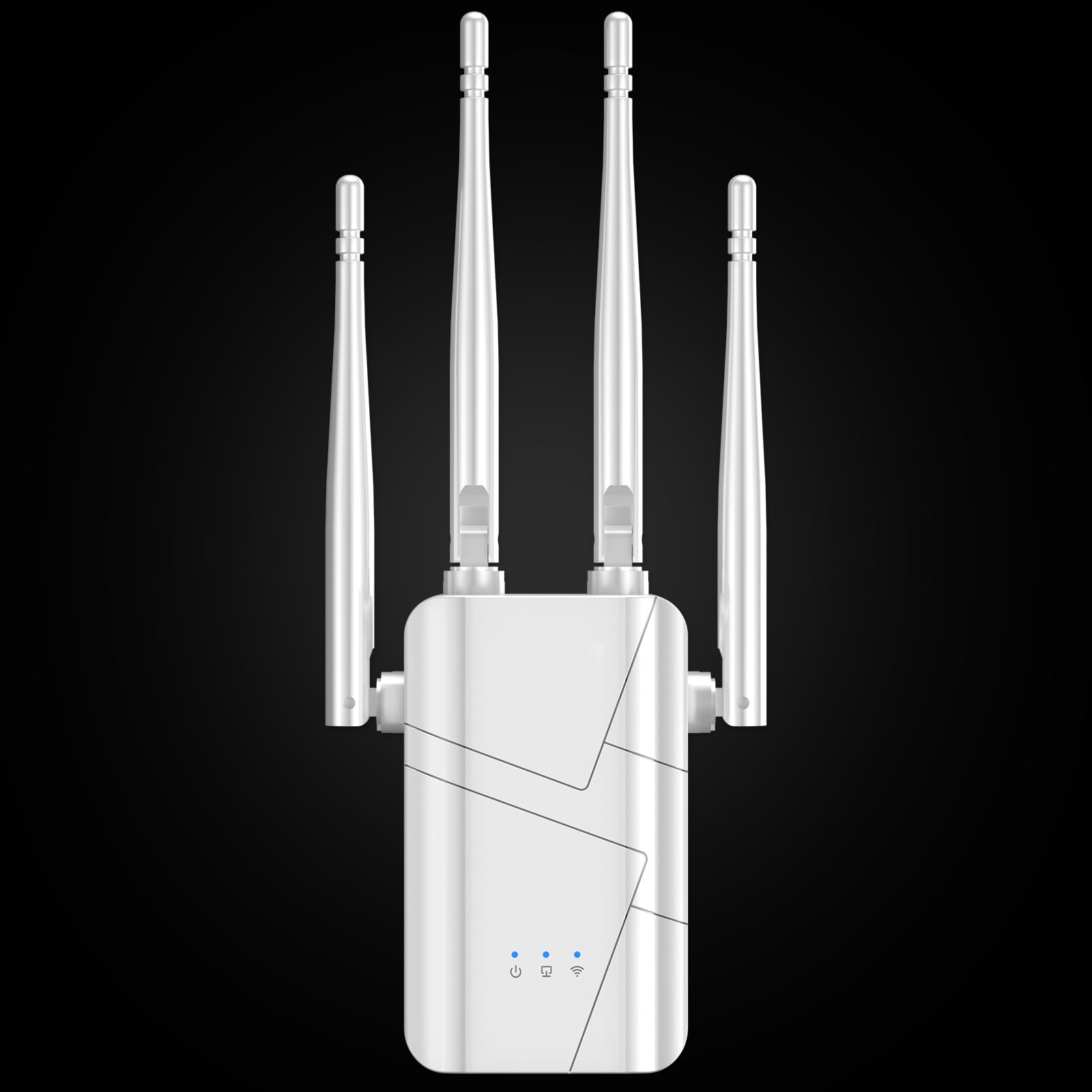
Image: Front view of the Baetaey WiFi Range Extender, showing its main body and four adjustable external antennas.
Key Features:
- Adjustable External Antennas: Four antennas designed to centralize Wi-Fi to the device for stronger connectivity.
- Ethernet Port: Allows for a wired connection to devices, providing stable internet access.
- LED Indicators: Provide status updates on power, Wi-Fi signal, and connection.
- WPS / Reset Button: For quick setup via WPS or to restore factory settings.

Image: Close-up view of the Baetaey WiFi Range Extender, highlighting the Ethernet port with a cable connected.

Image: Detailed view of the four powerful external antennas on the Baetaey WiFi Range Extender.
4. Setup Instructions
Follow these steps to set up your Baetaey WiFi Range Extender:
- Power On: Plug the WiFi Range Extender into an electrical outlet near your existing router. Wait for the LED indicators to light up, indicating it is powered on.
- Connect to Extender's Network: On your smartphone or computer, go to Wi-Fi settings. Look for a network named "RPTO" or similar (refer to the Quick Installation Guide for the exact default name). Connect to this network. No password is required for the initial connection.
- Access Setup Page: Open a web browser (e.g., Chrome, Safari, Firefox) and enter the default IP address or web address provided in your Quick Installation Guide (commonly 192.168.10.1 or a specific URL).
- Log In: You will be prompted to log in. The default username and password are usually "admin" for both, or as specified in the guide.
- Select Operating Mode: Choose "Repeater Mode" to extend your existing Wi-Fi network.
- Scan for Networks: The extender will scan for available Wi-Fi networks. Select your home Wi-Fi network from the list.
- Enter Password: Enter the password for your home Wi-Fi network. The extender will create a new extended network with your original network name followed by "_EXT" or "_Plus" (e.g., "MyHomeWiFi_EXT").
- Placement: Once configured, unplug the extender and move it to a location halfway between your router and the Wi-Fi dead zone. Ensure the signal strength indicator on the extender shows a good connection to your main router.
- Connect to Extended Network: On your devices, connect to the newly created extended Wi-Fi network (e.g., "MyHomeWiFi_EXT") using your original Wi-Fi password.

Image: Diagram illustrating how the WiFi range extender boosts signal coverage within a multi-story house, extending Wi-Fi to previously uncovered areas.
5. Operating Modes
The Baetaey WiFi Range Extender supports multiple operating modes to suit various networking needs:
- Repeater Mode: Extends existing Wi-Fi coverage to eliminate dead zones. This is the most common mode for home users.
- Access Point (AP) Mode: Converts a wired network connection into a wireless one, ideal for areas without Wi-Fi but with an Ethernet port.
- Router Mode: Functions as a basic router, creating a new private network.
- Bridge Mode: Connects two or more network segments, often used to connect wired devices to a wireless network.
Refer to the detailed user manual for specific configuration steps for each mode.
6. Maintenance
To ensure optimal performance and longevity of your WiFi Range Extender, consider the following maintenance tips:
- Firmware Updates: Periodically check the manufacturer's website for firmware updates. Updating the firmware can improve performance, add new features, and enhance security.
- Cleaning: Keep the device clean and free from dust. Use a soft, dry cloth to wipe the exterior. Do not use liquid cleaners or aerosols.
- Ventilation: Ensure the extender is placed in a well-ventilated area to prevent overheating. Avoid covering ventilation openings.
- Restart: If you experience intermittent connectivity issues, try restarting the extender by unplugging it from the power outlet for 10 seconds and then plugging it back in.
7. Troubleshooting
If you encounter issues with your Baetaey WiFi Range Extender, refer to the following common problems and solutions:
| Problem | Possible Cause | Solution |
|---|---|---|
| No power/LEDs off | Device not plugged in or power outlet issue. | Ensure the extender is securely plugged into a working power outlet. Try a different outlet. |
| Cannot connect to extender's default Wi-Fi | Extender not in setup mode or incorrect network name. | Ensure the extender is powered on. Check the Quick Installation Guide for the correct default Wi-Fi name. Reset the extender if necessary. |
| Extended network has no internet access | Incorrect password for main router, poor signal from main router, or configuration error. | Verify the password entered for your main Wi-Fi network during setup. Relocate the extender closer to your main router. Reconfigure the extender. |
| Slow speeds on extended network | Poor placement, interference, or network congestion. | Move the extender to an optimal location (halfway between router and dead zone). Minimize interference from other electronic devices. |
| Cannot access setup page (192.168.10.1) | Device not connected to extender's network, or incorrect IP address. | Ensure your device is connected to the extender's default Wi-Fi network. Verify the IP address in the Quick Installation Guide. Try a different browser. |
If these solutions do not resolve your issue, please contact customer support for further assistance.
8. Specifications
| Feature | Detail |
|---|---|
| Model | B0FY17NK6T |
| Brand | Baetaey |
| Wireless Communication Standard | 2.4 GHz Radio Frequency |
| Data Transfer Rate | 300 Megabits Per Second |
| Frequency Band Class | Single-Band |
| Special Features | 1-Tap Setup, 4 Modes, Adjustable External Antennas, Wireless Security Protocols, Bank-Level Financial Security |
9. Warranty & Support
Baetaey is committed to providing quality products and customer satisfaction.
- Warranty: This product comes with an 18-month warranty.
- Customer Support: Lifetime support and satisfactory solutions are available. Contact our 24/7 customer support for any assistance.
- Trial Period: A 30-day free trial is offered for this product.
For support, please refer to the contact information provided in your product packaging or visit the official Baetaey website.