
1. Introduction
Welcome to the user manual for your LAXASFIT T900 Ultra2 Smartwatch. This guide provides essential information on setting up, operating, and maintaining your device. The T900 Ultra2 is designed to be a comprehensive fitness companion and personal assistant, featuring a 2.19-inch HD IPS display and various health monitoring capabilities.
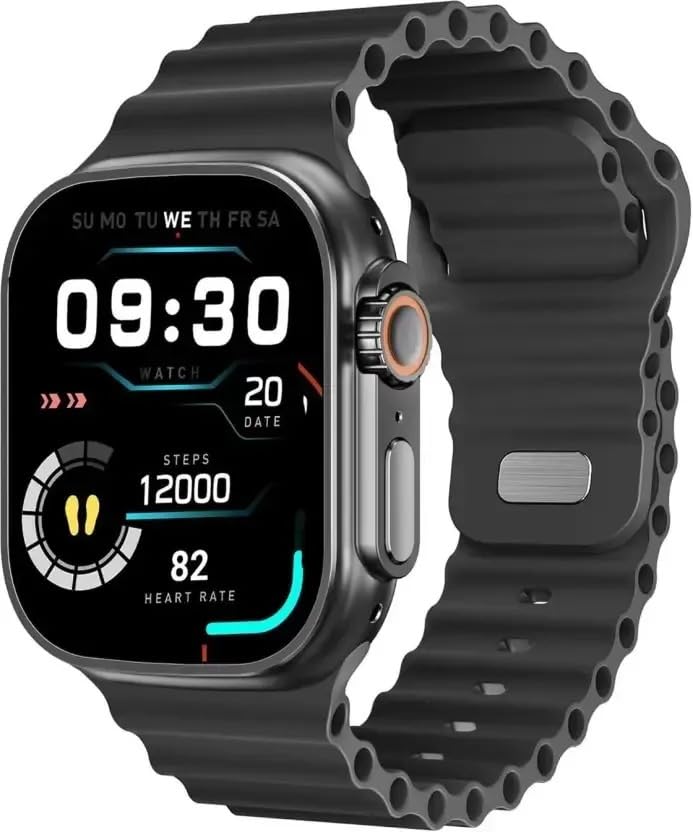
Figure 1: LAXASFIT T900 Ultra2 Smartwatch with main display showing time, steps, and heart rate.
2. Safety Information
- Do not attempt to disassemble or modify the smartwatch.
- Keep the device away from extreme temperatures and direct sunlight.
- Avoid exposing the smartwatch to strong impacts or drops.
- Consult a medical professional before starting any new exercise regimen, especially if you have pre-existing health conditions.
- This device is not a medical instrument and should not be used for diagnostic purposes.
- Ensure the charging cable is used correctly to prevent damage to the device or charger.
3. What's in the Box
Upon opening your LAXASFIT T900 Ultra2 Smartwatch package, you should find the following items:
- LAXASFIT T900 Ultra2 Smartwatch
- Charging Cable
- User Manual (this document)
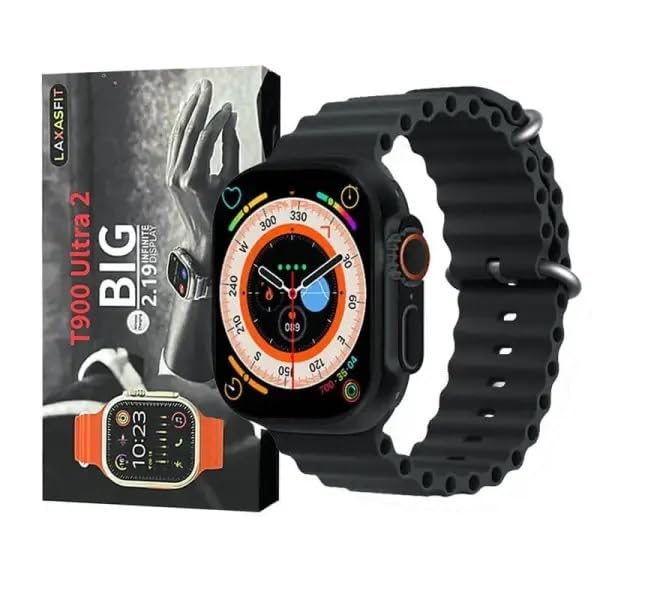
Figure 2: Contents of the LAXASFIT T900 Ultra2 Smartwatch package, including the smartwatch and its box.
4. Setup
4.1 Charging the Smartwatch
- Connect the charging cable to a compatible USB power adapter (not included).
- Attach the magnetic end of the charging cable to the charging contacts on the back of the smartwatch. Ensure a secure connection.
- The smartwatch display will indicate charging status. A full charge typically takes approximately 2 hours.
4.2 Powering On/Off
- To Power On: Press and hold the side button until the LAXASFIT logo appears on the screen.
- To Power Off: Press and hold the side button, then select the "Power Off" option on the screen.
4.3 Pairing with Your Mobile Device
To unlock the full functionality of your T900 Ultra2 Smartwatch, pair it with your smartphone via Bluetooth.
- Ensure your smartwatch is charged and powered on.
- Enable Bluetooth on your mobile phone.
- Download and install the companion application (refer to the smartwatch display or packaging for app name, typically found by scanning a QR code).
- Open the companion app and follow the on-screen instructions to search for and connect to your LAXASFIT T900 Ultra2.
- Confirm the pairing request on both your phone and smartwatch.
5. Operating Instructions
5.1 Navigating the Interface
- Touchscreen: Swipe left, right, up, or down to navigate through menus and screens. Tap to select items.
- Side Button: Press to return to the home screen or wake the device. Press and hold for power options.
- Digital Crown: Rotate to scroll through lists or zoom in/out (functionality may vary by app). Press to access the app menu.
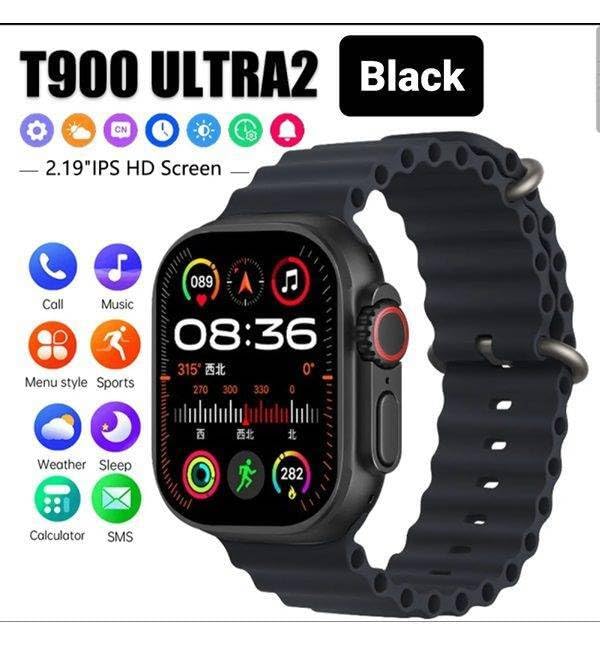
Figure 3: Smartwatch display illustrating various functions such as call, music, sports, weather, sleep, and calculator.
5.2 Key Features
The LAXASFIT T900 Ultra2 Smartwatch offers a range of features to enhance your daily life and fitness routine:
- Heart Rate Monitor: Continuously tracks your heart rate. Access historical data through the companion app.
- Activity Tracker: Records steps, distance, and calories burned. Supports various sports modes (e.g., running, cycling, swimming).
- Sleep Tracking: Monitors sleep patterns and quality.
- Music Control: Control music playback on your paired smartphone directly from your smartwatch.
- Weather Display: Provides current weather conditions and forecasts.
- Notifications: Receive call, SMS, and app notifications from your paired smartphone.
- Calculator: Basic arithmetic functions available on your wrist.
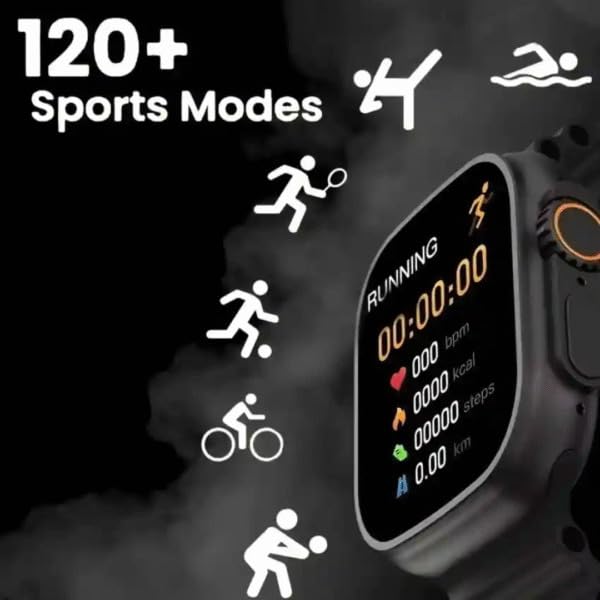
Figure 4: Smartwatch screen showing active sports tracking for running, including duration, heart rate, calories, steps, and distance.
6. Maintenance
6.1 Cleaning Your Smartwatch
- Wipe the screen and body of the smartwatch with a soft, lint-free cloth.
- For stubborn marks, slightly dampen the cloth with water. Avoid using harsh chemicals or abrasive materials.
- Ensure the charging contacts are clean and dry before charging.
6.2 Band Care
- Clean the sport band regularly with a damp cloth to remove sweat and dirt.
- Allow the band to air dry completely before wearing.
7. Troubleshooting
| Problem | Possible Solution |
|---|---|
| Smartwatch does not power on. | Ensure the device is fully charged. Press and hold the side button for at least 10 seconds. |
| Cannot pair with phone. |
|
| Heart rate readings are inaccurate. | Ensure the smartwatch is worn snugly on your wrist, not too tight or too loose. Clean the sensor on the back of the device. |
| Notifications are not received. |
|
8. Specifications
| Feature | Detail |
|---|---|
| Model | T900 Ultra2 |
| Display | 2.19 Inches IPS HD |
| Operating System | Proprietary OS |
| Memory Storage Capacity | 256 MB |
| Connectivity | Bluetooth, GPS |
| Battery Capacity | 1200 Milliamp Hours |
| Charging Time | Approximately 2 Hours |
| Battery Average Life | Up to 8 Hours (usage dependent) |
| Special Features | Activity Tracker, Heart Rate Monitor, Music Player, Sleep Tracking, Weather Display |
| Compatible Devices | Mobile Phones, Smartphones |
| Material | Metal, Silicone |
| Item Weight | 100 g |
| Country of Origin | China |
9. Warranty and Support
For warranty information and customer support, please refer to the documentation provided with your purchase or contact the retailer. Keep your proof of purchase for warranty claims.
Manufacturer: Retailix Solution
Importer: Retailix Solution Basti Uttar Pradesh 272170


