
ICEVOKE B0FXWLH6R1
ICEVOKE Bottom Loading Water Cooler Water Dispenser User Manual
1. Introduction
Thank you for choosing the ICEVOKE Bottom Loading Water Cooler Water Dispenser. This manual provides essential information for the safe and efficient operation, maintenance, and troubleshooting of your new appliance. Please read it thoroughly before initial use and retain it for future reference.
This water dispenser is designed to provide instant access to hot, cold, and room temperature water from 3 or 5-gallon water bottles, featuring a convenient bottom-loading design and a self-cleaning function for optimal hygiene.
2. Important Safety Instructions
- Electrical Safety: Always plug the dispenser into a grounded electrical outlet. Do not use extension cords. Ensure the power cord is not damaged or pinched.
- Hot Water Safety: The hot water dispensed can reach temperatures above 194°F (90°C). Exercise extreme caution. A child safety lock is integrated into the hot water spout to prevent accidental burns. Always engage the child safety lock when not in use, especially in households with children.
- Placement: Place the dispenser on a flat, stable, and level surface. Ensure adequate ventilation around the unit, keeping it away from direct sunlight, heat sources, and flammable materials. Maintain at least 4 inches (10 cm) of clearance from walls.
- Water Bottles: Use only standard 3 or 5-gallon water bottles. Do not use any other liquids in the dispenser.
- Cleaning: Unplug the unit before cleaning. Do not immerse the dispenser in water.
- Supervision: Close supervision is necessary when any appliance is used by or near children.
3. Product Overview
The ICEVOKE water cooler features a sleek design with a stainless steel and ABS construction, offering three temperature settings and convenient bottom loading.

Figure 1: Front view of the ICEVOKE Bottom Loading Water Cooler.
Key Features:
- Bottom Loading Design: Eliminates heavy lifting, making bottle replacement easy and spill-free.
- Three Temperature Settings: Provides hot (over 194°F), room temperature, and cold (under 50°F) water.
- Self-Cleaning Function: Utilizes UV-infused cleaning to maintain water hygiene and reduce contaminants.
- Child Safety Lock: Located on the hot water spout to prevent accidental dispensing.
- Low Water Reminder: Alerts you when the water bottle needs replacement.
- Durable Construction: Made from high-quality ABS and stainless steel.
- Low Noise Operation: Designed for quiet performance.
- Food-Grade Materials: Ensures safe and healthy water dispensing.
- Overheating Protection: Enhances electrical safety.
- Simple Installation: Plug & play, no plumbing required.
- ETL Certified: Ensures product safety and quality.
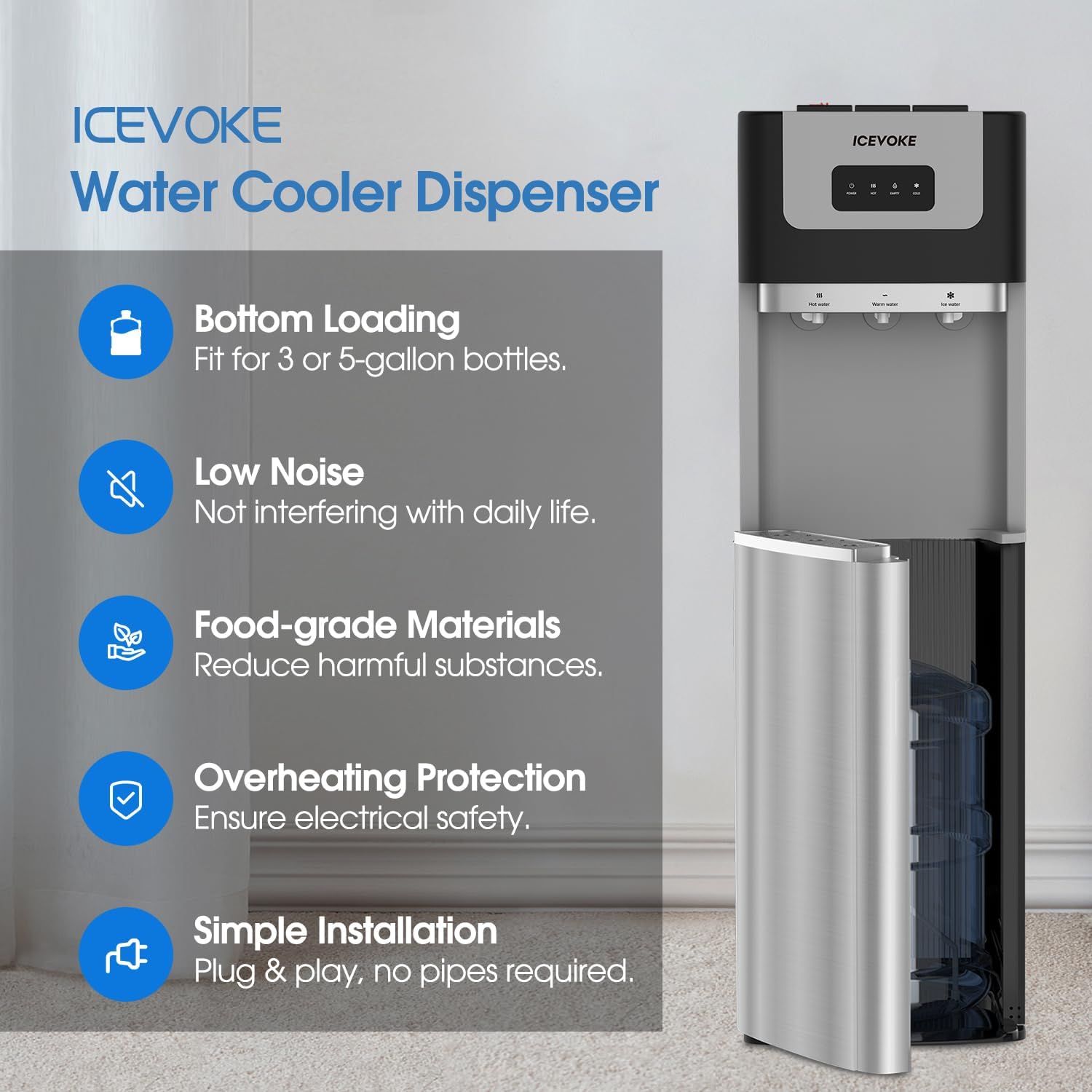
Figure 2: Overview of key features including bottom loading, low noise, food-grade materials, overheating protection, and simple installation.
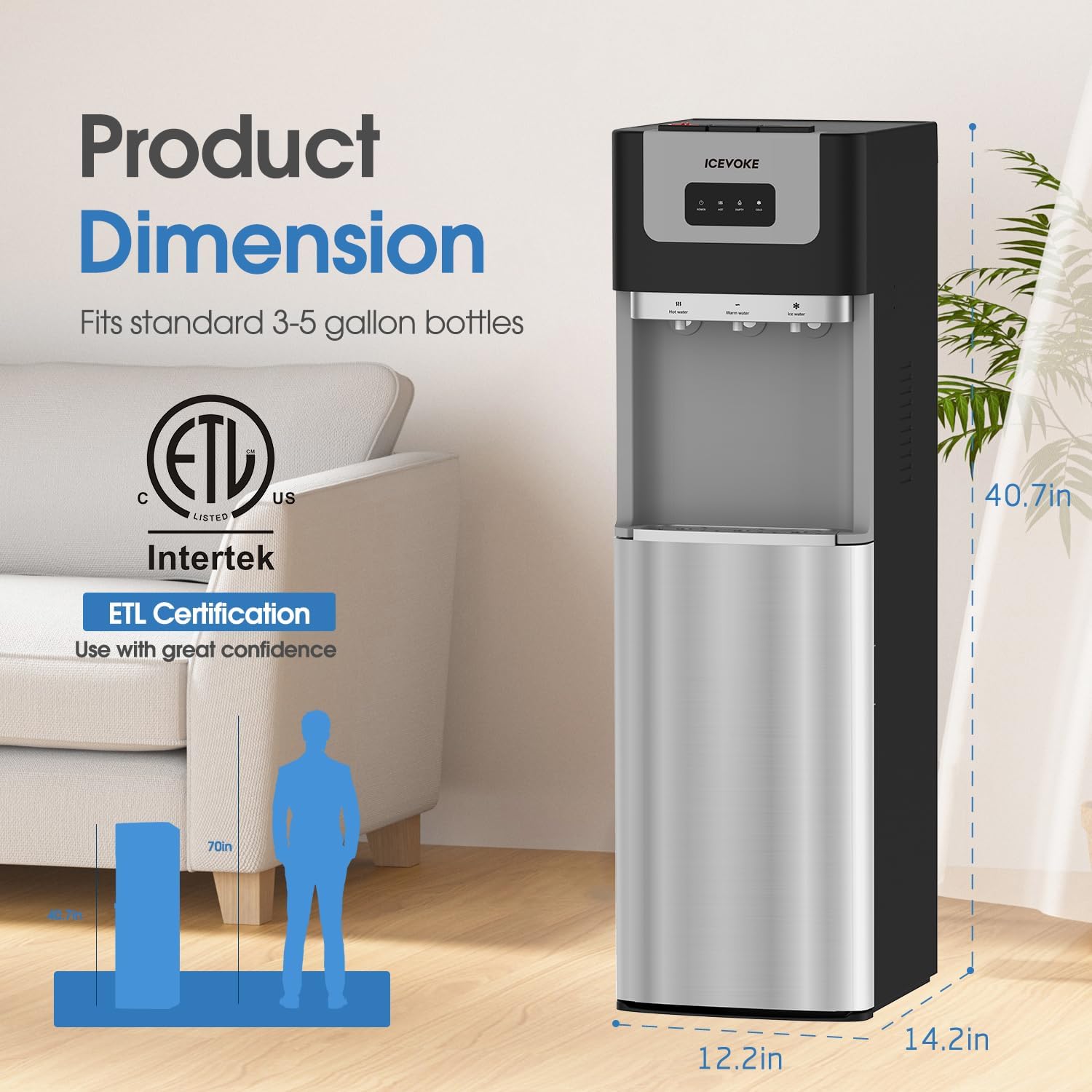
Figure 3: Product dimensions and ETL certification details.
4. Setup Instructions
- Unpacking: Carefully remove the dispenser from its packaging. Inspect for any damage.
- Placement: Position the dispenser on a hard, level surface. Ensure it is at least 4 inches (10 cm) away from walls to allow for proper ventilation. Avoid placing it in direct sunlight or near heat-generating appliances.
- Water Bottle Installation:
- Open the lower cabinet door.
- Remove the cap from a new 3 or 5-gallon water bottle.
- Insert the water probe assembly (stainless steel pumping pipe) into the bottle opening. Ensure a secure fit.
- Slide the water bottle into the lower cabinet.
- Close the cabinet door.

Figure 4: Illustration of the bottom loading process and removable drip tray.
Video 1: Demonstrates the bottom loading process and the stainless steel pumping pipe for 3 to 5-gallon water bottles.
- Initial Flush: Before plugging in, dispense water from all three spouts (hot, room, cold) until water flows continuously. This purges air from the lines and ensures proper water flow.
- Power Connection: Plug the power cord into a grounded electrical outlet.
- Activate Heating/Cooling: Locate the ON/OFF switches for heating and cooling on the back of the unit. Turn them ON. Allow approximately 15-30 minutes for the water to reach desired temperatures.
Video 2: Shows the back panel of a bottom-loading water cooler, including the ON/OFF switches for hot and cold functions.
5. Operating Instructions
Your ICEVOKE water dispenser offers three distinct water temperatures:

Figure 5: Visual representation of hot, room, and cold water dispensing options.
- Dispensing Hot Water: To dispense hot water, first press and hold the child safety lock button located above the hot water spout, then press the hot water lever. Release both to stop the flow.
- Dispensing Room Temperature Water: Press the room temperature water lever to dispense. Release to stop the flow.
- Dispensing Cold Water: Press the cold water lever to dispense. Release to stop the flow.
Video 3: Shows the operation of the water cooler, including dispensing hot, room, and cold water, and the child safety lock feature.
Low Water Reminder:
The dispenser is equipped with a low water reminder light that illuminates when the water bottle is nearly empty, indicating it's time for a replacement.
6. Maintenance
Self-Cleaning Function:
The ICEVOKE water cooler features an automatic UV-infused self-cleaning function. This system helps to reduce harmful contaminants and biofilms in the water and tanks, ensuring clean and healthy water. Regular use of this feature minimizes manual cleaning efforts.

Figure 6: Diagram illustrating the UV-infused cleaning technology.
Drip Tray Cleaning:
The removable drip tray should be emptied and cleaned regularly to prevent spills and maintain hygiene. Simply slide out the tray, empty any collected water, wash with mild soap and water, rinse thoroughly, and replace.
Exterior Cleaning:
Wipe the exterior surfaces of the dispenser with a soft, damp cloth. Avoid abrasive cleaners or solvents that could damage the finish.
7. Troubleshooting
| Problem | Possible Cause | Solution |
|---|---|---|
| No water dispensing. | Water bottle empty or not properly installed. | Replace water bottle or ensure probe is correctly inserted. |
| Water not hot/cold enough. | Heating/cooling switches are OFF. | Turn ON the respective switches on the back of the unit. Allow 15-30 minutes for temperature adjustment. |
| Unusual noise. | Unit not level or internal components vibrating. | Ensure the unit is on a flat, level surface. Check for any loose parts. |
| Initial plastic taste in water. | New unit, residual manufacturing odors. | Perform an initial flush with several liters of water. If taste persists, consider flushing with a mild vinegar solution followed by thorough rinsing with clean water. |
8. Specifications
| Feature | Detail |
|---|---|
| Brand | ICEVOKE |
| Model | B0FXWLH6R1 |
| Color | Black |
| Product Dimensions (L x W x H) | 37 x 34 x 110 cm (14.6 x 13.4 x 43.3 inches) |
| Item Weight | 15.9 kg (35 lbs) |
| Compatible Bottle Capacity | 3 or 5 Gallons |
| Material | Acrylonitrile Butadiene Styrene (ABS), Stainless Steel |
| Rated Voltage | 115V~ |
| Rated Frequency | 60Hz |
| Heating Power | 500W |
| Cooling Power/Current | 85W/0.8A |
| Hot Water Temperature | >194°F (>90°C) |
| Cold Water Temperature | <=50°F (<=10°C) |
| Certification | ETL Certified |
9. Warranty and Support
The ICEVOKE Bottom Loading Water Cooler Water Dispenser is backed by a 1-year warranty from the date of purchase. This warranty covers defects in materials and workmanship under normal use.
For any questions, technical assistance, or warranty claims, please contact our dedicated after-sale service and technical team. We are committed to responding to your inquiries within hours to ensure your satisfaction.
Please refer to your purchase documentation for specific contact details or visit the official ICEVOKE website for support information.
Ask a question about this manual
Ask about setup, troubleshooting, compatibility, parts, safety, or missing instructions. Manuals+ will review the question and use this page’s manual context to help answer it.