
Introduction
This manual provides essential instructions for the safe and efficient use, maintenance, and troubleshooting of your Tefal Pro Express Renew GV9E21G0 Steam Generator Iron. Please read this manual thoroughly before first use and keep it for future reference.
Important Safety Instructions
When using electrical appliances, basic safety precautions should always be followed to reduce the risk of fire, electric shock, and injury to persons, including the following:
- Read all instructions before using the iron.
- Use the iron only for its intended use.
- To protect against a risk of electric shock, do not immerse the iron in water or other liquids.
- The iron should always be turned to OFF before plugging or unplugging from outlet. Never yank cord to disconnect from outlet; instead, grasp plug and pull to disconnect.
- Do not allow cord to touch hot surfaces. Let iron cool completely before putting away. Loop cord loosely around iron when storing.
- Always disconnect iron from electrical outlet when filling with water or emptying, and when not in use.
- Do not operate iron with a damaged cord or if the iron has been dropped or damaged. To avoid the risk of electric shock, do not disassemble the iron; take it to a qualified serviceman for examination and repair. Incorrect reassembly can cause a risk of electric shock when the iron is used.
- Close supervision is necessary for any appliance being used by or near children. Do not leave iron unattended while connected or on an ironing board.
- Burns can occur from touching hot metal parts, hot water, or steam. Use caution when you turn a steam iron upside down – there may be hot water in the reservoir.
- The iron must be used and rested on a stable surface.
- When placing the iron on its stand, ensure that the surface on which the stand is placed is stable.
Product Overview
Familiarize yourself with the components of your Tefal Pro Express Renew Steam Generator Iron.
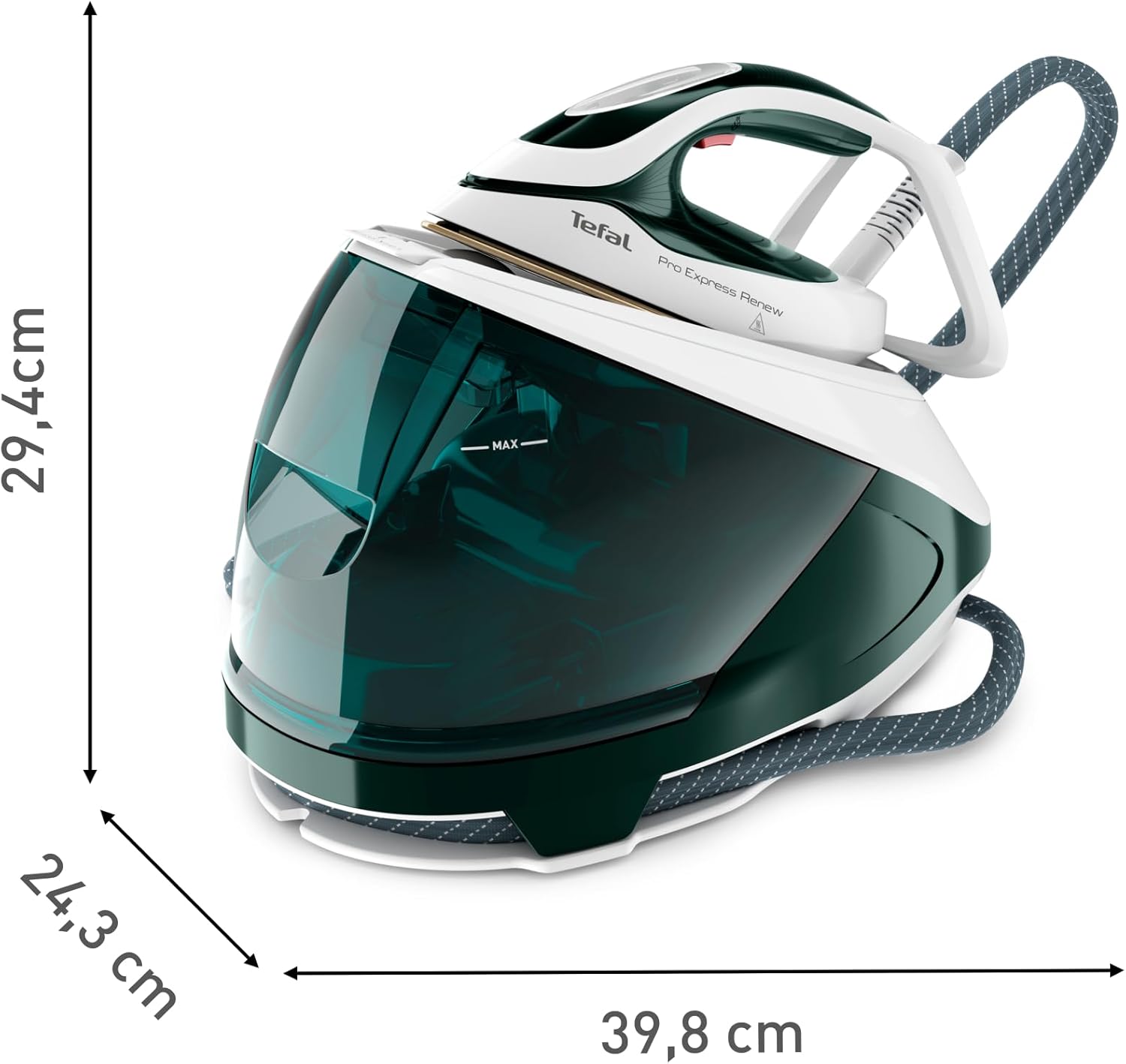
Image: The Tefal Pro Express Renew GV9E21G0 Steam Generator Iron, showing its overall design and dimensions (39.8 cm length, 24.3 cm width, 29.4 cm height).

Image: A close-up view of the removable calc collector, highlighting its accessibility for maintenance.
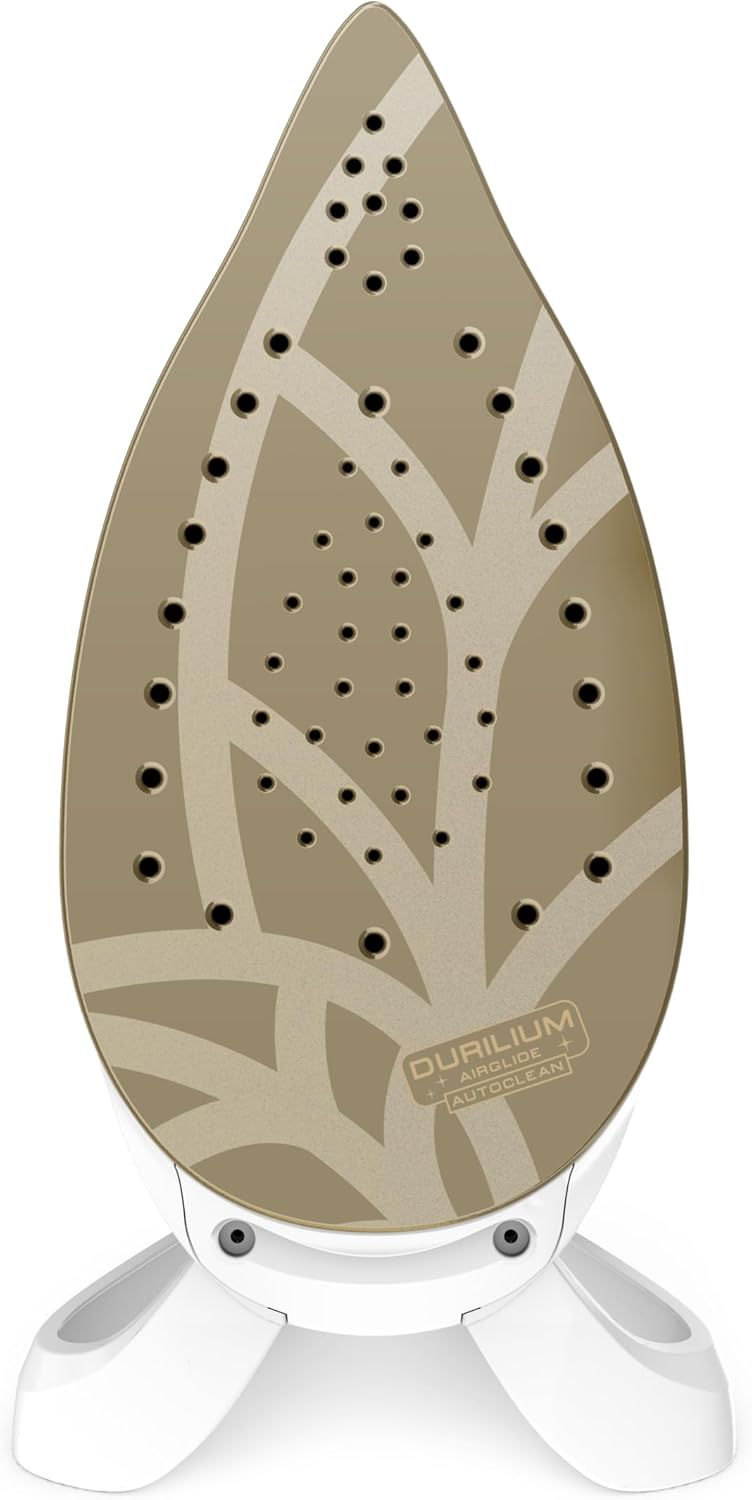
Image: A detailed view of the Durilium Airglide Autoclean soleplate, designed for optimal glide and easy cleaning.
Setup
- Unpacking: Carefully remove the steam generator iron from its packaging. Retain all packaging materials for potential future transport or storage.
- Positioning: Place the steam generator on a stable, heat-resistant surface, such as an ironing board designed for steam generators.
- Filling the Water Tank:
- Ensure the appliance is unplugged from the power outlet.
- Remove the water tank (capacity 1.8 liters).
- Fill the tank with tap water up to the 'MAX' level indicator. Do not use distilled, demineralized, or scented water as this can damage the appliance.
- Replace the water tank securely into the base unit.
- Connecting to Power: Plug the power cord into a grounded electrical outlet.
Operating Instructions
Follow these steps for effective ironing with your steam generator iron.
- Power On: Press the On/Off button. The indicator light will illuminate, and the iron will begin to heat up. This typically takes a few minutes.
- No-Setting Technology: This iron features advanced no-setting technology, which automatically provides the optimal combination of steam and temperature for all ironable fabrics. You do not need to adjust settings based on fabric type, eliminating the risk of burning.
- Steam Activation: Once the iron is ready (indicator light stops flashing or turns solid), press the steam trigger located under the handle to release steam. For a powerful steam boost, press the trigger fully.
- Eco Mode: For energy efficiency, activate the Eco mode. This mode reduces steam output while still providing effective ironing, saving up to 45% energy.
- Ironing: Glide the iron over your garments. The Durilium Airglide Autoclean soleplate ensures smooth movement.
- Vertical Steaming: The iron can also be used for vertical steaming of hanging garments or curtains. Hold the iron a few centimeters away from the fabric and press the steam trigger.
- Power Off: After use, press the On/Off button to turn off the appliance and unplug it from the power outlet.

Image: A stack of different fabric types, illustrating the iron's suitability for all ironable materials without manual temperature adjustment.

Image: The Tefal Pro Express Renew iron in action, emitting a powerful burst of steam, indicating its high performance.
Image: An illustration depicting energy savings, highlighting the Eco mode's ability to reduce energy consumption by up to 45%.
Maintenance
Regular maintenance ensures optimal performance and extends the lifespan of your steam generator iron.
- Emptying the Water Tank: After each use, or before storing, remove the water tank and empty any remaining water.
- Cleaning the Calc Collector:
- The Pro Express Renew features an exclusive removable calc collector system.
- Ensure the appliance is cool and unplugged.
- Unscrew and remove the calc collector rod from the steam generator base.
- Rinse the collector under running water to remove any accumulated scale.
- Replace the calc collector rod and screw it back into place securely.

Image: The removable calc collector, shown detached from the iron's base, ready for cleaning to prevent limescale buildup.
- Cleaning the Soleplate: The Durilium Airglide Autoclean soleplate is designed for easy maintenance. If necessary, wipe the soleplate with a damp cloth after it has cooled down. Do not use abrasive cleaners or metallic scouring pads.
- Exterior Cleaning: Wipe the exterior of the steam generator and iron with a soft, damp cloth.
- Storage: Store the iron and its base unit in a dry, safe place once completely cooled. Secure the steam hose and electrical cord.
Troubleshooting
If you encounter issues with your Tefal Pro Express Renew, refer to the following common problems and solutions:
| Problem | Possible Cause | Solution |
|---|---|---|
| No steam is produced. | Water tank is empty. Iron not heated sufficiently. Steam trigger not pressed. | Refill the water tank. Wait for the iron to reach operating temperature (indicator light solid). Press the steam trigger. |
| Water drips from the soleplate. | Iron not hot enough. Steam used too frequently. | Allow the iron to heat up fully. Reduce the frequency of steam bursts. |
| White flakes or residue on clothes. | Limescale buildup. | Clean the calc collector as described in the Maintenance section. Use tap water as recommended. |
| Iron does not heat up. | Not plugged in. Power switch off. | Ensure the iron is properly plugged into a working outlet. Check that the On/Off button is pressed. |
If the problem persists after attempting these solutions, please contact customer support.
Specifications
| Brand | Tefal |
| Model Number | GV9E21G0 |
| Power | 2200 Watts |
| Steam Pressure | 7.5 Bar |
| Continuous Steam Output | 140 g/min |
| Steam Boost | 560 g/min |
| Water Tank Capacity | 1.8 Liters |
| Soleplate Technology | Durilium Airglide Autoclean |
| Weight | 6.31 kg |
| Country of Manufacture | France |
Warranty and Support
Your Tefal Pro Express Renew GV9E21G0 Steam Generator Iron is covered by a 2-year manufacturer's warranty from the date of purchase. This warranty covers manufacturing defects under normal household use.
For warranty claims, technical support, or service inquiries, please refer to your purchase receipt and contact Tefal customer service through their official website or the contact information provided with your product packaging.
Please note that the warranty may be voided if the product is not used according to the instructions in this manual, or if unauthorized repairs or modifications are attempted.
