
Introduction
This manual provides essential information for the safe and effective use of your EVKRUN EUX1 Walking Pad Treadmill with Desk. Please read all instructions carefully before assembly and operation. Retain this manual for future reference.
The EVKRUN EUX1 is a versatile walking pad treadmill designed for home use, featuring a removable desk, side handrails, and a manual 12% incline. It supports speeds from 0.6 to 8.0 MPH and has a weight capacity of 300 pounds.
What's in the Box
Upon unpacking, ensure all components are present and undamaged. The package includes:
- Treadmill Body
- Tool Kit
- User Manual
- Safety Key
- Removable Desk
- Side-Handle Bars with Console

Image: All components of the EVKRUN EUX1 Walking Pad Treadmill with Desk, including the main body, console, desk, and accessories.
Setup Instructions
Follow these steps to assemble your EVKRUN EUX1 Walking Pad Treadmill:
- Install the Handrail Stand: Securely attach the handrail stand to the treadmill body using the provided screws. Ensure all fixing screws at the bottom of the handrail stand are tightened to prevent wobbling during use.
- Install the Side-Handle Bars: Connect the side-handle bars to the handrail stand. Ensure the electrical connections are properly seated before securing the bars with screws.
- Install the Desk: Align the slots on the removable desk with the corresponding points on the console. Press down firmly to secure it. Finally, tighten the knob located on the back of the console to lock the desk in place.
Video: Detailed installation guide for the EVKRUN EUX1 Walking Pad Treadmill.
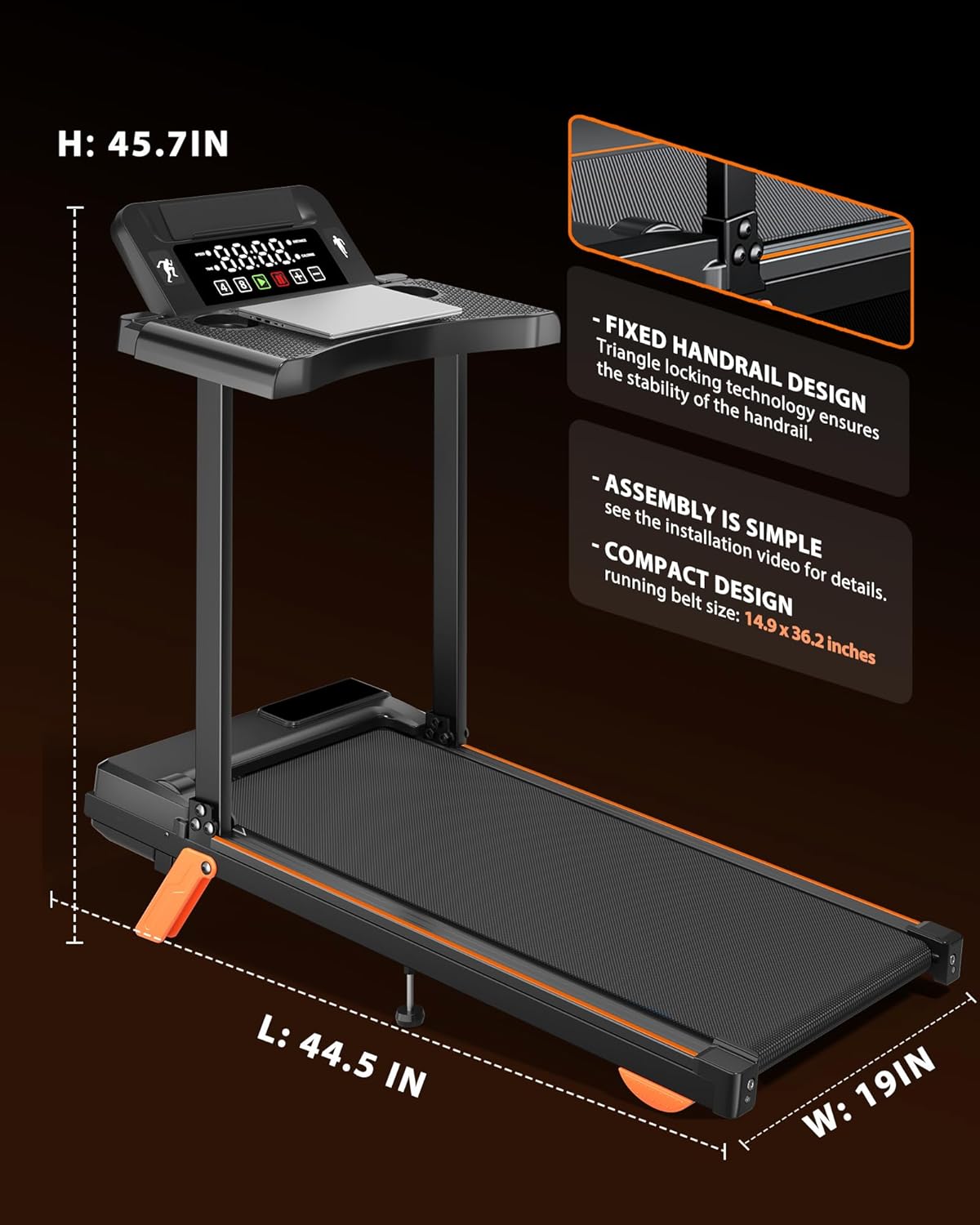
Image: The EVKRUN EUX1 Treadmill highlighting its fixed handrail design and compact dimensions (L: 44.5 IN, W: 19 IN, H: 45.7 IN).
Operating Instructions
The EVKRUN EUX1 features an intuitive console and various functions to enhance your workout:
- Power On/Off: Connect the power cord to a suitable outlet. The treadmill will power on.
- Safety Key: Always attach the safety key to your clothing before starting the treadmill. Removing the safety key will immediately stop the treadmill for emergency situations.
- Console Display: The large LED display shows Speed, Time, Distance, and Calories Burned.
- Speed Control: Use the '+' and '-' buttons to adjust the speed from 0.6 to 8.0 MPH. Quick shortcut buttons for 4 MPH and 8 MPH are also available.
- Start/Stop/Pause: Use the dedicated buttons on the console to start, stop, or pause your workout.
- Manual Incline: The treadmill features a manual-fold front foot, allowing for a 12% incline. This can be adjusted before starting your workout to increase intensity.
- Multifunctional Desk: The removable desktop provides a convenient space for laptops, phones, tablets, and includes a cup holder. It can be removed if not needed.
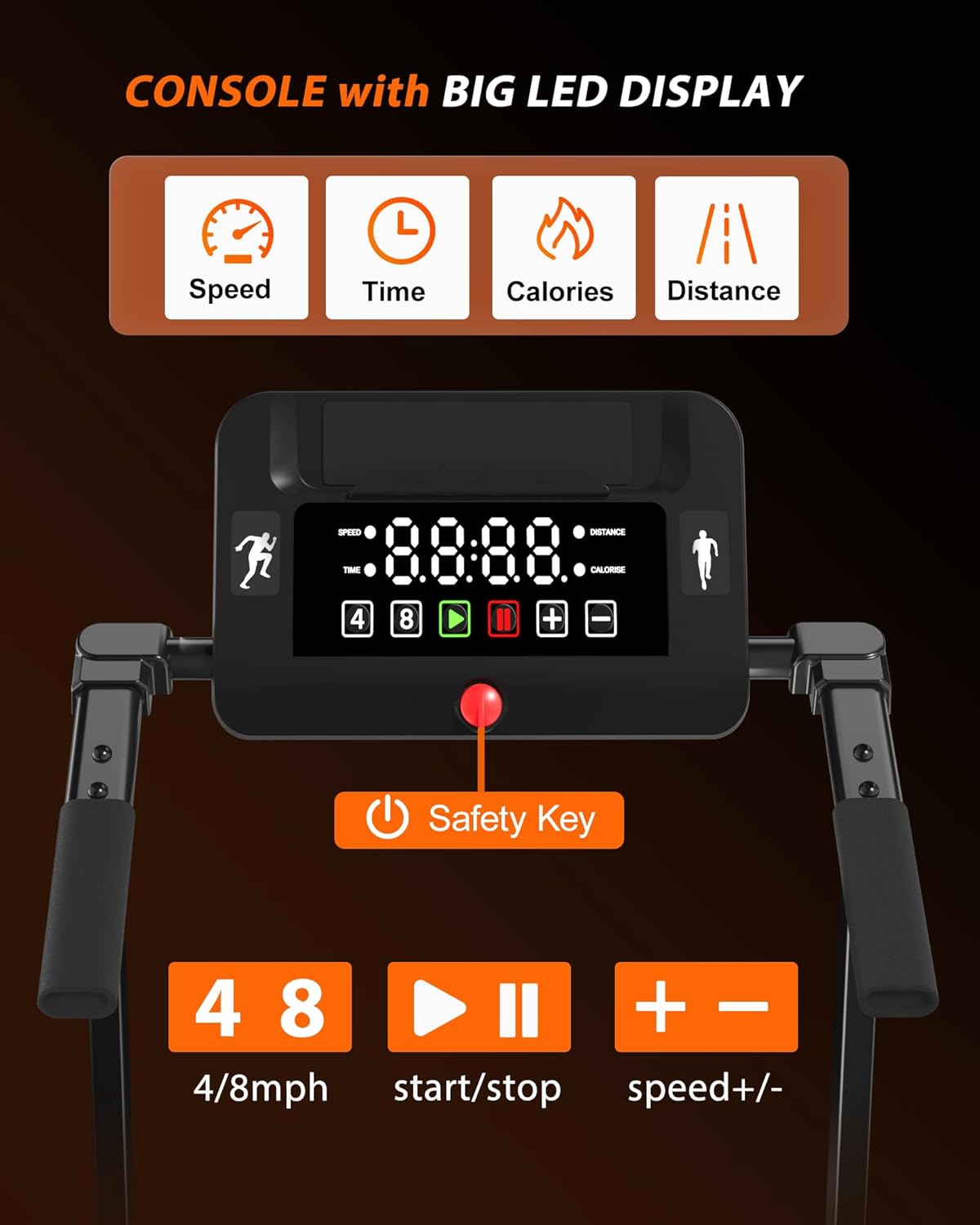
Image: The console of the EVKRUN EUX1 Treadmill, showing the LED display for speed, time, calories, and distance, along with control buttons and safety key slot.

Image: The EVKRUN EUX1 Treadmill in use, demonstrating the removable desk holding a laptop, phone, and water bottle.
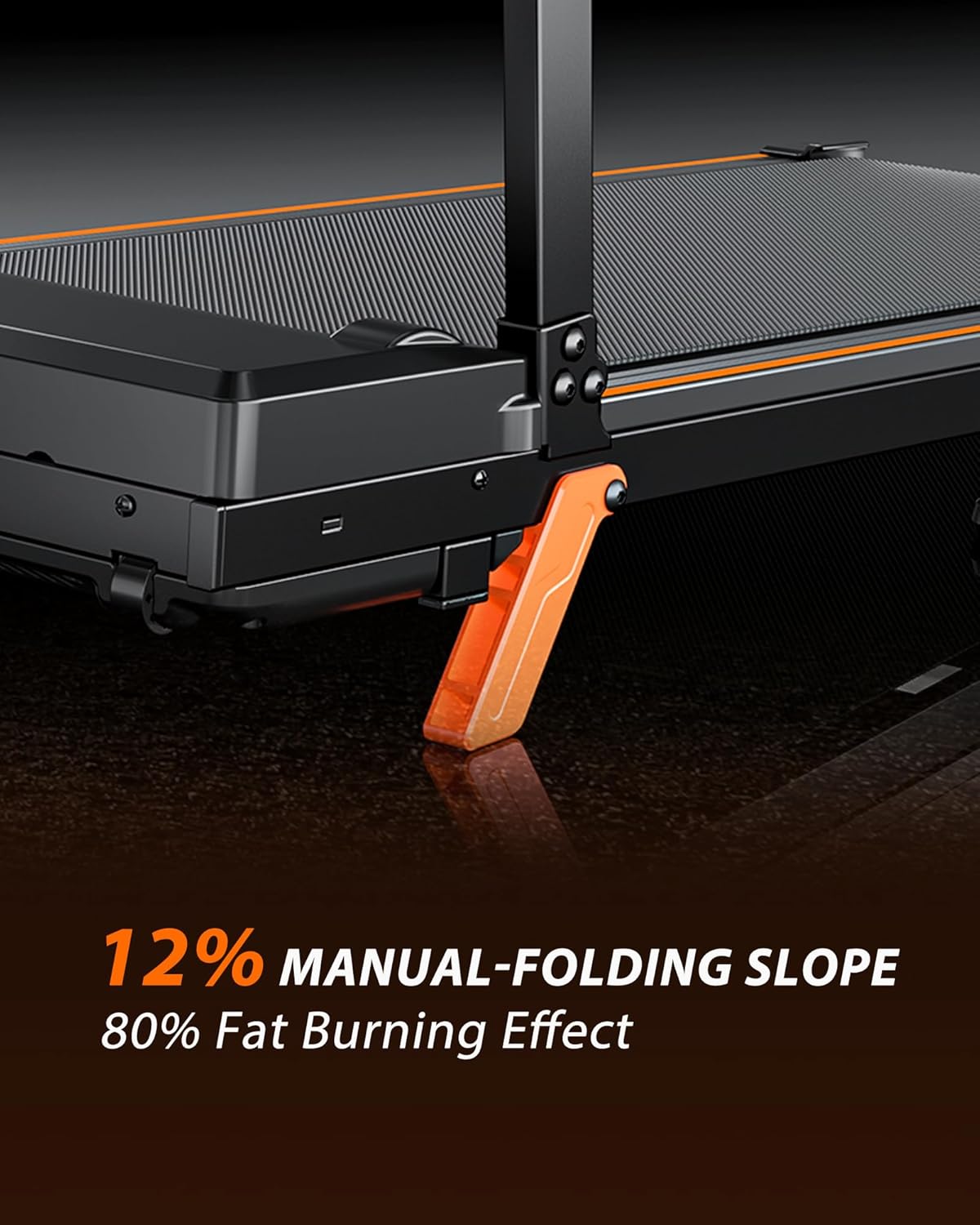
Image: Close-up view of the EVKRUN EUX1 Treadmill's manual-folding slope mechanism, indicating a 12% incline option.
Maintenance
Regular maintenance ensures the longevity and optimal performance of your treadmill:
- Cleaning: Wipe down the treadmill and console with a damp cloth after each use. Avoid using abrasive cleaners.
- Lubrication: Periodically lubricate the running belt according to the instructions in the full user manual to ensure smooth operation and prevent wear.
- Belt Adjustment: Check the running belt tension and alignment regularly. Adjust as needed to prevent slipping or uneven wear.
- Storage: When not in use, the treadmill can be folded for compact storage. Ensure it is stored in a dry, safe place.
Troubleshooting
If you encounter issues with your treadmill, refer to these common solutions:
- Treadmill Not Starting: Ensure the power cord is securely plugged into a working outlet and the safety key is correctly placed on the console.
- Belt Slipping: Check the tension of the running belt. If it's too loose, adjust it according to the detailed instructions in the full user manual.
- Unusual Noises: Inspect the treadmill for any loose parts. If the noise persists, refer to the lubrication instructions or contact customer support.
- Display Not Working: Check all cable connections to the console. If the issue continues, contact customer support.
Specifications
| Feature | Detail |
|---|---|
| Brand | EVKRUN |
| Model Name | EUX1 |
| Color | Black |
| Product Dimensions (LxWxH) | 44.5" x 20.5" x 45.7" |
| Item Weight | 41.8 Pounds |
| Material | Alloy Steel |
| Maximum Speed | 8 Miles per Hour |
| Minimum Speed | 0.6 Miles per Hour |
| Maximum Horsepower | 2.5 Horsepower |
| Maximum Incline Percentage | 12.0% (Manual) |
| Maximum Weight Recommendation | 300 Pounds |
| Deck Length | 36.2 Inches |
| Deck Width | 15.5 Inches |
| Display Type | LED |
| Metrics Measured | Speed, Time, Distance, Calories Burned |
| Special Feature | With Side-Handle Bar and Removable Desk |
| Assembly Required | Yes |
Warranty and Support
The EVKRUN EUX1 Walking Pad Treadmill comes with a 60-day warranty. For any support needs, please contact the seller, EVKRUN Direct Store, through your purchase platform.