
1. Introduction
The OEMGMINER Nerdminer V2 is an ESP32-based device designed for Bitcoin solo mining. It functions as a low-power, silent mining device that also displays time, hash rate, and operational status. This manual provides instructions for setting up, operating, and maintaining your Nerdminer V2 to ensure optimal performance.
This device offers a unique approach to participating in the Bitcoin network by attempting to mine a full Bitcoin block through a lottery-style process, consuming minimal electricity.
2. Package Contents
Verify that all items are present in your package:
- Nerdminer V2 Device
- USB Cable

Image: The Nerdminer V2 device and its included USB cable, packaged in a clear plastic case.
3. Product Overview
The Nerdminer V2 features a compact, cube-shaped design with a front-facing display and a top-mounted touch button. The rear panel includes a USB-C port for power and ventilation slots.
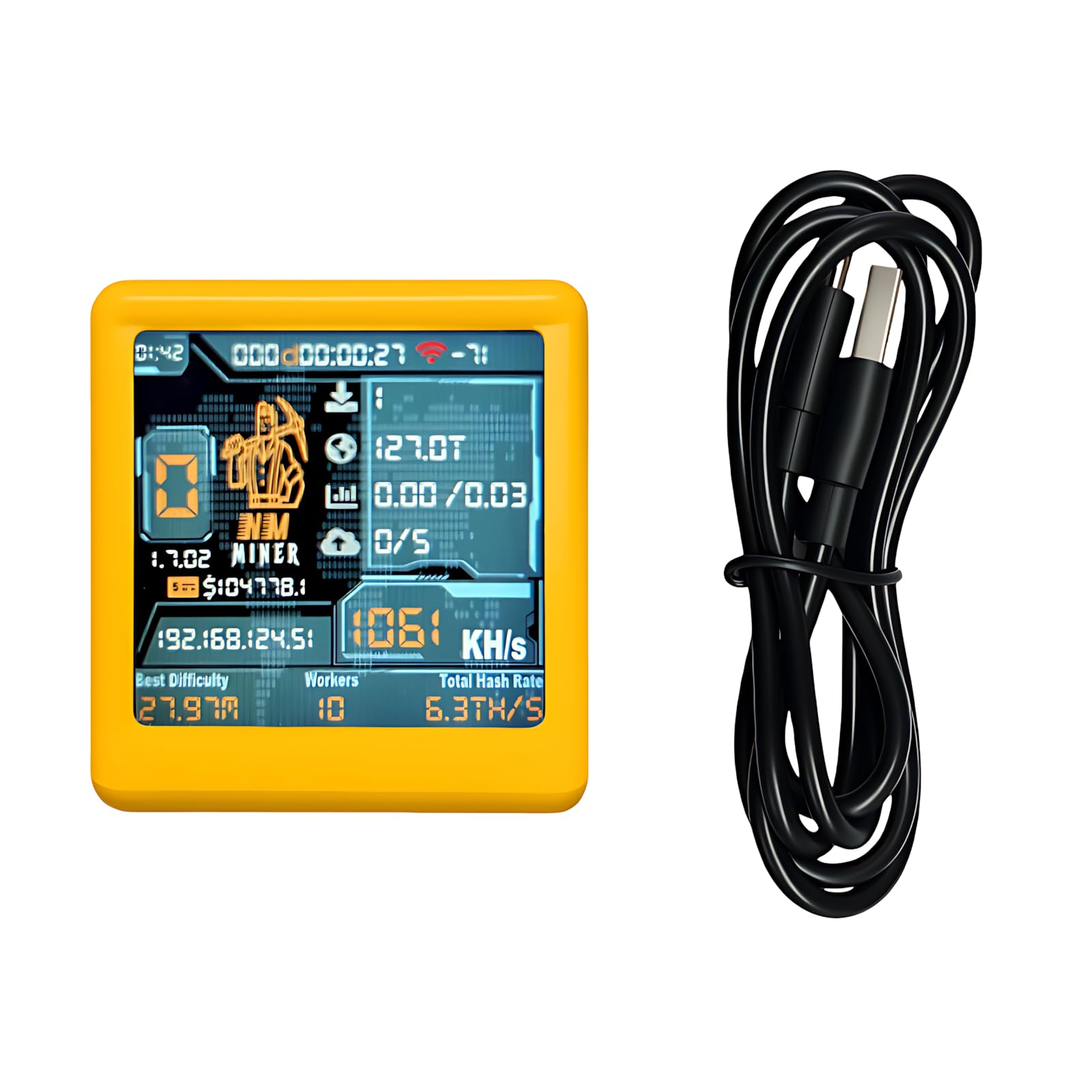
Image: Front-side view of the Nerdminer V2, displaying various mining statistics and network information on its screen.

Image: A detailed view of the Nerdminer V2's 1.54-inch smart screen, showing current hash rate (1061 KH/s), IP address, and other operational data.

Image: Rear view of the Nerdminer V2, highlighting the USB-C power input port and ventilation slots for heat dissipation.
4. Setup Guide
4.1 Power Connection
- Connect the provided USB cable to the USB-C port on the back of the Nerdminer V2.
- Plug the other end of the USB cable into a 5V DC USB power adapter (not included) or a compatible USB port. Ensure the power source can provide sufficient current for stable operation.
- The device display should power on, indicating it is ready for configuration.
4.2 Wi-Fi and Mining Configuration
The Nerdminer V2 requires Wi-Fi connectivity to access mining pools. Configuration is typically done via a web interface accessible through a temporary Wi-Fi access point created by the device.
- Upon initial power-up, the device will likely broadcast its own Wi-Fi network (e.g., "Nerdminer-AP" or similar). Use a smartphone or computer to connect to this network.
- Once connected, open a web browser and navigate to the device's configuration page. The address is typically http://192.168.4.1 or a similar local IP address. Refer to the device's display for the exact IP if different.
- On the configuration page, enter your home or office Wi-Fi network (SSID) and password.
- Crucial Step: Locate the settings for the mining pool and Bitcoin wallet address. The device may come with pre-populated settings. It is essential to change these to your preferred mining pool and your personal Bitcoin wallet address to ensure any potential mining rewards are directed to you.
- Save the settings. The device will then attempt to connect to your specified Wi-Fi network and begin mining.
Important Note: Always verify and update the mining pool and wallet address settings to your own. Using default or pre-populated settings may result in mining for an unknown third party.
5. Operating Instructions
Once configured and connected to your Wi-Fi, the Nerdminer V2 will continuously attempt to mine Bitcoin. The 1.54-inch display provides real-time information:
- Time and Date: Displays current time and date.
- Hash Rate: Shows the current mining speed in KH/s (Kilohashes per second). The device operates at approximately 1060 KH/s.
- Network Status: Indicates Wi-Fi connection status.
- Mining Status: Provides information on connection to the mining pool and current mining activity.
- IP Address: Displays the device's assigned IP address on your network.

Image: The Nerdminer V2 display showing the current time (3:39:19 PM), date (18-08-2025), and a hash rate of 1014 KH/s.
The device is designed for 24/7 operation with low power consumption. It functions silently, making it suitable for home or office environments.
6. Maintenance
- Cleaning: Use a soft, dry cloth to clean the device's exterior. Avoid using liquid cleaners or abrasive materials.
- Ventilation: Ensure the ventilation slots on the back of the device are not obstructed to prevent overheating.
- Power Supply: Always use a stable 5V DC power source. Avoid connecting the device directly to a computer's USB port for extended periods if the port cannot provide consistent power.
- Firmware Updates: Periodically check the OEMGMINER official website or community forums for firmware updates. Updates can improve performance, stability, and add new features. Follow the provided instructions carefully when performing updates.
7. Troubleshooting
7.1 Device Does Not Power On
- Ensure the USB cable is securely connected to both the device and the power source.
- Verify that the power adapter or USB port is functional and providing 5V DC power.
- Try a different USB cable or power adapter.
7.2 Cannot Connect to Wi-Fi
- During initial setup, ensure you are connecting to the device's temporary Wi-Fi access point.
- Double-check the Wi-Fi SSID and password entered in the configuration interface.
- Ensure the device is within range of your Wi-Fi router.
- Restart the device and try the configuration process again.
7.3 Device Not Hashing or Displaying Mining Data
- Confirm that the device is successfully connected to your Wi-Fi network.
- Verify that the mining pool URL and port are correctly entered in the configuration.
- Crucial: Ensure your Bitcoin wallet address is correctly configured. Incorrect or missing wallet information will prevent mining.
- Some mining pools may require specific worker names or passwords. Check your chosen pool's documentation.
- The device may take a few minutes to establish a connection with the mining pool and start hashing after configuration.
7.4 Display Issues
- If the display is blank or frozen, try restarting the device by unplugging and re-plugging the USB power cable.
- Ensure the device is not exposed to extreme temperatures.
8. Specifications
| Feature | Detail |
|---|---|
| Brand | OEMGMINER |
| Model Name | Nerdminer V2 |
| Connectivity Technology | USB |
| Processor | ESP32 Chipset |
| Hash Rate | 1060 KH/s ±5% |
| Power Supply | 5V DC via USB |
| Memory | 520KB Built-in SRAM |
| Display | 1.54-inch 240×240 Smart Screen |
| Operating Temperature | -20°C to 70°C |
| Mining Mode | Bitcoin Solo Mining |
| Special Features | Silent Operation, Display, Crypto Lottery Mining |
| Item Weight | 0.1 Pounds |
| Included Components | USB Cable |

Image: A table detailing the NM TV Specifications, including Integrated Feature (WiFi 802.11b/g/n, BLE), Operating Mode (BTC lottery), Master Chip (ESP32-DROOM), HashRate (1000kh/s), and other technical details.
9. Warranty Information
The OEMGMINER Nerdminer V2 comes with a 180-day warranty from the date of purchase. This warranty covers manufacturing defects and malfunctions under normal use. It does not cover damage caused by misuse, accidents, unauthorized modifications, or improper power supply.
Please retain your proof of purchase for warranty claims.
10. Customer Support
For technical assistance, troubleshooting, or warranty inquiries, please contact OEMGMINER customer support through the retailer where the product was purchased or visit the official OEMGMINER website for contact information.
When contacting support, please have your product model (Nerdminer V2) and proof of purchase readily available.