SIXTOP 7 Inch Double Din Car Stereo

SIXTOP Wireless Apple CarPlay 7 Inch Double Din Car Stereo Instruction Manual

Model: 7 Inch Double Din Car Stereo | Brand: SIXTOP

Introduction

This manual provides detailed instructions for the installation, operation, and maintenance of your SIXTOP Wireless Apple CarPlay 7 Inch Double Din Car Stereo Multimedia Digital Media Receiver. This multimedia digital media receiver features wireless Apple CarPlay and Android Auto, a 1024*600 HD IPS touchscreen, Bluetooth, FM radio, Type-C fast charging, USB/AUX input, and includes a waterproof backup camera with steering wheel control support. Please read this manual thoroughly before use to ensure proper functionality and safety.

What's in the Box

  • Car Stereo
  • Backup Camera
  • Frame
  • Steering Wheel Controller
  • Wire harness

Product Overview

SIXTOP Car Stereo with Wireless CarPlay and Android Auto interface

Image: Front view of the SIXTOP 7-inch double din car stereo installed in a dashboard, displaying the Apple CarPlay interface with various app icons. Below, illustrations show wireless Apple CarPlay, wireless Android Auto, and wireless Mirror Link connectivity options with phone screens.

SIXTOP Car Stereo 1024x600 HD IPS Touch Screen

Image: Close-up of the 1024*600 HD IPS touchscreen of the SIXTOP car stereo, highlighting its high resolution and responsive touch. It also shows Type-C input, USB fast charging, and AUX audio input ports.
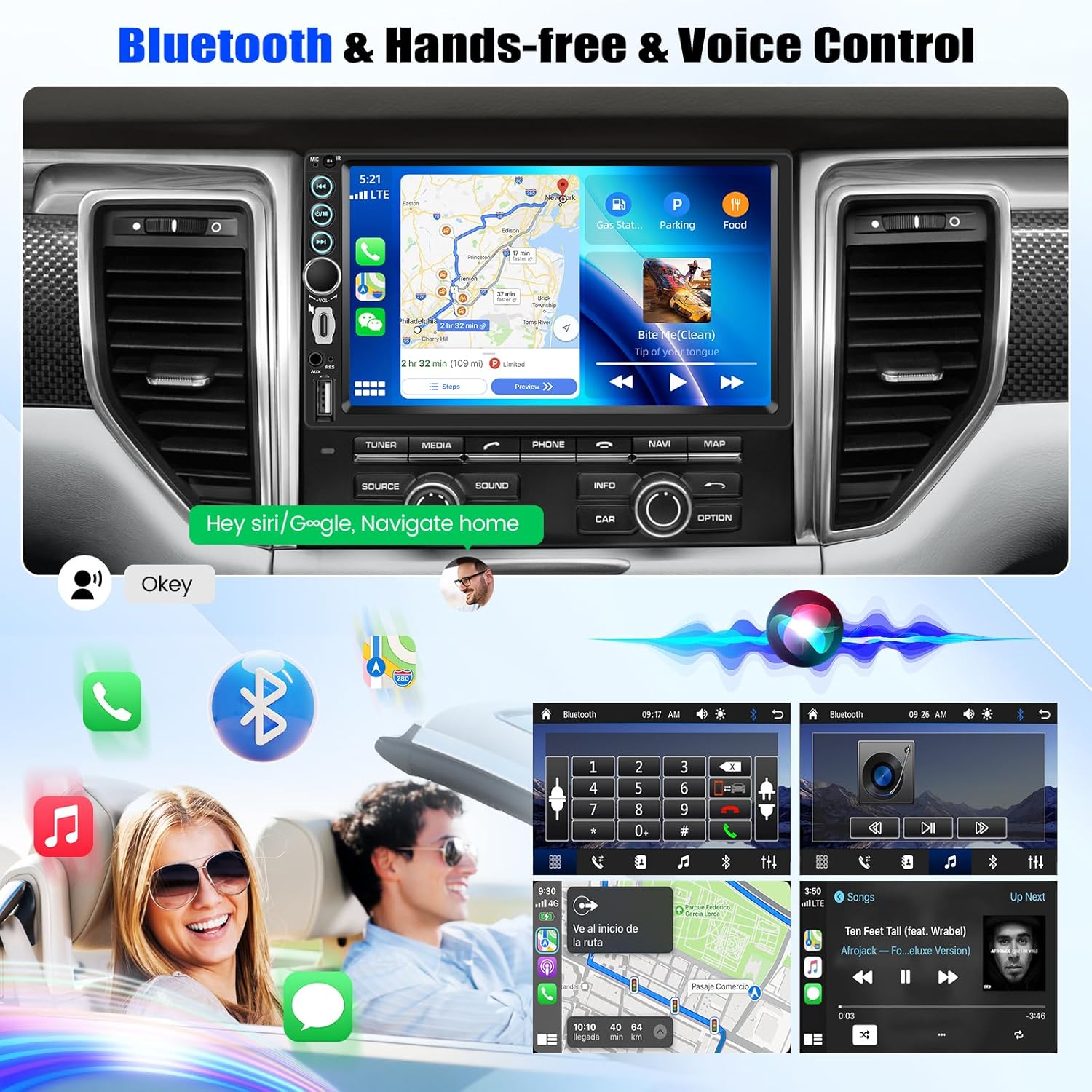
SIXTOP Car Stereo with Bluetooth and Voice Control

Image: The car stereo displaying a navigation map, emphasizing Bluetooth hands-free calling and voice control features. Icons for phone, Bluetooth, and music are visible, along with a visual representation of voice commands.

SIXTOP Car Stereo Video Output to Headrest Monitors

Image: The car stereo playing a video, with the display mirrored to two headrest monitors in the back seats, illustrating the video output function for shared entertainment.

SIXTOP Car Stereo FM Radio Receiver and EQ Sound Effects

Image: The car stereo displaying the FM radio interface, tuned to 87.50 MHz. Below, the EQ sound effects interface is shown with adjustable frequency bands and preset options like Jazz, Classic, Pop, Rock, and Soft.

SIXTOP Car Stereo Steering Wheel Control and Backup Camera

Image: The car stereo showing the steering wheel control learning interface, with a hand demonstrating control buttons on a steering wheel. Below, the backup camera display is shown with parking guidelines, along with icons indicating HD clear image, waterproof, 170° wide angle, and night vision features.

SIXTOP Car Stereo Packing List and Size Dimensions

Image: A diagram illustrating the dimensions of the SIXTOP car stereo (180mm/7.09inch width, 104mm/4.09inch height, 72mm/2.83inch depth) and a visual packing list including the rear camera, power cable, horn cable, steering wheel control, and user manual.

Setup & Installation

For optimal performance and safety, professional installation is recommended. Ensure the vehicle's power is disconnected before beginning installation.

1. Removing the Original Head Unit

Carefully remove the trim pieces surrounding your existing car stereo. Use appropriate pry tools to avoid damage. Once the trim is removed, unscrew the bolts securing the original head unit and gently pull it out. Disconnect all wiring harnesses and the antenna cable from the back of the unit.

Video: This video demonstrates the process of removing the original car stereo and its surrounding trim pieces, highlighting the disconnection of wiring harnesses and the antenna. It also shows the removal of bolts securing the unit.

2. Wiring the New Head Unit

Connect the provided wiring harness to the new SIXTOP car stereo. Ensure all connections are secure. The video below provides a detailed guide on connecting the power, speaker, steering wheel control, and backup camera wires. Pay close attention to the color coding and pin assignments for correct functionality.

Video: This video provides a step-by-step tutorial on the installation and wiring of the car stereo. It covers connecting various cables including power, speakers, steering wheel controls, and the backup camera, demonstrating proper wire management and connections.

3. Installing the Backup Camera

Mount the waterproof backup camera at the rear of your vehicle, typically near the license plate. Route the camera's video cable to the head unit and connect the power wire to your vehicle's reverse light circuit. This ensures the camera activates automatically when the car is put into reverse.

4. Final Assembly

Once all connections are made and tested, carefully slide the new SIXTOP car stereo into the dashboard opening. Secure it with the provided brackets and screws. Reattach all trim pieces, ensuring they snap securely into place.

Operating Instructions

Wireless CarPlay & Android Auto

Connect your smartphone via WiFi/Bluetooth to access navigation, music, calls, and other apps directly on the car stereo's touchscreen. This feature makes driving smarter and more convenient. The unit supports both wireless Apple CarPlay and Android Auto.

Video: This video demonstrates the operation guide for the 7-inch CarPlay unit, showing how to connect and use Apple CarPlay features on the touchscreen interface.

Video: This video demonstrates how to connect Apple CarPlay to the portable wireless CarPlay car stereo, showing the steps for pairing and accessing CarPlay features.

Mirror Link Function

The mirror link feature allows you to sync your Android or iOS phone's screen to the car stereo via WiFi or USB connection, extending your phone's display to the larger screen.

HD IPS Touch Screen & Video Output

The 7-inch capacitive touchscreen offers a 1024*600 HD resolution for responsive and smooth operation, supporting HD video playback. Utilize the video output function to share content to headrest monitors for passenger enjoyment.

Type-C Fast Charging & USB/AUX Input

The unit includes Type-C and USB ports for fast charging your devices. Multiple audio/video playback options are available via USB/AUX ports, allowing connection of MP3/MP4/MP5 players.

Built-in Bluetooth & FM Radio

Equipped with Bluetooth and a built-in microphone for hands-free calling and wireless audio streaming. The FM radio receiver supports 18 preset stations for listening to music, news, and sports broadcasts.

Waterproof Backup Camera

The included waterproof backup camera automatically displays a clear reversing image when the car is in reverse gear. It features night vision, a wide viewing angle, and clear display for enhanced safety.

Steering Wheel Control (SWC)

Control the radio's volume, switch channels, and make calls directly from your steering wheel for convenience and safety. The unit supports learning methods for steering wheel control operation.

Video: This video demonstrates the learning method for steering wheel control operation, showing how to program the car stereo to respond to steering wheel buttons.

Audio Features

The car stereo is equipped with an equalizer system, offering personalized audio adjustment options. Customize your sound using the 10-band EQ with presets (Jazz/Classic/Pop/Rock/Soft) for a higher-quality music experience.

Specifications

FeatureDetail
BrandSIXTOP
Connectivity TechnologyBluetooth, USB
Controller TypeHand Control
Special FeaturesBuilt-In Bluetooth, FM Tuner, Includes Waterproof Backup Camera, Frame, Steering Wheel Control, Type-C and USB Fast Charging Port, USB/AUX Input, Wireless CarPlay, Wireless Android Auto, Wireless/Wired Mirror Link
Compatible DevicesSmartphone
Connector TypeUSB Type-C
Audio Output ModeStereo
Output Power45 Watts
Wattage180 watts
Control MethodTouch, Voice
Item Weight1.76 pounds
Package Dimensions0.39 x 0.39 x 0.39 inches

Maintenance

Regularly clean the touchscreen with a soft, lint-free cloth. Avoid using harsh chemicals or abrasive materials that could damage the screen. Ensure all cables are securely connected and free from damage. Periodically check for software updates to enhance performance and features.

Troubleshooting

Warranty & Support

For warranty information and technical support, please refer to the contact details provided in your product packaging or visit the official SIXTOP website. Keep your purchase receipt as proof of purchase for any warranty claims.

Related Documents - 7 Inch Double Din Car Stereo

Preview Android Car Stereo User Manual: Features and Settings
Comprehensive guide to using your Android car stereo, covering Bluetooth, USB, Carplay/Android Auto, Wi-Fi, camera settings, steering wheel controls, and system preferences.
Preview Podofo Car Stereo User Guide: Features and Operation
Comprehensive user guide for the Podofo Car Stereo, detailing features like Apple CarPlay, Android Auto, Bluetooth, FM radio, USB/SD playback, and phone linking. Includes operation instructions and troubleshooting tips.
Preview Car Multimedia Player User Manual - LG-7-EW-001
User manual for the LG-7-EW-001 Car Multimedia Player, covering preface, warnings, installation, general features, basic operation, remote control description, steering wheel control learning, front panel overview, wiring diagram, FAQ, and specifications.
Preview METEESER C800 Car Stereo System: General Instructions, Specifications, and Features
A comprehensive guide to the METEESER C800 car stereo system, detailing general instructions, technical specifications, wiring diagrams, supported functions, basic operations, and package contents for a seamless user experience.
Preview NUNOO Car Multimedia Player User Manual
This user manual provides comprehensive instructions for the NUNOO Car Multimedia Player, covering installation, system precautions, interface definition, features like radio, Bluetooth, USB/SD card playback, video and picture playback, phone link (CarPlay/Android Auto), settings, remote control operation, and troubleshooting FAQs.
Preview BOSS BVCP9850W User Manual: Wireless Apple CarPlay & Android Auto Receiver
Get the most out of your BOSS BVCP9850W with this comprehensive user manual. Learn about wireless Apple CarPlay, Android Auto, Bluetooth connectivity, installation, and features for your Double-DIN car multimedia receiver.