
1. Introduction
Thank you for choosing Dpofirs Earphones Model Dpofirsuir40pg6nm-11. This manual provides essential information for the proper use, setup, and maintenance of your new earphones. Please read this guide thoroughly before using the product to ensure optimal performance and longevity.
2. Product Features
- Smart Battery Display: Equipped with a low-power chip and a high-capacity lithium battery, providing approximately 7-8 hours of playback time. The smart display indicates battery status.
- Unique Over-Ear Design: Lightweight and comfortable over-ear hook design ensures a secure fit during various activities.
- ACS Panoramic Surround Sound: Features professional acoustic tuning technology and a high-elastic composite diaphragm for high-fidelity sound quality and dynamic audio experience.
- Smart Noise Cancellation: Dual microphones with noise cancellation technology enhance clarity during video calls and conversations, even in noisy environments.
- Directional Sound Transmission Technology: Utilizes DT4.0 pulse directional sound transmission to accurately deliver audio and effectively reduce sound leakage by up to 99%.
3. Package Contents
Please check the package for the following items:
- 1 Pair of Dpofirs Earphones
- 1 Charging Case
- 1 USB Charging Cable

Image: The charging case and the included USB charging cable.
4. Setup Instructions
4.1 Charging the Earphones and Case
Before first use, fully charge the earphones and the charging case.
- Connect the provided USB charging cable to the charging port on the case and to a USB power source (e.g., computer, wall adapter).
- Place the earphones into the charging case. Ensure they are correctly seated in their respective slots.
- The indicator lights on the case and earphones will show the charging status. Refer to the smart battery display for charge levels.
- A full charge typically takes approximately 1-2 hours for the earphones and 2-3 hours for the charging case.
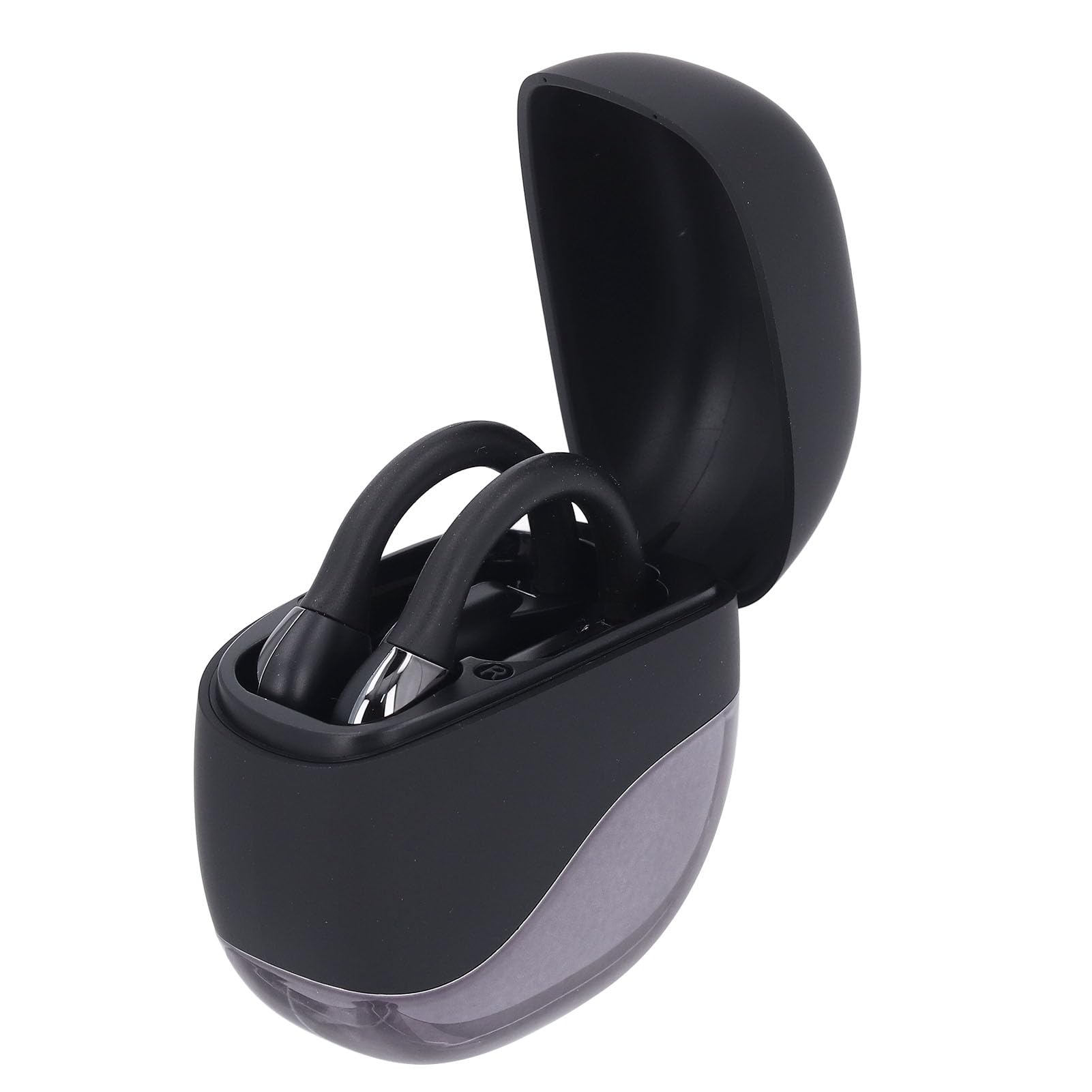
Image: Earphones placed inside the open charging case.
4.2 Bluetooth Pairing
To connect your earphones to a device (smartphone, tablet, etc.):
- Ensure the earphones are charged. Open the charging case. The earphones will automatically enter pairing mode, indicated by a flashing LED light (if present).
- On your device, go to the Bluetooth settings.
- Turn on Bluetooth and search for available devices.
- Select "Dpofirs Earphones" (or similar name) from the list of found devices.
- Once connected, the earphone indicator light will stop flashing, and your device will confirm the connection.
- The earphones will automatically reconnect to the last paired device when removed from the case and within range.
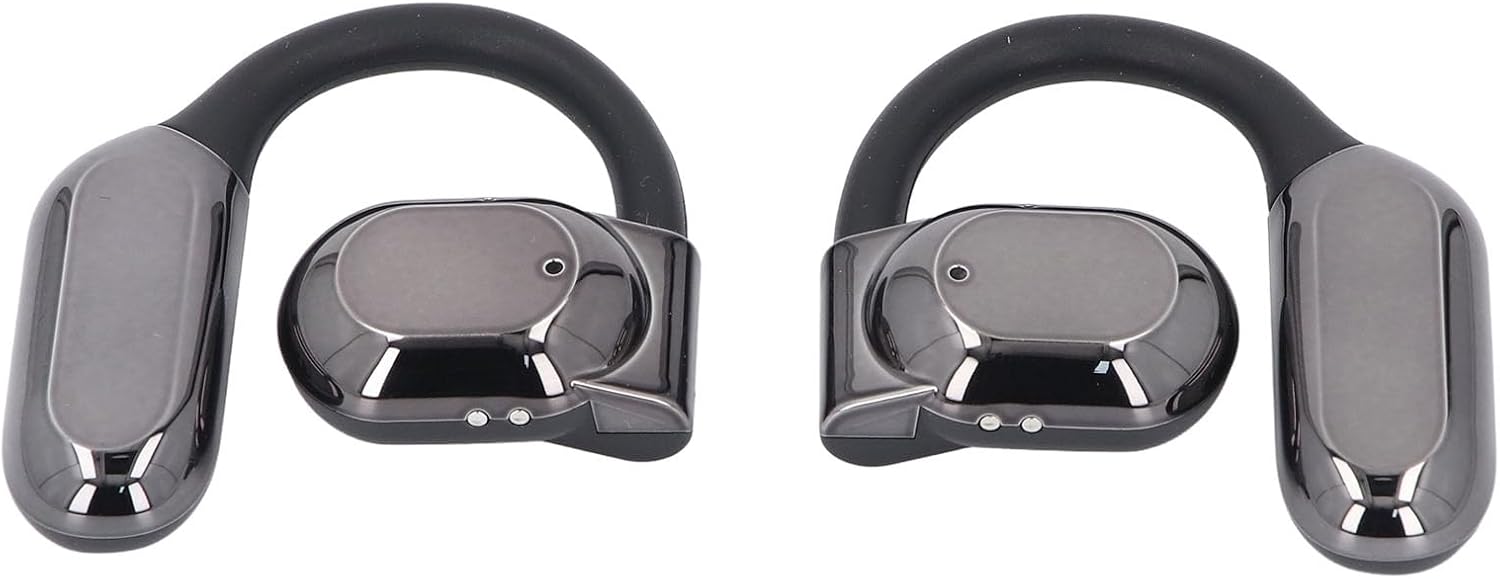
Image: Front view of both Dpofirs earphones, showing their design.
5. Operating Instructions
5.1 Power On/Off
- Power On: Open the charging case, and the earphones will automatically power on.
- Power Off: Place the earphones back into the charging case and close the lid. They will automatically power off and begin charging.
5.2 Music Playback
Control music playback through your connected device or via the touch controls on the earphones (if available, refer to specific product documentation for exact touch functions):
- Play/Pause: Typically a single tap on either earphone.
- Next Track: Often a double tap on the right earphone.
- Previous Track: Often a double tap on the left earphone.
- Volume Control: May involve a long press or multiple taps; consult specific product instructions.
5.3 Call Management
Manage phone calls using the earphone controls:
- Answer/End Call: Typically a single tap on either earphone during an incoming call or an active call.
- Reject Call: Often a long press on either earphone during an incoming call.
The smart noise cancellation feature with dual microphones helps ensure clear communication during calls.
5.4 Directional Sound Transmission
The DT4.0 pulse directional sound transmission technology is designed to focus audio towards your ears, significantly reducing sound leakage to those around you. This allows for a more private listening experience.

Image: A person wearing the Dpofirs earphones, demonstrating the over-ear fit.
6. Maintenance
To ensure the longevity and optimal performance of your Dpofirs Earphones, follow these maintenance guidelines:
- Cleaning: Regularly wipe the earphones and charging case with a soft, dry, lint-free cloth. Do not use abrasive cleaners, alcohol, or chemical solvents.
- Storage: When not in use, store the earphones in their charging case to protect them from dust and damage. Store in a cool, dry place away from extreme temperatures.
- Water Resistance: Avoid exposing the earphones to water or excessive moisture. They are not designed to be waterproof.
- Charging: Use only the provided charging cable or a certified equivalent. Avoid overcharging for extended periods.
7. Troubleshooting
If you encounter issues with your earphones, try the following solutions:
- No Sound:
- Ensure earphones are charged and powered on.
- Check the volume level on both your device and the earphones.
- Verify that the earphones are correctly paired and connected to your device.
- Try playing audio from a different application or source.
- Pairing Failure:
- Ensure Bluetooth is enabled on your device.
- Make sure the earphones are in pairing mode (out of the case, or by following specific reset instructions if available).
- Turn off Bluetooth on other nearby devices to avoid interference.
- Forget the earphones from your device's Bluetooth list and try pairing again.
- Restart both your device and the earphones.
- Charging Issues:
- Ensure the charging cable is securely connected to both the case and the power source.
- Check if the power source is active.
- Clean the charging contacts on both the earphones and the case with a dry cotton swab.
- Try a different USB cable or power adapter.
- Poor Call Quality:
- Ensure the microphones are not obstructed.
- Move closer to your connected device to improve signal strength.
- Check for environmental noise that might be affecting call clarity.
8. Specifications
| Brand | Dpofirs |
| Model Name | Dpofirsuir40pg6nm-11 |
| Connectivity | Bluetooth v5.46 (USB for charging) |
| Form Factor | Over-ear hook with in-ear component |
| Transmission Distance | Up to 10 meters (32.8 feet) |
| Headphone Battery Capacity | 90 mAh (Li battery) |
| Charging Case Battery Capacity | 300 mAh (Li battery) |
| Battery Life (Playback) | Approx. 7-8 hours |
| Color | Black |
| Material | PC, ABS |
9. Warranty and Support
For warranty information and customer support, please refer to the documentation provided with your purchase or contact the seller directly. Keep your proof of purchase for any warranty claims.
For further assistance, you may visit the Dpofirs brand store on Amazon: Dpofirs Store