
1. Product Overview
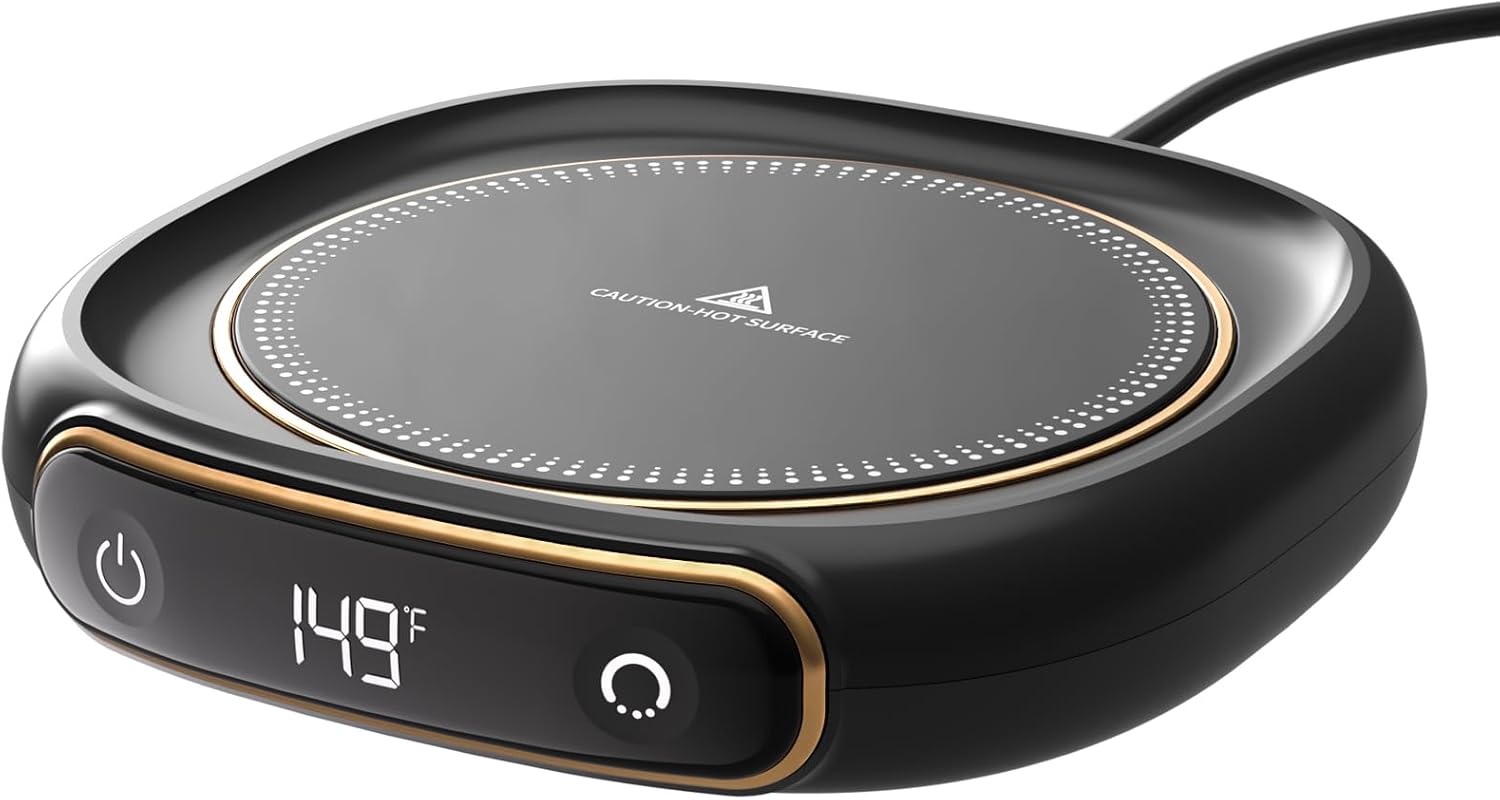
A close-up view of the Lerat Coffee Mug Warmer, showcasing its sleek black design with gold accents, a digital temperature display showing 149°F, and touch controls. The heating surface has a "CAUTION: HOT SURFACE" warning.
The Lerat Coffee Mug Warmer M316 is designed to keep your beverages at your preferred warm temperature. It features multiple temperature settings, an automatic shut-off function for safety, and a portable design suitable for various environments.
2. Setup
- Unpack: Carefully remove the mug warmer from its packaging and inspect for any damage.
- Placement: Place the mug warmer on a stable, flat, and dry surface, away from water or heat sources. The anti-slip bottom ensures stable placement.
- Power Connection: Plug the power cord into a standard electrical outlet. The digital display will illuminate, indicating the device is ready for use.
3. Operating Instructions
3.1 Powering On/Off
- To power on, press the power button (U) once. The digital display will show the current temperature.
- To power off, press and hold the power button for a few seconds until the display turns off.
3.2 Adjusting Temperature Settings

An image highlighting the three temperature settings (104°F/40°C, 131°F/55°C, 149°F/65°C) with corresponding flame icons. A mug is shown on the warmer, with arrows indicating fast heating within 4 seconds. A "Do Not Touch The Heating Plate" warning is visible.
The mug warmer offers three adjustable temperature settings:
- Low Temperature: 113°F (45°C)
- Middle Temperature: 131°F (55°C)
- High Temperature: 149°F (65°C)
To cycle through the temperature settings, press the temperature adjustment button (C) repeatedly until your desired temperature is displayed. The LED digital display provides real-time temperature control.
3.3 Automatic Shut-Off and Timer

A visual representation of the 8-hour automatic shut-off safety feature. A mug is on the warmer, and a clock-like graphic indicates the 8-hour auto shut-off for maintaining a constant 149°F/65°C.
- The mug warmer features an automatic shut-off function that activates after 8 hours of continuous use for safety.
- You can also set a custom timer for 4, 6, 8, 10, or 12 hours. Refer to the product's specific instructions for setting the timer.
3.4 Recommended Cup Types
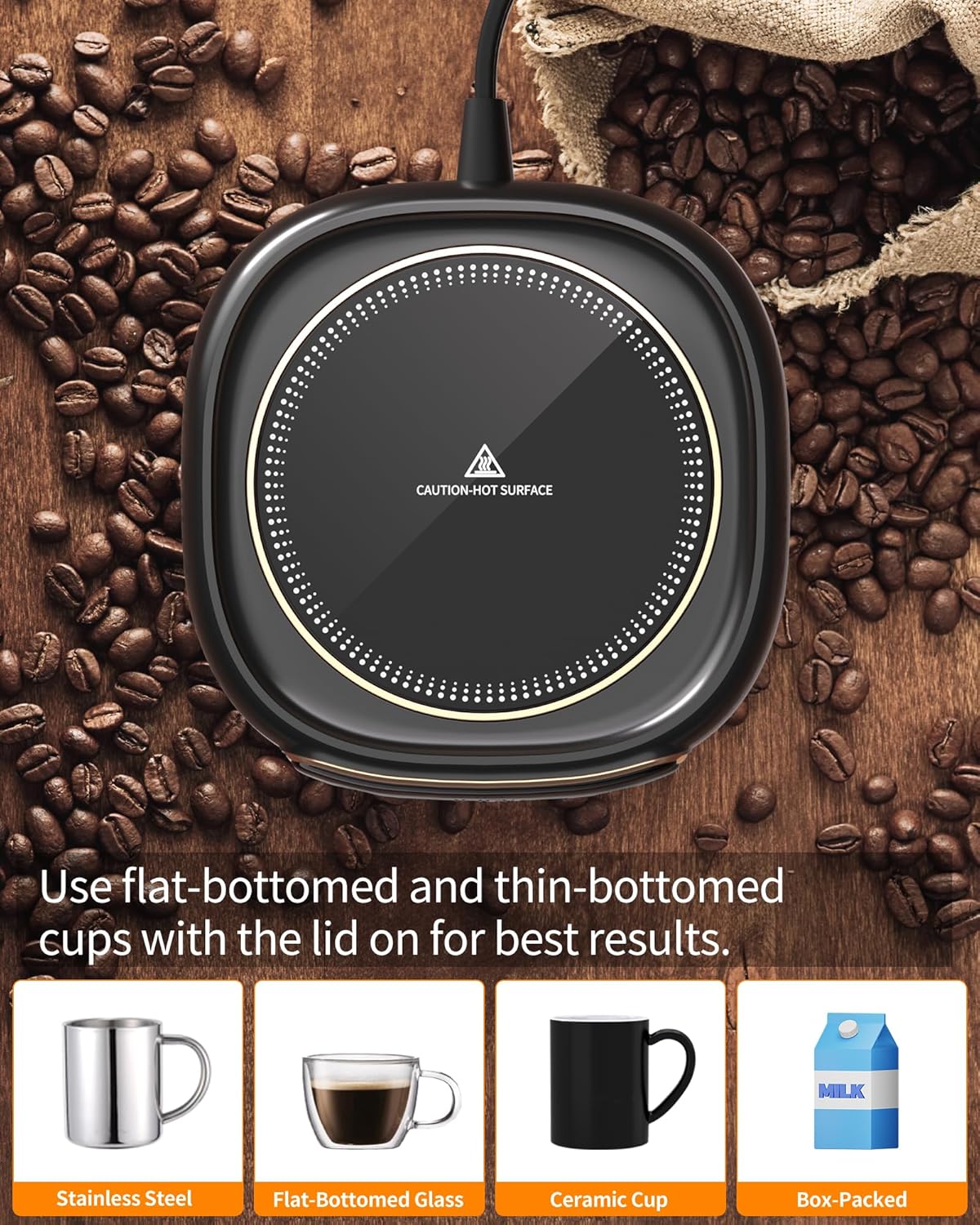
An image illustrating recommended cup types for optimal performance: flat-bottomed stainless steel, flat-bottomed glass, ceramic cup, and a milk carton (implying milk warming). It advises using a lid for best results.
For best results, use flat-bottomed and thin-bottomed cups made of:
- Stainless Steel
- Ceramic
- Glass
Using a lid can enhance heat retention and speed up warming. The warmer can also be used for candles.
3.5 Product Demonstration Video
A short video demonstrating the functionality of the Lerat Coffee Mug Warmer, including how to power it on, adjust temperature settings, and set the timer. It also highlights the anti-slip base and ease of cleaning.
4. Maintenance
- Cleaning: Before cleaning, ensure the device is unplugged and completely cool. Wipe the heating plate and body with a lightly damp cloth.
- Do Not Submerge: Never submerge the mug warmer in water or any other liquid.
- Storage: Store in a dry place when not in use.
5. Troubleshooting
- Device Not Turning On: Ensure the power cord is securely plugged into a working electrical outlet.
- Beverage Not Warming: Verify that the correct temperature setting is selected. Ensure the cup used has a flat, thin bottom for optimal heat transfer. Using a lid can also improve warming efficiency.
- Automatic Shut-Off: The device is designed to turn off after 8 hours for safety. If it turns off unexpectedly, check the timer settings.
- Other Issues: For any persistent issues or concerns, please refer to your purchase documentation or contact customer support.
6. Specifications
- Product Dimensions: 5.1 x 4.3 x 0.9 inches
- Item Weight: 7.8 ounces
- Item Model Number: M316
- Power Cord Length: 1.3m (51-inch)
- Material: ABS and Aluminum Alloy with upgraded metal heating plate
7. Warranty and Support
For warranty information and customer support, please refer to the documentation included with your purchase. Keep your proof of purchase for any warranty claims.