
JIXINMIYUE HX-606
JIXINMIYUE HX-606 Car Handheld Vacuum Instruction Manual
Model: HX-606 | Brand: JIXINMIYUE
1. Introduction
This manual provides essential information for the safe and effective use of your JIXINMIYUE HX-606 Car Handheld Vacuum. This cordless vacuum cleaner is designed for efficient cleaning of vehicles and small spaces, featuring a powerful brushless motor and a HEPA filtration system.
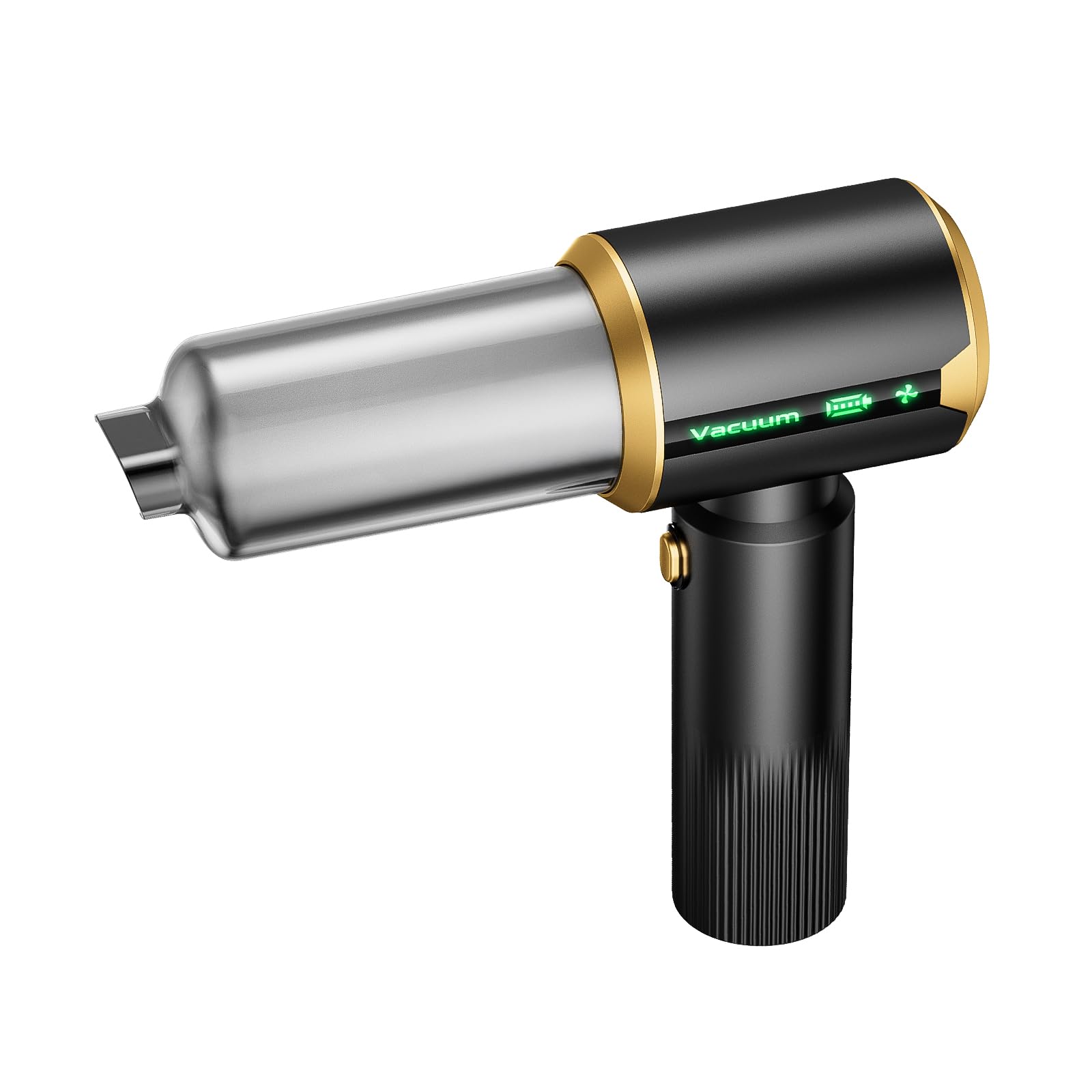
Image 1: The JIXINMIYUE HX-606 Car Handheld Vacuum, showcasing its compact design.
2. Safety Information
Please read all safety instructions before using the appliance. Failure to follow these instructions may result in electric shock, fire, or serious injury.
- Do not use the vacuum cleaner near flammable liquids or gases.
- Do not immerse the appliance in water or other liquids.
- Keep hair, loose clothing, fingers, and all parts of the body away from openings and moving parts.
- Do not pick up burning or smoking materials, such as cigarettes, matches, or hot ashes.
- Ensure the filter and dust collection bin are properly installed before use.
- Do not operate the vacuum with a damaged cord or plug.
- Store the vacuum in a dry, indoor area when not in use.
3. Package Contents
Verify that all items are present in the package:
- JIXINMIYUE HX-606 Handheld Vacuum Unit
- Brush Attachment
- Blower Nozzle
- Crevice Tool
- Inflation Nozzle
- Pump Nozzle
- HEPA Filter (pre-installed)
- Storage Case
- Charging Cable (USB-C)
- User Manual (this document)
Note: An image showing all included accessories would be placed here if available.
4. Product Overview
The JIXINMIYUE HX-606 is a versatile cordless handheld vacuum designed for portability and strong suction. Key components include:
- Main Unit: Contains the brushless motor, battery, and control buttons.
- Dust Collection Bin: Transparent bin for collecting debris.
- HEPA Filter: Located inside the dust collection bin, designed to capture fine dust and allergens.
- Suction Port: Front opening for vacuuming.
- Blower Port: Rear opening for blowing functions.
- Power Button: Controls power and suction modes.
- Charging Port: For recharging the internal battery.
Note: A diagram illustrating the different parts of the vacuum would be placed here if available.
5. Setup
5.1 Initial Charging
Before first use, fully charge the vacuum cleaner. Connect the provided charging cable to the vacuum's charging port and plug the other end into a suitable USB power adapter (not included). The charging indicator will show the charging status. A full charge typically takes several hours.
- Battery Life: Approximately 20 minutes on standard power.
- Runtime: Up to 45 minutes on lowest suction setting.
5.2 Attaching Accessories
The vacuum comes with various attachments for different cleaning tasks. To attach an accessory, align it with the suction or blower port and push firmly until it clicks into place. Ensure a secure fit to maintain optimal performance.
- Brush Attachment: Ideal for upholstery and delicate surfaces.
- Crevice Tool: For reaching tight spaces and corners.
- Blower Nozzle: For blowing dust from keyboards or hard-to-reach areas.
- Inflation/Pump Nozzles: For inflating small items or deflating storage bags.
Note: Images demonstrating how to attach each accessory would be placed here if available.
6. Operating Instructions
The JIXINMIYUE HX-606 features a multi-function power button to control its operation:
- Power On (Low Mode): Press and hold the power button until the unit turns on in low suction mode.
- Medium Mode: While the unit is on, press the power button once. After a brief delay (approx. 2 seconds), the motor will increment to medium power.
- High Mode: Press the power button again. After a brief delay, the motor will increment to full power.
- Power Off: From any power mode, press and hold the power button until the unit turns off. Alternatively, if in high mode, press the button once to cycle back to off.
6.1 Vacuuming
Attach the desired vacuuming accessory (brush or crevice tool) to the front suction port. Select the appropriate power mode for the task. Move the vacuum slowly over the surface to be cleaned, ensuring the suction port makes good contact with the debris.
6.2 Blowing
Attach the blower nozzle to the rear blower port. Use this function to dislodge dust from crevices, keyboards, or other areas where suction is not effective. Exercise caution to avoid blowing debris into sensitive electronics.
6.3 Inflation/Pumping
Attach the appropriate inflation or pump nozzle to the rear blower port. This function can be used for inflating small items like air pillows or deflating vacuum storage bags.
Note: A video demonstrating the power button operation and different modes would be placed here if available and from a verified seller.
7. Maintenance
Regular maintenance ensures optimal performance and extends the lifespan of your vacuum cleaner.
7.1 Emptying the Dust Collection Bin
- Ensure the vacuum is turned off.
- Twist or unlatch the dust collection bin from the main unit (refer to product diagram for specific mechanism).
- Carefully empty the collected debris into a waste bin.
7.2 Cleaning the HEPA Filter
The HEPA filter is washable and reusable. Clean it regularly, especially when suction power decreases.
- Remove the HEPA filter from the dust collection bin.
- Rinse the filter under cool running water until clean. Do not use detergents.
- Allow the filter to air dry completely for at least 24 hours before reinserting it into the dust collection bin. Important: Ensure the filter is completely dry before use to prevent damage to the motor.
7.3 General Cleaning
Wipe the exterior of the vacuum cleaner with a soft, damp cloth. Do not use abrasive cleaners or solvents. Ensure all components are dry before storage.
Note: A video demonstrating how to empty the dust bin and clean the HEPA filter would be placed here if available and from a verified seller.
8. Troubleshooting
Refer to the table below for common issues and their solutions.
| Problem | Possible Cause | Solution |
|---|---|---|
| Vacuum does not turn on. | Battery is depleted. | Charge the vacuum fully. |
| Low suction power. | Dust bin is full. Filter is clogged. Attachment not properly secured. | Empty the dust bin. Clean the HEPA filter. Reattach accessories firmly. |
| Short battery life. | Operating on high power continuously. Battery degradation over time. | Use lower power modes when sufficient. Ensure full charge before use. If battery life significantly degrades, consider contacting support. |
| Attachments fall off easily. | Attachments not fully secured. | Ensure attachments are pushed firmly into place until secure. |
| Blinking red light / Motor burnt out. | Internal fault or overheating. | Discontinue use immediately. Contact customer support for assistance. |
9. Specifications
| Feature | Detail |
|---|---|
| Brand | JIXINMIYUE |
| Model Name | HX-606 |
| Special Feature | Portable |
| Filter Type | HEPA Filter |
| Surface Recommendation | Car |
| Power Source | Battery Powered |
| Capacity | 200 Milliliters |
| Color | Charcoal |
| Is Product Cordless | Yes |
| Battery Life | 20 minutes |
| Runtime | 45 minutes (on lowest setting) |
| Item Weight | 1.3 Pounds |
| Item Dimensions (L x W x H) | 6.14" x 6.8" x 7.24" |
| UPC | 684646940021 |
10. Warranty and Support
Specific warranty information for the JIXINMIYUE HX-606 Car Handheld Vacuum is not provided in this manual. Please refer to the product packaging or the retailer's website for details regarding warranty coverage and how to obtain support.
For technical assistance or inquiries, please contact JIXINMIYUE customer service through the contact information provided with your purchase or on the official brand website.
Ask a question about this manual
Ask about setup, troubleshooting, compatibility, parts, safety, or missing instructions. Manuals+ will review the question and use this page’s manual context to help answer it.