
1. What's in the Box
Verify that all components are present in the packaging:
- 2 x Drsaec J55 Earbuds
- 1 x Charging Case
- 1 x User Manual
- 1 x USB-C Charging Cable

Image: Contents of the Drsaec J55 Wireless Earbuds package.
2. Setup
2.1 Initial Charging
Before first use, fully charge the earbuds and the charging case. Connect the provided USB-C cable to the charging case and a power source. The LED display on the charging case will indicate the battery level.
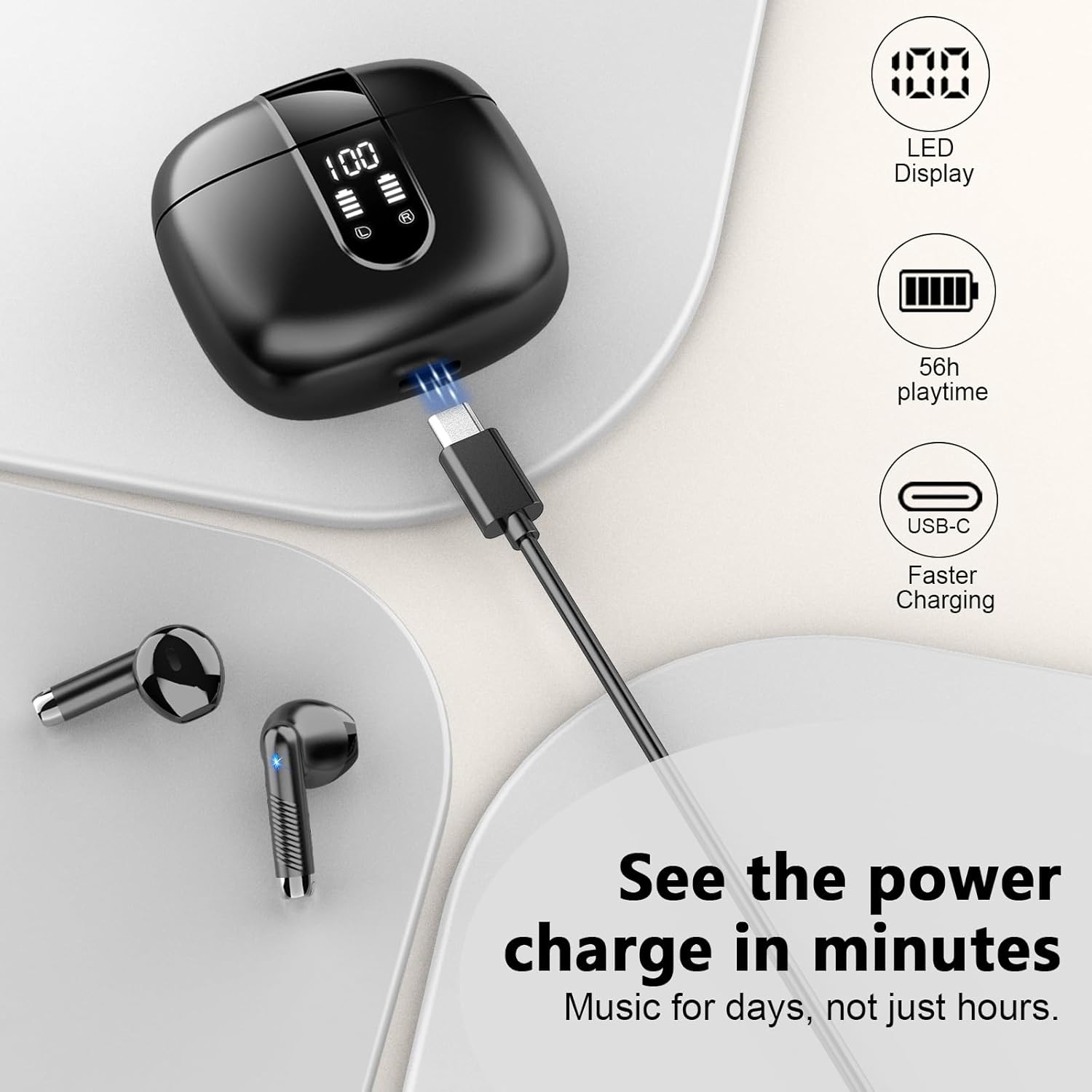
Image: Drsaec J55 charging case with USB-C cable connected.
2.2 Bluetooth Pairing
- Ensure the earbuds are charged.
- Open the charging case. The earbuds will automatically enter pairing mode.
- On your device (smartphone, tablet, computer), enable Bluetooth.
- Search for available Bluetooth devices and select "J55" from the list.
- Once connected, the earbuds are ready for use. Subsequent connections will be automatic when the case is opened and Bluetooth is enabled on your device.

Image: Drsaec J55 earbuds highlighting Bluetooth 5.4 connectivity.
3. Operating Instructions
3.1 Touch Controls
The Drsaec J55 earbuds feature touch-sensitive controls for various functions:
- Play/Pause: Tap L/R earbud once.
- Next Song: Double tap R earbud.
- Previous Song: Double tap L earbud.
- Answer/Hang Up Call: Tap L/R earbud twice.
- Reject Call: Press and hold L/R earbud for 2 seconds.
- Volume Up: Tap R earbud once (after initial tap for play/pause).
- Volume Down: Tap L earbud once (after initial tap for play/pause).
- Activate Voice Assistant: Triple tap L/R earbud.

Image: Drsaec J55 Earbuds Touch Control Guide.
3.2 Environmental Noise Cancellation (ENC)
The earbuds are equipped with four ENC microphones to reduce background noise during calls, ensuring clearer communication in noisy environments.

Image: Drsaec J55 earbuds featuring ENC noise cancellation.
Video: An overview of the Drsaec J55 Bluetooth Headphones, demonstrating their stereo bass capabilities and design.
4. Maintenance
4.1 Cleaning
- Regularly clean the earbuds and charging case with a soft, dry, lint-free cloth.
- Do not use abrasive cleaners, alcohol, or chemical solvents.
- Ensure charging contacts on both earbuds and case are free of dust and debris.
4.2 Water Resistance
The earbuds are IP7 waterproof, meaning they are protected against immersion in water up to 1 meter for 30 minutes. They can withstand rain, sweat, and splashes. However, the charging case is not waterproof. Do not submerge the charging case in water.

Image: Drsaec J55 earbuds demonstrating IP7 waterproof capability.
4.3 Storage
When not in use, store the earbuds in their charging case to protect them and ensure they remain charged. Store in a cool, dry place away from extreme temperatures.
5. Troubleshooting
- Earbuds not pairing: Ensure both earbuds are in the charging case, then open the lid to activate pairing mode. Check your device's Bluetooth settings to ensure it's searching for new devices. If issues persist, try resetting the earbuds (refer to manufacturer's specific reset instructions if available, otherwise place in case, close, wait 10s, open).
- Only one earbud working: Place both earbuds back into the charging case, close the lid, and wait a few seconds. Open the lid again. This often re-syncs them. If not, try re-pairing them with your device.
- Low volume or poor sound quality: Ensure the earbuds are properly seated in your ears. Clean any debris from the earbud speakers. Check your device's volume settings.
- Charging issues: Ensure the USB-C cable is securely connected to both the case and the power source. Check if the charging contacts on the earbuds and inside the case are clean.
- Disconnections: Ensure your device is within the 15-meter Bluetooth range. Avoid physical obstructions between your device and the earbuds.
6. Specifications
| Brand | Drsaec |
| Model Name | J55 |
| Bluetooth Version | 5.4 |
| Bluetooth Range | Up to 15 meters |
| Ear Placement | In Ear |
| Noise Control | Environmental Noise Cancellation (ENC) |
| Audio Driver Type | 14.2mm Dynamic Driver |
| Frequency Range | 20Hz - 20,000Hz |
| Control Method | Touch |
| Earbud Battery Life | Up to 8 hours |
| Total Playtime (with case) | Up to 56 hours |
| Charging Port | USB-C |
| Water Resistance | IP7 Waterproof (earbuds only) |
| Compatible Devices | Smartphones, Computers, Laptops (Android, iOS) |
| Earbud Weight | Approx. 3g per earbud |
7. Warranty and Support
7.1 Warranty Information
This product comes with a 1-year warranty from the date of purchase. The warranty covers manufacturing defects and malfunctions under normal use. It does not cover damage caused by misuse, accidents, unauthorized modifications, or normal wear and tear.
7.2 Customer Support
For technical assistance, warranty claims, or any questions regarding your Drsaec J55 Wireless Earbuds, please contact Drsaec customer support through the retailer's platform or the official Drsaec website. Please have your purchase receipt and product model number (J55) ready when contacting support.


