
Introduction
This manual provides comprehensive instructions for the setup, operation, and maintenance of your EPOMAKER TH87 Wireless Mechanical Keyboard. The TH87 features a compact tenkeyless (TKL) layout, tri-mode connectivity (Bluetooth, 2.4GHz wireless, and wired USB-C), a 10000mAh battery, hot-swappable switches, PBT keycaps, and customizable RGB backlighting. Please read this manual thoroughly to ensure optimal performance and longevity of your device.
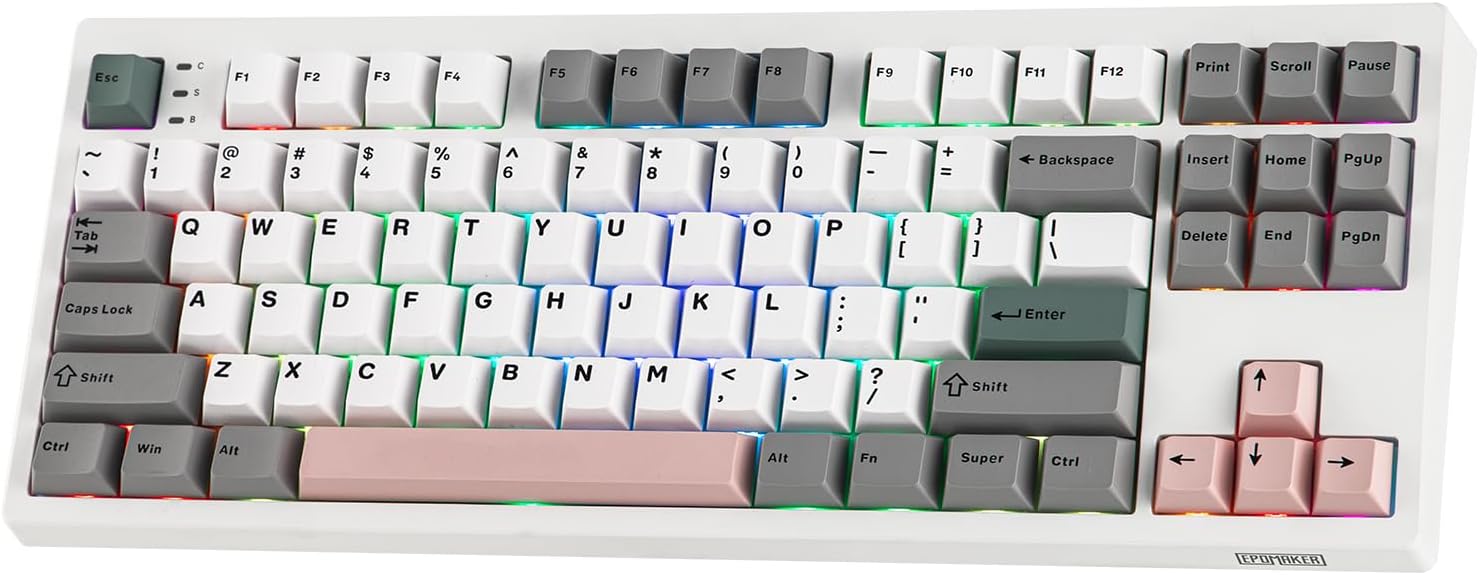
Figure 1: EPOMAKER TH87 Wireless Mechanical Keyboard (Creamy Jade Switch variant).
Package Contents
Verify that all items are present in your package:
- TH87 Wireless Gaming Keyboard
- USB A-to-C Cable & Extra Switches
- Wireless 2.4Ghz Receiver (stored under the side kick-stand)
- 2-in-1 Switch-and-Keycap Puller
- User Manual
Product Overview
The EPOMAKER TH87 is an 87-key TKL layout mechanical keyboard designed for versatility and performance. It features a gasket-mounted structure for a comfortable typing experience and a 5-layer sound optimizing system. The keyboard is equipped with pre-lubed Creamy Jade switches and Cherry profile PBT keycaps.
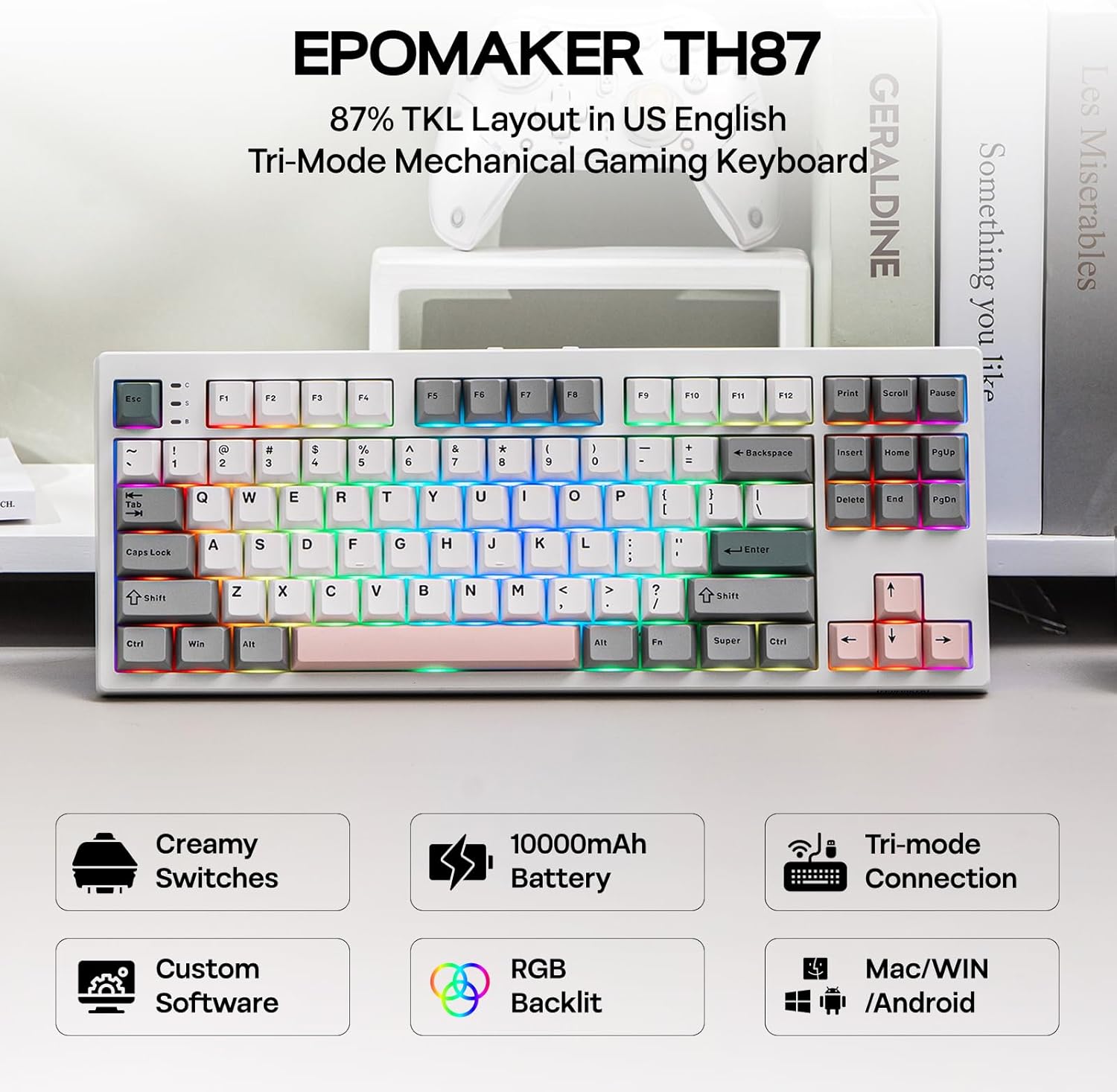
Figure 2: Overview of EPOMAKER TH87 key features including Creamy Switches, 10000mAh Battery, Tri-mode Connection, Custom Software, RGB Backlit, and Mac/WIN/Android compatibility.

Figure 3: Technical specifications and layout details of the EPOMAKER TH87 keyboard, highlighting its 87% functional compact layout, dimensions, and function keys.
Setup
Connectivity Modes
The TH87 supports three connection modes: Wired (USB-C), 2.4GHz Wireless, and Bluetooth. A switch on the back of the keyboard allows you to select your preferred mode.
- Wired Mode: Connect the keyboard directly to your device using the provided USB A-to-C cable.
- 2.4GHz Wireless Mode: Insert the 2.4GHz receiver (found under the side kick-stand) into your device's USB port. Switch the keyboard to 2.4G mode. The keyboard will automatically connect.
- Bluetooth Mode: Switch the keyboard to BT mode. On your device, search for "EPOMAKER TH87" in Bluetooth settings and pair. The keyboard supports up to 3 Bluetooth devices.
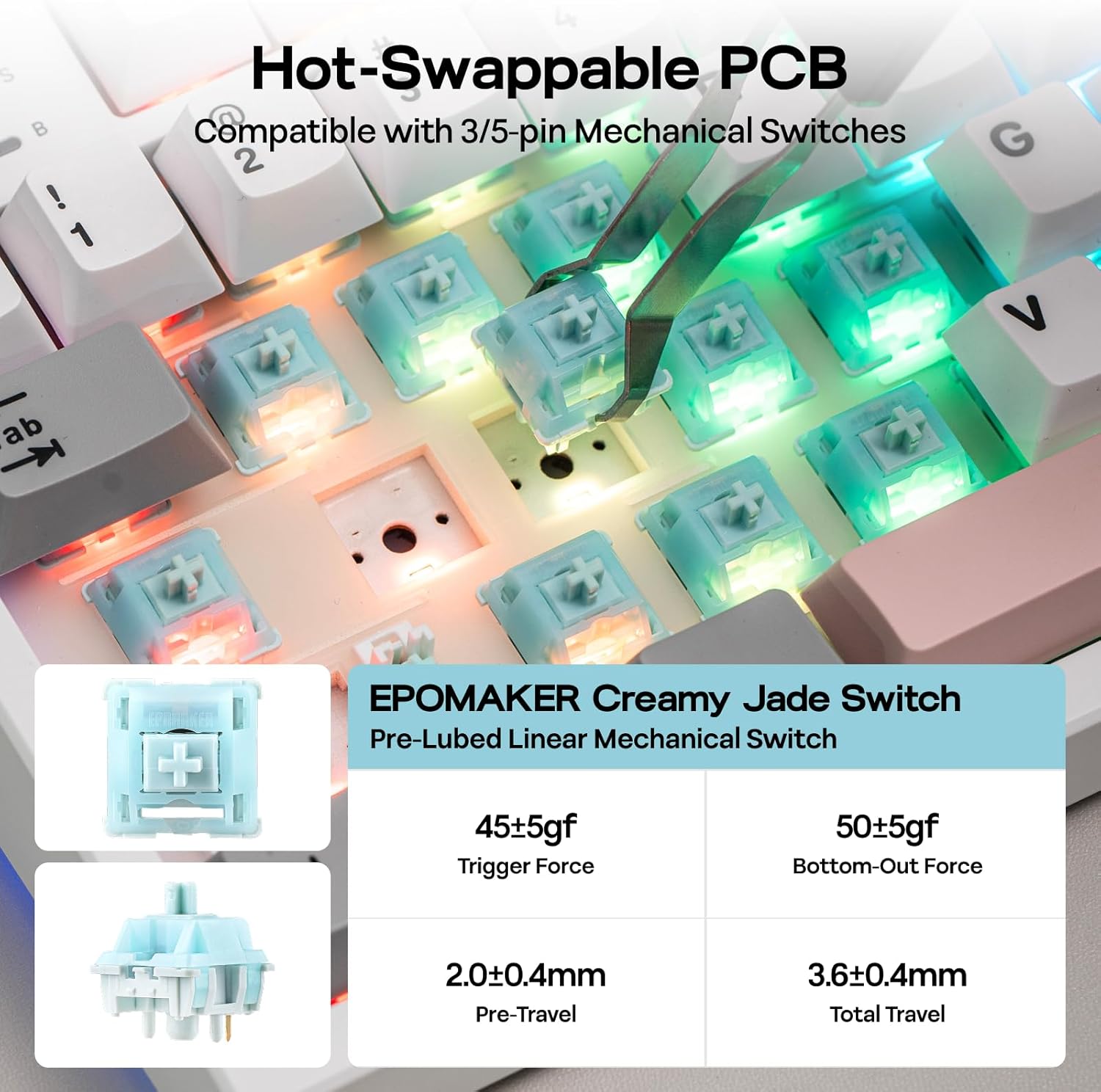
Figure 4: The EPOMAKER TH87 offers versatile tri-mode connectivity options: USB-C wired, 2.4GHz wireless, and Bluetooth.

Figure 5: The physical switch on the keyboard to select between Mac/Win compatibility and 2.4G/USB/BT connection modes.
Charging
The keyboard is equipped with a 10000mAh battery. Connect the USB-C cable to the keyboard and a power source (e.g., computer USB port or wall adapter) to charge. The battery indicator will show charging status. A full charge provides up to 45 hours of continuous use with the backlight on, or up to 200 hours with the backlight off.
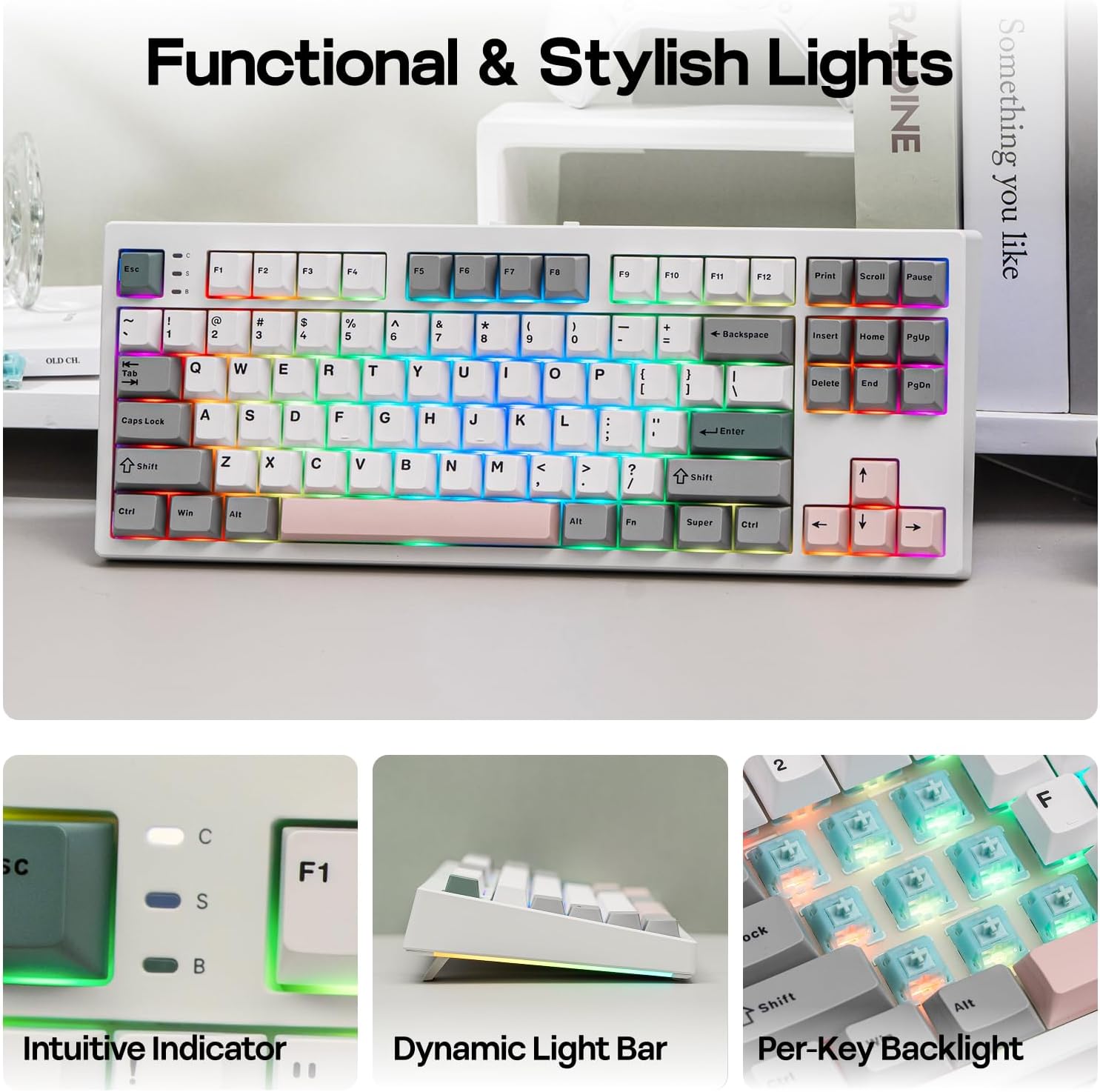
Figure 6: The EPOMAKER TH87 features a 10000mAh battery, offering up to 45 hours with RGB backlight on and 200 hours with RGB backlight off.
Operation
Key Functions
The TH87 keyboard includes various FN key combinations for multimedia control, screen brightness, and other system functions. Refer to the included quick guide for a full list of FN key combinations specific to Windows and Mac systems.
RGB Backlighting
The keyboard features per-key RGB backlighting with adjustable saturation, brightness, and speed. Use FN key combinations to cycle through various lighting effects and colors. The dynamic lighting can enhance your gaming or work environment.
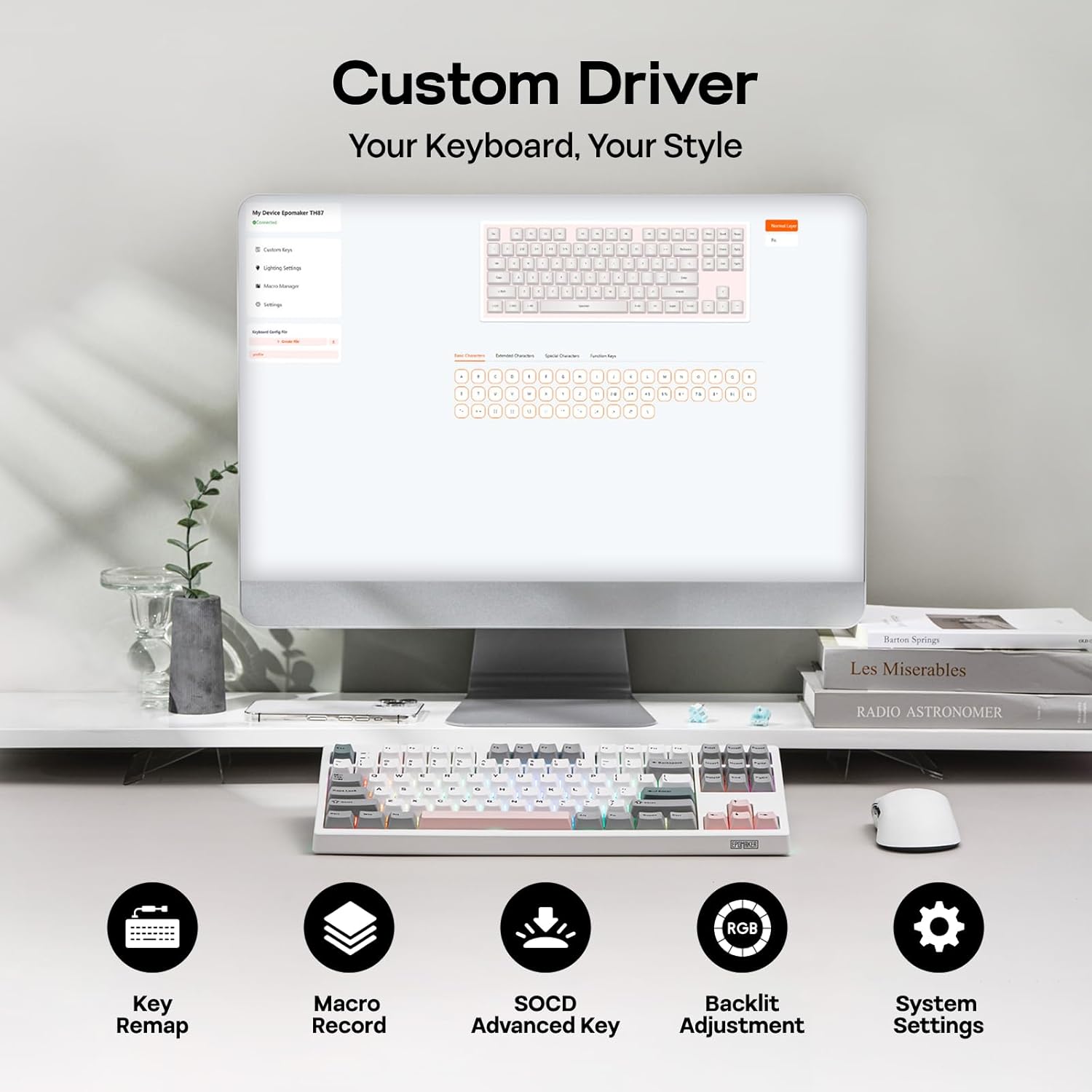
Figure 7: The EPOMAKER TH87 features functional and stylish RGB backlighting, including intuitive indicators, a dynamic light bar, and per-key backlighting.
Customization (Hot-Swappable)
The TH87 is a hot-swappable keyboard, allowing users to easily change mechanical switches without soldering. It is compatible with 3/5-pin mechanical switches. The keyboard comes with pre-lubed Creamy Jade linear mechanical switches, offering a trigger force of 45±5gf and a bottom-out force of 50±5gf.

Figure 8: The hot-swappable PCB of the EPOMAKER TH87 allows for easy switch replacement. Details of the pre-lubed Creamy Jade linear mechanical switches are also shown.
Online Web Driver Software
Utilize the Chrome-based online web driver software for advanced customization. This software allows for key remapping, macro recording, SOCD advanced key adjustments, backlight customization, and system settings. It is accessible on both Mac and Windows operating systems.
Video 1: This video demonstrates how to use the EPOMAKER TH87 Online Web Driver for advanced keyboard customization.
Maintenance
To ensure the longevity and optimal performance of your EPOMAKER TH87 keyboard, follow these maintenance guidelines:
- Cleaning: Regularly clean the keycaps and keyboard surface with a soft, dry cloth. For deeper cleaning, use the provided keycap puller to remove keycaps and clean underneath with compressed air or a small brush.
- Switch Care: The switches are pre-lubed. Avoid excessive lubrication unless performing a full switch modification.
- Storage: When not in use, store the keyboard in a dry, dust-free environment. Avoid exposing it to extreme temperatures or direct sunlight.
- Battery Care: For optimal battery life, avoid fully discharging the keyboard frequently. Charge it when the battery indicator suggests it.
Troubleshooting
If you encounter issues with your EPOMAKER TH87 keyboard, refer to the following common troubleshooting steps:
- Keyboard Not Responding: Ensure the keyboard is properly connected in wired mode, or that the 2.4GHz receiver is securely plugged in and the keyboard is in 2.4G mode. For Bluetooth, ensure it's paired and selected as the active device. Check battery level.
- Connectivity Issues: Try re-pairing the Bluetooth device or re-inserting the 2.4GHz receiver. Ensure no other wireless devices are causing interference.
- RGB Backlight Not Working: Check if the backlight is turned off via FN key combinations. Adjust brightness and effects. If issues persist, perform a backlight setting reset (refer to the quick guide for specific FN key combination).
- Keys Not Registering: If individual keys are not working, try removing and re-inserting the switch using the provided puller. If the issue persists, the switch may need replacement.
- Software Issues: Ensure your web browser is up-to-date when using the online web driver. Clear browser cache if necessary.
Specifications
| Product Dimensions | 14.43 x 5.59 x 1.63 inches |
| Item Weight | 2.2 pounds |
| Manufacturer | EPOMAKER |
| Item Model Number | TH87 |
| Batteries | 1 D batteries required. (included) |
| Date First Available | December 3, 2025 |
| Compatible Devices | Gaming Console, Laptop, PC, Projector, Tablet |
| Connectivity Technology | 2.4Ghz Wireless, BT, USB A-to-C Wired |
| Keyboard Description | TKL Layout Mechanical Keyboard |
| Special Feature | Backlit, Ergonomic, Hot-Swappable, Programmable Keys, Rechargeable |
| Keyboard Backlighting Color Support | RGB |
| Style | Contemporary |
| Material | Plastic |
Warranty and Support
EPOMAKER offers various protection plans for your product. Please refer to the original purchase documentation or contact EPOMAKER customer support for detailed warranty information and service options. Protection plans include 3-Year, 4-Year, and Complete Protect options.
For further assistance, visit the EPOMAKER Store on Amazon.


