Introduction
The Plaud Note Pro is an advanced AI voice recorder designed to enhance productivity through intelligent recording, transcription, and summarization capabilities. This manual provides essential information for setting up, operating, maintaining, and troubleshooting your device.
Safety Information
Before using your Plaud Note Pro, please read and understand the following safety guidelines:
- Always obtain consent from all participants before initiating a recording, as required by law.
- Respect privacy and comply with all applicable regulations regarding audio recording.
- Keep the device away from water and extreme temperatures.
- Do not attempt to disassemble or repair the device yourself. Contact support for assistance.
What's in the Box
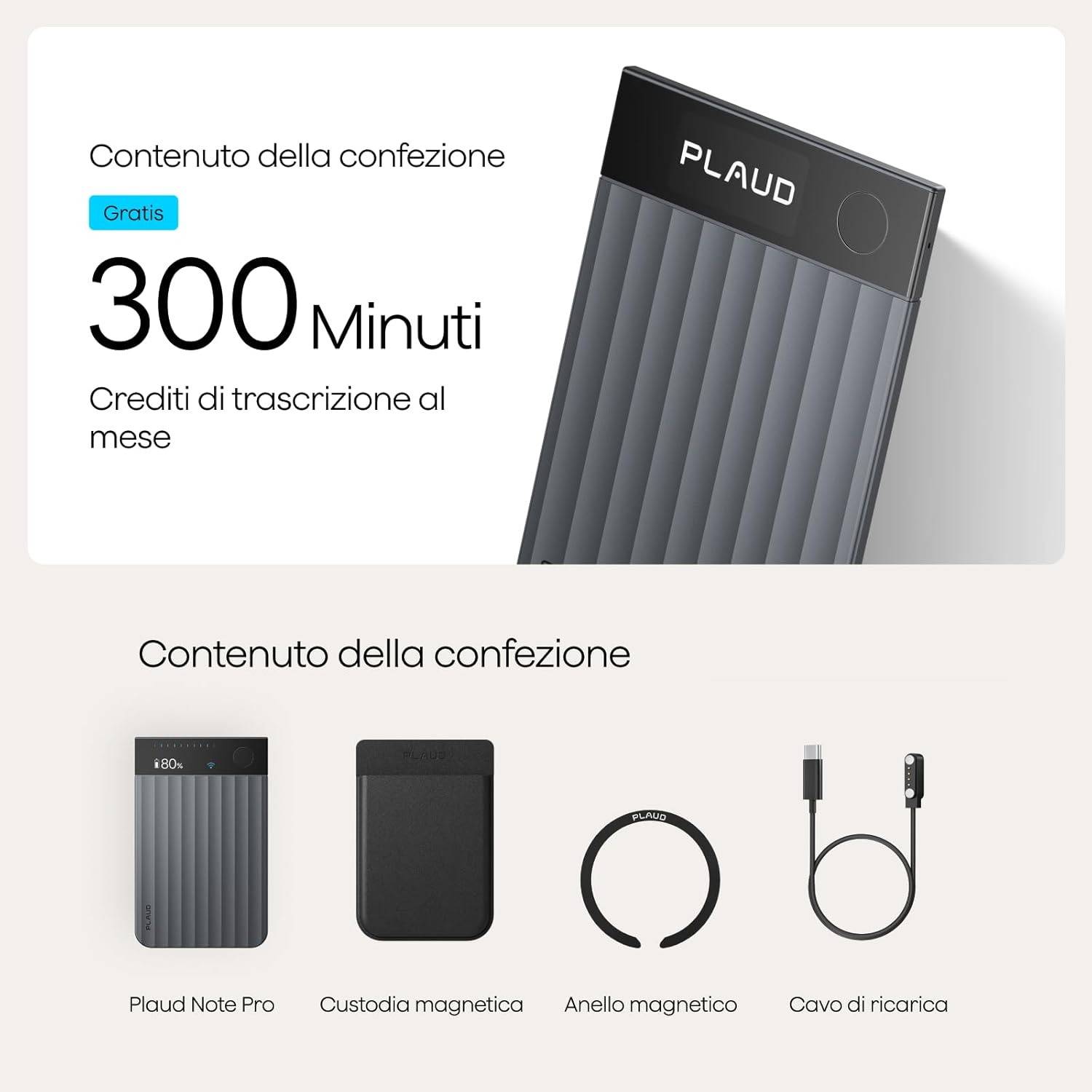
Verify that all items are present in your Plaud Note Pro package:
- 1 Plaud Note Pro AI Voice Recorder
- 1 Magnetic Case
- 1 Magnetic Ring
- 1 Charging Cable
- 300 minutes of transcription credit per month (Starter Plan)
Device Overview
The Plaud Note Pro features a sleek, ultra-thin design with intuitive controls and a clear display.
- Dimensions: 8.56 x 0.3 x 5.41 cm
- Weight: 30 grams
- Microphones: 4 MEMS microphones and 1 VPU microphone for clear audio capture up to 5 meters.
- Display: InstantView display for real-time status updates.
- Controls: Minimal buttons for easy operation.

Setup
1. Charging the Device
Connect the Plaud Note Pro to a power source using the included USB-C charging cable. The device has a lithium-ion battery and can record up to 50 hours on a single charge.
2. Connecting to the Plaud App
The Plaud Note Pro connects to your smartphone via Bluetooth. Download the official Plaud App from your device's app store. Follow the in-app instructions to pair your device. This connection enables advanced features like real-time transcription and AI summarization.

Operating Instructions
1. Recording Modes
The Plaud Note Pro supports intelligent dual-mode recording:
- Telephone Call Recording: Automatically switches to record phone calls when attached to your smartphone.
- In-Person Recording: Captures conversations in meetings, interviews, or lectures.

2. Starting and Stopping Recording
Refer to the device's physical buttons for starting and stopping recordings. The InstantView display will indicate the recording status.
3. Multimodal Input and Highlighting
Beyond audio, you can enrich your recordings by typing notes, adding images, and pressing a button to highlight key moments directly within the app. This creates a richer context for your captured information.

4. AI Transcription and Summarization
The Plaud Note Pro leverages AI to provide:
- Automatic Transcription: Transcribes recordings into text in 112 languages, with speaker recognition and personalized vocabulary.
- Multidimensional Summaries: Generates intelligent summaries, mind maps, and action items from your recordings using over 10,000 professional templates.
- Ask Plaud: An AI assistant that can answer questions based on your transcribed content.
- AutoFlow: Automates workflows by triggering actions based on your recordings (e.g., sending emails).


5. Data Management and Security
Your data is secured with GDPR, ISO 27001, SOC 2, HIPAA, and EN18031 compliance. Manage your audio files on the Plaud App and Plaud Web. You can export, share, and integrate your data into various formats and platforms.

Maintenance
1. Cleaning
Wipe the device with a soft, dry cloth. Avoid using harsh chemicals or abrasive materials that could damage the surface or internal components.
2. Battery Care
To prolong battery life, avoid fully discharging the device frequently. Charge it regularly, especially if it will be stored for an extended period.
3. Software Updates
Ensure your Plaud App and device firmware are always up to date to benefit from the latest features and improvements. Updates are typically managed through the Plaud App.
Troubleshooting
| Issue | Possible Cause | Solution |
|---|---|---|
| Device not turning on | Low battery | Charge the device for at least 30 minutes. |
| Cannot connect to app | Bluetooth off, device not discoverable | Ensure Bluetooth is enabled on your phone and the Plaud Note Pro is in pairing mode. Restart both devices. |
| Poor audio quality | Obstructions, distance, background noise | Ensure microphones are clear. Place the device closer to the sound source. Minimize background noise. |
| Transcription errors | Unclear audio, incorrect language setting | Improve audio clarity. Verify the correct transcription language is selected in the app. |
Specifications
- Model: Note Pro
- Dimensions: 8.56 x 0.3 x 5.41 cm
- Weight: 30 grams
- Memory Capacity: 64 GB
- Battery Type: Lithium-ion (included)
- Average Battery Life: 50 hours (recording)
- Hardware Interface: Bluetooth
- Compatible Devices: Smartphone
- Microphone Form Factor: Integrated (4 MEMS, 1 VPU)
- Supported Audio Format: WAV
- Display Size: 2.41 Centimeters
Warranty and Support
Plaud products are designed for reliability and performance. For specific warranty details, please refer to the documentation included with your purchase or visit the official Plaud website. For technical support, troubleshooting assistance, or inquiries about your device, please contact Plaud customer service through the official app or website.