
MP myPhone 7340 LTE
MP myPhone 7340 LTE Dual-SIM 4G Mobile Phone Instruction Manual
Model: 7340 LTE
1. Introduction
This manual provides essential information for the safe and efficient use of your MP myPhone 7340 LTE Dual-SIM 4G mobile phone. Please read it carefully before using the device and keep it for future reference.
The MP myPhone 7340 LTE is designed for ease of use, featuring a clear 2.8-inch IPS display, large buttons, and 4G LTE connectivity for clear calls and fast data. It also includes practical functions like Dual SIM support, expandable memory, and a long-lasting battery.
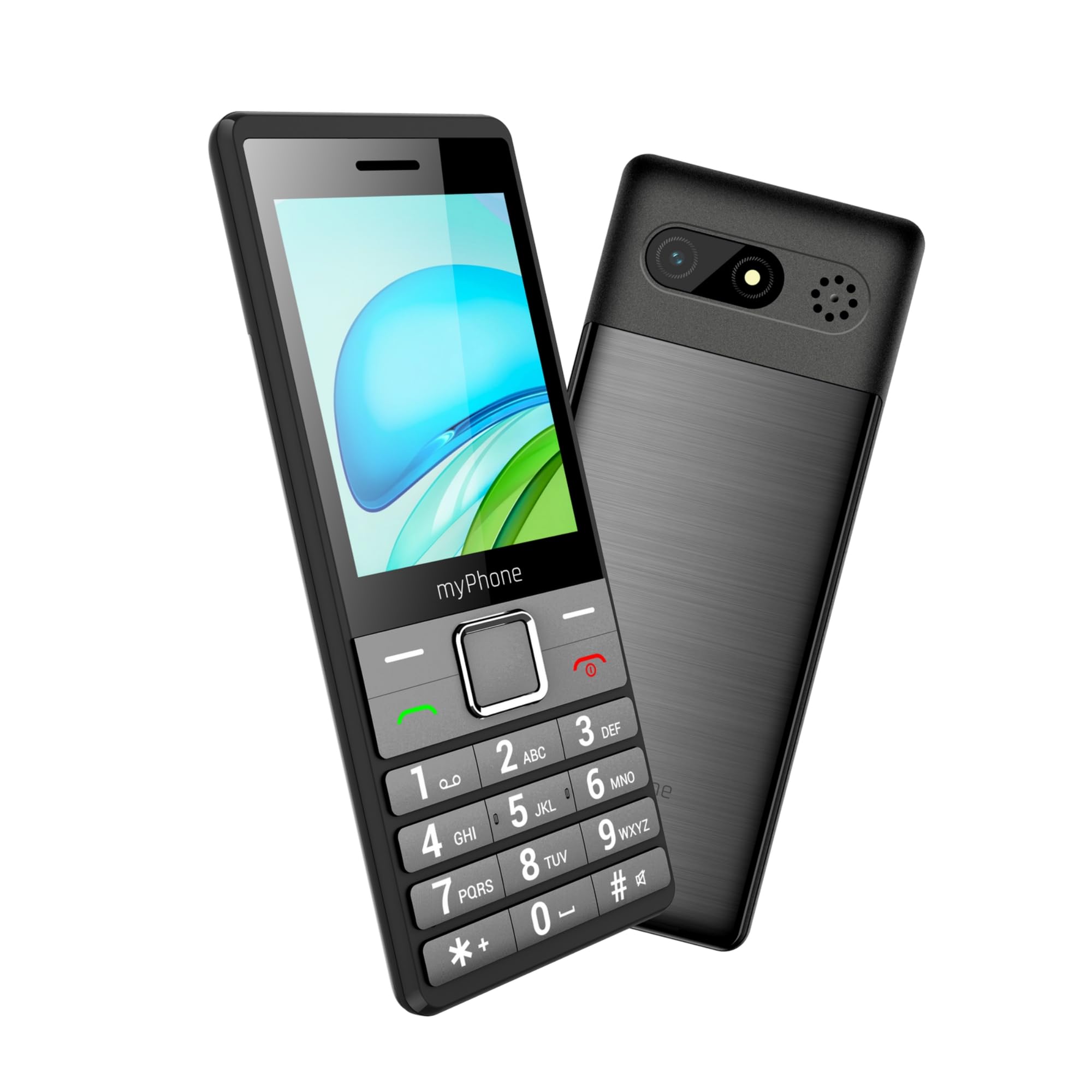
Figure 1: MP myPhone 7340 LTE device overview.
2. Package Contents
Ensure all items are present in the package:
- MP myPhone 7340 LTE Mobile Phone
- USB Cable
- Battery (1400 mAh)
- User Manual (this document)

Figure 2: Internal view of the phone showing battery and SIM/SD card slots.
3. Initial Setup
3.1. Installing the SIM Card and Battery
- Remove the back cover of the phone by gently prying it open from the notch.
- Insert your Nano SIM card(s) into the designated SIM1 and SIM2 slots. Ensure the gold contacts face downwards and the card is correctly oriented as indicated by the diagram.
- If using a microSD card for expandable memory, insert it into the microSD slot.
- Insert the battery into its compartment, aligning the gold contacts with the phone's terminals.
- Replace the back cover, pressing firmly until it clicks into place.
Video 1: Demonstration of quickly installing a SIM card. This video shows the process of opening the SIM card slot, inserting the SIM card, and securing it in place.
3.2. Powering On/Off
- To power on: Press and hold the Power/End Call button until the screen lights up.
- To power off: Press and hold the Power/End Call button, then select 'Power off' from the options.
3.3. Charging the Battery
Connect the USB cable to the phone's charging port and the other end to a compatible USB power adapter. The battery indicator on the screen will show the charging status. Ensure the phone is fully charged before first use.
4. Basic Operation
4.1. Making and Receiving Calls
- Making a Call: Enter the phone number using the keypad and press the Green Call button.
- Receiving a Call: When the phone rings, press the Green Call button to answer.
- Ending a Call: Press the Red End Call button.

Figure 3: The phone offers clear call quality thanks to LTE connectivity.
4.2. Contacts
You can save frequently called numbers in your phone's contacts. Navigate to the 'Contacts' menu to add, edit, or delete entries.
4.3. Messaging
To send and receive SMS messages, navigate to the 'Messages' menu. The large keypad makes typing messages easier.
4.4. SOS Function
The phone features an SOS button for emergencies. In a critical situation, press and hold the dedicated SOS button to automatically dial pre-set emergency contacts and send an SMS with your location.
Video 2: Overview of a 4G mobile phone for seniors with large buttons. This video highlights the phone's design and key features, including the SOS button.
5. Features
5.1. 4G LTE Connectivity
Enjoy fast and reliable network connectivity for clear voice calls (VoLTE compatible) and efficient data usage.
5.2. 2.8-inch IPS Display
The large, clear 2.8-inch IPS color display ensures easy readability of menus, messages, and contacts.

Figure 4: The phone's vibrant 2.8-inch IPS display for clear viewing.
5.3. Dual SIM and Expandable Memory
The phone supports two SIM cards, allowing you to manage two numbers simultaneously. It also features a microSD card slot, supporting up to 64GB of additional storage for photos, music, and more.
5.4. 1400 mAh Long-Lasting Battery
The 1400 mAh battery provides extended usage time, reducing the need for frequent recharging.

Figure 5: The 1400 mAh battery ensures longer talk and standby times.
5.5. Additional Practical Functions
- Camera: Capture moments with the integrated camera.
- LED Torch: A built-in LED torch provides convenient illumination.
- FM Radio: Listen to your favorite radio stations on the go.
- Bluetooth: Connect to wireless headsets or other Bluetooth devices.
- Alarm: Set alarms for important reminders.
- MP3 Player: Enjoy your music files stored on the device or microSD card.

Figure 6: Practical features include Dual SIM, camera, and torch.
6. Maintenance
6.1. Battery Care
- Avoid exposing the battery to extreme temperatures.
- Do not puncture, disassemble, or modify the battery.
- Use only the original or approved charger and cable.
6.2. Cleaning
Wipe the phone with a soft, dry cloth. Avoid using harsh chemicals or abrasive materials.
6.3. General Device Care
- Keep the phone dry and away from moisture.
- Protect the screen from scratches by using a screen protector.
- Avoid dropping the phone or subjecting it to strong impacts.
7. Troubleshooting
| Problem | Possible Cause | Solution |
|---|---|---|
| Phone does not turn on | Low battery | Charge the battery for at least 30 minutes. |
| Cannot make/receive calls | No SIM card or poor network signal | Ensure SIM card is correctly inserted. Check network coverage. |
| Battery drains quickly | High usage or background apps | Reduce screen brightness, close unnecessary applications, or limit usage. |
| Sound issues | Volume too low or speaker blocked | Adjust volume settings. Ensure speaker is not covered. |
8. Specifications
| Feature | Detail |
|---|---|
| Model Name | 7340 LTE |
| Brand | MP myPhone |
| Display Size | 2.8 inches |
| Display Resolution | 240 x 320 |
| Cellular Technology | 4G LTE |
| RAM Size | 48 MB |
| Memory Capacity | 128 MB (expandable up to 64 GB with microSD) |
| Battery Capacity | 1400 mAh |
| Operating System | Other (non-Android feature phone OS) |
| Weight | 180 g |
| Dimensions | 14.3 x 8.1 x 4 cm |
| Connectivity | LTE, Wireless |
| What's in the box | USB Cable |
9. Warranty and Support
Your MP myPhone 7340 LTE is covered by a standard manufacturer's warranty. For detailed warranty information, please refer to the warranty card included in your package or visit the official MP myPhone website.
For technical support, troubleshooting assistance, or service inquiries, please contact MP myPhone customer service through their official channels. Contact details can typically be found on the manufacturer's website or in the product packaging.
Related Documents - 7340 LTE
 |
Easyfone Prime-A1 Pro 4G LTE Flip Phone: Quick Start Guide for Seniors Get started with your Easyfone Prime-A1 Pro 4G LTE flip phone for seniors. This quick start guide provides essential instructions on setup, features like the SOS button and charging dock, and basic operations for an easy mobile experience. |
 |
Instrukcja obsługi myPhone Halo EASY Kompleksowa instrukcja obsługi telefonu myPhone Halo EASY, zawierająca informacje o bezpieczeństwie, funkcjach, obsłudze, konserwacji i utylizacji. |
 |
myPhone Tango LTE User Manual - Comprehensive Guide Detailed user manual for the myPhone Tango LTE, covering setup, features, troubleshooting, and warranty information. Learn how to use your phone effectively and safely. |
 |
UNIWA V202T User Manual: Features, Specifications, and Support Comprehensive user manual for the UNIWA V202T mobile phone, covering unboxing, basic functions, contact management, settings, SOS emergency call, product specifications, and technical support. |
 |
PinePhone User Manual and Quick Start Guide Comprehensive user manual and quick start guide for the PinePhone, detailing setup, hardware specifications, operating systems, safety precautions, and troubleshooting. |
 |
Bea-fon Fold10 LTE: User-Friendly Clamshell Feature Phone with Large Displays Explore the Bea-fon Fold10 LTE, a feature-rich clamshell mobile phone designed for ease of use. Features include dual displays, an SOS button, flashlight, and long battery life. Ideal for seniors and everyday communication. |