
Spedal S1
Spedal S1 4K Bike Camera with GPS Tracking and Headlight User Manual
Model: S1 | Brand: Spedal
Introduction
The Spedal S1 is a versatile 5-in-1 cycling companion, integrating a 4K action camera, GPS cycling computer, speedometer, safety headlight, and accident recorder into a single compact device. Designed for cyclists and e-scooter users, it provides high-quality video recording, precise GPS tracking, and enhanced visibility for safer rides. This manual provides detailed instructions for setting up, operating, and maintaining your Spedal S1.

Image: The Spedal S1 camera mounted on a bicycle, highlighting its compact design and integration.
What's in the Box
Verify that all components are present before proceeding with setup:
- 1 × Spedal S1 Bike Camera
- 1 × Quick-Release Handlebar Mount
- 1 × 64GB Memory Card (pre-installed or separate)
- 1 × USB-C Charging Cable
- 1 × User Manual (this document)
Product Overview
Familiarize yourself with the main parts of your Spedal S1 camera.
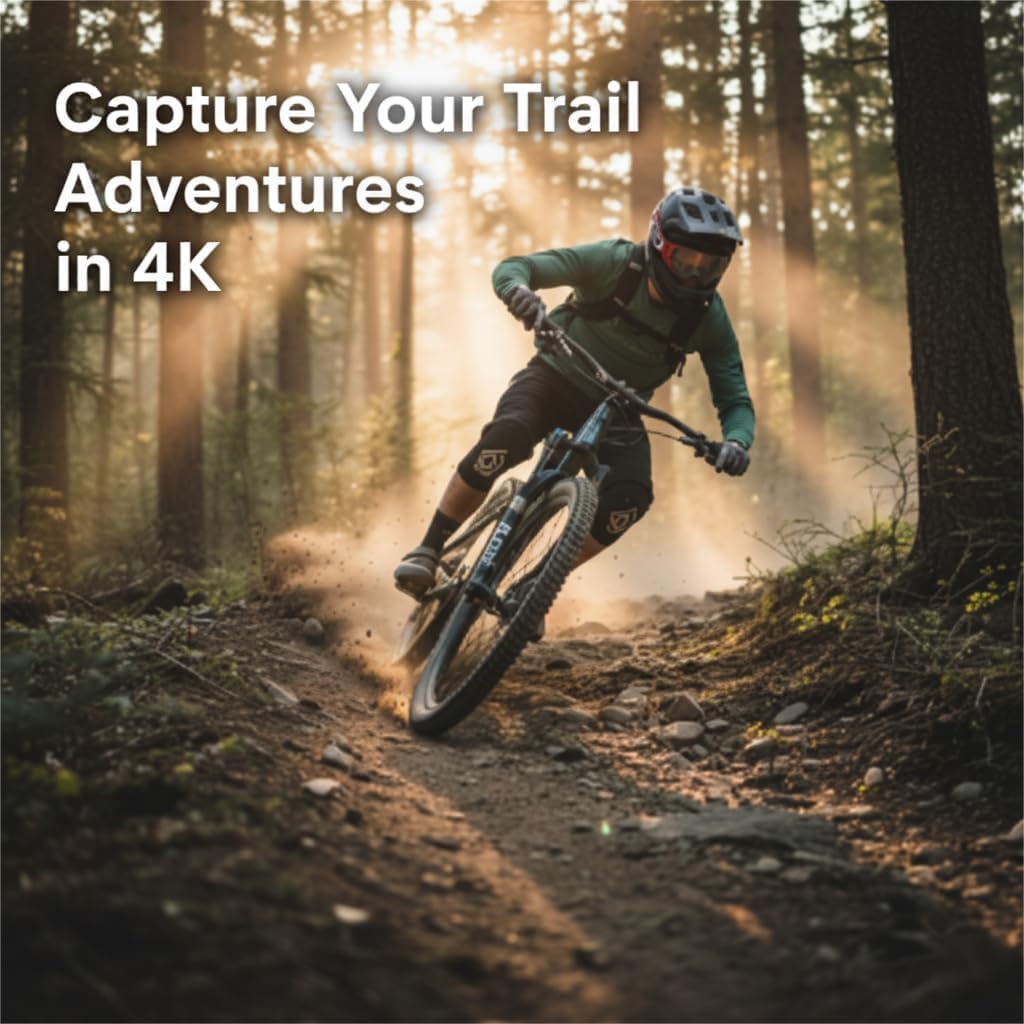
Image: Front and top view of the Spedal S1 camera, highlighting the camera lens, headlight, and control buttons.
- Camera Lens: Captures 4K Ultra HD video with a 132-degree wide angle.
- Headlight: Integrated 3-mode adaptive headlight (Strong/Low/Flash).
- Control Buttons: Power, Record, and Mode buttons for device operation.
- 0.96-inch IPS Screen: Displays real-time speed, distance, and GPS information.
- USB-C Port: For charging and data transfer.
- Micro SD Card Slot: Supports up to 512GB (64GB card included).
- Microphone: For audio recording.
Setup
1. Charging the Device
Before first use, fully charge your Spedal S1. Connect the included USB-C cable to the camera's USB-C port and the other end to a USB power adapter (not included) or a computer USB port. The charging indicator will show the charging status.

Image: The Spedal S1 camera with its USB-C port exposed and a charging cable connected.
2. Micro SD Card Installation
The Spedal S1 comes with a 64GB Micro SD card. Insert the Micro SD card into the designated slot with the contacts facing down until it clicks into place. Ensure the card is properly seated to avoid recording issues. The device supports up to 512GB Micro SD cards.
Video: Demonstrates the process of inserting the Micro SD card into the Spedal S1 camera and connecting the USB-C charging cable.
3. Mounting the Camera
Attach the quick-release handlebar mount to your bicycle or e-scooter handlebars. Ensure there is at least 1cm clearance for nut rotation and tightening. Secure the Spedal S1 camera onto the mount until it locks into place. The tool-free design allows for easy installation and removal.

Image: Visual guide for attaching the quick-release handlebar mount to a bicycle or e-scooter.
Video: Demonstrates the quick and easy installation of the Spedal S1 camera onto a bicycle handlebar mount.
4. App Installation and Pairing
Download the official Spedal app from your smartphone's app store. Enable Wi-Fi on your Spedal S1 and connect your smartphone to the camera's Wi-Fi network. Follow the in-app instructions to pair your device. This enables live preview, playback, downloading, and editing of your recordings.

Image: A smartphone connected to the Spedal S1 camera via Wi-Fi, showing the live view and GPS data on the screen.
Operating Instructions
1. Power On/Off
- Power On: Press and hold the Power button until the screen illuminates.
- Power Off: Press and hold the Power button until the device shuts down.
2. Video Recording
The Spedal S1 automatically begins recording when powered on. It captures video in 4K Ultra HD at 30 frames per second (FPS) with 6-axis Electronic Image Stabilization (EIS) for smooth footage. The camera features loop recording, overwriting the oldest files when the memory card is full.

Image: The Spedal S1 camera in action, capturing a cyclist on a dirt trail, demonstrating its use for action recording.
3. Headlight Operation
The integrated headlight offers three modes: Strong, Low, and Flash. Press the Headlight button to cycle through these modes. This enhances visibility for night riding and acts as a safety light.

Image: A cyclist riding at night, with the Spedal S1's powerful headlight illuminating the road ahead.
4. GPS Tracking and Cycling Computer Features
The built-in GPS module records your speed, distance, and route. This data is displayed on the 0.96-inch IPS screen in real-time. GPS typically locks within one minute. After your ride, sync with the mobile app for detailed analysis, route playback, and sharing.

Image: A cyclist on a road, with the Spedal S1 camera and a smartphone displaying GPS tracking and ride data.
5. Wi-Fi and App Features
The Spedal S1 connects to your smartphone via Wi-Fi (up to 20 ft range). The app allows you to:
- View a live feed from the camera.
- Playback recorded videos.
- Download videos to your phone.
- Edit videos, add ride data overlays (speed, altitude, route maps), and background music.
- Share your ride highlights directly to social media platforms like TikTok, Instagram, or YouTube.

Image: A person viewing and sharing content from the Spedal S1 camera on a smartphone, demonstrating social media integration.
Maintenance
- Cleaning: Use a soft, damp cloth to clean the camera body. For the lens, use a specialized lens cleaning cloth and solution. Avoid abrasive materials or harsh chemicals.
- Storage: Store the device in a cool, dry place away from direct sunlight when not in use. Ensure the battery is partially charged (around 50%) for long-term storage to preserve battery health.
- Water Resistance: The Spedal S1 is IP65 water-resistant, meaning it can withstand splashes and light rain. Do not submerge the device in water. Ensure the USB-C port cover is securely closed during use in wet conditions.
- Firmware Updates: Periodically check the Spedal app for available firmware updates to ensure optimal performance and access to new features.

Image: The Spedal S1 camera on a bicycle in the rain, illustrating its IP65 waterproof and dustproof capabilities.
Troubleshooting
| Problem | Possible Cause | Solution |
|---|---|---|
| Device does not power on. | Low battery. | Charge the device fully using the provided USB-C cable. |
| Recording stops unexpectedly. | SD card full or corrupted; low battery. | Format the SD card (backup data first) or replace it. Ensure the device is charged. |
| GPS not locking or inaccurate. | Poor satellite signal (e.g., indoors, heavy tree cover, tall buildings). | Move to an open area with a clear view of the sky. Allow up to 1 minute for initial lock. |
| Wi-Fi connection issues with app. | Incorrect Wi-Fi password; too far from device; app glitch. | Ensure correct Wi-Fi password. Stay within 20 ft of the camera. Restart both the camera and the app. Re-pair if necessary. |
| Handlebar mount slipping. | Mount not tightened sufficiently. | Ensure the mounting straps are tightened securely. If issues persist, consider an alternative mounting solution. |
Specifications
| Feature | Detail |
|---|---|
| Brand | Spedal |
| Model Name | S1 |
| Video Capture Resolution | 4K |
| Frame Rate | 30fps |
| Field Of View | 132 degrees |
| Stabilization | 6-Axis EIS |
| Night Vision Sensor | IMX335 |
| Connectivity Technology | Wi-Fi |
| Screen Size | 0.96 inches IPS |
| Water Resistance | IP65 |
| Memory Storage Capacity | 64 GB (supports up to 512 GB) |
| Battery Type | Lithium Ion |
| Control Method | App, Push Button |
| Compatible Devices | Smartphone |
Warranty
The Spedal S1 4K Bike Camera comes with a 1-year manufacturer's warranty. This warranty covers defects in materials and workmanship under normal use. Please retain your proof of purchase for warranty claims. For specific terms and conditions, refer to the warranty information provided with your product packaging or contact Spedal customer support.
Support
For further assistance, technical support, or inquiries regarding your Spedal S1, please visit the official Spedal website or contact their customer service department. You can often find FAQs, updated manuals, and contact information on the brand's support pages.
Online Resources: Spedal Brand Store on Amazon
Related documentsS1


Ask a question about this manual
Ask about setup, troubleshooting, compatibility, parts, safety, or missing instructions. Manuals+ will review the question and use this page’s manual context to help answer it.