
Introduction
Thank you for choosing the Vention Open Ear Openbeat O12 Wireless Sport Headphones. These headphones are designed to provide a comfortable and secure audio experience during physical activities, allowing you to stay aware of your surroundings. This manual provides essential information for setting up, operating, maintaining, and troubleshooting your device.
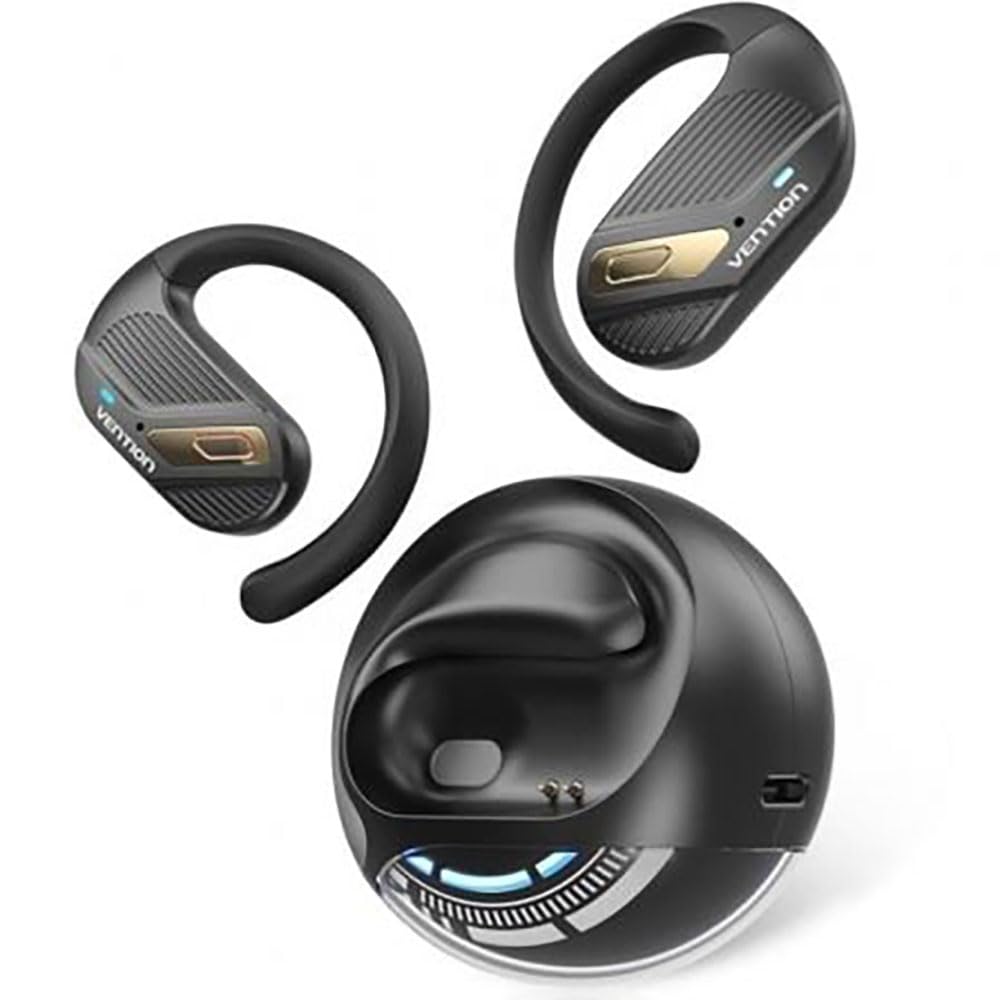
Image: Vention Open Ear Openbeat O12 Wireless Sport Headphones, showcasing the open-ear design and ergonomic fit.
Setup
1. Package Contents
Please check the package for the following items:
- Vention Open Ear Openbeat O12 Wireless Sport Headphones
- USB-C Charging Cable
- User Manual
2. Charging the Headphones
- Connect the USB-C charging cable to the charging port on the headphones.
- Connect the other end of the cable to a USB power adapter (5V/1A recommended) or a computer's USB port.
- The LED indicator will glow red during charging and turn blue or off when fully charged.
- A full charge typically takes approximately 1.5 to 2 hours.
3. Bluetooth Pairing
- Ensure the headphones are fully charged before initial use.
- Power On: Press and hold the Multi-function Button (MFB) for 3-5 seconds until the LED indicator flashes blue and red alternately, indicating pairing mode.
- Activate Bluetooth: On your smartphone or audio device, enable Bluetooth.
- Select Device: Search for "Vention Openbeat O12" in the list of available Bluetooth devices and select it.
- Confirmation: Once successfully paired, the LED indicator will flash blue slowly, and you will hear an audible confirmation.
- The headphones will automatically reconnect to the last paired device when powered on, if the device's Bluetooth is active and within range.
Operating Instructions
1. Power On/Off
- Power On: Press and hold the MFB for 3 seconds.
- Power Off: Press and hold the MFB for 5 seconds.
2. Music Playback
- Play/Pause: Press the MFB once.
- Next Track: Press and hold the Volume + button for 2 seconds.
- Previous Track: Press and hold the Volume - button for 2 seconds.
- Volume Up: Press the Volume + button once.
- Volume Down: Press the Volume - button once.
3. Call Management
- Answer/End Call: Press the MFB once.
- Reject Call: Press and hold the MFB for 2 seconds.
- Voice Assistant: Triple-press the MFB to activate your device's voice assistant (e.g., Siri, Google Assistant).
4. Wearing the Headphones
Position the headphones so that the ear hooks rest comfortably over your ears and the transducers sit just outside your ear canal. Adjust the band for a secure and stable fit during activity. The open-ear design ensures ambient sound awareness.
Maintenance
1. Cleaning
- Wipe the headphones with a soft, dry, or slightly damp cloth.
- Do not use abrasive cleaners, alcohol, or chemical solvents.
- Ensure the charging port is dry before charging.
2. Storage
- Store the headphones in a cool, dry place, away from direct sunlight and extreme temperatures.
- Avoid placing heavy objects on the headphones.
3. Battery Care
- Charge the headphones regularly, even if not in use, to maintain battery health.
- Avoid fully discharging the battery frequently.
Troubleshooting
| Problem | Solution |
|---|---|
| Headphones do not power on. |
|
| Cannot pair with device. |
|
| No sound or low volume. |
|
| Intermittent connection. |
|
Specifications
- Model: Openbeat O12
- Bluetooth Version: 5.3
- Wireless Range: Up to 10 meters (33 feet)
- Battery Capacity: 150mAh
- Playback Time: Up to 8 hours (at 60% volume)
- Charging Time: Approximately 1.5 - 2 hours
- Charging Port: USB-C
- Frequency Response: 20Hz - 20kHz
- Water Resistance: IPX4 (Sweat and splash resistant)
- Weight: Approximately 25g
Warranty and Support
Vention products are designed and manufactured to the highest quality standards. For detailed warranty information and customer support, please refer to the warranty card included in your product packaging or visit the official Vention website. Please retain your proof of purchase for warranty claims.
For technical assistance or inquiries, please contact Vention customer support through the channels provided on our official website.

