
1. Introduction
This manual provides detailed instructions for the installation, operation, and maintenance of your ZGZUXO T6 7" Touchscreen Baby Car Mirror Camera. Please read this manual thoroughly before using the product to ensure proper function and safety. This system allows you to monitor your infant in a rear-facing car seat with a 1440P HD camera, 150° wide-angle view, and night vision capabilities.
2. Package Contents
Verify that all components are present in your package:
- Baby Car Camera (1)
- 7'' Baby Car Monitor (1)
- Car Charging Cable (1)
- 3-Meter Video Cable (1)
- Type C Cable (1)
- Camera Straps (2)
- Strap Clips (1)
- User Manual (1)
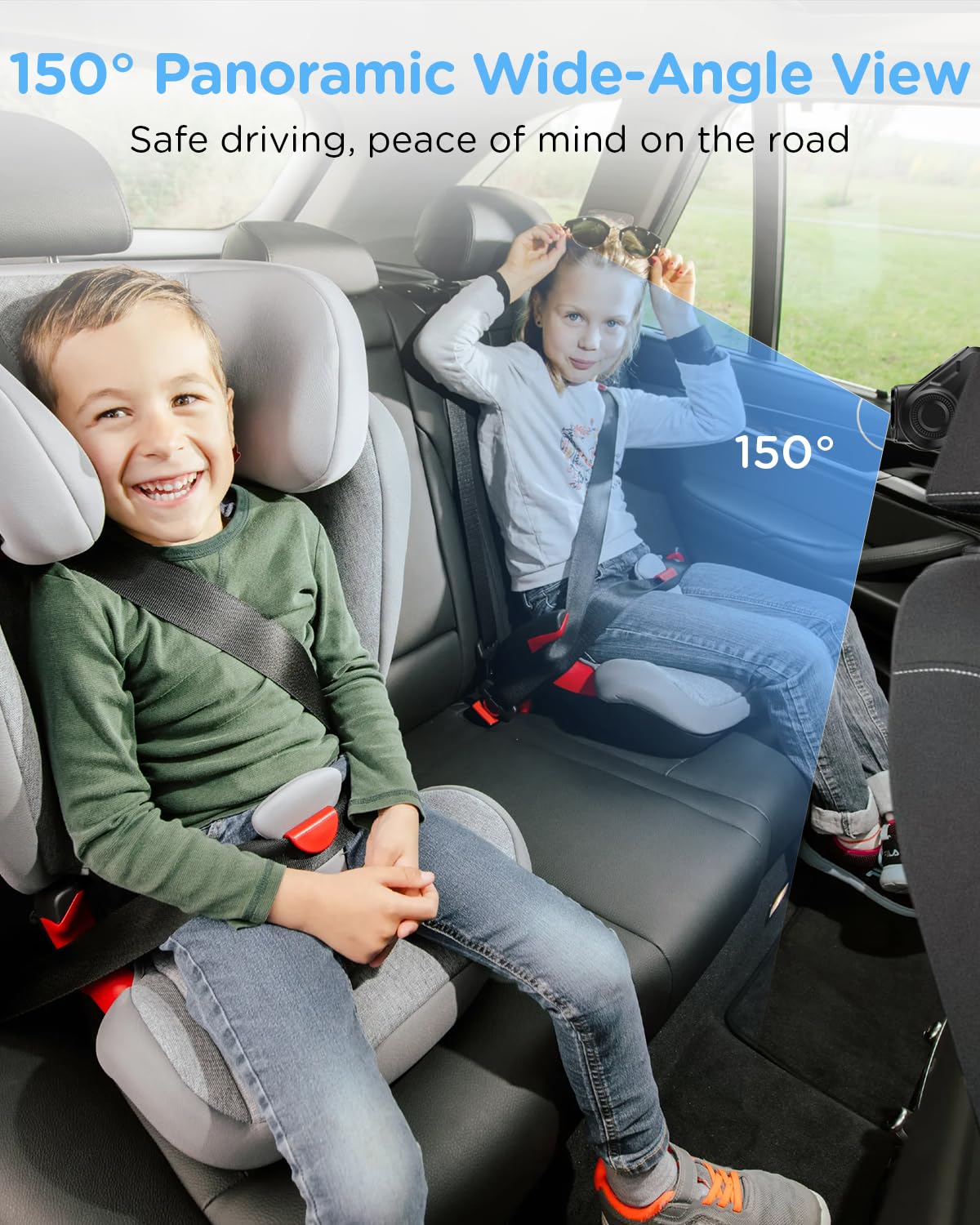
Figure 2.1: Package Overview. This image displays all the items included in the ZGZUXO T6 Baby Car Mirror Camera system, ensuring users can verify their package contents.
3. Product Features
- HD 1440P Night Vision Camera: Provides superior image quality for clear viewing of your child. Image clarity may be affected by window tint, ambient lighting, and rear windshield cleanliness.
- Automatic Light-Adaptive Night Vision: Activates automatically based on ambient light. Note: Requires ambient light to function; will not operate in complete darkness.
- 7-Inch HD Display: Large screen for unparalleled clarity, capturing every movement in the backseat.
- Video Recording Function: Built-in feature to capture moments. Requires a Micro SD card (TF card), Class 10 or higher, 16GB-128GB capacity (not included). Supports loop recording.
- 3X Zoom Function: Allows enlargement of images without compromising quality for optimal monitoring.
- 360° Rotatable Camera: Flexible viewing angles for monitoring multiple children or pets, ensuring focus on road safety.
- Plug-and-Play Installation: Powered via USB or car's cigarette lighter for quick and effortless setup.

Figure 3.1: Night Vision Capability. This image illustrates the automatic night vision feature, showing a clear view of a baby in a car seat during low light conditions without impacting driving visibility.

Figure 3.2: Video Recording Function. This image highlights the ability to record and playback moments, showing a clear view of a child on the monitor.

Figure 3.3: 3X Zoom Function. This image demonstrates the digital zoom capability, allowing users to get a closer view of their child without loss of quality.

Figure 3.4: 150° Wide-Angle View. This image illustrates the broad field of view provided by the camera, allowing comprehensive monitoring of the backseat.
Figure 3.5: 1440P Resolution Clarity. This image compares the visual quality between 720P and 1440P, demonstrating the enhanced detail provided by the higher resolution camera.
4. Setup and Installation
The ZGZUXO T6 system is designed for plug-and-play installation. Follow these steps for a quick and secure setup:
- Install the Camera: Secure the camera to the headrest of the rear seat using the provided straps. Adjust the camera angle to ensure a clear view of your child in the car seat.
- Install the Monitor: Mount the 7-inch monitor on your vehicle's dashboard or sun visor using the monitor bracket. Ensure it is securely fastened and does not obstruct your view of the road.
- Connect Cables: Connect the video cable from the camera to the monitor. Then, connect the monitor to your car's power supply using either the car charging cable (cigarette lighter) or the Type-C cable.
- Power On and Adjust: Once connected, the monitor should power on automatically. Adjust the camera and monitor angles as needed for optimal viewing.
Important Note on Cable Length: The standard 3-meter video cable accommodates most sedan installations. For larger vehicles such as SUVs, MPVs, or seven-seater vehicles, you may require a longer cable. Please contact ZGZUXO customer support if you encounter cable length issues.
Figure 4.1: Installation Steps. This image provides a visual guide for installing the camera, monitor, and connecting the power supply.
5. Operating Instructions
5.1 Power On/Off
The system typically powers on automatically when connected to your vehicle's power source and the vehicle is started. To power off, disconnect the power cable or turn off your vehicle.
5.2 Adjusting Camera View
The camera features a 360° rotatable design. Manually adjust the camera's position on the headrest to achieve the desired viewing angle of your child. Ensure the view is clear and unobstructed.
5.3 Using the 3X Zoom Function
The 7-inch touchscreen monitor allows you to digitally zoom in up to 3 times. Use the on-screen controls to activate and adjust the zoom level for a closer view of your child.
5.4 Night Vision Mode
The camera automatically activates night vision in low-light conditions. No manual adjustment is required. For optimal night vision performance, ensure your rear windshield is clean and there is some ambient light available.
5.5 Video Recording (with Micro SD Card)
To utilize the video recording function, insert a compatible Micro SD card (Class 10 or higher, 16GB-128GB) into the designated slot on the monitor. The system supports loop recording, automatically overwriting the oldest footage when the card is full. Refer to the on-screen menu for recording settings and playback options.
6. Maintenance
To ensure the longevity and optimal performance of your ZGZUXO T6 system, follow these maintenance guidelines:
- Cleaning the Monitor and Camera: Use a soft, dry cloth to gently wipe the monitor screen and camera lens. Avoid using abrasive cleaners or solvents, which can damage the surfaces.
- Cable Inspection: Periodically check all cables for any signs of wear, fraying, or damage. Replace any damaged cables immediately to prevent malfunction or safety hazards.
- Secure Mounting: Ensure the camera and monitor remain securely mounted. Re-tighten straps or brackets if they become loose.
- Storage: If storing the device for an extended period, disconnect it from the power source and store it in a cool, dry place away from direct sunlight.
7. Troubleshooting
If you encounter issues with your ZGZUXO T6 system, refer to the following common problems and solutions:
- No Power to Monitor:
- Ensure the power cable is securely connected to both the monitor and the car's power outlet (cigarette lighter or USB port).
- Check if the car's power outlet is functioning. Test with another device if possible.
- Verify the vehicle's ignition is on if the power outlet requires it.
- No Image on Monitor:
- Confirm the video cable is firmly connected between the camera and the monitor.
- Ensure the camera lens is not obstructed or dirty.
- Check if the camera is powered on (if applicable, though typically powered via the monitor connection).
- Poor Image Quality / Blurry Image:
- Clean the camera lens and monitor screen.
- Adjust the camera angle to ensure it has a clear line of sight to the child.
- Image clarity can be affected by window tint, ambient light, and rear windshield cleanliness.
- Night Vision Not Working:
- The night vision function requires some ambient light to operate. It will not work in complete darkness.
- Ensure the camera lens is clean.
- Video Recording Issues:
- Ensure a compatible Micro SD card (Class 10 or higher, 16GB-128GB) is inserted correctly.
- Format the Micro SD card through the monitor's settings menu if it's a new card or experiencing issues.
- Check if the card is full; the loop recording function should manage this, but a faulty card might prevent new recordings.
- Cable Length Too Short for Vehicle:
- As noted in the setup section, the standard 3-meter cable may be insufficient for larger vehicles. Contact ZGZUXO customer support for assistance with extended cable options.
If these troubleshooting steps do not resolve your issue, please contact ZGZUXO customer support for further assistance.
8. Specifications
| Feature | Specification |
|---|---|
| Brand | ZGZUXO |
| Model Name | T6 |
| Vehicle Service Type | Car |
| Connectivity Technology | USB |
| Special Feature | Video function |
| Video Capture Resolution | 1440p |
| Mounting Type | Windshield Mount |
| Color | Jet black |
| Field Of View | 150 Degrees |
| Display Type | LCD |
| Frame Rate | 30 FPS |
| Item Dimensions (D x W x H) | 4"D x 4"W x 7"H |
| UPC | 765267639089 |
9. Warranty and Support
The ZGZUXO T6 Baby Car Mirror Camera comes with a 2-Year Manufacturer Warranty.
For technical support, warranty claims, or any questions regarding your product, please contact ZGZUXO customer service. Refer to the contact information provided in the packaging or on the official ZGZUXO website.
