
1. Product Overview
The ZWXYVUT SF3500 is a retro handheld game console designed to provide an immersive gaming experience with its high-definition 5.5-inch IPS screen and support for various classic video game emulators. It features an ergonomic design, long battery life, and multimedia capabilities.
Key Features:
- Flagship Visual Experience: Features a 5-inch high-definition eye-protection screen with enhanced color saturation and smart brightness adjustment for vivid and natural visuals.
- Upgraded Performance: Powered by a flagship gaming chip, boosting performance and smoothness by over 80%. Includes 14 built-in classic game emulators.
- All-Scenario Control System: Equipped with a 360° non-slip joystick and textured crystal buttons for precise feedback and ergonomic comfort. Supports Bluetooth-compatible controller expansion.
- Sustainable Battery Ecosystem: Integrated 3000mAh high-density lithium battery with Type-C fast charge technology, offering 4-6 hours of intensive gaming. Charging efficiency is increased by 30%.
- Cross-Functional Entertainment Terminal: Beyond gaming, it supports smart e-book reading (TXT format), bookmark memory, and multitasking background music playback.
2. Setup
2.1. Charging the Console
Before first use, fully charge the console. Use a 5V/1A charger with the provided Type-C cable. A full charge takes approximately 2 hours and provides 4-6 hours of gameplay.
2.2. Powering On/Off
To power on the device, press and hold the POWER button for 3 seconds. To power off, press and hold the POWER button for 3 seconds until the device shuts down.
2.3. Inserting/Removing TF Card
The console uses a TF (MicroSD) card to store games and system files. To insert, gently push the card into the slot until it clicks. To remove, push the card in again to release it.
3. Operating Instructions
3.1. Controls Overview
The SF3500 features a standard set of gaming controls for intuitive operation:
- D-Pad: Directional input for menu navigation and gameplay.
- Analog Joysticks: Two 360° non-slip joysticks for precise movement.
- Function Keys (A, B, X, Y): Primary action buttons.
- SELECT Button: Used for various in-game functions or menu selections.
- START Button: Used to pause games, confirm selections, or start gameplay.
- Shoulder Buttons (L1, L2, R1, R2): Additional action buttons, typically for advanced controls.
- Volume Buttons: Adjust audio output.
- FHD Port: For connecting to a high-definition television.
- Type-C Port: For charging the device.
- AUX Port: For headphone connection.

Figure 1: SF3500 Console with labeled buttons and ports for easy identification.
3.2. Navigating Menus and Selecting Games
Use the D-Pad or analog joysticks to navigate through the console's main menu and game lists. Press the A button (or equivalent action button) to select an option or launch a game. The console supports 14+ emulators, offering a wide range of classic titles.

Figure 2: The SF3500 console displaying various supported emulators, including PS1, MAME, FC, SFC, MD, GB, GBC, GBA, PCE, ATARI, SMS, GG, NGPC, WSC.
3.3. Connecting to a Television
The SF3500 supports TV connection for a larger display experience. Connect the console to your HD television using an appropriate cable via the FHD port. This allows for high-definition output to your TV.

Figure 3: The SF3500 console connected to a television, demonstrating its FHD output capability for an enhanced viewing experience.
3.4. Wireless Controller Support
The console supports Bluetooth-compatible controller expansion, allowing for a more flexible gaming setup. Refer to your Bluetooth controller's instructions for pairing with the SF3500.

Figure 4: The SF3500 console demonstrating support for wireless joystick connection, enabling stable and non-delayed data transmission between devices.
3.5. Multimedia Functions
The SF3500 is not just for gaming; it also functions as a cross-functional entertainment terminal:
- Music Playback: Supports lossless MP3, WMV, and other audio formats.
- Video Playback: Supports MP4, 720P full code video formats without conversion.
- Picture Browsing: View images in JPG, PNG, BMP, and other formats.
- E-book Reading: Integrates smart e-book reading capabilities, supporting TXT format, bookmark memory, and multitasking background music.
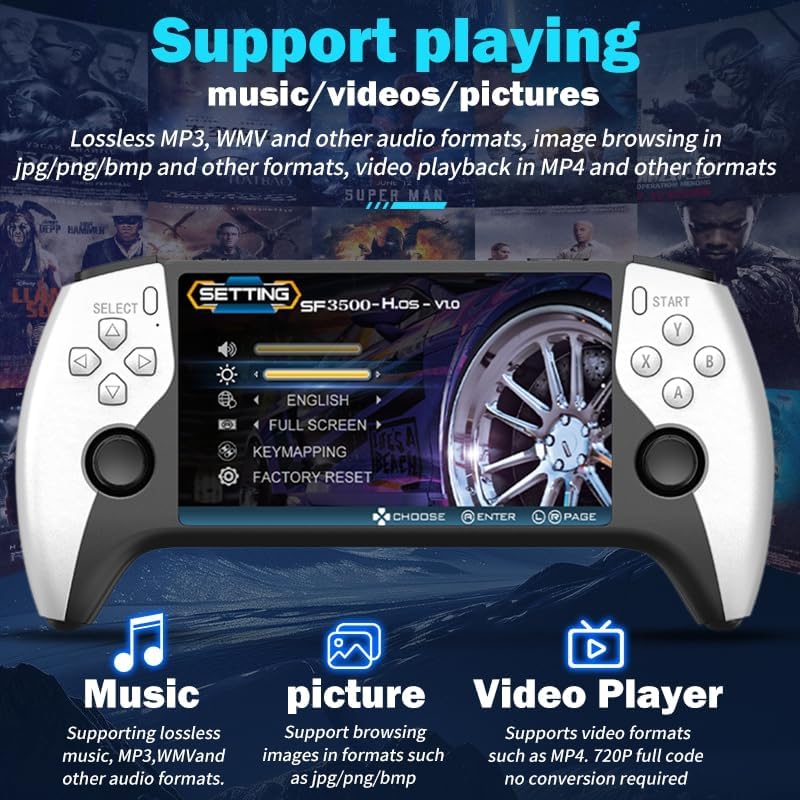
Figure 5: The SF3500 console's interface showing options for playing music, videos, and browsing pictures, highlighting its versatile entertainment features.
4. Maintenance
4.1. Screen Cleaning
To maintain optimal visual clarity, regularly clean the 5.5-inch IPS screen. Use a soft, lint-free cloth. For stubborn smudges, a screen cleaning solution designed for electronics can be applied to the cloth (not directly to the screen).
4.2. Battery Care
To prolong battery life, avoid fully discharging the console frequently. Charge the device using the provided Type-C cable and a compatible 5V/1A charger. Store the console in a cool, dry place when not in use for extended periods.
5. Troubleshooting
5.1. System Read Error
If you encounter a "System Read Error" message, remove the TF card, reinsert it securely, and then restart the console. Ensure the TF card is properly seated.
5.2. Games Not Loading Properly
If a game fails to load, try changing the emulator core for that specific game. This option is usually available within the game settings or emulator menu.
5.3. General Troubleshooting
For general issues, try pressing and holding the L1, L2, R1, R2, SELECT, and START buttons simultaneously for 3 seconds. This can often resolve minor software glitches.
5.4. Saving Game Progress
Always save your game progress before shutting down the console to avoid data loss. The console may not automatically save game states upon powering off.
6. Specifications
| Feature | Detail |
|---|---|
| Model | SF3500 |
| Screen Size | 5.5-inch IPS High-Definition |
| Battery Capacity | 3000mAh Lithium Battery |
| Battery Life | 4-6 hours (intensive gaming) |
| Charging Port | Type-C (5V/1A recommended) |
| Emulators | 14+ Classic Game Emulators |
| Connectivity | FHD TV Output, Bluetooth-compatible Controller Expansion |
| Multimedia Support | Music (MP3, WMV), Video (MP4, 720P), Pictures (JPG, PNG, BMP), E-book (TXT) |
| Product Dimensions | 1 x 1 x 1 inches |
| Manufacturer Recommended Age | 4 years and up |
7. Warranty and Support
For any questions, concerns, or technical assistance, please refer to the customer support quick guide included with your product or contact ZWXYVUT customer service. We are dedicated to ensuring your gaming experience is enjoyable.