
Introduction
The Philips MG5932/15 5000 Series Multigroom Trimmer is an all-in-one grooming solution designed for precise trimming of face, head, and body hair. This manual provides essential information for safe and effective use, maintenance, and troubleshooting to ensure optimal performance of your device.
Important Safety Information
- Read all instructions before using the appliance.
- Keep the appliance and its cord away from heated surfaces.
- Do not use the appliance if it is damaged.
- This appliance is not intended for use by persons with reduced physical, sensory or mental capabilities, or lack of experience and knowledge, unless they have been given supervision or instruction concerning use of the appliance by a person responsible for their safety.
- Children should be supervised to ensure that they do not play with the appliance.
- Only use the appliance for its intended household use as described in this manual.
- Do not immerse the charging adapter in water or any other liquid.
- Always check the blades before use. Do not use if blades are damaged.
Product Overview and What's in the Box
Your Philips MG5932/15 Multigroom Trimmer comes with a variety of attachments to meet your grooming needs. Familiarize yourself with the components before first use.

Image: All included accessories for the Philips MG5932/15 Multigroom Trimmer, including various trimming heads and combs.
Included Components:
- Philips MG5932/15 Multigroom Trimmer Handle
- Metal Trimmer
- Detail Trimmer
- Nose and Ear Trimmer
- Body Trimmer
- Sensitive Area Comb
- Hair Comb (16 mm)
- Beard Combs (1 mm, 2 mm, 3 mm, 5 mm, 7 mm)
- Travel Lock Attachment
- Soft Pouch
- USB-A Charging Cable (Power adapter not included)
Setup
Charging the Trimmer
Before first use, fully charge your trimmer. A full charge provides up to 120 minutes of cordless use.
- Ensure the trimmer is switched off.
- Connect the USB-A charging cable to the trimmer and to a USB power adapter (not included).
- Allow approximately 1 hour for a full charge. The charging indicator will show the charging status.

Image: The USB-A charging cable for the Philips MG5932/15, indicating 120 minutes of use after a 1-hour charge.
Attaching and Detaching Trimming Heads and Combs
To change attachments, ensure the trimmer is switched off.
- To attach a trimming head: Align the head with the trimmer body and push it down until it clicks into place.
- To detach a trimming head: Pull the head upwards firmly to remove it from the trimmer body.
- To attach a comb: Slide the desired comb onto the trimming head until it locks securely.
- To detach a comb: Gently pull the comb away from the trimming head.
Operating Instructions
The Philips MG5932/15 is designed for versatile grooming, offering both wet and dry use. Its self-sharpening blades ensure consistent performance.

Image: A man demonstrating the use of the Philips MG5932/15 for beard trimming, hair trimming, and body grooming, highlighting its all-in-one functionality.
General Use
- Press the on/off button to switch the trimmer on or off.
- The trimmer is 100% showerproof, allowing for convenient wet or dry grooming.
- The self-sharpening blades maintain their sharpness over time, providing a consistent cut.

Image: A close-up of the Philips MG5932/15's self-sharpening steel blades, designed for long-lasting performance.
Beard Trimming
Use the metal trimmer with or without beard combs for precise beard styling. The BeardSense technology adapts to your beard density for an even trim.

Image: Illustration of the Philips MG5932/15's BeardSense technology, which reads beard density 125 times per second to provide an even trim.
- Attach the metal trimmer.
- Select a beard comb (1mm, 2mm, 3mm, 5mm, 7mm) for your desired length.
- Move the trimmer against the direction of hair growth for an even trim.
- Use the detail trimmer for precise lines and edges.
Hair Trimming
Use the hair comb for head hair trimming.
- Attach the hair comb (16mm) to the metal trimmer.
- Move the trimmer slowly over your head, ensuring an even cut.
Body Grooming
For body hair, use the body trimmer and sensitive area comb.
- Attach the body trimmer for general body hair removal.
- For sensitive areas, attach the sensitive area comb to the body trimmer for added protection.
- Move the trimmer gently over the skin.
Nose and Ear Hair Trimming
The dedicated nose and ear trimmer ensures safe and comfortable removal of unwanted hair.
- Attach the nose and ear trimmer.
- Gently insert the trimmer into your nostril or ear canal.
- Move it in a circular motion to trim hair.

Image: A display of the various trimming heads and combs for the Philips MG5932/15, including the metal trimmer, nose and ear trimmer, detail trimmer, body trimmer, sensitive area comb, and hair comb, illustrating the 7 length settings available.
Maintenance
Cleaning
Regular cleaning ensures optimal performance and hygiene.

Image: The Philips MG5932/15 being rinsed under running water, demonstrating its 100% showerproof design for easy cleaning.
- After each use: Switch off the trimmer and remove the trimming head. Rinse the trimming head and combs under running water.
- Trimmer body: The trimmer body is 100% showerproof and can be rinsed under running water. Ensure it is completely dry before charging.
- Drying: Shake off excess water and allow all parts to air dry completely before reassembling or storing.
- Lubrication: The blades are designed to be self-sharpening and do not require oiling.
Storage
Store the trimmer and its accessories in the provided soft pouch in a dry, safe place, away from children.
Troubleshooting
- Trimmer does not switch on: Ensure the trimmer is fully charged. If it still doesn't turn on, contact customer support.
- Trimmer does not cut effectively: Ensure the trimming head is clean and free of hair. Check if the blades are damaged. If so, replace the trimming head.
- Trimmer pulls hair: This may indicate low battery. Charge the trimmer fully. Also, ensure you are moving the trimmer against the direction of hair growth.
- Charging indicator not working: Ensure the USB cable is properly connected to both the trimmer and the power source. Try a different USB power adapter.
Specifications
| Model Number | MG5932/15 |
| Brand | Philips |
| Power Source | Battery Powered |
| Special Features | Multigroomer, Rechargeable, 100% Showerproof, Self-sharpening blades, BeardSense technology |
| Usage Time | Up to 120 minutes |
| Charging Time | 1 hour for full charge |
| Dimensions (L x W x H) | 23 x 16 x 7 cm |
| Weight | 380 g |
Warranty and Support
Your Philips MG5932/15 Multigroom Trimmer comes with a comprehensive warranty.
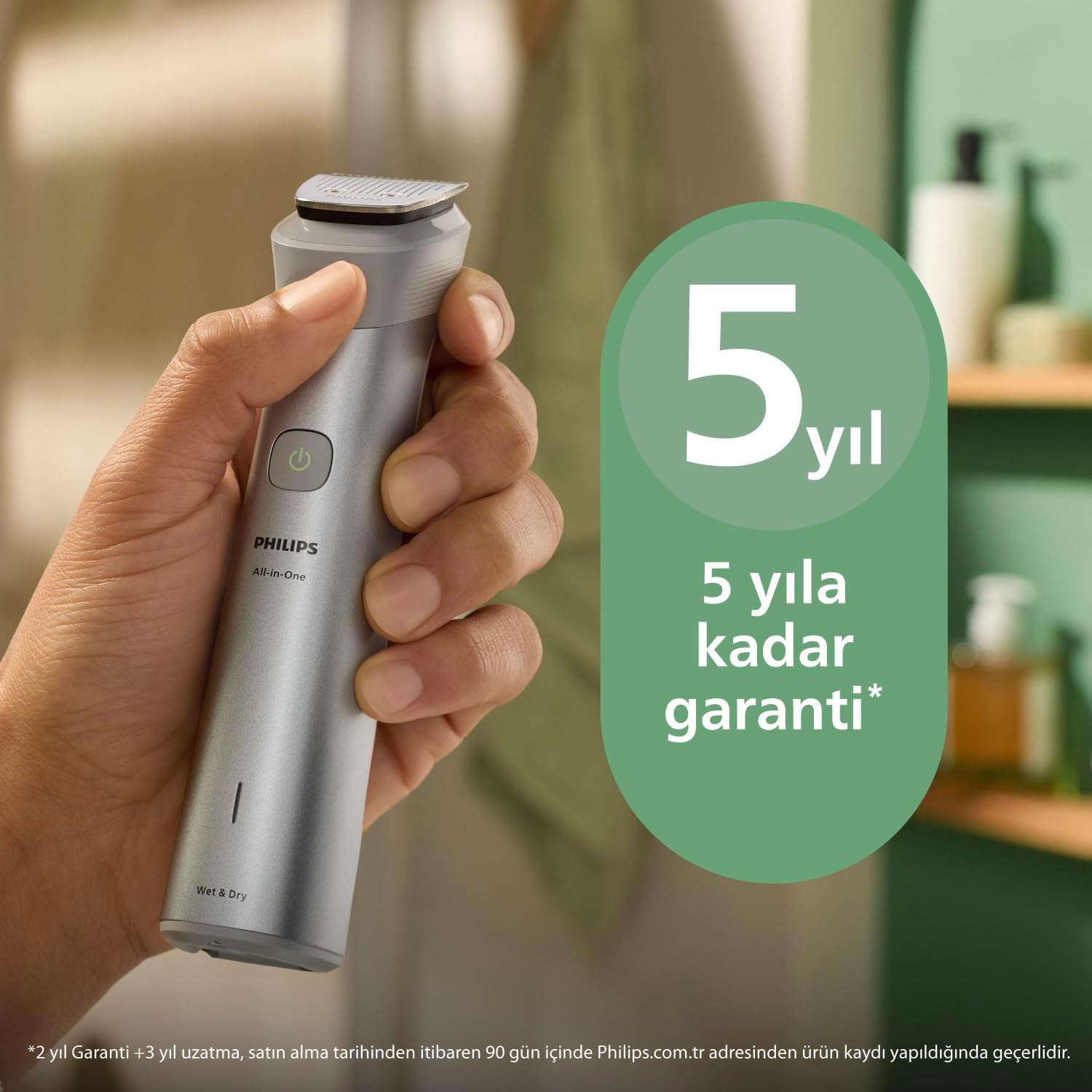
Image: The Philips MG5932/15 trimmer held in hand, with a graphic indicating a 5-year warranty.
This product is covered by a 5-year warranty. For detailed warranty terms and conditions, please refer to the warranty card included with your product or visit the official Philips website. For technical support, replacement parts, or service, please contact Philips customer support in your region.
Disposal
Do not dispose of the product with normal household waste at the end of its life. Instead, hand it over to an official collection point for recycling. By doing this, you help preserve the environment.


