
1. Introduction
Thank you for choosing the INIU P512 20000mAh 22.5W Fast Charging Power Bank. This device is designed to provide reliable and efficient portable power for your electronic devices. Please read this manual carefully before use to ensure proper operation and to maximize the lifespan of your power bank.
The INIU P512 features a compact design, high capacity, and multiple charging ports, making it an ideal companion for travel and daily use.
2. Product Overview
2.1 Key Features
- 20000mAh High Capacity: Provides multiple charges for smartphones and other devices.
- 22.5W Fast Charging: Delivers rapid power to compatible devices.
- Compact and Portable Design: Easily fits into pockets or small bags.
- Multiple Ports: Equipped with 2 USB-C (input/output) and 1 USB-A (output) ports.
- Digital Display: Shows remaining battery percentage.
- Built-in USB-C Cable: Convenient integrated cable for charging.
- Emergency Flashlight: Integrated light for convenience.
- SmartProtect 18-Layer Safety System: Comprehensive protection against overcharge, over-discharge, short-circuit, and more.
2.2 Package Contents
- 1 x INIU P512 20000mAh Power Bank
- 1 x USB-C Charging Cable
- 1 x User Manual

Image: The INIU P512 Power Bank (black) shown next to an iPhone and an iPad Pro, highlighting its compact dimensions (10.4cm x 7cm x 2.9cm) and its 20000mAh capacity. The digital display shows '00%'.
3. Setup
3.1 Initial Charging of the Power Bank
Before first use, fully charge your INIU P512 Power Bank. This ensures optimal battery performance and accuracy of the digital display.
- Connect the provided USB-C cable to one of the USB-C input/output ports on the power bank.
- Connect the other end of the USB-C cable to a compatible USB wall charger (not included).
- The digital display will show the charging progress. The power bank is fully charged when the display shows 100%.
A full charge may take several hours depending on the power of your wall charger.
4. Operating Instructions
4.1 Charging Your Devices
The INIU P512 can charge up to three devices simultaneously using its two USB-C ports and one USB-A port.
- Connect your device's charging cable to the appropriate port on the power bank (USB-C or USB-A).
- Connect the other end of the cable to your device.
- The power bank will automatically begin charging your device. The digital display will show the remaining battery level.
For optimal fast charging, use a cable compatible with your device's fast charging protocol.

Image: The INIU P512 Power Bank simultaneously fast charging an iPhone 16 (20% to 60% in 25 minutes) and a Samsung S25 (20% to 70% in 25 minutes), demonstrating its 22.5W fast charging capability.
4.2 Low Current Charging Mode
This mode is suitable for charging low-power devices such as wireless earbuds, smartwatches, or fitness trackers.
- Double-press the power button to activate low current charging mode. A small indicator light may appear on the display.
- Connect your low-power device to any output port.
- To exit low current charging mode, double-press the power button again, or the mode will automatically turn off after a few hours.
4.3 Emergency Flashlight
The power bank includes a built-in emergency flashlight.
- To turn on: Press and hold the power button for approximately 2 seconds.
- To turn off: Press and hold the power button again for approximately 2 seconds.

Image: The INIU P512 Power Bank displaying its integrated, detachable USB-C cable and a depiction of its emergency flashlight function in use.
5. Safety Information
To ensure safe operation and prevent damage to the device or injury, please observe the following safety guidelines:
- Do not expose the power bank to extreme temperatures (above 60°C/140°F or below 0°C/32°F), direct sunlight, or fire.
- Do not immerse the power bank in water or expose it to rain or moisture.
- Do not drop, puncture, or disassemble the power bank.
- Keep out of reach of children.
- Use only original or certified cables for charging the power bank and your devices.
- If the power bank swells, emits an odor, or becomes excessively hot, discontinue use immediately.
- Dispose of the power bank according to local regulations for electronic waste.
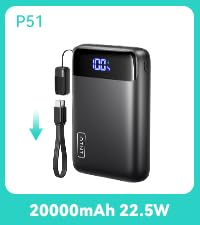
Image: A visual representation of the INIU SmartProtect 18-layer safety system, detailing various protections such as overcharge, short-circuit, over-temperature, and more, ensuring device and user safety.
6. Maintenance
Proper maintenance will extend the life of your power bank:
- Clean the power bank with a dry, soft cloth. Do not use abrasive cleaners or solvents.
- Store the power bank in a cool, dry place when not in use.
- If storing for an extended period, charge the power bank to approximately 50-75% every 3-6 months to prevent deep discharge.
- Avoid dropping or subjecting the power bank to strong impacts.
7. Troubleshooting
| Problem | Possible Cause | Solution |
|---|---|---|
| Power bank not charging | Loose cable connection, faulty cable/charger, power bank fully charged. | Check all connections. Try a different cable or wall charger. If 100% is displayed, it is fully charged. |
| Device not charging from power bank | Power bank battery empty, loose cable connection, incompatible device, faulty cable. | Charge the power bank. Check cable connections. Try a different cable. Ensure device is compatible. |
| Slow charging | Non-fast charging cable/device, multiple devices charging simultaneously, low current mode active. | Use a fast-charging compatible cable and device. Disconnect other devices. Exit low current mode. |
| Digital display not working | Power bank is off, internal issue. | Press the power button to activate the display. If problem persists, contact support. |
8. Specifications
| Feature | Detail |
|---|---|
| Model Number | P512 |
| Battery Capacity | 20000mAh (74Wh) |
| Input (USB-C) | Max 20W |
| Output (USB-C) | Max 22.5W |
| Output (USB-A) | Max 22.5W |
| Total Output | 22.5W Max |
| Battery Type | Lithium Polymer |
| Dimensions | 10.4 x 7 x 2.9 cm (4.1 x 2.8 x 1.1 inches) |
| Weight | 370g (13.05 oz) |
| Special Features | Fast Charging, Digital Display, Emergency Flashlight, 18-Layer Protection |
| Compatible Devices | Smartphones (iPhone, Samsung, Google Pixel), Tablets (iPad), Smartwatches (Apple Watch), Earbuds (AirPods), etc. |

Image: A close-up of the INIU P512 Power Bank's ports (IN1/OUT1 USB-C, IN2/OUT2 USB-C, OUT3 USB-A) and a list of compatible device categories including phones, tablets, and other accessories.
9. Warranty and Support
INIU provides a comprehensive warranty and dedicated customer support for your product.
- Warranty Period: 3 years INIU care.
- Technical Support: Lifetime technical support.
If you encounter any issues or have questions regarding your INIU P512 Power Bank, please contact INIU customer service through their official website or the retailer where you purchased the product. Please have your model number (P512) and purchase details ready.


