
1. Introduction
Thank you for choosing JingHao JH-DW2ET 16-Channel Rechargeable RIC Hearing Aids. This manual provides essential information for the safe and effective use of your new hearing aids. Please read it thoroughly before use and retain it for future reference.
2. Safety Information
- Consult a medical professional if you experience sudden hearing loss, ear pain, or discharge before using this device.
- Keep the device out of reach of children and pets to prevent accidental ingestion of small parts.
- Do not expose the hearing aids or charging case to extreme temperatures, humidity, or direct sunlight.
- Avoid using the device in environments with explosive or flammable gases.
- Do not attempt to modify or repair the device yourself. Contact customer support for assistance.
- Remove the hearing aids before showering, swimming, or using hairspray/perfume.
3. Package Contents
Verify that all items are present in your package:
- Hearing Amplifiers (x2)
- Charging Case (x1)
- Charging Cable (x1)
- Cleaning Brush (x1)
- Open-fit Eartips (x6)
- Standard Eartips (x6)
- Quick Guide (x1)

4. Product Overview
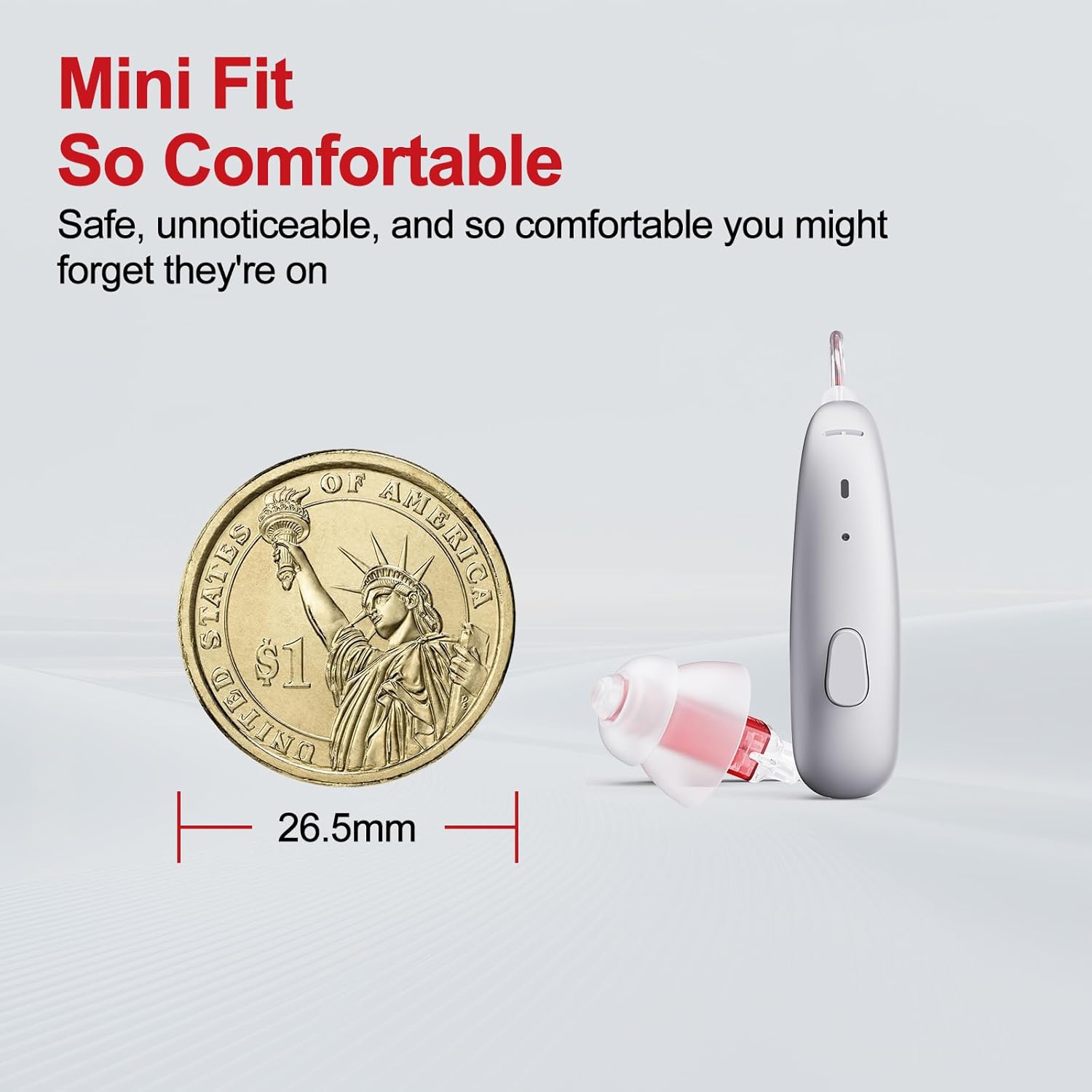
The JingHao JH-DW2ET hearing aids are designed for comfort and clear sound. They feature a Receiver-In-Canal (RIC) design, advanced noise cancellation, and multiple listening modes.

Key components include:
- Directional Microphones: Capture sound from various directions.
- Durable Audio Cable: Connects the main unit to the ear tip.
- Custom Fit Eartips: Available in various sizes and styles for optimal comfort and sound delivery.
- Volume Control: Buttons on the device for adjusting sound levels.
5. Setup
5.1 Initial Charging
Before first use, fully charge your hearing aids and the charging case.
- Connect the charging cable to the charging case and a power source.
- Place the hearing aids into their respective slots in the charging case.
- The LED indicators on the case will show charging status. A blue light indicates charging, and a white light indicates fully charged.
- Allow approximately 1.5 hours for the case to fully charge. The hearing aids will charge automatically when placed in the powered case.

5.2 Selecting Ear Tips
The package includes various sizes and types of ear tips (open-fit and standard). Choose the ear tips that provide the most comfortable fit and best sound quality without causing discomfort or feedback.
- Open-fit ear tips: Allow some natural sound to enter the ear canal, suitable for mild to moderate hearing loss.
- Standard ear tips: Provide a more sealed fit, suitable for moderate to severe hearing loss and to reduce feedback.

5.3 Fitting the Hearing Aids
- Gently place the main body of the hearing aid behind your ear.
- Insert the ear tip into your ear canal until it feels secure and comfortable.
- Adjust the thin tube to ensure it sits comfortably along the contour of your ear.
6. Operating Instructions
6.1 Power On/Off
- Power On: The hearing aids automatically power on when removed from the charging case.
- Power Off: The hearing aids automatically power off when placed back into the charging case.
6.2 Volume Adjustment
A short press on the control button on the hearing aid will adjust the volume. Cycle through available volume levels until you find a comfortable setting.

6.3 Mode Switching
The hearing aids feature 4 listening modes to adapt to different environments. A long press on the control button will switch between modes, accompanied by clear voice prompts.
- Normal Mode: General use for everyday situations.
- Restaurant Mode: Focuses on speech and reduces background noise in busy environments.
- Outdoor Mode: Suppresses wind noise for clearer sound in open air.
- Music Mode: Provides full-frequency gain for enhanced music listening.


7. Charging
The portable charging case provides multiple additional charges, offering up to a week of total usage. Each full charge of the hearing aids provides over 24 hours of use.
- Place the hearing aids into the charging case. Ensure they are correctly seated.
- The hearing aids will begin charging automatically.
- To charge the case, connect it to a USB power source using the provided cable.

8. Maintenance & Care
Proper maintenance ensures the longevity and optimal performance of your hearing aids.
- Daily Cleaning: Use the provided cleaning brush to gently remove any earwax or debris from the ear tips and the sound outlet.
- Wipe Down: Use a soft, dry cloth to wipe the main body of the hearing aids and the charging case. Do not use water or cleaning solutions.
- Storage: When not in use, store the hearing aids in their charging case in a cool, dry place.
- Replace Ear Tips: Replace ear tips regularly (e.g., every 1-3 months) or if they become damaged or discolored to maintain hygiene and sound quality.
9. Troubleshooting
If you encounter issues, refer to the table below for common problems and solutions.
| Problem | Possible Cause | Solution |
|---|---|---|
| No sound or weak sound | Low battery; blocked ear tip; incorrect volume setting | Charge the hearing aids; clean or replace ear tip; increase volume |
| Whistling or feedback | Improper fit; ear tip too small; earwax buildup | Re-insert the hearing aid; try a larger ear tip; clean ear canal |
| Intermittent sound | Loose connection; low battery; moisture | Ensure ear tip is secure; charge device; dry the hearing aids |
| Hearing aids not charging | Charging cable not connected; dirty charging contacts | Check cable connection; clean charging contacts on aids and case |
10. Specifications
| Feature | Detail |
|---|---|
| Brand | JingHao |
| Model Number | JH-DW2ET |
| Style | RIC Hearing Aids |
| Channels | 16-Channel Smart Chip |
| Listening Modes | 4 (Normal, Restaurant, Outdoor, Music) |
| Power Source | Rechargeable Lithium Ion Battery |
| Battery Life (per charge) | Over 24 hours |
| Total Battery Life (with case) | Up to 80 hours (approx. 4 full charges from case) |
| Charging Time (case) | Approx. 1.5 hours |
| Special Features | Noise Cancellation, Volume Control, Auto On/Off |
| Audio Sensitivity | 39 Decibels |
| Item Weight | 3 Grams |
| Item Dimensions (L x W) | 0.4"L x 0.3"W |
11. Warranty & Support
JingHao products are designed for reliability and performance. For warranty information, technical support, or any questions regarding your device, please refer to the contact information provided with your purchase or visit the official JingHao website. Please retain your proof of purchase for warranty claims.


