
1. Introduction
Thank you for choosing the Airzeen R7 Robot Vacuum Cleaner. This manual provides essential information for the safe and efficient operation, maintenance, and troubleshooting of your new robotic vacuum. Please read it thoroughly before use and retain it for future reference.
2. Package Contents
Verify that all items listed below are included in your package:
- 1x Airzeen R7 Robot Vacuum (including dust box, HEPA filter, sponge, roll brush, battery)
- 1x Charging Dock
- 1x Adapter
- 1x Roller Brush (pre-installed)
- 1x HEPA Filter (pre-installed)
- 2x Side Brushes (additional pair)
- 1x Cleaning Brush
- 1x Large Dustbin (pre-installed)
- 1x Remote Control (with batteries)
- 1x User Manual (this document)
- 1x Quick Guide

3. Product Overview
The Airzeen R7 is a robotic vacuum cleaner designed for efficient floor cleaning. It features a slim profile, powerful suction, and multiple cleaning modes.
3.1 Top View

3.2 Bottom View
The underside of the robot features drive wheels, side brushes, a main roller brush, charging contacts, and an optional mop attachment area.

3.3 Slim Design
With an ultra-slim 3.07-inch (7.8 cm) height, the R7 can easily navigate under furniture such as sofas and beds, reaching areas where dust often accumulates.

4. Setup
4.1 Initial Charging
Before first use, fully charge the robot vacuum for 6 hours to activate battery performance. Place the charging dock against a wall on a hard, flat, unobstructed surface. Ensure the adapter is connected to the charging dock and a power outlet.
4.2 Installing Side Brushes
Attach the two side brushes to the designated posts on the underside of the robot until they click into place.
4.3 App Connection (2.4 GHz Wi-Fi Only)
Download the 'HonySmart' app from your app store. Follow the in-app instructions to connect your R7 robot vacuum to your 2.4 GHz Wi-Fi network. This enables remote control, scheduling, and mode selection.

4.4 Unboxing and Initial Setup Video
4.5 Connecting to Bluetooth Video
5. Operating Modes
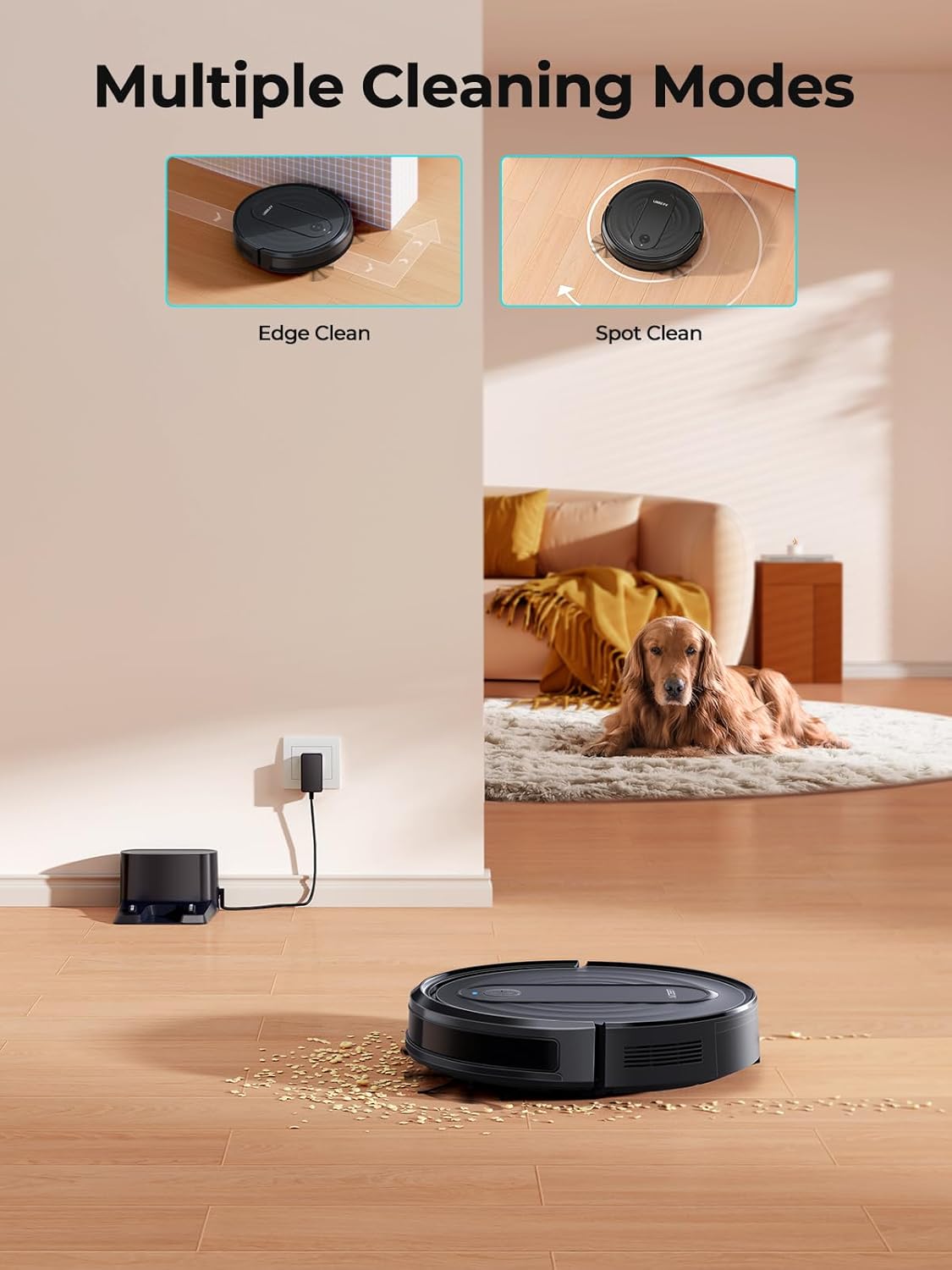
The Airzeen R7 offers various cleaning modes to suit different needs, controllable via the app, remote, or voice commands (Alexa/Google Assistant).
5.1 Cleaning Modes
- Automatic Cleaning: The robot intelligently navigates to clean the entire area.
- Spot Cleaning: Focuses on a specific area for intensive cleaning.
- Edge Cleaning: Cleans along walls and furniture edges.
- Scheduled Cleaning: Set specific times for the robot to clean automatically.
- Manual Cleaning: Control the robot's movement manually using the remote or app.
5.2 Suction Power and Carpet Boost
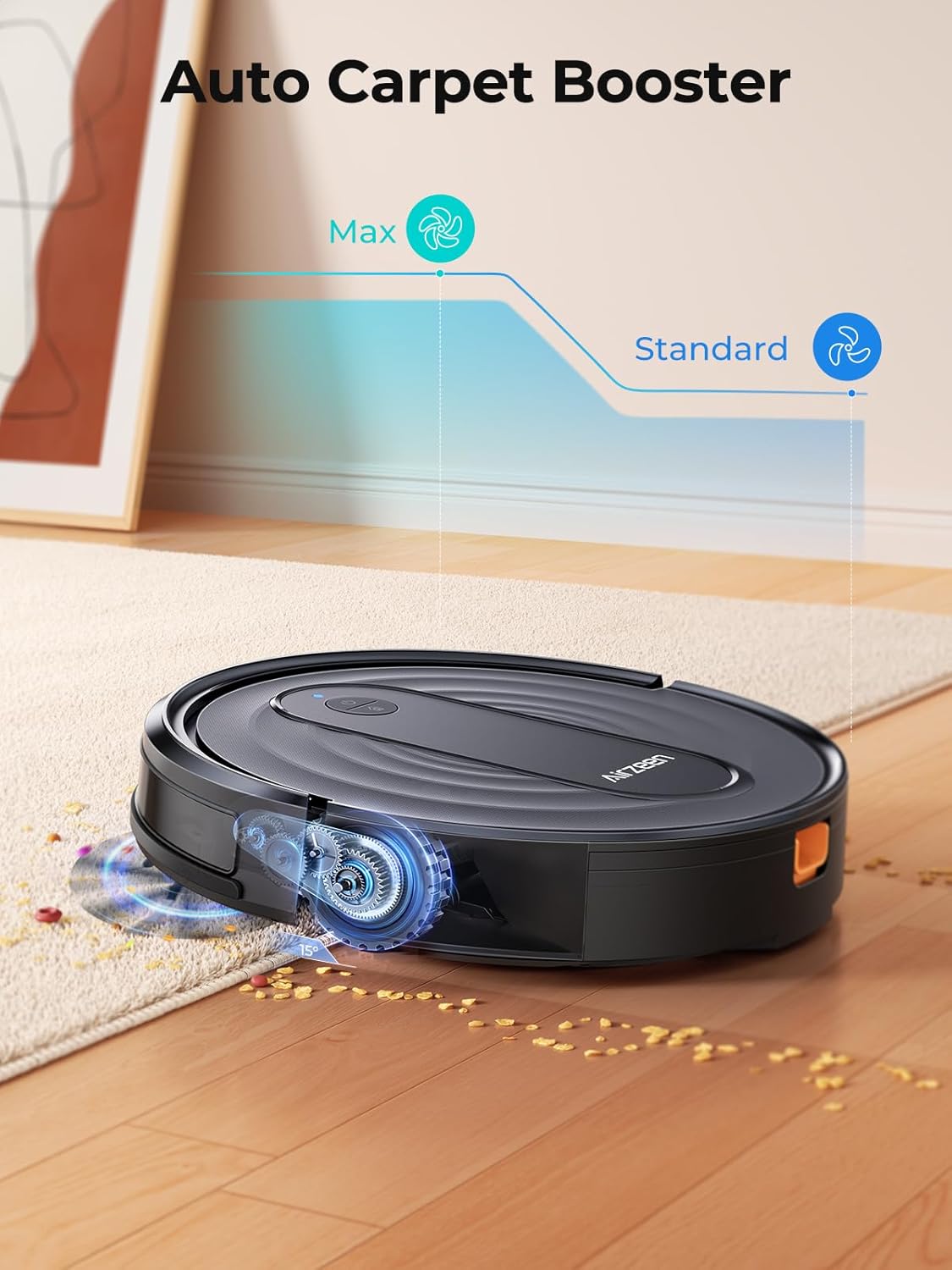
The R7 provides up to 3000PA of suction power with 3 adjustable levels (Quiet, Standard, Max). It also features an automatic carpet boost function, increasing suction when it detects carpeted surfaces to absorb deep debris.
5.3 Control Methods
Control your R7 using the included remote control, the dedicated mobile app, or voice commands through Alexa and Google Assistant.

5.4 Automatic Recharge
The R7 is equipped with a 2600mAh battery, providing up to 120 minutes of cleaning. When the battery level is below 15% or cleaning is complete, the robot will automatically return to its charging dock.

6. Maintenance
Regular maintenance ensures optimal performance and extends the lifespan of your Airzeen R7.
6.1 Dustbin and Filter Cleaning
The R7 features a 600ML oversized dustbin. Empty the dustbin after each cleaning cycle. The HEPA filter should be cleaned regularly with the provided cleaning brush and replaced periodically to maintain suction efficiency.

6.2 Cleaning Charging Contacts
Periodically clean the charging contacts on both the robot and the charging dock with a dry cloth to ensure proper connection.
6.3 Drive Wheel Maintenance
Inspect the drive wheels regularly for any tangled hair or debris and clean them using the provided cleaning tool.
7. Troubleshooting
7.1 Robot Gets Stuck
The R7 has a height of 3.07 inches (7.8 cm). If the clearance under your furniture is exactly this height, the vacuum may get stuck. Place physical barriers to prevent the robot from entering such areas. Always tidy up loose items like power cords, shoes, or socks before cleaning.
7.2 Robot Stops Cleaning Quickly
If your robot returns to the charging dock after approximately 30 minutes, check if 'Room Mode' is enabled in the app. This mode is designed for shorter cleaning cycles. For longer cleaning, select 'Random Mode'. Ensure the robot is fully charged before starting a cycle. If the charging dock's plug is loose, the robot may not have charged correctly.
7.3 Mopping Functionality
The R7 robot vacuum supports mopping with an optional 2-in-1 dustbin and water tank. This accessory must be purchased separately from the Airzeen official store. Remember to remove the mop holder when cleaning carpets to avoid staining.
7.4 Robot Cannot Recharge
Do not place the charging dock on carpet. The robot's ability to recharge is affected by its surroundings. Place the charging base against a wall on a hard, flat, and unobstructed surface. If the robot is unable to return to charge, place it approximately 1 meter in front of the charging dock and then press the "Recharge" button.
7.5 Bumper Failure Video
8. Specifications
| Brand | Airzeen |
| Model Name | R7 |
| Special Feature | Anti-Collision, Anti-Fall, Scheduling |
| Color | Black |
| Product Dimensions | 12"L x 12"W x 3"H |
| Filter Type | Sponge |
| Battery Life | 120 minutes |
| Cleaning Path Width | 15 Inches |
| Capacity (Dustbin) | 600 Milliliters |
| Power Source | Battery Powered |
| Control Method | App, Remote, Voice |
| Compatible Devices | Google Home, Smartphones |
| Item Weight | 7.43 pounds |
| Surface Recommendation | Wooden Floor, Hard Floor, Low-piled Carpet, Ceramic |
9. Warranty and Support
The Airzeen R7 Robot Vacuum comes with a 2-year warranty and lifetime technical support. For any questions or assistance, please contact Airzeen customer service.


