
Introduction
This manual provides essential instructions for the setup, operation, and maintenance of your Skechers Newkirk Digital Watch, Model SR5252. Please read this manual thoroughly to ensure proper use and longevity of your timepiece.
Product Overview
The Skechers Newkirk Digital Watch features a bold design with a blue polycarbonate case and a comfortable silicone strap. It includes a digital display with various functions and is designed for everyday wear.

Image: The Skechers Newkirk Digital Watch (Model SR5252) displayed on a wrist, showing its digital interface and blue silicone strap.
Key Features:
- Digital Display: Clear negative display for time and other functions.
- Magnetic Strap: Skechers Slip-Ins magnetic band for easy and secure fastening.
- Water Resistance: Up to 100 meters (10 ATM), suitable for bathing, swimming, and snorkeling. Not recommended for diving.
- Durable Construction: 51mm polycarbonate case with scratch-resistant acrylic crystal.
Setup
1. Initial Power On and Time Setting
Upon first use, the watch may require initial setup. Locate the buttons on the side of the watch. Typically, there are buttons labeled "MODE", "RESET", "START/STOP", and "EL/UNLOCK".

Image: Side view of the watch, highlighting the "EL/UNLOCK" button and other control buttons.
- Activate Display: If the display is off, press the "EL/UNLOCK" button to activate it.
- Enter Time Setting Mode: Press and hold the "MODE" button until the time display starts flashing, indicating it is in setting mode.
- Adjust Time: Use the "START/STOP" button to increase the value (hours, minutes, seconds) and the "RESET" button to move between different time units.
- Confirm Settings: Once the desired time is set, press the "MODE" button again to exit the setting mode.
2. Adjusting the Strap
The blue silicone strap features a magnetic closure for easy adjustment and a secure fit.
- Place the watch on your wrist.
- Wrap the strap around your wrist and allow the magnetic ends to connect, securing the watch.
- Adjust the strap position for a comfortable and snug fit.
Operating Instructions
Basic Functions:
- Time Display: The default screen displays the current time (hours, minutes, seconds) and day/date.
- Backlight: Press the "EL/UNLOCK" button briefly to illuminate the display for better visibility in low light conditions.
Mode Selection:
Press the "MODE" button to cycle through different functions such as stopwatch, alarm, and date display. The available modes will typically be indicated on the display.
- Stopwatch: In stopwatch mode, use "START/STOP" to begin/pause timing and "RESET" to clear the stopwatch.
- Alarm: In alarm mode, use "START/STOP" and "RESET" to set the alarm time. Press "MODE" to activate/deactivate the alarm.
Maintenance
Cleaning Your Watch:
- Wipe the watch case and strap with a soft, damp cloth.
- Avoid using harsh chemicals, solvents, or abrasive cleaners, as these can damage the watch's finish or materials.
- For stubborn dirt on the silicone strap, a mild soap solution can be used, followed by rinsing with clean water and thorough drying.
Water Resistance:
The watch is water resistant up to 100 meters (10 ATM). This means it is suitable for recreational swimming, bathing, and snorkeling. However, it is not designed for scuba diving or high-impact water sports.
- Do not operate buttons while the watch is submerged in water.
- Ensure the watch is completely dry before operating buttons after water exposure.
- Avoid exposing the watch to extreme temperature changes (e.g., hot showers followed by cold water), as this can compromise seals.
Battery Replacement:
The watch uses a standard watch battery. When the display dims or functions become erratic, it may be time for a battery replacement. It is recommended to have the battery replaced by a qualified watch technician to ensure the water resistance seal is properly maintained.
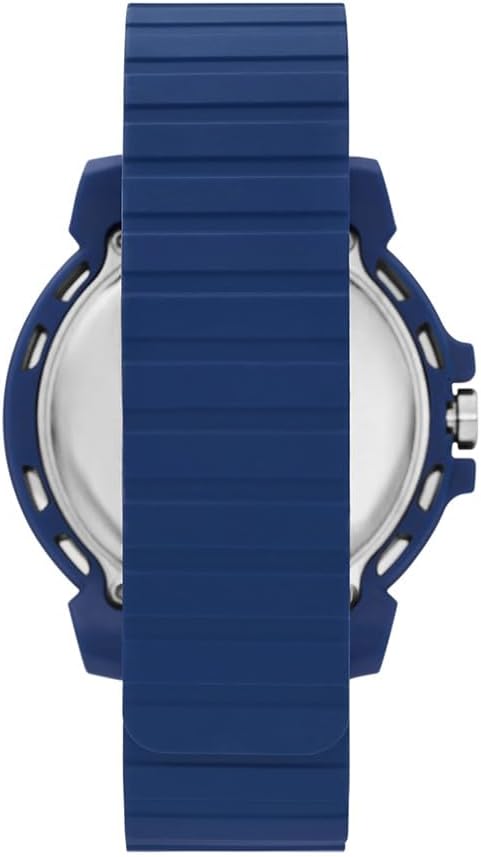
Image: Rear view of the watch case, showing the back plate where the battery compartment is located.
Troubleshooting
- Display is blank or dim:
- Press the "EL/UNLOCK" button to activate the display.
- The battery may be low. Consider professional battery replacement.
- Time is incorrect:
- Refer to the "Initial Power On and Time Setting" section to reset the time.
- Buttons are unresponsive:
- Ensure the watch is not in a locked mode (if applicable, check for a lock icon on the display).
- If the watch was recently exposed to water, ensure it is completely dry.
- A low battery can affect button responsiveness.
Specifications
| Model Number | SR5252 |
| Display Type | Digital |
| Movement Type | Quartz |
| Case Material | Polycarbonate |
| Case Diameter | 51 mm |
| Case Thickness | 13 mm |
| Crystal Type | Acrylic |
| Strap Material | Silicone |
| Strap Width | 22 mm |
| Strap Length | 210 mm |
| Clasp Type | Magnetic |
| Water Resistance | 100 meters (10 ATM) |
| Product Dimensions | 10.11 x 7.59 x 7.49 cm |
| Product Weight | 181.44 g |
Warranty Information
This Skechers Newkirk Digital Watch comes with a Limited Warranty. Details regarding the specific terms, duration, and coverage of this warranty are typically provided with the product packaging or can be obtained from the manufacturer's official website.
Please retain your proof of purchase for any warranty claims.
Support
For further assistance, technical support, or to inquire about service, please visit the official Skechers website or contact their customer service department. Contact information can usually be found on the product packaging or on the Skechers brand website.
Online Support: www.skechers.com